


Eggy Party Cross-Server Transfer 2026: SEA to Global Guide
Eggy Party doesn't support cross-server transfers from SEA to Global servers as of 2026. Progress including skins, currency, levels, and achievements stays locked to your original server region. Account binding works across devices within the same regional server only.
What Is Cross-Server Save and How It Works
Cross-server save means transferring game progress between regional servers. Eggy Party operates on distinct regional infrastructures: China server (launched May 27, 2022), SEA server (September 8, 2023), and Global server (February 2025, soft launch January 5, 2025 in Canada, Denmark, Finland, Mexico, Norway, Spain, Sweden).
Each regional server maintains independent player databases, economies, and content schedules. Account binding via email, phone, or social media enables cloud saves and multi-device access—but only within the same regional server. SEA server accounts can't bridge to Global infrastructure.
Confusion stems from within-server features. Seasonal progression preserves player ranks between seasons. When Hype Arena Ranked started November 28 at 00:00 UTC+8, players kept their Egg Rank, with Diamond Hyper Egg V holders receiving 3 Protection Cards. This only applies within the same regional server.
For reliable eggy party coins top up within your current server, BitTopup ensures purchases remain accessible across device changes.
Official NetEase Policy on Server Transfers
NetEase hasn't implemented cross-regional transfers as of 2026. Regional servers operate independently for performance optimization, regulatory compliance, and localized content distribution.
Seasonal progression systems preserve player ranks between seasons. Matchmaking closed November 27 at 23:30 to November 28 at 00:05 UTC+8 to process rank carry-over. This infrastructure exists for data preservation—but only within regional boundaries.
No comparable system exists for cross-regional migration.
SEA vs Global Server: Key Differences
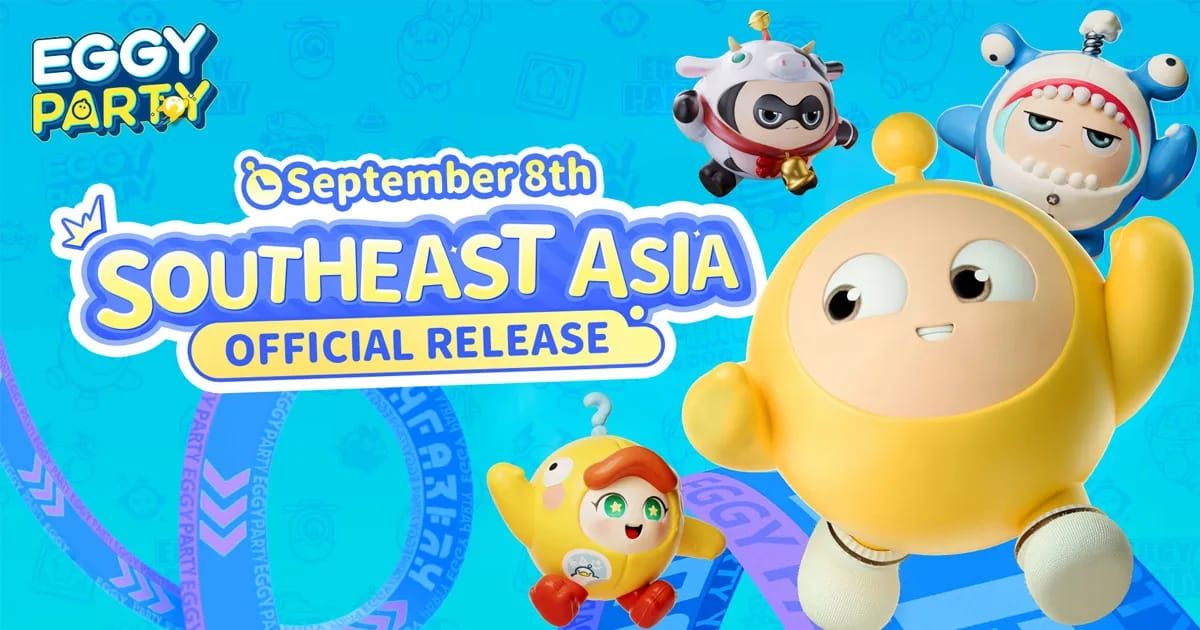
SEA and Global servers run different content schedules, events, and economies. SEA launched six months before Global, experiencing updates earlier. Regional exclusives, pricing, and character availability differ.
USA-specific events like Path to Freedom (November 22 to December 5, 2023 UTC+8) and Fright Night Creation Challenge (November 23 to December 6, 2023 UTC+8) ran exclusively on Global. Dual-Faced Teacher Linye joined Hype Arena November 28 at 10:00 UTC+8, unlockable via event or 800 Fun Coins—timing varied by region.
These structural differences create technical barriers. Currency exchange rates, item availability, and progression systems would require complex conversion algorithms NetEase hasn't implemented. The game reached 500 million players by March 2025, distributed across separate regional economies.
Can You Actually Transfer Progress from SEA to Global?
Current Transfer Capabilities as of 2026
No official mechanism exists to transfer progress, purchases, or data from SEA to Global. Accounts created on SEA stay permanently associated with that region unless you start completely fresh on Global.
The only transfer functionality operates within seasonal transitions on the same server. When Party Season updated September 6 at 00:00 following September 5 maintenance, Party Pass EXP converted to Fashion Badges. Event currencies transform at predetermined ratios: Sea Marks convert to Treasure Ship Coins at 5:1, Heart Winding Key Tokens to Artsy Coins at 5:1.
These mechanics preserve player investments through seasonal transitions within their original server—not across servers.
Official vs Community-Reported Transfer Options
No verified community methods exist for transferring between SEA and Global. The regional server architecture prevents workarounds. Account binding verifies regional server association and maintains strict separation.
Starting fresh with optimized knowledge means experienced players creating new accounts on their desired server. For this path, buy eggy coins cheap options help accelerate progression without extended grind.
Some players contact customer support requesting manual transfers, but no documented successful cases exist. NetEase support clarifies regional server selection is permanent.
Regional Restrictions and Server Lock Mechanisms
Server lock operates at account creation. When you first launch Eggy Party, the game detects geographic location and app store region, automatically directing you to the appropriate regional server. This assignment becomes permanent.
Server region information is stored as a fundamental account attribute. When binding email or phone, the system associates credentials with the specific regional server, not a universal account.
The Nintendo Switch version (released Japan, November 15, 2025) maintained regional separation. Switch players connect to region-specific servers, with cross-platform play limited to the same regional ecosystem.
What Progress Transfers Between SEA and Global Servers
Transferable Items: Skins, Costumes, and Cosmetics
No skins, costumes, or cosmetics transfer from SEA to Global. Each regional server maintains separate inventory databases. Collections remain entirely separate.
Within a single server, cosmetics persist through seasonal changes and account binding. Fashion Badges replace Party Pass EXP during seasonal transitions, preserving value.
Event-exclusive cosmetics tied to regional celebrations have no equivalent unlock mechanism on other servers. Eggy Master Contest (December 1-31) exclusive accessories and Builder Creation Month rewards remain server-specific.
Currency Transfer Rules
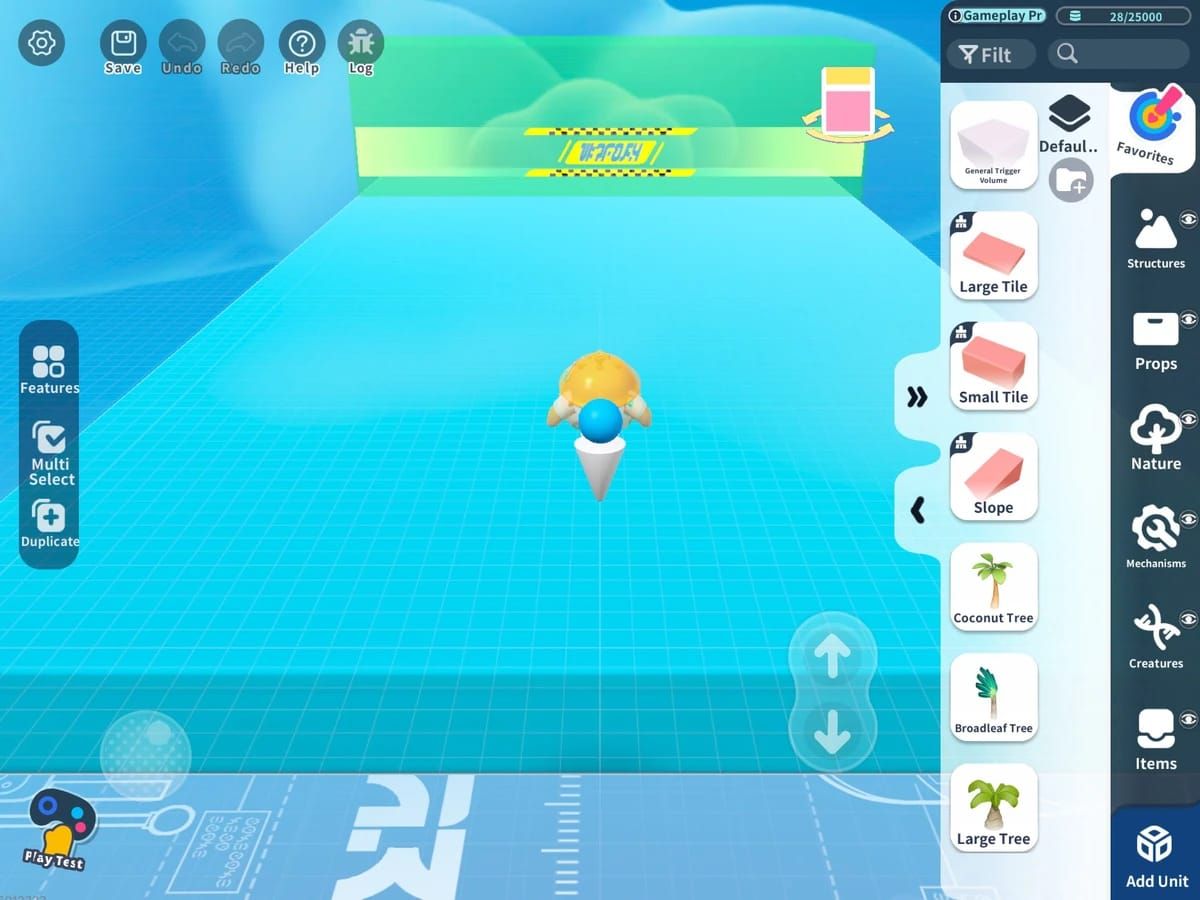
All currencies—Eggy Coins, Star Coins, Rainbow Coins, Fun Coins, event tokens—stay locked to original servers. Substantial balances on SEA reset to zero on Global. No conversion or compensation exists.
This extends to purchased premium currency. Purchases link to specific regional server economies. Refund policies don't accommodate server switching.
Within seasonal transitions on the same server, specific conversions occur at defined rates (5:1 for Sea Marks to Treasure Ship Coins, Heart Winding Key Tokens to Artsy Coins).
Level Progress, Achievements, and Statistics
Player level, achievements, and statistics don't transfer. Progress resets completely when starting on new regional servers.
Achievement systems track milestones. These achievements and rewards stay exclusive to the server where earned.
Ranked progression follows similar restrictions. Ebby Ranked S3 (started November 28 at 00:00 UTC+8, entry closed January 4 at 23:30 GMT+8) maintained rank carry-over within servers. Diamond rank players on SEA start at lowest rank on Global.
VIP Membership and Season Pass Status
VIP tiers and Season Pass ownership don't transfer. These link directly to regional server association. Active VIP on SEA provides no benefits on Global.
When Party Season updates at 23:59 July 18, accumulated Party Pass EXP converts to Fashion Badges—ensuring value retention within original server only.
Ranked Party star boost (additional star during End of Season Sprint, excluding Phoenix Egg Rank) remains server-specific.
What You'll Lose When Switching Servers
Non-Transferable Elements and Regional Exclusives
Everything becomes non-transferable: complete cosmetic collection, all currency, level progression, achievements, ranked status, VIP membership, Season Pass, limited-time event rewards. Switching means starting from zero.
Regional exclusives from SEA's six-month head start may never appear on Global, or release on different schedules. Players can't access SEA exclusives on Global.
Builder Creation Month (December 1-31) offering Egg Coin Wheel spins for Level 5+ published maps shows creative investments stay server-locked. Maps published on SEA exist only within that ecosystem.
Friend Lists and Social Connections
Friend lists don't transfer. Extensive SEA networks must rebuild entirely on Global. Social features—party formation, friend events, collaborative gameplay—all reset.
Guild/clan systems, community standing, reputation, and social capital provide no benefit on new servers.
Path to Freedom event demonstrates how community participation ties to specific server populations. Collaborative progress and social event rewards stay server-locked.
Server-Specific Event Progress and Rewards
Event participation and rewards remain server-specific. Completed SEA events receive no credit on Global.
Fright Night Creation Challenge and Eggy Master Contest (December 1-31, offering exclusive accessories, cash prizes, Egg Coins) demonstrate competitive events tied to server-specific leaderboards. Rankings, submissions, prizes stay locked to original server.
Seasonal event currencies (5:1 conversions) only benefit players remaining on same server.
Ranking and Leaderboard Positions
Competitive rankings reset completely. Egg Ranking Carry-over Rules (maintaining Diamond Hyper Egg V with 3 Protection Cards) only apply within same regional server. Top SEA players start at bottom of Global rankings.
Hype Arena Ranked matchmaking (closed November 27 at 23:30 to November 28 at 00:05 UTC+8) maintains continuity within servers but creates no cross-server recognition.
Ranked Party progression follows server-locked mechanics. Additional stars during End of Season Sprint provide no benefit to different regional server accounts.
Step-by-Step Guide: Attempting SEA to Global Migration
Prerequisites: Account Binding Requirements
Bind your SEA account to email, phone, or social media through in-game settings. This protects SEA progress and enables multi-device access within that ecosystem.
Verify binding by logging out and back in. Confirm all progress, purchases, cosmetics load correctly.
Document current progress: level, currency balances, cosmetic inventory, achievement completion. This serves as reference for rebuilding on Global.
Method 1: Official Account Linking Process
No official linking process exists for cross-server transfers. Account binding exclusively enables multi-device access within same regional server.
Binding same email/phone to both SEA and Global creates separate, independent accounts. Credentials serve as login methods for region-specific accounts, not unified profiles.
Contacting NetEase support for manual migration has no documented successful cases. Support clarifies regional server selection is permanent.
Method 2: Starting Fresh with Optimized Setup
The only viable approach: create entirely new account on Global infrastructure. Download appropriate regional version, create new account using different binding credentials than SEA.
Optimize fresh start by applying SEA experience. Prioritize efficient progression, avoid early mistakes, focus resource spending on high-value items.
Make informed spending decisions. Focus on permanent unlocks over temporary boosts, prioritize genuinely valued cosmetics based on SEA experience.
Verification and Confirmation Steps
Verify regional server connection by checking event availability, currency pricing, content schedules. Global events, pricing, update timing differ from SEA.
Test account binding on Global by binding to different credentials than SEA. Log out and back in to confirm binding works.
Accept SEA and Global accounts remain permanently separate. No future update likely enables retroactive transfers.
Account Binding and Synchronization Tutorial
How to Bind Your Eggy Party Account Properly
Access account binding through settings icon (upper-right corner). Navigate to Account or User Center for binding options: email, phone, social media.
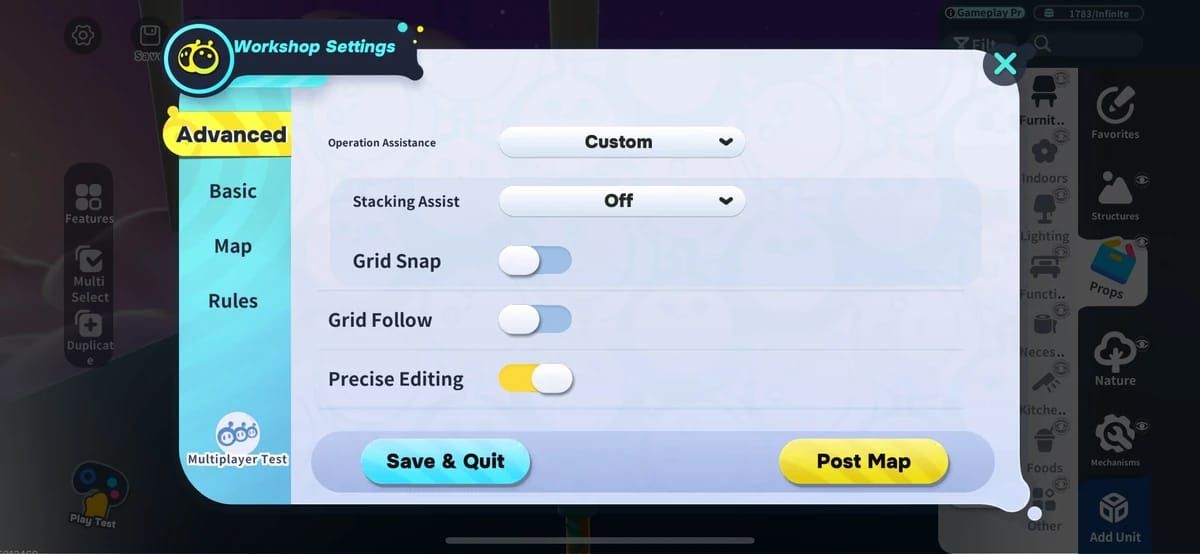
Select preferred method. Email provides universal access. Phone offers quick verification but may face regional compatibility. Social media enables one-tap login but ties to third-party security.
Complete verification via code sent to email/phone or social media authorization. System confirms successful binding with notification.
Email, Phone, and Social Media Binding Options
Email binding: Most reliable cross-device access. Use permanent email, avoid temporary services. Requires entering address and confirming verification code.
Phone binding: Convenient but faces regional limitations. Numbers must match server's supported countries/carriers. Verification via SMS code.
Social media binding: Quick login without separate credentials. Creates dependency on third-party platform availability. Account changes affect game access.
Multi-Device Access and Cloud Save Setup
Once bound, cloud save activates automatically within regional server. Progress synchronizes across devices when logging in with bound credentials.
Test multi-device access on secondary device. Verify all progress appears correctly: purchases, level, cosmetics.
Cloud save operates exclusively within regional server. SEA binding enables device switching within SEA only, not Global access.
Common Binding Errors and Fixes
Account already bound: Credentials already associated with another account on same regional server. Use different credentials or unbind from previous account.
Verification code failures: Incorrect information or regional compatibility issues. Verify entered details match exactly, including country codes. Check spam folders. Ensure phone receives international/automated SMS.
Region mismatch: Geographic restrictions on server access. Some servers implement IP/app store-based restrictions. VPN may resolve but can violate terms of service.
Real Player Experiences: Transfer Success Stories and Failures
Case Study: Successful Partial Migration Strategies
No true migration exists due to technical impossibility. However, experienced players developed efficient restart strategies minimizing fresh start impact.
Focus exclusively on ranked progression initially, leveraging Egg Ranking Carry-over preserving rank between seasons. Achieving high rank quickly positions for competitive status through subsequent transitions (3 Protection Cards at Diamond Hyper Egg V).
Prioritize event participation over general progression. Builder Creation Month (December 1-31) rewards Level 5+ map publication with Egg Coin Wheel spins, accelerating progression despite being new.
Common Mistakes That Lead to Data Loss
Critical mistake: Failing to bind accounts before server switches. Creates risk of losing SEA access if device issues occur. Always bind both accounts to separate credentials.
Assuming support can manually transfer: Players waste time requesting impossible transfers. Understanding limitations prevents disappointment.
Using same binding credentials: Creates confusion about active account, risks progressing wrong account. Use distinct binding methods for different servers.
What Veteran Players Recommend for Server Switching
Make server decision early, before significant investment. Research server populations, content schedules, friend networks. 500 million players distribute unevenly, affecting matchmaking and community activity.
Maintain realistic expectations about rebuild timelines. Even with optimal strategies, reaching equivalent status requires substantial time. Seasonal cycles significantly impact progression speed.
Treat switching as opportunity to correct early mistakes. Apply lessons about resource management, cosmetic priorities, competitive strategies. Focus on permanent value, engage community early.
Alternative Solutions If Direct Transfer Is Impossible
Playing on Multiple Servers with Separate Accounts
Maintain active accounts on both SEA and Global for most comprehensive solution. Requires managing separate progression but allows continued SEA access while building Global presence.
Use distinct binding credentials. Bind SEA to one email, Global to different email. Document which credentials access which server.
Allocate gaming time strategically. Focus intensive progression on primary server, maintain casual engagement on secondary. Participate in time-limited events on both when schedules permit.
Fast-Tracking Progress on a New Server
Optimize early-game by focusing high-efficiency activities. Prioritize daily missions, events, ranked progression. Ebby Ranked S3 (started November 28 at 00:00 UTC+8) demonstrates seasonal competitive cycles with significant rewards.
Leverage Builder Creation Month by publishing maps early. Reaching Level 5 publication unlocks Egg Coin Wheel spins. Focus quality over quantity.
Participate in limited-time events like Eggy Master Contest (December 1-31) offering exclusive accessories, cash prizes, Egg Coins. Events provide disproportionate rewards for skilled players.
Maximizing Efficiency with BitTopup for Quick Progression
When starting fresh, strategic resource acquisition accelerates progression. BitTopup offers competitive Eggy Coins pricing, enabling essential cosmetics, Season Passes, progression boosts without extended grinding. Secure transactions and instant delivery ensure quick momentum.
Focus initial purchases on permanent unlocks. Season Pass provides ongoing rewards, with Party Pass EXP converting to Fashion Badges during maintenance. Cosmetics provide lasting value.
BitTopup's excellent customer service and high ratings make it reliable for rebuilding. Wide game coverage simplifies resource management across multiple games and accounts.
Cross-Server Play Features and Limitations
Eggy Party doesn't implement cross-server play between regional servers. SEA players can't join parties, compete, or interact with Global players. Regional separation extends to all multiplayer features.
Within regional servers, cross-platform play exists between supported platforms. Nintendo Switch (released Japan, November 15, 2025) enables Switch-mobile interaction within same regional ecosystem. Cross-platform respects regional boundaries.
No official announcements indicate cross-server plans for 2026. Technical infrastructure, economic implications, regulatory requirements make comprehensive cross-server functionality unlikely near-term.
Troubleshooting Common Cross-Server Transfer Issues
Error Messages and What They Mean
Account not found: Confirms account exists exclusively on one regional server, can't be accessed from another region's client.
Invalid credentials: Suggests attempting wrong regional server. Verify game client connects to correct region by checking app store region, download source, in-game indicators.
Region locked/Service unavailable: Geographic restrictions on server access. Some servers implement IP/app store-based restrictions aligning with publishing rights and regulations.
Account Not Found or Region Mismatch Problems
When account appears missing after device switch/reinstall, verify correct regional server access. Download appropriate regional version matching original account's server.
Check binding status by attempting login with all previously used credentials. Try email, phone, social media systematically.
Contact support with: player ID, binding credentials, approximate creation date, recent activity. Support verifies which regional server hosts account, provides access guidance (but can't transfer between regions).
Currency Not Showing After Transfer
If currency appears missing after device switches/updates, verify correct regional server account access. Currency stays server-specific; accessing different region shows different account with separate balances.
Within same server, currency synchronizes automatically. If genuinely missing, check recent purchases, event conversions (5:1 ratios), seasonal transitions (Party Pass EXP to Fashion Badges).
Document currency balance before/after with screenshots. Contact support with documentation, player ID, transaction history. Purchase issues may require app store receipts.
Contacting Support: What Information to Provide
Prepare: player ID (account settings), bound email/phone, account creation date (approximate), recent activity summary, specific issue description with error messages.
For purchases: transaction IDs from app store history, purchase dates, amounts. Helps verify ownership and investigate processing.
Set realistic expectations. Support helps with account access, purchase problems, technical bugs within single regional server. Support can't transfer accounts between regions, manually migrate progress, or override regional separation.
Future of Cross-Server Features in Eggy Party
Rumored Server Merge Plans for Late 2026
No official announcements or credible leaks indicate server merge plans. Community speculation exists, but no evidence supports it. Technical complexity, economic implications, regulatory challenges make merges unlikely near-term.
Server merges in other NetEase titles occurred when populations declined to unsustainable levels. Eggy Party's 500 million players (March 2025) indicate healthy levels not necessitating merging.
If merges were planned, NetEase would announce well in advance. Absence of official communication suggests they're not under consideration for 2026.
Community Requests for Improved Transfer Systems
Players consistently request cross-server transfers, particularly those who started on SEA before Global launched. Six-month gap (SEA September 8, 2023; Global February 2025) created situations where players invested significantly before preferred region became available.
Suggestions include one-time transfers, paid services, or cosmetic purchase transfers. NetEase hasn't publicly responded or indicated plans. Silence suggests technical/business reasons prevent such features.
Some propose account linking preserving purchases across servers while maintaining separate progression. No indication NetEase is developing such systems.
How to Stay Updated on Transfer Policy Changes
Monitor official Eggy Party social media, website, in-game announcements for policy changes. Major features appear across all official channels simultaneously.
Follow reputable community sources and content creators covering updates. Verify against official announcements. Distinguish confirmed information from speculation.
Check quarterly, particularly around major seasonal transitions. Party Season update (September 6 at 00:00 following September 5 maintenance) and Ranked Party entry closure (January 4 at 23:30 GMT+8) show updates align with seasonal cycles.
Maximizing Your Eggy Party Experience Across Servers
Strategic Tips for Multi-Server Players
Designate one server as primary for competitive progression, ranked participation, significant investment. Treat secondary servers as casual experiences for exploring regional content, maintaining friend connections, experiencing different event timing.
Coordinate play schedule to maximize event participation across servers. Regional servers often run similar events on different schedules. Path to Freedom (November 22 to December 5, 2023 UTC+8) and Fright Night Creation Challenge (November 23 to December 6, 2023 UTC+8) exemplify region-specific timing.
Leverage knowledge transfer. Strategies, map knowledge, competitive techniques learned on one server apply to others. Use secondary server as testing ground before implementing on primary account.
Currency Management and Spending Priorities
Prioritize permanent unlocks over consumables. Season Pass provides ongoing rewards, with Party Pass EXP converting to Fashion Badges, preserving value. Cosmetics offer permanent enjoyment.
Avoid duplicate purchases across servers unless necessary. If maintaining both SEA and Global, accept some cosmetics stay exclusive to one account. Focus each account's spending on different priorities.
Take advantage of currency conversions during seasonal transitions. 5:1 ratios (Sea Marks to Treasure Ship Coins, Heart Winding Key Tokens to Artsy Coins) preserve value when events end. Plan participation to maximize accumulation before conversion deadlines.
Building Your Collection Efficiently on New Servers
Focus on limited-time event cosmetics when starting fresh. Permanent shop items remain available indefinitely, but event exclusives (Eggy Master Contest December 1-31 exclusive accessories) disappear after conclusion. Prioritize time-sensitive over permanent availability.
Participate in Builder Creation Month by publishing maps early. Level 5 publication unlocks Egg Coin Wheel spins providing random rewards. Builds collection through gameplay rather than pure purchasing.
Leverage Ranked Party progression for competitive rewards. Star boost granting additional stars during End of Season Sprint (excluding Phoenix Egg Rank) accelerates rank progression, unlocking rank-based cosmetics faster.
Frequently Asked Questions
Can you transfer your Eggy Party account from SEA to Global server?
No. Eggy Party doesn't support transfers between SEA and Global. Each regional server maintains completely separate databases. No official mechanism exists to migrate progress, purchases, or account elements. You must start entirely fresh on different regional servers.
What progress carries over when switching Eggy Party servers?
Nothing carries over between regional servers. All cosmetics, currency, levels, achievements, ranked status, VIP, Season Pass, friend lists, event rewards stay locked to original server. Within same server, seasonal transitions preserve elements through conversions (Party Pass EXP to Fashion Badges, event currencies at 5:1).
Do Eggy Party skins transfer between SEA and Global servers?
No. Skins and cosmetics don't transfer. Each server maintains independent inventories. SEA unlocks remain inaccessible on Global. Regional exclusives may never appear on other servers or release on different schedules.
How do I link my Eggy Party account for cross-server play?
Cross-server linking doesn't exist. Account binding via email/phone/social media enables multi-device access exclusively within same regional server. You can't link SEA and Global to share progress. Each region requires separate account with distinct binding credentials.
Does Eggy Party support cross-region account migration in 2026?
No. As of 2026, Eggy Party doesn't support cross-region migration. No official announcements indicate plans to implement transfers. Technical architecture with separate regional databases makes such features unlikely. Choose regional server carefully before significant investment—this choice is permanent.
What happens to my Eggy Party currency when transferring servers?
All currency stays locked to original regional server. Eggy Coins, Star Coins, Rainbow Coins, Fun Coins, event tokens don't transfer, convert, or provide benefits on different servers. You start with zero currency on new server accounts regardless of other server balances.
Starting fresh on new Eggy Party server? Fast-track progress with BitTopup! Get instant Eggy Coins, exclusive costumes, season passes at best rates. Secure payment, instant delivery, 24/7 support. Visit BitTopup now and reclaim your competitive edge!
Recommended Articles






Recommended Products




Table of Contents
- Understanding Eggy Party Cross-Server Save System in 2026
- What Is Cross-Server Save and How It Works
- Official NetEase Policy on Server Transfers
- SEA vs Global Server: Key Differences
- Can You Actually Transfer Progress from SEA to Global?
- Current Transfer Capabilities as of 2026
- Official vs Community-Reported Transfer Options
- Regional Restrictions and Server Lock Mechanisms
- What Progress Transfers Between SEA and Global Servers
- Transferable Items: Skins, Costumes, and Cosmetics
- Currency Transfer Rules
- Level Progress, Achievements, and Statistics
- VIP Membership and Season Pass Status
- What You'll Lose When Switching Servers
- Non-Transferable Elements and Regional Exclusives
- Friend Lists and Social Connections
- Server-Specific Event Progress and Rewards
- Ranking and Leaderboard Positions
- Step-by-Step Guide: Attempting SEA to Global Migration
- Prerequisites: Account Binding Requirements
- Method 1: Official Account Linking Process
- Method 2: Starting Fresh with Optimized Setup
- Verification and Confirmation Steps
- Account Binding and Synchronization Tutorial
- How to Bind Your Eggy Party Account Properly
- Email, Phone, and Social Media Binding Options
- Multi-Device Access and Cloud Save Setup
- Common Binding Errors and Fixes
- Real Player Experiences: Transfer Success Stories and Failures
- Case Study: Successful Partial Migration Strategies
- Common Mistakes That Lead to Data Loss
- What Veteran Players Recommend for Server Switching
- Alternative Solutions If Direct Transfer Is Impossible
- Playing on Multiple Servers with Separate Accounts
- Fast-Tracking Progress on a New Server
- Maximizing Efficiency with BitTopup for Quick Progression
- Cross-Server Play Features and Limitations
- Troubleshooting Common Cross-Server Transfer Issues
- Error Messages and What They Mean
- Account Not Found or Region Mismatch Problems
- Currency Not Showing After Transfer
- Contacting Support: What Information to Provide
- Future of Cross-Server Features in Eggy Party
- Rumored Server Merge Plans for Late 2026
- Community Requests for Improved Transfer Systems
- How to Stay Updated on Transfer Policy Changes
- Maximizing Your Eggy Party Experience Across Servers
- Strategic Tips for Multi-Server Players
- Currency Management and Spending Priorities
- Building Your Collection Efficiently on New Servers
- Frequently Asked Questions
Recommended Products




Recommended Articles
Fix MLBB Payment Canceled by System Error on Android and iOS
Once Human Crystagin Not Received After Top Up: Fix Guide

How to Lower PS5 Ping Japan Servers for Smooth Online Play

Eggy Party Beginner Guide: Essential Skills and Traps to Avoid

How to Get Free Gems in Guild Wars 2 Without Heavy Grinding

How to Change Keybinds in Lineage W PC: Client Setup Guide

How to Fix Astra Knights of Veda Crashing on Startup PC in 2026

MLBB Tier List 2026: Best Heroes to Pick in Ranked Matches




























































































