Need diamonds for Alok, Skyler Skill Boost, or Booyah Pass after you lock the layout? Use your Player ID only on Free Fire Diamonds. No Garena password.
Free Fire 3-finger claw HUD codes (August 2026)
Updated on 2026-08-20: live client is OB54 (global, 23–24 June 2026). OB55 is still on Advance Server as of this week, so these codes target OB54, not Advance. The old “OB51 New HUD” row is moved to Retired codes because later guides list that string as a 2-finger layout.
Paste one 3-finger code first. If the game returns invalid, try the next row in the same column. After a major OB, share codes often break even when the prefix still looks right.
Layout | Share code | Use it for | After import |
|---|
All-rounder (Zerox-style) | #FFHUDT7O3jjGFSltPo7eM
| BR + Clash Squad, first code to try | Confirm a large fire button sits top-left for the left index |
Mid / long control | #FFHUDT6O3jRoP1WVPo7eN
| Peek fights, ARs, cleaner right-side aim | Keep Scope and the index fire button apart so the finger does not cover the crosshair |
Hybrid / PUBG-like | #FFHUDT6O3jlm5zV9Po7eN
| Players moving over from other BRs | Gloo + grenade stay near the joystick, not on the fire cluster |
Aggressive 3-finger | #FFHUDT6O3jjO8OhtPo7eO
| Building pushes, fast wall + peek | If Jump and Gloo share one side, split them |

Do not treat creator names on blogs as a signed pro export. The same strings circulate as “4Flag”, “RaiStar”, or “Zerox” across sites, and at least one of those strings is a 4-finger layout (see Retired codes). Import, then spend 10 minutes in Training moving every core button onto your actual reach.
How the 3-finger claw works
Two thumbs keep you moving and aiming. The third contact is the left index, hooked over the top-left bezel onto a dedicated fire button. That split is the whole upgrade: you shoot while the right thumb stays on the aim surface, and the left thumb can tap Gloo Wall without stealing the crosshair.
On a 2-finger HUD the right thumb has to leave aim to fire, jump, or build. In Diamond and above that pause is enough to lose a close 1v1.
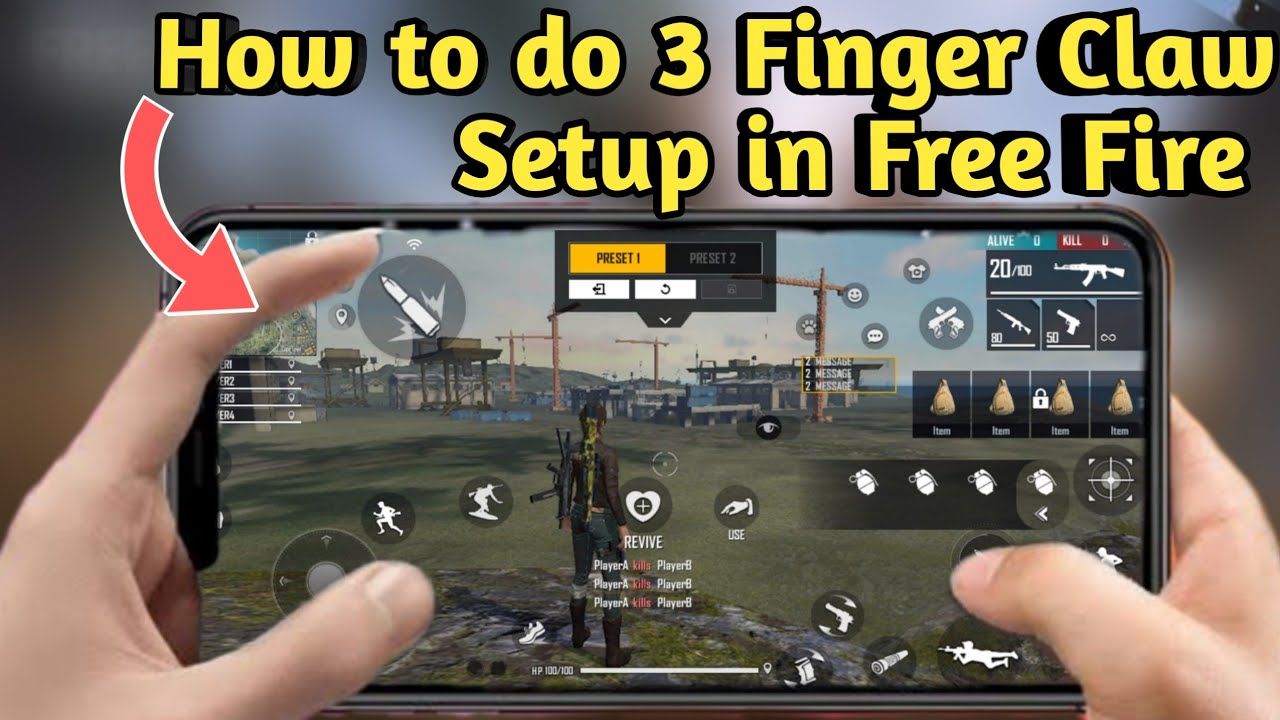
Start here if you are coming from thumbs:
Left thumb: joystick, sprint, Gloo Wall, grenades
Left index: left fire button (top-left), crouch under that fire button, reload if you can reach it
Right thumb: aim drag, right-side fire as backup, ADS / scope, medkits, loot, character skill
The old version of this page put index fire on a “right-side button.” That is the 2-finger habit. The extra fire button belongs top-left, under the left index.
Finger assignment and button zones
Lock five controls before you touch anything else: joystick, index fire, scope, jump, crouch. Every other icon works around that skeleton.
Finger | Primary buttons | Size / opacity | Placement |
|---|
Left thumb | Joystick, sprint, Gloo Wall, grenade | Joystick small; Gloo large enough to hit without a hunt | Bottom-left. Gloo just above or inward of the joystick |
Left index | Left fire, crouch, optional reload / weapon swap | Fire 80–90% while you learn, then shrink | Top-left corner. Crouch a finger-width below fire |
Right thumb | Aim surface, right fire, ADS, medkit, loot, skill | Right fire 70–85%; unused icons 30–40% opacity | Bottom-right stays open for drag aim. Skill next to right fire if you run Alok |
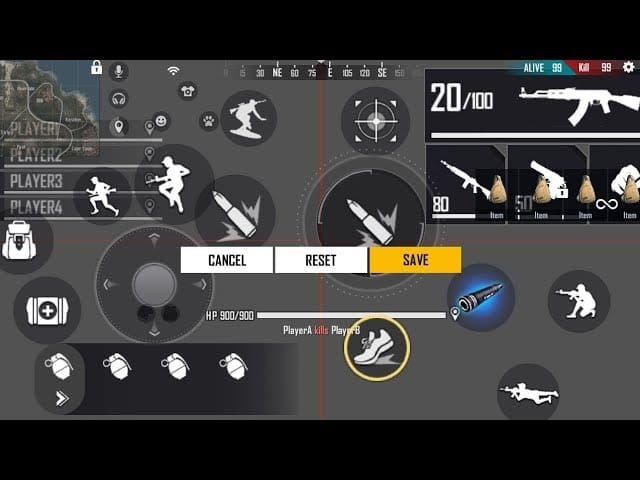
Keep Jump and Gloo Wall on different fingers. If both sit on the left thumb, you will mistap one of them in a rush. A common split: Jump mid-left for the thumb, Gloo slightly higher or more inward; crouch stays with the index under fire.
Phones under 6 inches: stay on 3-finger. A 4-finger claw on a small panel stacks index fingers over the sight picture and creates mistaps. 6.3–6.7 inch panels are the size most of these share codes were built on. After import, nudge corner buttons inward if your bezels or a case block the last 5 mm.
Why Gloo Wall speed matters in OB54
Gloo Wall is still the cheapest cover in a gunfight, and OB54 made the resource tighter and easier to punish. Official OB54 patch notes unified Gloo Walls from eliminations and loot boxes to 1, and Gloo Maker now adds +1 wall per level instead of dumping extras. Skyler’s Skill Boost can lock and chew multiple walls. Nero’s plushie still denies placement inside its space. M82B and SVD-Y now mark walls they punch through.
You get fewer free walls and more tools that delete the ones you drop. The player who places the first wall while still aiming wins the trade. A 3-finger map does that by leaving Gloo on the left thumb so the index can keep firing and the right thumb never lifts.
Community tests put a short double-wall at about half a second when the icon sits next to the joystick. Treat that as a training goal, not a guaranteed timer. If your thumb travels across half the screen, you are still on a 2-finger Gloo.
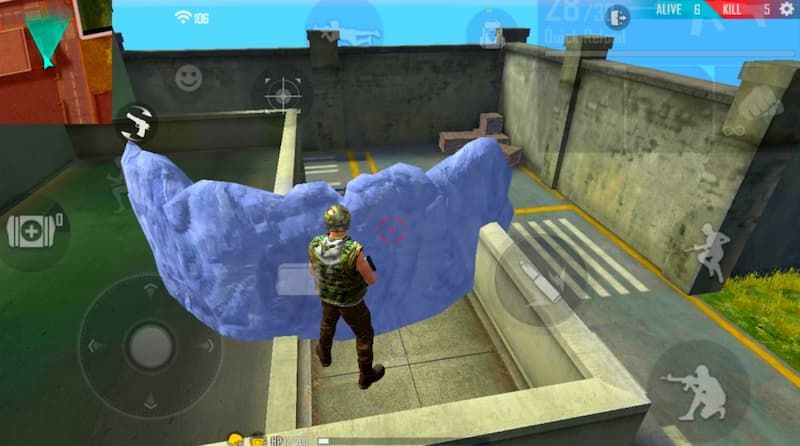
Use the extra speed to push stairs and airdrop boxes, then immediately re-wall. In OB54 that second wall is often the only one you have left.
Characters that reward this HUD: Alok (drop the drop and keep spraying), Skyler (break their wall, place yours), Kelly or other rusher kits if you already own them. Buy those kits with a UID-only top-up on BitTopup Free Fire Diamonds after you finish the Training drill, not before.
How to import a HUD code in OB54
OB54 can attach sensitivity to a share code. Apply HUD only unless you want to throw away a sens you already trust. Pair the new buttons with the values in our Free Fire sensitivity settings guide after the layout feels stable.
Open Free Fire and tap the gear in the lobby.
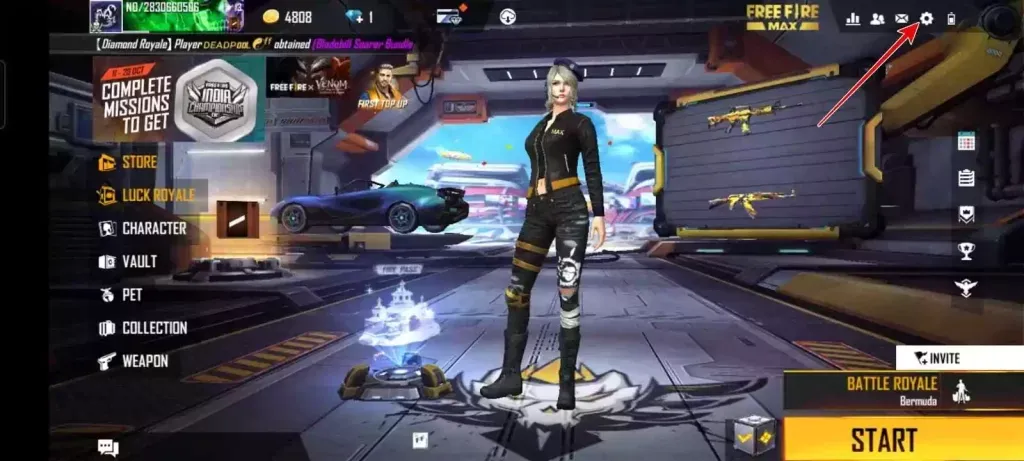
Open HUD. If you see HUD Recommendation System, use that screen. Some builds still keep Custom HUD Presets under the In Match or Controls tab. Both paths end on Use Share Code.
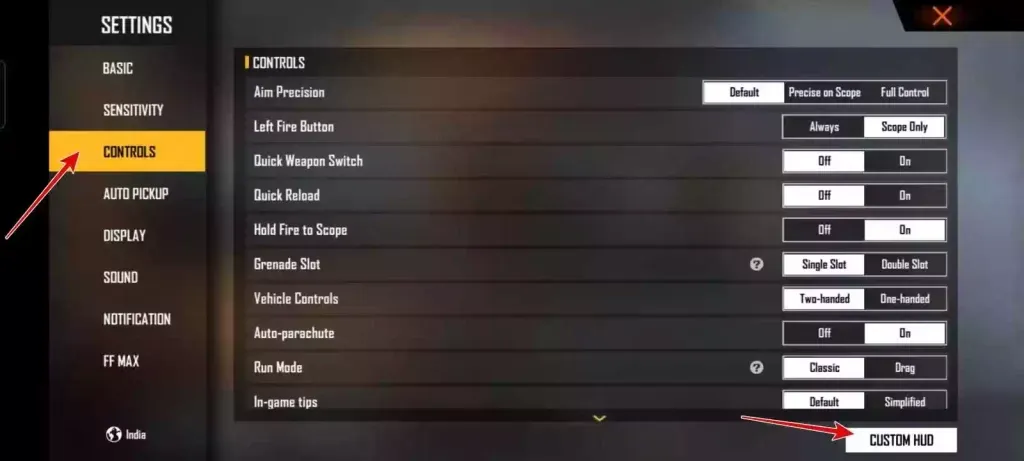
Tap Use Share Code (bottom-left on the recommendation page).
Paste the code with the#FFHUDT prefix and no spaces.
Tap Apply. When the game asks about sensitivity, choose HUD only.
Save the preset, then enter Training before ranked.
Android and iOS accept the same code format. A 20:9 panel will still shift icons a few millimeters versus the creator’s 16:9 or 19.5:9 phone. That is expected. Slide, do not re-import.
If the code fails: you dropped a character, you pasted a MAX-only leftover on a mismatched client, or OB54 already retired that string. Try the next 3-finger row. Do not fall back to a 4-finger code to “make it work.”
Post-import verification checklist
Run this in Training, not in ranked.
Left index reaches the top-left fire button without sliding the phone in your palm
Crouch sits a short tap below that fire button (crouch-fire in one motion)
Gloo Wall is a left-thumb tap from the joystick; you can walk and wall without a grip change
Right thumb has a clear drag zone; scope is close to right fire but not overlapping
Jump is not stacked on Gloo
Map, bag, and settings sit at 30–40% opacity
No two combat buttons share the same tap circle
Joystick stays bottom-left and smaller than fire
Then fire this drill for 10 minutes: strafe + index fire, crouch-fire, walk + Gloo + keep the crosshair on a dummy. If any step needs a second thought, the icon is still too far.
Do not change the HUD the night of a ranked session. Give it 3–5 Clash Squad or Lone Wolf games after Training.
Starter sensitivity if you import HUD only
Slider | No gyro | Light gyro |
|---|
General | 95 | 98 |
Red Dot | 90 | 95 |
2x | 80 | 80 |
4x | 65–75 | 70 |
Sniper | 35–40 | 40 |
Free Look | 65 | 70 |
Gyroscope | off | 25–30 |
Move each slider ±5 after a Training session. Device Hz and RAM change the feel more than a copied “pro” number.
From 2-finger to 3-finger without throwing rank
Import the all-rounder code and enlarge index fire to ~90%.
Train only crouch-fire and Gloo + walk for a week. Ignore fancy jump-shots.
Play Lone Wolf or custom rooms before Clash Squad Ranked.
Shrink fire and crouch once you stop hunting for them.
Stay on the new HUD for the whole session. Switching back mid-grind resets the week.
Most players feel worse for 3–5 days and cleaner by day 10. Jumping straight to 4-finger from thumbs doubles that dip.
Diamonds, characters, and the HUD
The layout does not spend diamonds. The characters that make the layout worth learning do. Alok’s drop, Skyler’s wall break, and the current Booyah Pass are diamond sinks. Redeem leftover event codes first at the official Free Fire Rewards site, then top up with Player ID only.
Open Free Fire → tap your avatar → copy the 9–12 digit Player ID under the name. One wrong digit sends the order to someone else. BitTopup never needs the Garena password.
Retired or mislabeled codes
These strings still appear on old posts (including the previous version of this page). Do not import them as a 3-finger starter.
Old label on this page | Code | What later 2026 guides treat it as |
|---|
4Flag HUD | #FFHUDT6O3jjGFRltPo7eO
| 4-finger claw, high APM |
OB51 New HUD | #FFHUDT6O3jlm5zV9Po7eP
| 2-finger balanced |
Personal HUD | #FFHUDT6O3jlm5zV9Po7eO
| 2-finger / rush variant |
RaiStar HUD | #FFHUDT6O3jjGFRltPo7eM
| Unverified 3-finger; one character off the 4Flag string. Test only after a real 3-finger code works |
UID1976851456 was listed for “in-game sharing.” We could not confirm that ID still hosts these presets, so it is removed.
FAQ
What is the best 3-finger claw HUD code in Free Fire right now?
Start with#FFHUDT7O3jjGFSltPo7eM. If that code is dead on your client, use#FFHUDT6O3jRoP1WVPo7eN or#FFHUDT6O3jlm5zV9Po7eN. The “best” code is the one whose fire, Gloo, and crouch land under your fingers after a 2 mm tweak.
Does a HUD code change my sensitivity?
Only if you accept the linked sensitivity on the Apply prompt. Choose HUD only, then tune sliders in the sensitivity guide.
Can I use the same code on Free Fire and Free Fire MAX?
Most OB54 codes share the#FFHUDT format on both clients. If Apply fails, generate a fresh code inside the build you actually play.
How do I place two Gloo Walls faster?
Put Gloo next to the joystick, practice a double-tap without lifting the left thumb from movement, and keep fire on the left index. If Jump sits on that same thumb cluster, move Jump first.
Should I copy a pro player HUD exactly?
Use it as a template. Hand size, case, and aspect ratio change reach. Pros also play 4-finger more often than blogs admit. If a “pro 3-finger” code puts fire on both top corners, you imported a claw.
Conclusion
For OB54 ranked, a 3-finger claw HUD is the layout that lets you fire, aim, and wall in the same second. Import a current 3-finger code, keep Gloo on the left thumb and fire on the left index, and refuse the sensitivity sync until Training feels honest. Bookmark this page for the OB55 pass. When you need diamonds for the characters that match this HUD, top up with Player ID on BitTopup.