Frame Rate Technical Differences
- 60 FPS: 16.67ms per frame
- 90 FPS: 11.11ms per frame
- 120 FPS: 8.33ms per frame
The progression creates increasingly fluid motion, most noticeable during rapid camera movements, hero dashes, and particle-heavy ultimates. When executing combos with heroes like Ling or Fanny, 120 FPS provides clearer visual feedback for wall-jump timing and skill cancellation windows.
Performance Impact
Testing shows players at 120 FPS demonstrate measurably improved performance. Reduced input lag enables more precise skill shots with heroes like Yue or Marco Polo. During ranked matches, this advantage compounds over dozens of micro-interactions, potentially shifting win rates by 2-4% among equally skilled opponents.
Higher refresh rates make enemy movement patterns more predictable, enabling better anticipation of dodges and counterattacks. Players report improved ability to track multiple enemy positions during team fights—critical for support and tank roles coordinating crowd control chains.
Why Official Support Is Limited
Developers restrict 120 FPS to select Snapdragon devices due to thermal management and performance consistency concerns. MediaTek Dimensity and Samsung Exynos chipsets use different GPU architectures (Mali and Xclipse) requiring distinct optimization profiles. Rather than certify each variant individually, developers maintain a conservative whitelist.
This doesn't reflect actual hardware capability—many non-Snapdragon devices possess sufficient power and display tech to sustain 120 FPS. The Dimensity 8200 Ultimate and Exynos 1380 both demonstrate stable 120 FPS when software limitations are removed.
Device Compatibility Check
Verify your device meets minimum requirements for stable 120 FPS operation before attempting modifications.
MediaTek Dimensity Compatibility
- Dimensity 9000/9200/9300: Full 120 FPS support with high graphics, minimal throttling
- Dimensity 8000/8100/8200: Stable 120 FPS with medium-high graphics, recommended for competitive play
- Dimensity 7000: Achievable 120 FPS with reduced graphics, may throttle during team fights
- Below Dimensity 7000: Not recommended due to insufficient GPU performance
The Dimensity 8200 Ultimate maintains consistent frame delivery for approximately 45 minutes before thermal throttling begins.
Samsung Exynos Support
- Exynos 2200/2400 (Xclipse GPU): Excellent 120 FPS capability with ray-tracing disabled
- Exynos 1380/1480: Confirmed stable performance at 120 FPS with optimized settings
- Exynos 1280 and Below: Marginal performance, frequent frame drops
Galaxy A54 with Exynos 1380 serves as baseline reference for mid-range 120 FPS unlocking. Users report stable performance when graphics quality is set to High (not Ultra) with particle effects at Medium.
Display and GPU Requirements
Your device must feature a 120Hz display panel—60Hz screens cannot display 120 FPS regardless of GPU capability. Verify in Settings > Display > Screen Refresh Rate.
GPU memory bandwidth also determines frame stability. Devices with 6GB RAM minimum and Snapdragon 855+ equivalent processing power (or Dimensity 8000+, Exynos 1380+) maintain adequate frame pacing.
RAM and Thermal Management
Honor of Kings at 120 FPS consumes 40-60% more power versus 60 FPS, generating proportionally more heat. Devices lacking vapor chamber cooling will throttle aggressively, dropping frame rates to 90 or 60 FPS within 15-20 minutes. External cooling accessories can reduce device temperature by 10-15°C, extending stable 120 FPS duration significantly.
RAM allocation becomes critical when running 120 FPS alongside background processes. Close unnecessary applications before launching. Devices with 8GB+ RAM handle multitasking better, but 6GB remains viable if system resources are carefully managed.
Pre-Editing Preparation
Config file editing carries risks including game crashes, data corruption, and potential account security concerns. Complete these safety steps before proceeding.
Create Complete Backups
Before touching config files, create a full backup of your Honor of Kings installation directory. Use a file manager to navigate to Android/data/com.levelinfinite.hok.gp/ (exact path varies by device). Copy the entire folder to separate storage or cloud service.
This backup preserves current settings, account credentials, and downloaded assets. If modifications cause launch failures, restore the original folder to return to working state. Takes 2-5 minutes but provides critical insurance.
Account Security and Ban Risk
Honor of Kings developers maintain ambiguous policies regarding config modifications. While no widespread ban waves have targeted FPS unlockers as of February 2025, the practice technically violates terms of service prohibiting game file alterations. Actual enforcement risk remains low for config-only modifications that don't inject code or modify game logic.
To minimize detection risk, avoid combining config edits with other third-party tools, cheats, or automation software. Use modifications exclusively for personal performance enhancement.
Required Tools
Successful config editing requires a file manager with root directory access capabilities. Standard Android file browsers often lack permission to view or modify protected game directories. Download a file manager that explicitly supports Android/data folder access—many devices running Android 11+ restrict this by default.
For devices requiring developer options, enable this menu by navigating to Settings > About Phone and tapping Build Number seven times. This unlocks advanced settings including USB debugging and file system access permissions.
Check Baseline Performance
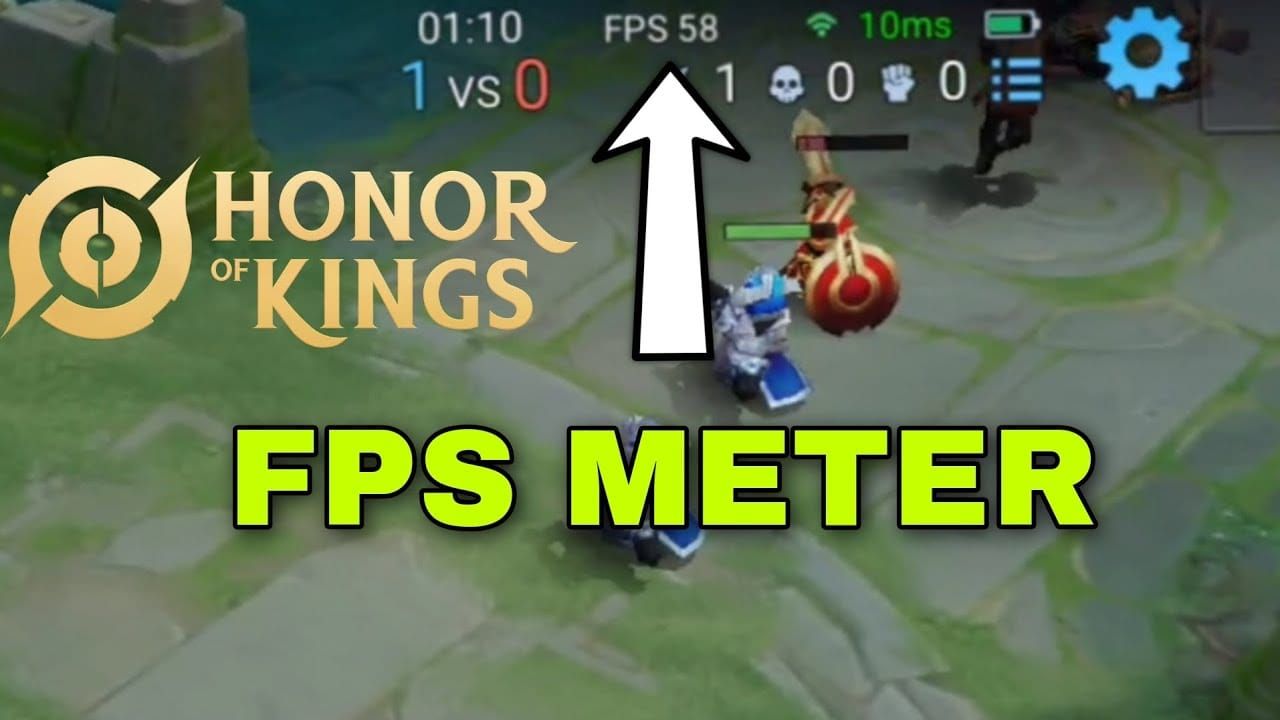
Before modification, document current performance metrics. Launch Honor of Kings, navigate to Settings > Graphics, and note your maximum available frame rate option. Enable Display FPS to show real-time frame rate during matches.
Play a standard match while monitoring FPS consistency, device temperature, and battery drain rate. Record these baseline measurements for comparison after implementing config changes.
Step-by-Step Config File Editing
Follow these steps exactly, verifying each action before proceeding.
Locate Config Files
Using your file manager with appropriate permissions, navigate to:
Primary Path: /Android/data/com.levelinfinite.hok.gp/files/
Within this directory, locate the configuration folder containing XML or LUA files. The February 2025 update introduced the _enc.lua file (106.47 KB) as the primary configuration target for frame rate modifications.
If you can't locate the files directory, check alternative paths including /Android/obb/ or device-specific storage locations.
Identify XML Parameters
Open the _enc.lua config file using a text editor. Search for frame rate limitation parameters, typically labeled as:
MaxFrameRateFPSLimitRefreshRateCapFrameRateRestriction
Exact parameter names vary between game versions, but frame rate controls consistently appear in graphics or performance configuration sections.
Modify Code
Change the identified frame rate parameter from its current value to 120:
Original: MaxFrameRate = 60
Modified: MaxFrameRate = 120
Some config files include multiple frame rate references for different graphics quality presets. Change all instances to 120 to ensure consistent application. Avoid modifying other parameters unless you understand their specific functions.
The P4tch V2.0.zip config package released February 8, 2025, provides pre-configured files with 120 FPS parameters already set. Extract and replace your existing config files with provided versions, ensuring file names match exactly.
Save and Apply
After editing, save the config file ensuring it retains its original file extension (.lua or .xml). Some text editors append .txt extensions automatically—verify the final filename matches the original exactly.
Set device display refresh rate to 120Hz through system settings before launching Honor of Kings. Navigate to Settings > Display > Screen Refresh Rate and select the highest available option.
Verify in Training Mode
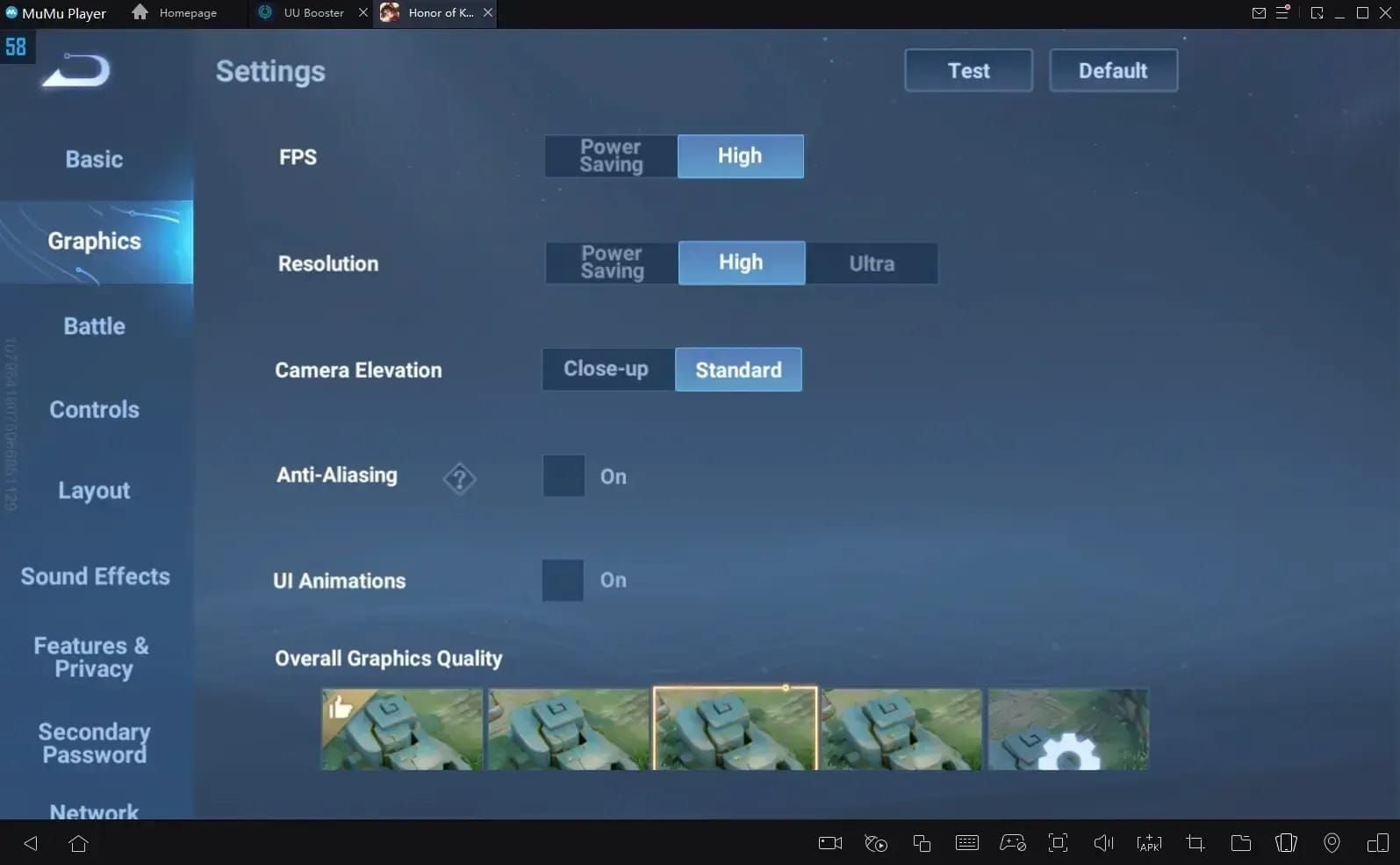
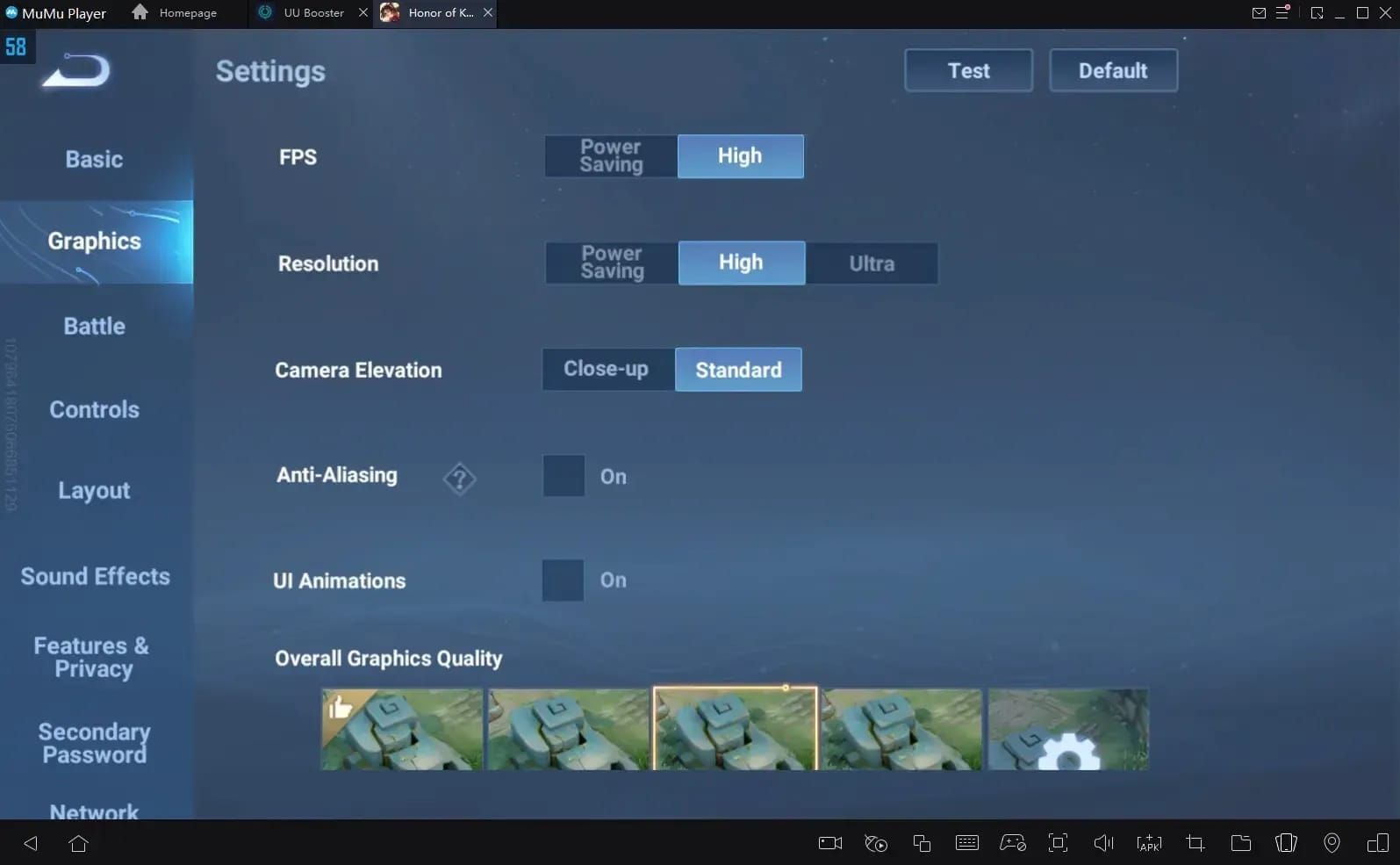
Launch Honor of Kings and navigate to Settings > Graphics. The Frame Rate option should now display 120 FPS as selectable. Select this option, set Resolution to High, enable Anti-Aliasing, and apply changes. The game will restart to implement new settings.
After restarting, enter Training Mode and enable Display FPS counter. Monitor the frame rate indicator during movement, skill casting, and combat. Stable 120 FPS should maintain consistently with occasional drops to 115-118 during particle-intensive effects.
Alternative Methods: Root vs Non-Root
Non-Root Limitations
Non-root config modifications work on most Android 10+ devices but face persistence challenges. Game updates frequently overwrite custom config files, reverting settings to defaults. After each Honor of Kings update, reapply config modifications.
To minimize repetition, save your modified config file in a separate location outside the game directory. After updates complete, simply copy your saved config back to the game folder.
For devices with restrictive security policies, the Shizuku framework provides elevated permissions without full root access. Install Shizuku, enable Wireless Debugging through developer options, and pair using the provided code.
Root Access Benefits
Rooted devices enjoy permanent config modifications that survive game updates and system reboots. Root access allows direct modification of system-level game files, bypassing integrity checks and permission restrictions.
However, rooting carries significant drawbacks including voided warranties, failed banking app security checks, and potential bootloop risks. For most users, the convenience of persistent 120 FPS doesn't justify these substantial compromises.
Manual vs Automated Tools
Manual config editing provides maximum control and transparency—you understand exactly which parameters change. This approach minimizes malware risks and unwanted system changes that automated tools might introduce.
Automated FPS unlocker applications simplify the process but introduce security concerns. These tools require extensive permissions to modify game files, creating potential vectors for data harvesting or malicious code injection. The 60-144 FPS Unlocker (200KB, Android 6.0+) represents a lightweight option, though manual editing remains recommended for security-conscious users.
Performance Optimization
Unlocking 120 FPS capability doesn't guarantee consistent performance. Optimization requires balancing graphics quality, thermal management, and system resource allocation.
Graphics Settings
Configure in-game graphics to prioritize frame rate over visual fidelity:
- Frame Rate: 120 FPS
- Resolution: High (not Ultra)
- Anti-Aliasing: ON
- Graphics Quality: High (Standard for lower-spec devices)
- Particle Effects: Medium
- Shadow Quality: Medium
- UI Animations: OFF
- Network Optimization: ON
- Display FPS: ON
During intensive team fights, expect brief drops to 110-115 FPS—still significantly smoother than 60 FPS.
For devices struggling to maintain 120 FPS, reduce settings further:
- Resolution: Medium
- Anti-Aliasing: OFF
- Graphics Quality: Standard
- Particle Effects: Low
- Shadow Quality: Low
Background Process Management
Close all non-essential applications before launching Honor of Kings. Social media apps, browsers, and streaming services consume RAM and CPU cycles. Use your device's app manager to force-stop background processes.
Enable performance or gaming mode if your device manufacturer provides this feature. These modes allocate maximum system resources to the active game, restrict background data usage, and prevent notifications from interrupting gameplay.
Clear cached data periodically. Navigate to Settings > Apps > Honor of Kings > Storage > Clear Cache (not Clear Data). This removes temporary files that accumulate during normal operation, freeing RAM for frame buffer allocation.
Thermal Throttling Prevention
Sustained 120 FPS operation generates substantial heat, triggering thermal protection mechanisms that reduce performance. The iPhone 15 Pro sustains 120 FPS for approximately 45 minutes before throttling begins—Android devices with less sophisticated cooling may throttle sooner.
Implement these thermal management strategies:
- Remove phone cases during gaming sessions
- Play in air-conditioned environments when possible
- Use external cooling fans or clip-on coolers (reduces temperature 10-15°C)
- Avoid charging while playing
- Take 5-minute breaks between ranked matches
Monitor device temperature using system monitoring apps. If temperatures exceed 45°C (113°F), reduce graphics settings or enable frame rate limits to prevent thermal damage.
Battery Considerations
Battery saver modes restrict CPU/GPU performance, making them incompatible with 120 FPS operation. Disable all power-saving features before gaming sessions. Performance modes maximize hardware capability but drain batteries rapidly—expect 40-60% faster battery consumption at 120 FPS versus 60 FPS.
For extended gaming sessions, connect to external power sources while managing heat generation. Portable power banks provide mobility while maintaining performance mode operation. Choose high-capacity models (20,000+ mAh) with fast charging support.
Troubleshooting Common Issues
Game Crashes After Modification
If Honor of Kings crashes on launch after config editing, likely causes include:
Syntax Errors: Incorrect formatting prevents proper parsing. Verify you didn't accidentally delete commas, brackets, or quotation marks. Compare your modified file against the original backup.
Incompatible Parameters: Setting frame rates beyond your device's hardware capability can trigger crash protection. Try reducing the target from 120 FPS to 90 FPS.
File Corruption: Interrupted saves or storage errors can corrupt config files. Delete the modified config and restore from your pre-editing backup.
FPS Reverting After Updates
Honor of Kings updates frequently overwrite custom config files with default versions. After each update (most recent occurred June 21, 2025, following global launch June 20, 2025), reapply your config modifications.
Save your modified config file in a separate location outside the game directory. After updates complete, copy your saved config back to the game folder, replacing the default version.
Screen Tearing and Frame Pacing
Screen tearing occurs when frame delivery doesn't synchronize with display refresh cycles. Enable V-Sync or adaptive sync features if your device supports them. Some devices require enabling Force GPU Rendering in developer options.
If tearing persists, your device may lack sufficient GPU memory bandwidth to maintain stable 120 FPS frame delivery. Reduce graphics quality settings, or accept 90 FPS as a more stable alternative.
Overheating and Throttling
Aggressive thermal throttling that reduces frame rates within minutes indicates insufficient cooling capacity. Beyond external cooling solutions, consider these software-based approaches:
Reduce screen brightness to 70-80%—display backlights generate substantial heat that compounds GPU thermal output.
Limit background synchronization and location services. Navigate to Settings > Location > App Permissions and restrict Honor of Kings to While Using App rather than Always Allow.
Config File Not Found
If your file manager cannot locate or access the config directory, verify you've enabled necessary permissions:
- Confirm developer options are active (Settings > About Phone > tap Build Number seven times)
- Enable USB debugging in developer options
- Grant file manager app storage permissions in Settings > Apps > [File Manager] > Permissions
- For Android 11+, enable All Files Access permission specifically
Samsung devices may need Secure Folder disabled, while Xiaomi devices require MIUI Optimization disabled in developer options.
Gameplay Impact Analysis
Hero Skill Combo Precision
Heroes requiring precise timing for skill cancellations benefit most from 120 FPS. Fanny's cable mechanics, Ling's wall-jump chains, and Gusion's dagger recall combos all demand frame-perfect inputs that become more consistent at higher refresh rates.
The reduced input lag (8-12 milliseconds improvement) allows players to react to visual cues faster, executing combos during narrower opportunity windows. Advanced players report 15-20% improvement in complex combo success rates when transitioning from 60 to 120 FPS.
Team Fight Visibility
Five-versus-five team fights generate visual chaos with overlapping skill effects. At 60 FPS, rapid camera panning creates motion blur that obscures enemy positions. The doubled frame rate at 120 FPS maintains clarity during camera movement, making it easier to track priority targets and identify optimal skill shot angles.
Support and tank players particularly benefit from improved team fight visibility. Positioning adjustments to body-block skill shots or peel for carries require constant awareness of multiple hero positions—a task significantly easier when visual information updates twice as frequently.
Win Rate Correlation
While 120 FPS provides measurable advantages, it doesn't guarantee rank improvements without corresponding skill development. Players already operating at their mechanical ceiling may see 2-4% win rate improvements from enhanced responsiveness. However, players with fundamental strategic weaknesses won't overcome these deficiencies through frame rate alone.
The performance advantage compounds at higher ranks where opponents possess similar mechanical skills. In Mythic and Mythical Glory tiers, marginal improvements from 120 FPS can determine close match outcomes.
Battery Life Trade-off
The 40-60% increased power consumption at 120 FPS translates to approximately 2-2.5 hours of continuous gameplay on typical 4500-5000 mAh batteries. Competitive players grinding ranked matches across multiple hours must either accept frequent charging breaks or reduce frame rates during less critical matches.
Consider a tiered approach: use 120 FPS for ranked matches where performance matters most, but switch to 60 or 90 FPS for casual matches, daily quests, or practice sessions.
Safety and Account Protection
Official Policy on Config Modifications
The Honor of Kings terms of service prohibit unauthorized modification of game files or use of third-party software to gain unfair advantages. Config file editing technically falls under this restriction, though enforcement focuses primarily on cheating tools that provide wallhacks, aim assistance, or automated gameplay.
Developer communications haven't specifically addressed FPS unlocking, creating ambiguity about whether performance optimizations constitute unfair advantages. The lack of widespread ban enforcement suggests developers tolerate config modifications that don't fundamentally alter game mechanics.
Ban Cases and Risk Assessment
As of February 2025, no documented mass ban waves have targeted players exclusively using config file FPS unlocks. Isolated ban reports typically involve users combining FPS modifications with other prohibited tools.
Risk assessment:
- Low Risk: Config-only modifications for FPS unlocking without other third-party tools
- Medium Risk: Using automated FPS unlocker applications that might trigger anti-cheat detection
- High Risk: Combining FPS unlocks with cheating tools, scripts, or game logic modifications
To minimize risk, restrict modifications to config files only, avoid discussing modifications in-game chat, and never combine performance optimizations with actual cheating tools.
Safely Revert to Default
If you experience technical issues or become concerned about account security, reverting takes minutes:
- Navigate to the game installation directory
- Delete the modified config file
- Copy your pre-modification backup config file to the original location
- Launch Honor of Kings—the game will verify file integrity and restore defaults if needed
- Alternatively, uninstall and reinstall the game for complete restoration
After reverting, your account returns to standard operating parameters with no permanent modifications.
Best Practices for Account Security
Maintain account security while using config modifications:
- Enable two-factor authentication on your game account
- Never share account credentials with third parties offering FPS unlock services
- Avoid logging into your account on rooted or heavily modified devices
- Keep game client updated to latest official version
- Don't advertise your use of config modifications in public forums or in-game chat
Maximizing Your Experience Beyond FPS
Complementary Performance Tweaks
Beyond frame rate, consider these optimizations:
Network Latency Reduction: Use wired connections or 5GHz WiFi instead of 2.4GHz for lower ping. Enable network optimization in game settings and close bandwidth-intensive background applications.
Audio Configuration: Enable 3D audio positioning to better locate enemies outside camera view. Use headphones rather than device speakers for directional accuracy during ganks and team fights.
Control Customization: Adjust button sizes, positions, and sensitivity settings to match your hand size and grip style. Proper control configuration reduces input errors during high-pressure situations.
Visual Clarity: Increase screen brightness in well-lit environments, reduce it in dark rooms to prevent eye strain during extended sessions. Consider blue light filters for late-night gaming.
For players looking to enhance their gaming experience further, top up hok global tokens at BitTopup provides access to exclusive content and battle passes with competitive pricing and instant delivery.
When to Prioritize Stability
Competitive integrity sometimes demands sacrificing maximum performance for consistency. During critical ranked matches, stable 90 FPS outperforms unstable 120 FPS that drops to 60 during team fights. Monitor your frame rate consistency over multiple matches—if you experience frequent drops below 100 FPS, reduce target frame rate to 90 for more reliable performance.
Device age also factors into this decision. Older devices with degraded batteries or accumulated thermal paste deterioration may have supported 120 FPS when new but struggle after 1-2 years of use. Reassess your device's capability periodically and adjust settings accordingly.
Future-Proofing
Honor of Kings developers continue expanding official 120 FPS support to additional devices. The global launch on June 20, 2025, brought enhanced performance options, with subsequent updates on June 21, 2025, and the February 8, 2025 config release indicating ongoing optimization efforts.
As official support expands to more MediaTek Dimensity and Samsung Exynos devices, config file modifications may become unnecessary. Monitor patch notes for announcements about expanded device compatibility. When your device receives official 120 FPS support, transition to native implementation rather than continuing config modifications—official support provides better stability and eliminates account security concerns.
Frequently Asked Questions
Is it safe to unlock 120 FPS in Honor of Kings by editing config files?
Config file editing is technically safe for your device hardware but violates game terms of service. No widespread bans have occurred for FPS-only modifications as of February 2025, but risk exists. Always create backups before editing, and avoid combining with actual cheating tools to minimize account security concerns.
Which non-Snapdragon devices support 120 FPS in Honor of Kings?
MediaTek Dimensity 8200 Ultimate (Infinix GT 20 Pro), Exynos 1380 (Galaxy A54), Realme GT Neo series, iPhone 13 Pro and newer models, and iPad Pro with M1/M2 chips all support 120 FPS through config modifications. Devices need 120Hz displays, 6GB+ RAM, and Android 10+/iOS 14.5+ to function properly.
Where are Honor of Kings config files located on Android?
Config files reside in /Android/data/com.levelinfinite.hok.gp/files/ directory. The February 2025 update uses the _enc.lua file (106.47 KB) for frame rate settings. You need a file manager with Android/data folder access permissions, which may require enabling developer options on Android 11+ devices.
Does 120 FPS drain battery faster in Honor of Kings?
Yes, 120 FPS increases power consumption by 40-60% compared to 60 FPS operation. Expect approximately 2-2.5 hours of continuous gameplay on typical 4500-5000 mAh batteries. Use performance mode instead of battery saver, and consider external power sources for extended ranked sessions.
Will 120 FPS make my phone overheat during Honor of Kings matches?
Higher frame rates generate more heat—the iPhone 15 Pro sustains 120 FPS for about 45 minutes before thermal throttling begins. Android devices may throttle sooner without vapor chamber cooling. Use external cooling accessories (reduces temperature 10-15°C), remove phone cases, and play in cool environments to manage heat.
Can I get banned for using config file edits to unlock 120 FPS?
While technically against terms of service, no mass bans have targeted FPS-only config modifications as of February 2025. Risk increases when combining with actual cheating tools. Use config modifications exclusively, avoid discussing them in-game, and maintain standard account security practices to minimize detection probability.