What Are Likee Diamonds and How Purchase Systems Work
When you purchase through Google Play, payment first processes through Google's system (2-3 minutes), verifying payment method and fund availability. Transaction data then transmits to Likee's servers via API. Likee verifies purchase authenticity, matches your 10-digit Likee ID (found below profile name or in Me section), and credits diamonds.
Wallet sync cycles occur every 15-30 minutes on Likee's backend—purchases might not reflect immediately. Peak hours (6-10 PM) extend processing by 50-100%, while off-peak (2-6 AM) typically delivers within 5-10 minutes.
Common Scenarios: When Diamonds Go Missing
First-time purchasers face 24-48 hour verification holds—a security measure against fraud. Payment processes immediately, but diamond delivery waits for account verification.
Unverified accounts hit purchase limits (5000-10000 diamonds monthly). Purchases beyond thresholds accept payment without delivery until verification upgrades complete.
Network interruptions during final confirmation create phantom purchases—Google shows charge, but Likee never receives completion signal. Happens when switching WiFi/mobile data, enabling VPN during checkout, or connectivity drops during the critical 10-15 minute post-purchase window.
Delayed Delivery vs Failed Purchases
Delayed delivery indicators:
- Clock icon in transaction log (Profile > Wallet > Transaction Log)
- Estimated completion: 5-15 minutes (can extend to 48 hours)
- Appears in both Google Play and Likee's pending records
Failed purchase indicators:
- Google shows completed transaction, Likee has no record
- Red X status in Likee's transaction log
- Requires immediate refund request, not waiting
90% of issues resolve within 48 hours (clock icon delays). Remaining 10% are genuine failures requiring intervention.
Why Your Likee Diamonds Aren't Showing After Google Play Purchase
Server Synchronization Delays (60% of Cases)
Likee operates across multiple regional servers that must communicate transaction data. High traffic volumes create sync queues, delaying diamond credits even after payment confirmation.
15-30 minute wallet sync cycles mean purchases might complete during one cycle but not reflect until next window. During major events, promotional sales, or viral surges, cycles extend significantly. Geographic location impacts sync speed—users farther from primary servers experience longer delays.
Payment Gateway Processing Times
Google Play operates independently from Likee, creating bottlenecks at handoff. API calls sometimes queue during high-traffic periods.
Processing speeds by payment method:
- Credit/debit cards: Fastest (refunds: 3-5 business days)
- Digital wallets: Slightly slower (refunds: 1-2 business days)
- Carrier billing: Longest delays (refunds: 7-10 business days)
Currency conversion for international users adds 5-15 minutes to standard processing.
Account Verification Status
Check verification: Settings > Account > Verification Status
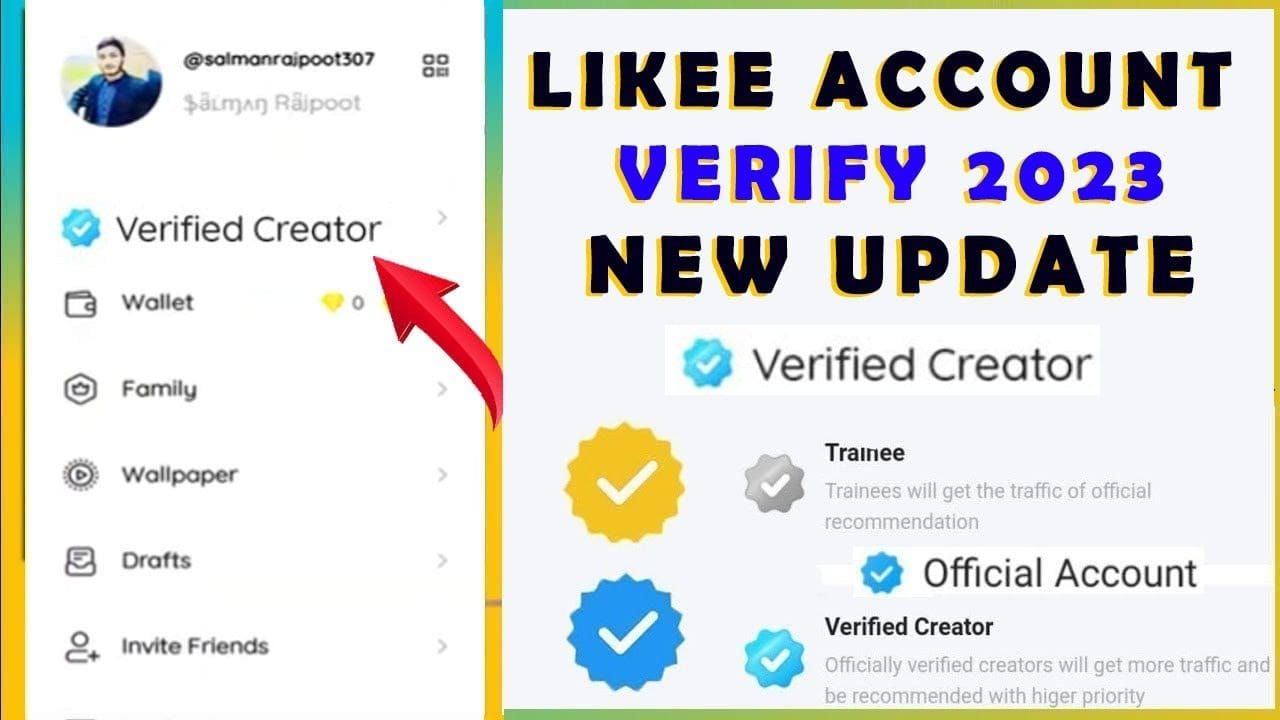
Verification tiers:
- Phone number: Baseline requirement
- Email, social media linking, identity documents: Higher trust levels
- Higher tiers receive priority processing during congestion
Mismatched account info between Google Play and Likee triggers manual review (12-24 hour delay).
Network Connectivity Issues
The 10-15 minutes post-purchase are critical—app must maintain stable connectivity. Interruptions cause incomplete transactions.
VPN usage creates frequent failures. VPNs mask geographic location, causing mismatches that trigger security protocols. Always disable VPN during purchase and maintain disabled for 10-15 minutes after.
Switching WiFi/mobile data mid-transaction disrupts connection handshake. On unstable networks, enable airplane mode for 10 seconds then disable after payment confirmation.
App Version Compatibility
Outdated versions use deprecated API endpoints that fail to communicate with current servers. Minimum requirements:
- iOS: Version 12.0+
- Android: Version 6.0+
- Free storage: 1GB minimum
Beta versions and modified APKs introduce unpredictable payment issues.
Google Play Payment Status
Status meanings:
- Payment pending: Google verifying payment method (5-15 minutes, can extend to hours)
- Payment authorized: Google charged method but hasn't transmitted to Likee (2-5 minutes, up to 15-30 during peak)
- Payment complete: Google finished, but Likee must still receive, verify, and credit
Typical Likee Diamond Delivery Timelines
Standard delivery: 5-30 minutes under normal conditions (majority within 10 minutes)
Extended delays: 30 minutes to 2 hours during peak periods (6-10 PM, weekends, promotional events)
Maximum wait before escalation: 24-48 hours
- 80% complete within 24 hours
- 90% resolve within 48 hours
- First-time purchases require this extended patience due to verification holds
For immediate needs, buy Likee diamonds top up through BitTopup guarantees delivery within minutes.
Standard Delivery: 1-5 Minutes
Optimal conditions produce 1-5 minute delivery:
- Off-peak times (2-6 AM)
- Verified accounts with purchase history
- Stable network (minimum 1-2 Mbps)
- Current app versions
Immediate delivery (1-2 minutes) means purchase hit server during active sync cycle. Purchases after cycle completes wait for next cycle.
Extended Delays: 30 Minutes to 2 Hours
Peak hour delays (6-10 PM) extend processing by 50-100%. Major platform events can triple normal loads, with some transactions taking 6-8 hours.
Regional server capacity varies—high-population regions with dedicated infrastructure experience shorter delays than shared/distant servers.
Real User Data from 2026
- 80% complete within 24 hours
- 15% legitimate extended delays
- 5% actual failures requiring intervention
Q2 2026 updates promise 40% faster delivery through infrastructure improvements. User-reported success rate for basic troubleshooting: 65% within first hour.
Immediate Fixes: 12 Steps to Resolve Missing Diamonds
Step 1: Wait 5-10 Minutes and Refresh
Wait initial 5-10 minutes—normal processing time. After waiting, manually refresh: Profile icon > Diamond icon > pull down screen. This forces app to query server for current balance. Resolves ~30% of cases.
Verify correct balance location: Profile > Diamond icon.

Step 2: Force Close and Restart App
Android: Swipe up from bottom > swipe Likee off-screen
iOS: Swipe up from bottom (or double-click home) > flick Likee away
Wait 30-60 seconds before reopening. This ensures full process termination. Fresh connection retrieves updated account status.
Step 3: Check Internet Stability
Test connection by loading multiple websites. Minimum required: 1-2 Mbps.
Switch between WiFi/mobile data to determine better stability. If using WiFi, move closer to router or restart it.
Disable VPN immediately. After disabling, wait 10-15 minutes before checking balance.
Step 4: Verify Google Play Payment Confirmation
Check email for Google receipt (arrives within 2-3 minutes). Open Google Play Store > Profile icon > Payments & subscriptions > Budget & history. Filter for Likee purchases.
Verify Complete status and correct diamond package. Compare transaction timestamp—discrepancies over 5-10 minutes suggest payment delays.
Step 5: Clear App Cache/Data
Android: Settings > Apps > Likee > Storage > Clear Cache (safe, keeps login). For persistent issues: Clear Data (logs you out).
iOS: Settings > General > iPhone Storage > Likee > Offload App. Wait 10-15 seconds > Reinstall App.
Step 6: Log Out and Back In
Settings > Account > Log Out. Wait 30-60 seconds before logging back in.
Fresh authentication retrieves complete current account status. Resolves ~40% of cases.
Verify correct account by checking 10-digit Likee ID matches purchase account.
Step 7: Update App to Latest Version
Check app store for updates. Install immediately. App updates include payment system improvements and bug fixes.
After updating, restart device completely before opening updated app.
Step 8: Check Google Play Order History
Access detailed transaction: Google Play Store > Profile icon > Payments & subscriptions > Budget & history > tap Likee purchase.
Status meanings:
- Completed: Google finished, issue is Likee delivery
- Pending: Google still processing
- Cancelled/Refunded: Transaction never completed
Save transaction ID for support tickets.
Step 9: Verify Correct Likee Account
Check 10-digit Likee ID in Me section. Compare to purchase confirmation emails. If IDs don't match, you purchased for different account.
Account switching occurs automatically after updates/restarts if multiple accounts saved.
Step 10: Restart Device Completely
Power off completely (not sleep mode), wait 30 seconds, power on. Clears system-level processes and resets network connections.
Wait 1-2 minutes for full boot before opening Likee.
Step 11: Check Server Status
Community forums and social media report widespread issues when they occur. Regional server outages affect specific areas.
Try accessing through mobile data instead of WiFi (or vice versa) to route through different servers.
Step 12: Document Transaction Details
Gather for support:
- 10-digit Likee ID
- Google Play transaction ID
- Purchase amount and package
- Purchase date/time
- Payment method
- Screenshots: Google Play confirmation + Likee balance
Note all troubleshooting attempted. Organized documentation reduces resolution time from days to under 24 hours.
How to Check Purchase History
Accessing Transaction Records in Likee
Profile > Wallet > Transaction Log shows all diamond activities.
Visual indicators:
- Green checkmark: Completed
- Clock icon: Pending (5-15 minutes to 48 hours)
- Red X: Failed
Use date range and transaction type filters to locate specific purchases.
Verifying Google Play History
Google Play Store > Profile icon > Payments & subscriptions > Budget & history.
Each entry shows app name, package size, date/time, payment method, amount. Tap for transaction ID and order number.
Matching Transaction IDs
Google Play assigns unique transaction ID (format: GPA.####-####-####-#####) that should appear in Likee's log.
Matching IDs: Purchase processed correctly, delay is sync issue
Missing in Likee: Confirmation never reached Likee servers—contact support with Google transaction ID
Contacting Likee Support
Required Information
- 10-digit Likee ID (primary account identifier)
- Google Play transaction ID (definitive purchase record)
- Screenshots: Google Play order history + Likee transaction log + current balance
In-App Support (Fastest Response: 24-48 Hours)
Settings > Help > Submit Ticket. Select Payment or Diamond Purchase category.
Write clear, concise description: Purchased 1000 diamonds on [date] at [time], Google Play transaction ID [####], payment completed but diamonds not received after 48 hours.
Include all troubleshooting already attempted. Attach screenshots to initial ticket.
Response Times
- Initial response: 24-48 hours (72 hours during peak periods)
- Simple cases: 24-48 hours from initial response
- Complex cases: 5-7 business days
- Refunds: Processing begins after approval (timelines vary by payment method)
Escalation
Wait 48 hours after last support communication before escalating. Reply to existing ticket: This issue remains unresolved after [X] days. I request escalation to senior support specialist.
Document all interactions: dates, agent names, response summaries. If unresolved after 7-10 business days, request refund through Google Play directly.
Google Play Refund Process
Eligibility Criteria
Primary window: 48 hours from purchase. Non-delivery cases may qualify for extended consideration up to 30 days.
Strongest justification: Non-delivery with evidence (Google transaction + unchanged Likee balance after 48 hours)
Accidental purchases: Request immediately (within minutes/hours)
Step-by-Step Process
Within 48 hours: Google Play Store > Profile icon > Payments & subscriptions > Budget & history > tap purchase > Request a refund or Report a problem. Select I didn't receive the item, provide brief explanation with Likee ID.
After 48 hours: Use Google Play help center > search request refund for in-app purchase > follow guided process with order number and evidence. Manual review: 3-5 business days.
Processing Timeline
- Credit/debit cards: 3-5 business days
- Digital wallets: 1-2 business days
- Carrier billing: 7-10 business days (appears as credit on phone bill)
Account Impact
If diamonds never appeared, account remains unchanged. If diamonds were credited and spent before refund, account may be flagged for negative balance or fraud.
Frequent refund requests create account risk—both platforms track patterns. Use refunds only for genuine issues.
Limitations
One refund request per purchase through automated systems. Denials require escalation with additional evidence.
Regional policies vary—check local consumer protection laws if denied.
Alternative Solution: BitTopup for Instant Delivery
Why BitTopup Offers Faster Delivery
Direct server integration bypasses multi-step verification and sync processes. Real-time crediting completes within 1-5 minutes regardless of peak times.
Specialized infrastructure focuses exclusively on gaming/social currency top-ups, optimizing every transaction aspect. Dedicated support teams resolve issues within hours vs days.
How BitTopup Eliminates Delays
Direct API integration transmits purchase confirmation immediately to Likee's crediting system without queuing. No synchronization cycle waits.
Optimized payment routing maintains consistent performance during peak hours. Real-time verification systems process simultaneously during checkout vs batch processing.
Purchase Guide
- Visit BitTopup website > navigate to Likee diamonds section
- Select diamond package (clear pricing in local currency)
- Enter 10-digit Likee ID (double-check accuracy—system validates format)
- Select payment method (credit/debit cards, digital wallets, regional systems)
- Complete secure checkout
- Diamonds credit within 1-5 minutes
Success Rate Comparison
- BitTopup: 95%+ first-attempt success
- Google Play: ~80% within 24 hours
Average delivery:
- BitTopup: 1-5 minutes (all conditions)
- Google Play: 5-30 minutes (optimal), hours to days (peak/first-time)
Support response:
- BitTopup: 2-4 hours
- Likee in-app: 24-48 hours
- Google Play: 3-5 days
Additional Benefits
Promotional pricing and bonus diamonds provide 10-20% better value than Google Play. Bulk discounts, first-time bonuses, seasonal promotions.
Extended hours, multilingual support (English, Spanish, Portuguese, Asian languages). Comprehensive transaction history and receipt system. Purchase protection guarantees delivery or refunds.
Preventing Future Issues
Pre-Purchase Checklist
- Verify account status: Settings > Account > Verification Status (minimum: phone number)
- Check connection: Minimum 1-2 Mbps stable speed
- Update app: Check app store for latest version
- Verify storage: Minimum 1GB free space
- Disable VPN: Keep disabled 10-15 minutes post-purchase
- Confirm Likee ID: Verify 10-digit ID below profile name
- Check payment method: Active with sufficient funds in Google Play
Best Practices for Stable Internet
Use WiFi over mobile data when possible. Position close to router during purchase. Avoid purchases while moving or in vehicles.
Close bandwidth-intensive apps and pause downloads. Disable automatic app updates during purchase.
Test connection before purchasing by refreshing Likee feed. If slow/failing, postpone purchase.
Keep App and Device Updated
Enable automatic app updates. Review release notes for payment improvements. Keep OS current (iOS 12.0+, Android 6.0+).
Restart device after major updates before purchasing. Monitor storage—maintain 1GB+ free space.
Account Security
Enable two-factor authentication. Keep account info current. Avoid account sharing or multiple concurrent sessions.
Use consistent payment methods. Link social media profiles and complete all verification steps.
Choose Reliable Purchase Methods
Evaluate platforms on delivery speed, success rates, support quality—not price alone. Prioritize direct server integration for time-sensitive purchases.
Research platform reputations through reviews. Test new methods with small transactions first. Maintain records of successful methods and use consistently.
Common Misconceptions
Myth: All Purchases Deliver Instantly
Reality: 1-5 minutes normal under optimal conditions. Extended 5-30 minutes during peak hours is regular. Only delays exceeding 2 hours (normal conditions) or 48 hours (any conditions) indicate issues.
Myth: Missing Diamonds Mean You Weren't Charged
Payment processing and diamond delivery are separate stages. Always verify Google Play order history before attempting additional purchases. Payment confirmation emails provide definitive proof.
Myth: No Refunds for Digital Currency
Google Play allows refunds for in-app purchases including virtual currency when delivery fails. 48-hour request window for standard refunds, extended consideration for non-delivery. Document issues and submit promptly.
Myth: Third-Party Platforms Always Risky
Established, verified services like BitTopup often provide superior reliability vs official channels. Risk assessment should focus on specific platform credentials—verified platforms with transparent practices, secure processing, responsive support are valid alternatives.
FAQ
How long does it take for Likee diamonds to appear after Google Play purchase?
Standard: 5-30 minutes. 80% complete within 24 hours. First-time purchases: 24-48 hour verification holds. Peak hours (6-10 PM): 50-100% longer. Off-peak (2-6 AM): 5-10 minutes. Wait 48 hours before escalating—90% resolve naturally.
Why are my Likee diamonds not showing up after payment?
Most common: server sync delays (15-30 minute cycles). Other factors: payment gateway processing, account verification holds, network interruptions, outdated app, VPN usage. Check Google Play order history to confirm payment, then try force closing app, clearing cache, logging out/in.
Can I get a refund if diamonds don't arrive?
Yes. Submit within 48 hours through Google Play order history. Non-delivery cases qualify up to 30 days. Provide transaction ID and evidence. Refunds: 3-5 days (credit/debit), 1-2 days (digital wallets), 7-10 days (carrier billing).
What should I do if Google Play charged me but diamonds are missing?
Wait 5-10 minutes, refresh balance (pull down in diamond section). Force close/restart app, verify internet stability, clear cache. Check correct account (verify 10-digit Likee ID). If no diamonds after 48 hours, submit support ticket with transaction ID, screenshots, Likee ID.
How do I contact Likee support for missing diamonds?
In-app: Settings > Help > Submit Ticket. Select Payment category. Include: 10-digit Likee ID, Google Play transaction ID, purchase amount, date/time, screenshots. Response: 24-48 hours. Document all troubleshooting attempted.
Are there faster ways to get Likee diamonds than Google Play?
Yes. BitTopup offers guaranteed 1-5 minute delivery through direct server integration. Eliminates sync delays, gateway bottlenecks, verification holds. Support responds in 2-4 hours. Promotional pricing with bonus diamonds. Purchase protection guarantees. Ideal for time-sensitive needs.























































































































