Delivery Timeframes by Payment Method
- Credit/debit cards: 5-15 minutes (fastest, established fraud detection)
- Digital wallets (PayPal, Apple Pay): 10-30 minutes (extra authentication layers)
- Carrier billing: 24-48 hours (carriers batch-process purchases)
- First-time purchases: 24-48 hour verification hold (any payment method)
Device needs 1GB+ free storage for proper transaction processing. Insufficient space interrupts sync, delaying diamond delivery.
Instant vs Processed Purchases
Instant = bypasses extended verification (5-10 minutes). Accounts with purchase history and verified profiles get priority automated approval.
Processed = manual review (24-48 hours). Triggers: new accounts, large purchases exceeding typical patterns, unfamiliar devices. Affects 15-20% of transactions.
Check verification: Settings > Account > Verification Status. Add email + phone to reduce future delays.
Server Architecture Impact
Distributed servers process purchases across regional data centers, then sync with central database. Network latency creates 15-30 minute windows.
Server maintenance (during regional off-peak hours) pauses sync temporarily. Purchases queue until completion. Cross-device sync adds complexity—purchase device gets priority for initial updates.
First 5 Minutes: Immediate Actions
Check Diamond balance immediately via profile icon—don't wait for email. If missing, wait 2-3 minutes before acting. Premature troubleshooting interrupts legitimate processing.
Force Refresh Balance
Android: Swipe up > close Likee preview. Wait 30-60 seconds before reopening.
iOS: Swipe up from home indicator > flick Likee preview away.
Navigate directly to Diamond balance after reopening—triggers fresh server query. Resolves ~40% of issues.
If unsuccessful, enable airplane mode 10 seconds, disable, then reopen app. Clears stuck data packets.
Check Connection Stability
Verify stable WiFi or strong cellular (4+ bars). Switch between WiFi/cellular if available—network routing issues affect specific connection types.
Disable VPN temporarily. Fraud prevention systems flag VPN transactions for extended review.
Verify Payment Confirmation
Check payment method for charge within 1-2 minutes.
Google Play: Play Store > profile > Payments & subscriptions > Budget & history > filter Likee. Transaction appears with 10-digit ID within 2-3 minutes.
iOS: Settings > [Your Name] > Media & Purchases > Purchase History.
Email confirmation arrives within 2-3 minutes. Check spam folder.
Log Out/Re-Login Protocol
Settings > Account > Log Out. Wait 30-60 seconds (crucial for server cleanup). Login triggers complete account sync, bypassing cached data. Wait 2-3 minutes after login before checking balance.
Receipt Checklist: Essential Verification
Documentation proves purchase occurred. Required data: transaction ID, timestamp, diamond package amount, payment method, charged amount.
Transaction ID Location
Google Play: 10-digit alphanumeric (format: GPA.1234-5678-9012-34567) in confirmation email and Play Store payment history.
iOS: Alphanumeric string starting with M + 13 digits. Find in Settings > [Your Name] > Media & Purchases > Purchase History.
Payment Confirmation Email
Arrives from payment provider (Google, Apple, PayPal), not Likee. Essential components:
- Sender verification (official domain)
- Transaction timestamp
- Charged amount (local currency)
- Payment method last 4 digits
- Merchant name (Likee or parent company)
Screenshot entire email with header visible. Cropped screenshots may be rejected.
In-App Purchase History
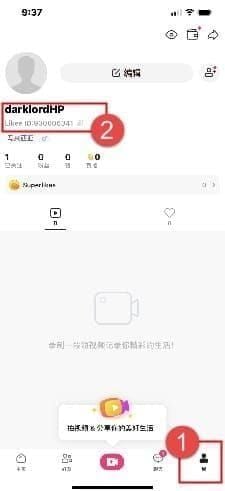
Profile > Wallet > Transaction Log. Shows purchase date, diamond quantity, status (Completed/Pending/Failed). Cross-reference with payment provider records.
If purchase appears in payment history but NOT in Likee's log = payment gateway charged you but failed to communicate with Likee servers. Escalate immediately.
Screenshot Best Practices
Capture full-screen showing all info without cropping. Include timestamps, transaction IDs, account identifier. Take screenshots immediately post-purchase, even before issues arise. Store in dedicated folder.
For video evidence, screen-record checking balance, navigating purchase history, displaying payment confirmations.
Delivery Time Windows
80% of transactions complete within 24 hours, majority in first 30 minutes. 20% require extended verification (24-48 hours). <1% experience genuine failures needing support.
Credit/Debit Cards: 5-30 Minutes
Expect 5-15 minutes for established verified accounts. New accounts/unusual patterns extend to 30 minutes.
If 30+ minutes pass, clear app cache:
- Android: Settings > Apps > Likee > Storage > Clear Cache
- iOS: Settings > General > iPhone Storage > Likee > Offload App
Wait 2-3 minutes after clearing before checking balance.
Digital Wallets: Instant to 2 Hours
Wallet authorization completes instantly, but Likee receives batch notifications every 15-30 minutes. First-time wallet linkages: 1-2 hours. Subsequent purchases: 15-30 minutes.
Carrier Billing: 24-48 Hours
Carriers batch transactions, settling with Likee once or twice daily. 24-48 hour delays are normal. Weekend/holiday purchases may exceed 48 hours. For urgent needs, use instant payment methods or buy Likee diamonds online through BitTopup.
First-Time Purchase Delays
First purchase on any account: automatic 24-48 hour verification. Checks account age, profile completion, payment validation. Accounts <7 days old face longest holds. Add email/phone verification before first purchase to reduce delay.
Regional Processing Differences
North America/Europe: 5-10 minutes off-peak (robust infrastructure)
Asia-Pacific: Similar speeds (concentrated servers)
Limited infrastructure regions: Consistent 30-minute windows
Peak hours (6-10 PM local): 50-100% longer processing. Purchase during off-peak (early morning/mid-afternoon) for fastest delivery.
Troubleshooting Common Delays
90%+ resolve through cache clearing or account refresh.
Payment Success, Diamonds Missing
Indicates successful payment but failed server communication. Network interruption during final sync causes this.
Solution: Log out completely, wait 60 seconds, log back in. Triggers full account refresh from central database.
Pending Transaction Status
Normal intermediate state lasting 5-15 minutes, can extend to 48 hours for manual review. Most resolve automatically.
If pending >2 hours for instant payment methods, clear app cache. For carrier billing, 24-48 hours pending is normal.
Account Sync Failures
Device's cached data conflicts with server data. App displays outdated balance from local cache.
Android: Settings > Apps > Likee > Storage > Clear Data (logs you out)
iOS: Delete and reinstall app
After clearing/reinstalling, log in and wait 3-5 minutes before checking balance.
Server Maintenance Impact
Unannounced maintenance creates 15-30 minute delays. Typically occurs 2-6 AM local time. If purchasing during these hours and experiencing delays, wait until after 9 AM before troubleshooting.
VPN/Location Interference
VPN triggers fraud prevention if payment location doesn't match VPN location. Disable VPN before purchasing. If already purchased with VPN, disable now and force close/reopen app.
Location services must be enabled during purchases. Denied permissions delay delivery during alternative verification.
Advanced Verification in Likee
Complete Order History
Profile > Wallet > Transaction Log. Filter by date range. Each entry shows:
- Transaction date
- Diamond quantity
- Transaction type
- Status (green checkmark = completed, clock = pending, red X = failed)
Cross-reference with payment provider records. If purchase appears in payment history but NOT in Likee log = payment gateway failure. Escalate with payment confirmation + missing transaction log screenshot.
Transaction Status Meanings
Completed: Diamonds credited. If balance doesn't reflect this, it's a display bug—force close/reopen app.
Processing: In verification queue. Typically <30 minutes, can extend to 24-48 hours. No action needed unless >48 hours.
Failed: Transaction incomplete. Check payment method for charges. If charged despite failed status, escalate immediately. If no charge, retry purchase.
Cross-Reference Payment Records
Google Play: Play Store > profile > Payments & subscriptions > Budget & history > filter Likee. Each transaction shows GPA ID, date/time, amount, payment method.
iOS: Settings > [Your Name] > Media & Purchases > Purchase History. Transaction ID format: M + 13 digits.
Information must match Likee's transaction log. Mismatches = communication failures.
When to Escalate
48-Hour Rule
Wait 48 hours before escalating (any payment method). Accommodates all normal processing including verification holds, carrier settlements, manual reviews.
48 hours from purchase timestamp (check payment confirmation email), not from when you noticed the issue.
80% complete within 24 hours, but 20% legitimately need full 48 hours.
Immediate Escalation Red Flags
- Charged multiple times for single purchase
- Transaction shows Failed but payment provider confirms charge
- Account suspension/restriction after purchase
Support Ticket Required Info
- 10-digit Likee ID (Settings > Account)
- Exact purchase timestamp
- Transaction ID from payment provider
- Diamond package amount
- Payment method used
- Screenshots of payment confirmation
Write clear, factual description: when purchased, what purchased, payment succeeded, diamonds missing after X hours. Avoid emotional language.
Multiple Failed Attempts
Stop trying and escalate immediately. Multiple failures trigger fraud lockouts preventing any purchases.
Document each attempt with error message screenshots, exact times, whether payment was charged. Don't continue—requires support intervention.
Support Contact Process
In-app tickets get fastest response (24-48 hours for purchase issues). Email/social media route through different teams with longer windows.
In-App Navigation
Profile > Settings (gear icon) > Help/Support > Submit Ticket/Contact Support.
Category: Select Payment & Purchases or Diamonds Not Received for routing to specialized agents.
Provide Likee ID, contact email (use email associated with payment method), issue description.
Effective Ticket Structure
Subject:Diamonds Not Received - Transaction ID [your ID]
Description:
- Purchase timestamp + diamond amount
- Payment method + transaction ID
- Payment succeeded (reference screenshot)
- Current status (diamonds missing after X hours)
- Troubleshooting already attempted
Attach screenshots as separate files: payment_confirmation.jpg, transaction_log.jpg, balance_display.jpg. Label clearly.
Response Times
- Automated confirmation: within minutes (provides ticket number)
- Human agent: 24-48 hours for purchase issues
- Complex cases: 3-5 business days
Check email for responses (not in-app). Add Likee support domain to contacts to prevent spam filtering.
If no response in 48 hours, reply to automated confirmation: Following up on ticket #[number]. Don't create duplicate tickets.
If Initial Support Fails
Reply restating issue, reference specific attachments: See payment_confirmation.jpg attached to original ticket showing transaction ID GPA.1234-5678-9012-34567.
Request escalation: I request escalation to a supervisor for review of this purchase issue.
Last resort: contact payment provider for dispute. Warning: chargebacks may suspend account. Only pursue after exhausting support channels and waiting 7+ business days.
Refunds vs Chargebacks
Refund Process
Likee processes refunds for undelivered diamonds in 3-5 business days post-approval. Requires proof of payment + confirmation diamonds weren't credited.
Refunds return to original payment method:
- Credit/debit cards: 3-5 business days
- Digital wallets: 1-2 business days
- Carrier billing: 7-10 business days
Eligible even if diamonds eventually appear, provided you haven't spent them. Notify support immediately if diamonds arrive after refund request.
Chargeback Consequences
Often results in permanent account suspension. Platform treats chargebacks as payment disputes bypassing support, triggering automatic restrictions.
Expect account suspension pending investigation (30-60 days). Lose access to all content during suspension.
Only pursue after 7+ business days with no support response. Document all attempts with ticket numbers and timestamps.
Guaranteed vs Discretionary Refunds
Guaranteed: Proof payment succeeded but diamonds not delivered (payment confirmation + screenshots showing purchase missing from transaction log).
Discretionary: Accidental purchases, buyer's remorse. Evaluated case-by-case, often denied.
If you spent any diamonds, you're ineligible. System tracks usage—any expenditure disqualifies refund.
Resolution Timeline
5-10 business days for straightforward cases. Complex investigations: 15-20 business days.
Breakdown:
- 24-48 hours: initial response
- 2-3 business days: investigation/approval
- 3-5 business days: refund processing
If >20 business days, escalate through payment provider while maintaining Likee support communication.
Prevention Strategies
Verified accounts experience 95% fewer delivery issues than incomplete profiles.
Pre-Purchase Verification
Settings > Account: add email + phone, verify both. Verified accounts bypass fraud prevention delays.
Wait 7+ days after account creation before large purchases. New accounts face stricter scrutiny.
Device requirements: iOS 12.0+/Android 6.0+, 1GB+ free storage.
Reliable Payment Methods
Best: Credit/debit cards from major networks (Visa, Mastercard, Amex)—fastest, most reliable.
Avoid for first purchase: Prepaid cards, virtual card numbers (trigger extra verification).
Digital wallets: Reliable after initial verification. First purchase may delay, subsequent transactions process quickly.
BitTopup Advantages
Direct Likee system integration bypasses common failure points. Real-time transaction tracking eliminates uncertainty. Specialized customer support understands diamond delivery technical details, resolves issues faster than general app support.
Network/Device Optimization
- Use stable WiFi over cellular when possible
- Close background apps before purchasing
- Disable battery optimization for Likee: Settings > Battery > Battery Optimization > exclude Likee
FAQ
How long for Likee Diamonds to appear?
5-30 minutes for most methods, 80% within 24 hours. First-time/carrier billing: 24-48 hours. Escalate after 48 hours with transaction ID and payment proof.
First check if diamonds don't show?
Force close/reopen app for fresh sync. Verify payment provider charged you. Check Diamond balance via profile icon. Clear app cache if unresolved.
Need receipt for missing diamonds?
Yes. Google Play: Play Store > profile > Payments & subscriptions > Budget & history. iOS: Settings > [Your Name] > Media & Purchases > Purchase History. Screenshot transaction ID, date, amount.
Can I get refund for undelivered diamonds?
Yes, 3-5 business days for confirmed undelivered purchases. Submit ticket via Settings > Help > Submit Ticket with payment confirmation and transaction ID.
Why are diamonds pending after payment?
Payment succeeded, queued for verification. Typically 5-15 minutes, can extend to 48 hours for first-time purchases/manual review. Usually resolves automatically.
When to contact support?
Wait 48 hours post-purchase. Escalate immediately if: charged multiple times, transaction shows Failed but payment succeeded, account suspended after purchase. Include transaction ID, payment confirmation, screenshots.
Avoid delivery issues—purchase Likee Diamonds through BitTopup for instant delivery, full tracking, and 24/7 support. Shop now at BitTopup!