Standard Sync Time: 5-30 Minutes
Payment processors confirm transfers, Likee servers validate authenticity, databases update balances. During high-traffic periods (evenings, promotions), this extends toward 30 minutes.
Pending status: 5-15 minutes typically, up to 48 hours for first purchases or security reviews.
Server Load and Peak Hours
Server delays increase during peak usage when millions stream, gift, or purchase simultaneously. Backend systems prioritize core functionality over immediate balance updates—this doesn't mean failure, just temporary backlogs.
Q2 2026 updates introduced real-time wallet sync, reducing delivery times 40%. Legacy payment methods still use traditional cycles.
Sync Delay vs Transaction Failure
Sync delays: Show pending or processing with valid transaction IDs. Resolve automatically.
Failed transactions: Display failed or cancelled with error codes. Require new purchase attempts.
Check Wallet > transaction log. Valid purchases appear with timestamps, amounts, unique IDs even during delays. Missing entries suggest payment gateway rejection.
5-Minute Quick Fix
These immediate checks resolve 60%+ of issues.
Force Close and Restart App
Complete closure forces fresh server connections triggering balance updates. Close entirely (not minimize), wait 30-60 seconds, reopen.
- Android: Swipe away from recent apps
- iOS: Swipe up from home indicator, flick preview off-screen
The 60-second pause lets background processes terminate fully.
Check Internet Stability
Unstable connections interrupt sync even after successful payment. Enable airplane mode 10 seconds, disable to force reconnection.
Switch between Wi-Fi and cellular to identify better connection.
Verify Purchase Receipt
Payment confirmations arrive within 2-3 minutes. Check inbox and spam folders.
Google Play: Play Store > profile > Payments & subscriptions > Budget & history > filter Likee
Receipt confirms payment processing. If you have receipt but no diamonds after 30 minutes, issue is Likee's delivery system.
Refresh Balance Manually
Profile icon > Diamond icon forces balance refresh, querying server directly instead of showing cached data. Some users see diamonds appear immediately.

15-30 Minute Advanced Troubleshooting
Clear Cache (Android)
Settings > Apps > Likee > Storage > Clear Cache
Removes temporary files without deleting account data. Forces app to rebuild from server sources. After clearing, reopen and wait 2-3 minutes. Maintain 1GB+ free storage.
Clear Cache (iOS)
Settings > General > iPhone Storage > Likee > Offload App, then reinstall from App Store.
Offloading preserves documents/data while clearing problematic files. Reinstallation forces fresh server connections.
Log Out and Back In
Settings > Account > Log Out, wait 30-60 seconds, log back in.
Terminates active sessions and cached tokens. Re-login triggers comprehensive account data retrieval including current balances.
Check for Updates
Outdated versions lack compatibility with current server protocols. Visit app store for Likee updates.
Requirements: iOS 12.0+ or Android 6.0+. Update both app and device OS.
Verification Holds: Why Diamonds Are Pending
Payment verification holds cause most 24-48 hour delays.
New User Requirements
First purchases trigger security checks within 48 hours. Systems analyze account age, activity history, payment legitimacy. Over 80% clear within 24 hours without intervention.
Check Settings > Account > Verification Status. Incomplete profile info (missing email, phone) extends holds. Complete all verification steps.
Payment Method Verification
New payment methods undergo separate validation regardless of account age. Credit cards, digital wallets, carrier billing each require initial validation. Subsequent purchases using verified methods process faster.
Security Holds for Unusual Patterns
Large purchases, multiple rapid transactions, or amounts exceeding purchase history trigger automated reviews. Protects against unauthorized access.
For legitimate large purchases, consider buy Likee diamonds online through BitTopup—secure transactions with excellent customer service handling verification smoothly.
Identity Verification Documents
High-value transactions may require government-issued ID, payment ownership proof, or account verification. Prepare clear photos.
Human review occurs within 24-48 hours of submission. Ensure your 10-digit Likee ID matches payment details exactly.
Transaction History: Tracking Purchases
Access Purchase History
Wallet > transaction log shows all purchases, gifts, expenditures with timestamps, amounts, transaction IDs, status.
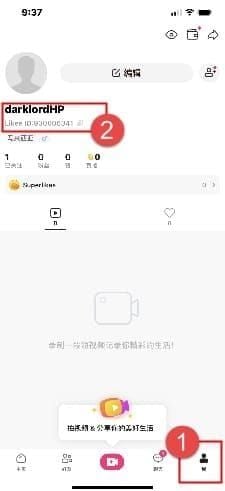
History updates independently from balance displays. Completed status without balance update indicates display sync issue.
Reading Status Indicators
- Pending: Payment processing (5-15 minutes normal)
- Processing: Payment cleared, awaiting server sync
- Completed: Both payment and delivery done (balance display may lag)
- Failed/Cancelled: Requires attention; funds not deducted
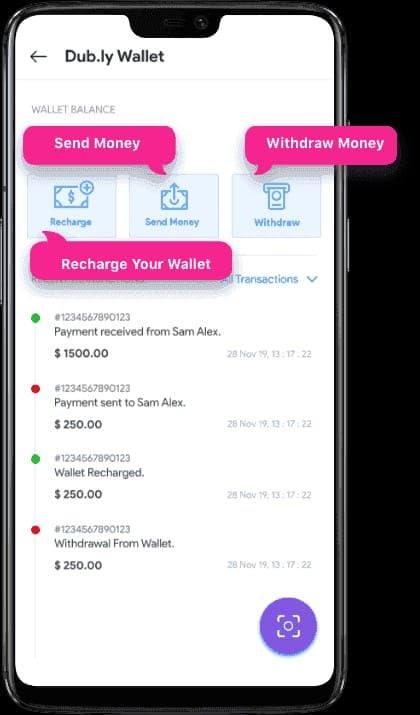
Pending vs Completed
Pending: In payment gateway processing. Lasts under 5 minutes typically, up to 24-48 hours for certain methods.
Completed: Likee processed fully. If diamonds missing, cache clearing or refresh resolves 90%+ of cases.
Matching Transaction IDs
Every purchase generates unique ID in both Likee history and payment receipt. Cross-reference to confirm processing.
Screenshot IDs immediately for support documentation. Enables tracing through backend systems.
Common Misconceptions
Myth: Diamonds Always Appear Instantly
Instant delivery only when all systems align perfectly. Most transactions experience minor delays due to sync timing or verification. The 5-30 minute window is normal operation.
Myth: Multiple Purchases Speed Delivery
Additional purchases while waiting create complications. Multiple pending transactions increase verification hold likelihood and complicate tracking. Wait for initial purchase completion.
Myth: Restarting Phone Fixes All
Device restarts help device-level problems but don't address server-side sync delays or verification holds. App-level actions (force close, cache clear, logout) target actual sync mechanisms more effectively.
Reality: Server Sync Takes Time
Backend systems prioritize security and accuracy over speed. Multi-stage verification, fraud detection, database queues require processing time. Server sync operates on fixed schedules—individual users can't accelerate cycles.
When to Open Support Ticket
After 48 Hours with No Delivery
48-hour threshold represents outer limit for normal processing including extended holds. Before submitting, complete basic troubleshooting—cache clearing, logout/login, app updates.
Transaction Failed but Money Deducted
Failed status with confirmed deduction indicates payment gateway discrepancy. Payment provider processed charge but Likee didn't receive confirmation.
Gather receipts, bank statements, screenshots of failed status.
Verification Hold Exceeds 24 Hours
Standard holds clear within 24 hours for 80%+ of cases. Longer holds suggest missing verification info or flagged issues requiring human review.
Include requested documents proactively—ID, payment ownership proof, account confirmation.
Duplicate Charges Without Credits
Multiple charges for single purchase attempts require immediate support contact.
Document each charge with separate screenshots and transaction IDs.
Submit Effective Support Ticket
Required Documentation
- Payment receipts/confirmation emails
- Screenshots of transaction history showing purchase
- Screenshots of current diamond balance
- 10-digit Likee ID (under profile name)
- Transaction IDs from Likee and payment provider
Complete documentation enables immediate investigation versus requesting additional info (adds 24-48 hours per request).
Clear Problem Descriptions
State concisely: purchase date/time, diamond amount, payment method, current status, troubleshooting attempted.
Example:Purchased 1,000 diamonds January 15, 2026 3:45 PM EST via Google Play. Transaction 'completed' (ID: ABC123XYZ) but diamonds not credited after 50 hours. Cleared cache, logged out/in, verified receipt. Balance unchanged.
Include Transaction IDs and Screenshots
IDs enable database queries locating purchases among millions of daily transactions. Screenshots provide visual confirmation.
Capture full-screen showing transaction history, balance, receipts, verification status. Crop unrelated personal info but maintain context.
Expected Response Times
- Automated response: Within minutes (ticket number for tracking)
- Human review: 24-48 hours for standard issues
- Complex cases: 5-7 business days for payment gateway coordination
- Refunds: 3-5 business days to original payment method
- Manual credits: Within 24 hours of resolution
Preventing Future Issues
Using BitTopup for Reliable Purchases
Third-party platforms specializing in digital currency provide robust delivery tracking and support. BitTopup offers competitive pricing, fast delivery, secure transactions, wide game coverage, excellent customer service, high user ratings.
Established platforms maintain direct publisher relationships enabling faster issue resolution. Dedicated support teams specialize in transaction troubleshooting.
Maintain Stable Internet During Transactions
Initiate purchases only on reliable networks. Avoid public Wi-Fi with captive portals or unstable connections. Connection drops during transactions cause payment gateway confusion.
Disable battery optimization for Likee: Settings > Battery > App Optimization. Ensures app maintains server connections for balance updates.
Keep Transaction Records Organized
Create dedicated folder for digital purchase receipts—email confirmations, payment receipts, transaction screenshots.
Note purchase dates, amounts, transaction IDs in spreadsheet or note file for quick lookup.
Account Security Best Practices
Enable two-factor authentication, verify all contact info. Secure accounts experience fewer verification holds.
Avoid account sharing or simultaneous multi-device logins. Unusual access patterns trigger security reviews delaying delivery. Maintain consistent login locations/devices.
Real User Scenarios
Case 1: 25-Minute Sync Delay
User purchased 2,000 diamonds 7:30 PM EST during peak hours. Processing status for 25 minutes. Force-closed app at 20 minutes, waited 60 seconds, reopened—diamonds credited. High server load during peak caused delay; force-close triggered fresh sync catching completed transaction.
Case 2: Verification Hold Cleared in 12 Hours
First-time purchaser bought 5,000 diamonds with new credit card. Immediate verification hold, pending status. After 12 hours, diamonds appeared automatically. Combined first-purchase and new-payment-method flags triggered security review. 12-hour resolution within 24-48 hour standard window.
Case 3: Cache Clearing Fixed Missing Diamonds
Transaction completed for 36 hours, no balance update. Cleared Android cache, reopened—3,000 diamonds appeared immediately. Corrupted cache prevented displaying updated balance despite successful server-side crediting.
FAQ
How long does it take for Likee diamonds to appear after purchase?
5-30 minutes under normal conditions. North American/European users average 5-10 minutes off-peak. Verification holds extend to 24-48 hours for first purchases or new payment methods, with 80%+ resolving within 24 hours.
Why are my Likee diamonds not showing up?
Common causes: normal sync delays (5-30 min), verification holds for new accounts/payment methods (24-48 hrs), corrupted app cache preventing display, unstable internet interrupting sync. Check transaction history—completed indicates delivery with display lag; pending/processing means in progress.
What is a verification hold on Likee diamond purchases?
Security measures delaying delivery while confirming payment legitimacy, account ownership, transaction authenticity. First purchases, new payment methods, large amounts, unusual patterns trigger holds clearing within 24-48 hours through automated review.
How do I clear Likee app cache to fix diamond sync issues?
Android: Settings > Apps > Likee > Storage > Clear Cache
iOS: Settings > General > iPhone Storage > Likee > Offload App, reinstall from App Store
After clearing, reopen and wait 2-3 minutes for fresh sync.
When should I contact Likee support about missing diamonds?
After 48 hours without delivery, when failed status but money deducted, verification holds exceeding 24 hours, or duplicate charges without credits. Complete basic troubleshooting first—cache clearing, logout/login, updates.
What documents do I need to claim missing Likee diamonds?
Payment receipts/confirmations, transaction history screenshots, current balance screenshots, 10-digit Likee ID, transaction IDs from Likee and payment provider. For verification holds: government ID or payment ownership proof.