Standard Delivery Timeframes
Credit card payments deliver in 1-10 seconds with 94-97% success rates. The 30-minute window is your action threshold—delays beyond this indicate genuine issues requiring intervention.
Peak hours (8-11 PM) see 15-20% higher failure rates due to server load, extending delivery toward the 30-minute maximum. Wait the full window before troubleshooting—premature app restarts interrupt synchronization.
Delivery Speed Factors
Payment method: Credit cards process fastest. Bank transfers need extra verification. Accounts under 3 days old face automatic 24-48 hour holds regardless of payment method.
Network quality: Requires minimum 2 Mbps download, ping below 100ms. VPN usage delays or blocks delivery entirely—disable before purchasing.
Red Flags Indicating Real Problems
Act after 30 minutes if:
- Payment deducted but diamonds missing
- Error messages during purchase
- App crashes after payment confirmation
- Receipt shows completed but balance unchanged
Account verification issues cause silent failures—payment processes but diamonds don't credit. Check Profile settings for green verification checkmarks.
Transaction Proof Checklist: Document Immediately
Complete documentation accelerates resolution from 5-7 days to 2-3 days.
Essential Document #1: Payment Receipt Screenshot
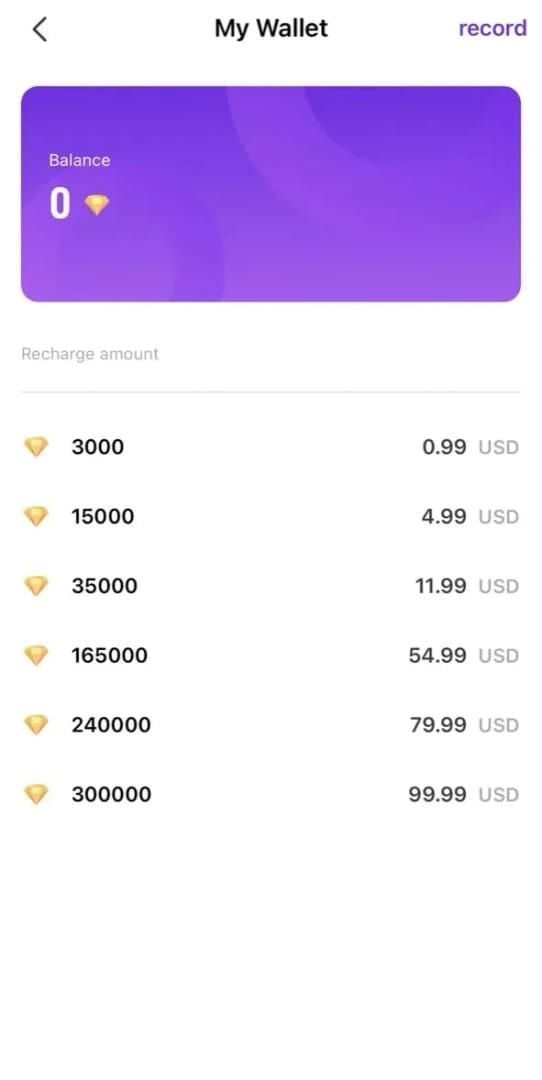
Capture confirmation screen showing:
- Exact diamond package purchased
- Total amount charged
- Payment method used
- Confirmation timestamp
Screenshot before dismissing the pop-up. Receipt must show completed or successful—pending transactions don't qualify for escalation.
Essential Document #2: Transaction ID and Order Number
Order IDs start with M + 10 digits. Find in app purchase history or confirmation email. Both Order ID and Transaction ID serve distinct tracking purposes—collect both.
Apple: Settings > [Your Name] > Media & Purchases > Purchase History
Google Play: Profile icon > Payments & Subscriptions > Budget & History
Screenshot the specific Mango Live transaction entry.
Essential Document #3: Bank Statement Showing Deduction
Download or screenshot showing:
- Exact amount debited
- Merchant name (Mango Live or payment processor)
- Transaction date/time matching purchase attempt
E-wallet users: capture detail page showing completed status. Pending means payment authorization hasn't finished—wait for bank processing.
Essential Document #4: User ID and Current Balance
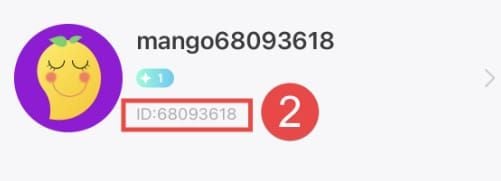
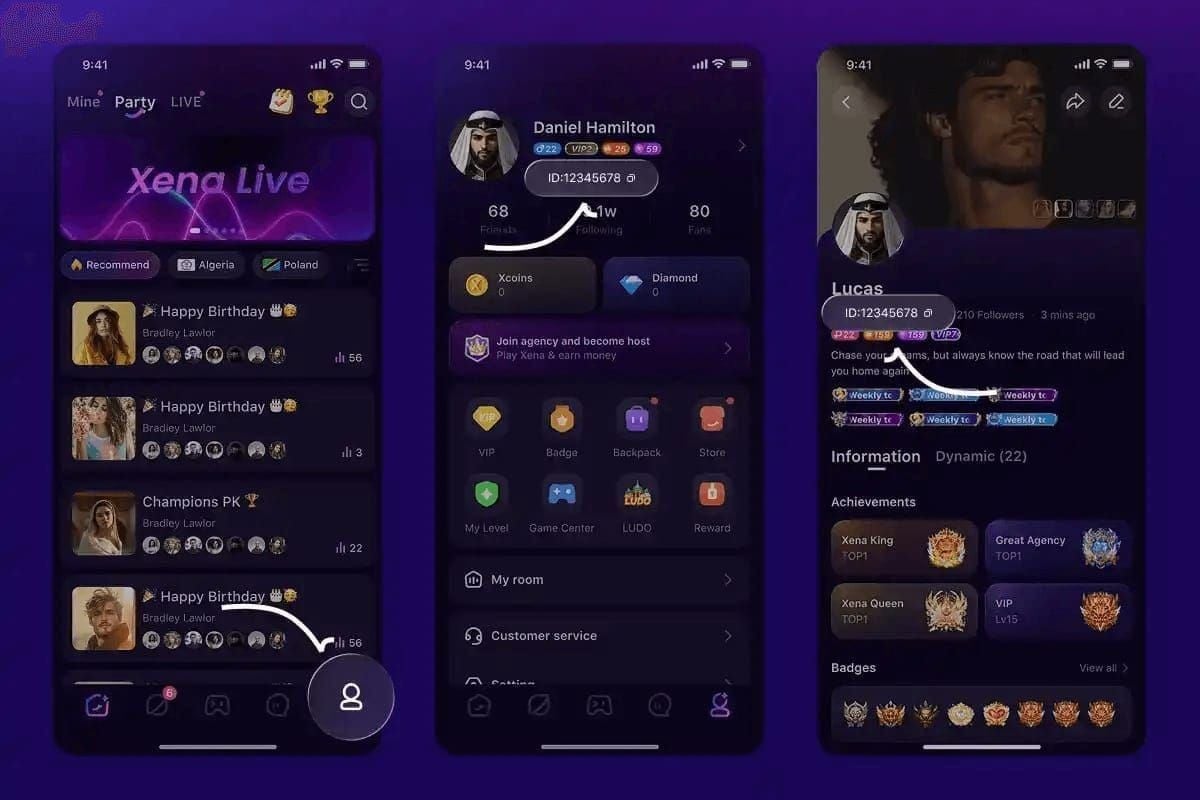
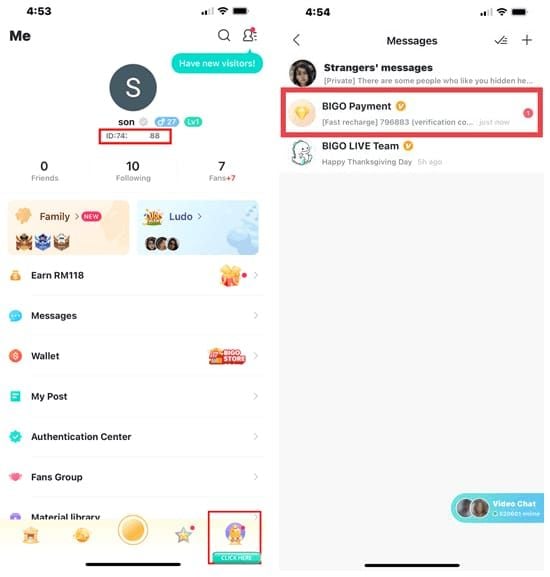
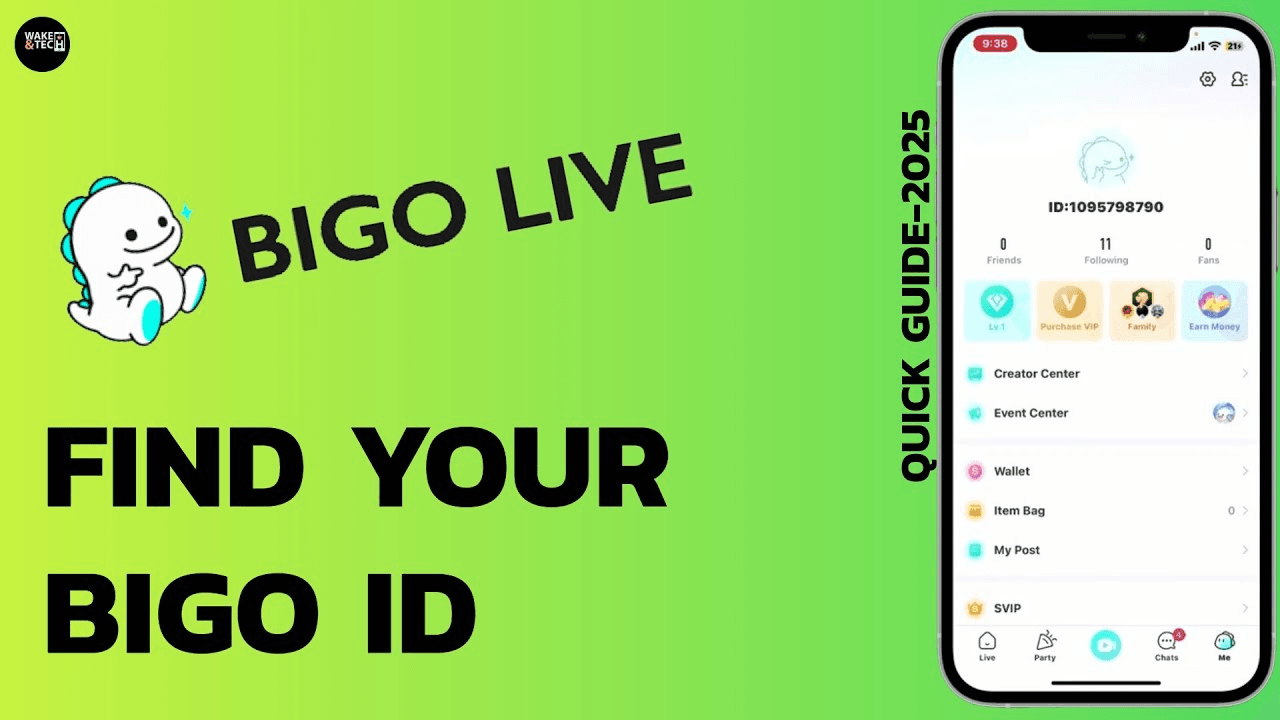
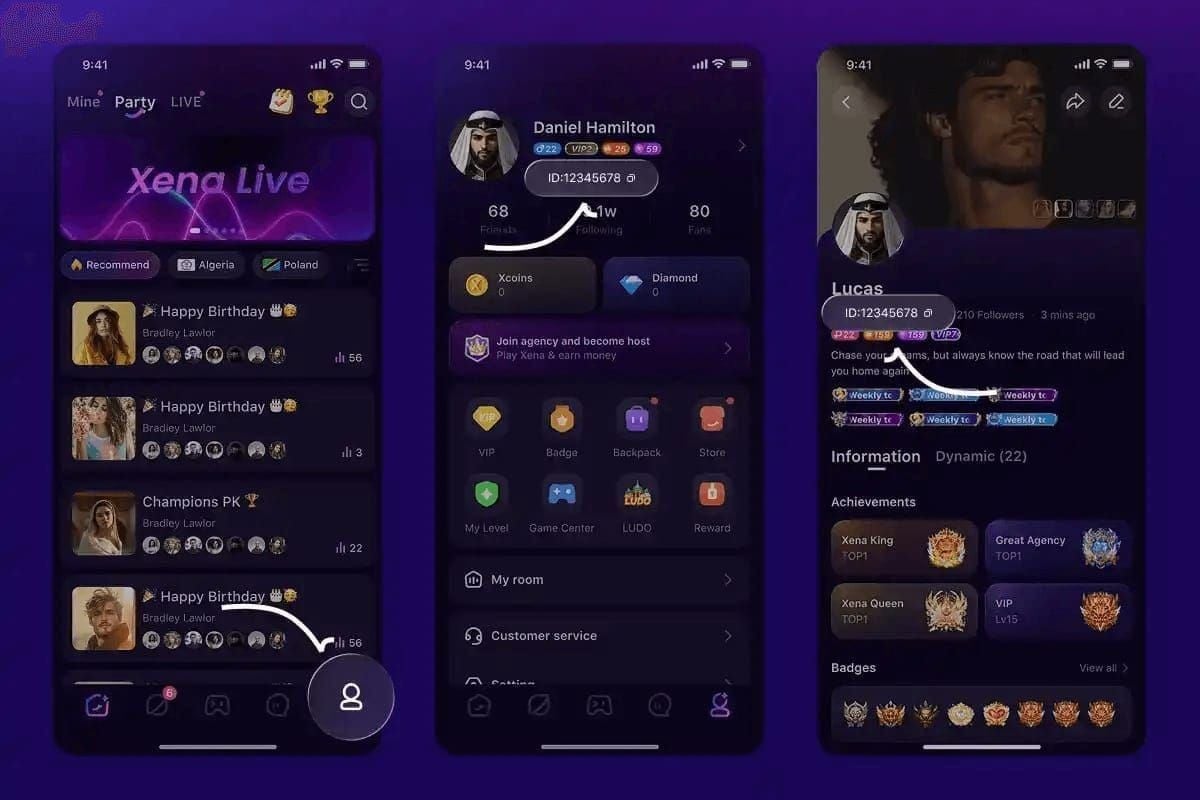
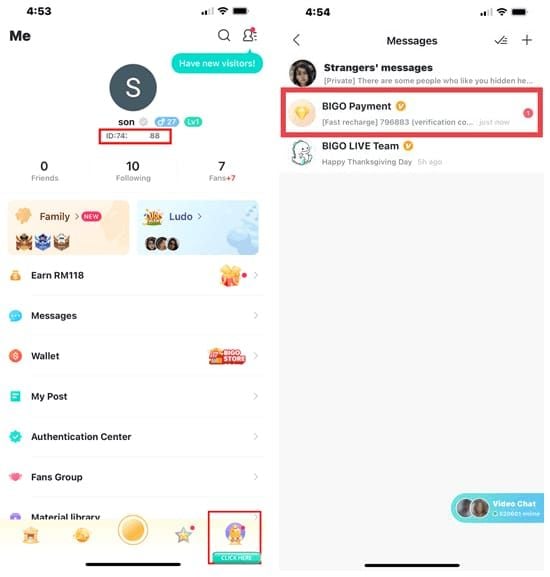
Find User ID on Profile (Me) page under username—tap to copy (format: U0100XXXXXX). Screenshot profile showing User ID and current diamond balance to establish baseline before missing transaction.
This proves which account should receive diamonds. Support can't credit without confirming correct recipient.
Essential Document #5: Timestamp Evidence
Document exact purchase time including time zone (server logs use UTC). Screenshot device clock immediately after failed delivery, showing date/time correlating with payment receipt.
Multiple purchase attempts? Document each timestamp separately to prevent misidentification.
Proper Screenshot Requirements
Need 3-5 screenshots minimum. Full screen captures, not cropped. Use native screenshot function—no blurry photos of screens.
File format: PNG or JPG under 5MB each. Label descriptively (payment_receipt.png, user_id_profile.png, bank_statement.png).
Immediate Troubleshooting (Self-Resolution)
Following these steps in order resolves 97% of delays within 30 minutes.
Step 1: Force Close and Restart App

Wait 10 seconds after noticing missing diamonds.
iOS: Swipe up and hold, swipe Mango Live off screen
Android: Settings > Apps > Mango Live > Force Stop
Wait 30 seconds before reopening to allow server synchronization.
Step 2: Clear App Cache
iOS: Uninstall and reinstall (account data stays server-side)
Android: Settings > Apps > Mango Live > Storage > Clear Cache (avoid Clear Data)
After clearing, log in and pull down to refresh Wallet page.
Step 3: Switch Networks
Switch WiFi to mobile data or vice versa. Poor connectivity (ping above 100ms) creates packet loss interrupting balance updates.
Test connection speed—below 2 Mbps download can't reliably complete synchronization. Move to stronger signal or switch networks.
Step 4: Verify Account Binding
Profile > Settings > Account Security—confirm email and phone show verified status. Unverified accounts face automatic holds preventing delivery.
Check spam folders for verification emails. Phone verification needs SMS code—request new if expired.
Step 5: Wait for Synchronization (30 Minutes)
Check balance every 5 minutes up to 30-minute maximum. Don't log out repeatedly—just pull down to refresh Wallet page.
App version matters: Version 2.9.1 (released 2 days ago) includes synchronization improvements over Version 2.9.0 (December 19, 2025). Update if running older builds, then wait another 30 minutes.
Escalation Triggers
Self-troubleshooting won't work if:
- Diamonds missing after all five steps + 30 minutes
- Error messages persist after restart
- Payment completed in bank but no transaction in app history
- Email confirmation received but zero balance change
- New account (under 3 days) with security hold
Support Contact Methods: Fast Escalation
Method 1: In-App Ticket (24-48 Hour Response)
Profile > Settings > Help & Support > Contact Us. Creates formal ticket with guaranteed response in 24-48 hours. Allows direct screenshot attachment.
Select category Payment Issues or Diamond Purchase Problems to route to billing team—reduces response time 30-40%.
Method 2: Email Support with Priority Keywords
Subject line format: Payment Completed - Diamonds Not Delivered - Transaction ID [XXXXX]
Attach all 3-5 screenshots as individual files, not combined document.
Method 3: Social Media Direct Message
Fastest initial acknowledgment (within hours) but routes to same queue. Use for urgent confirmation your case entered system.
Include User ID and transaction ID in first message to avoid back-and-forth.
Effective Support Request Structure
Three sections:
- Problem statement: Date, time, amount, package
- Troubleshooting completed: List five steps from previous section
- Attached proof: List each file by name
Avoid emotional language. Factual, concise descriptions process faster.
Priority Escalation
Cases over $50 USD or VIP accounts qualify for priority. Mention in subject line. Standard purchases: escalate only after 72 hours without response.
Multiple failed transactions trigger automatic priority review. For reliable alternatives preventing these issues, BitTopup provides guaranteed delivery confirmation and real-time tracking.
Common Reasons for Missing Diamonds
Payment Gateway Delays
Authorization holds appear completed in bank but haven't transmitted final confirmation to Mango Live. Typically release within 24-48 hours, diamonds credit automatically.
Check bank statement: pending = authorization hold, posted = completed processing. Only posted transactions qualify for immediate escalation.
Account Verification Requirements
Accounts under 3 days old face automatic 24-48 hour holds on all purchases. Must complete email verification, phone binding, and profile completion (photo + bio) to reduce hold duration.
Verified accounts face holds if recent login activity appears suspicious—multiple logins from different locations trigger security reviews.
Regional Restrictions and Currency Conversion
Certain regions need extra verification before delivery. Currency conversion delays occur when bank currency differs from purchase currency.
Purchasing from region different than account registration? Expect up to 48 hours processing. VPN usage creates location mismatches triggering automatic holds.
Server Lag During Peak Hours
Peak hours (8-11 PM) experience 15-20% higher failure rates. Synchronization between payment processors and balance servers slows, extending typical 10-second delivery to full 30 minutes.
Server maintenance (rare, with advance notice) completely halts delivery. Check for active maintenance before contacting support.
Incorrect Account UID
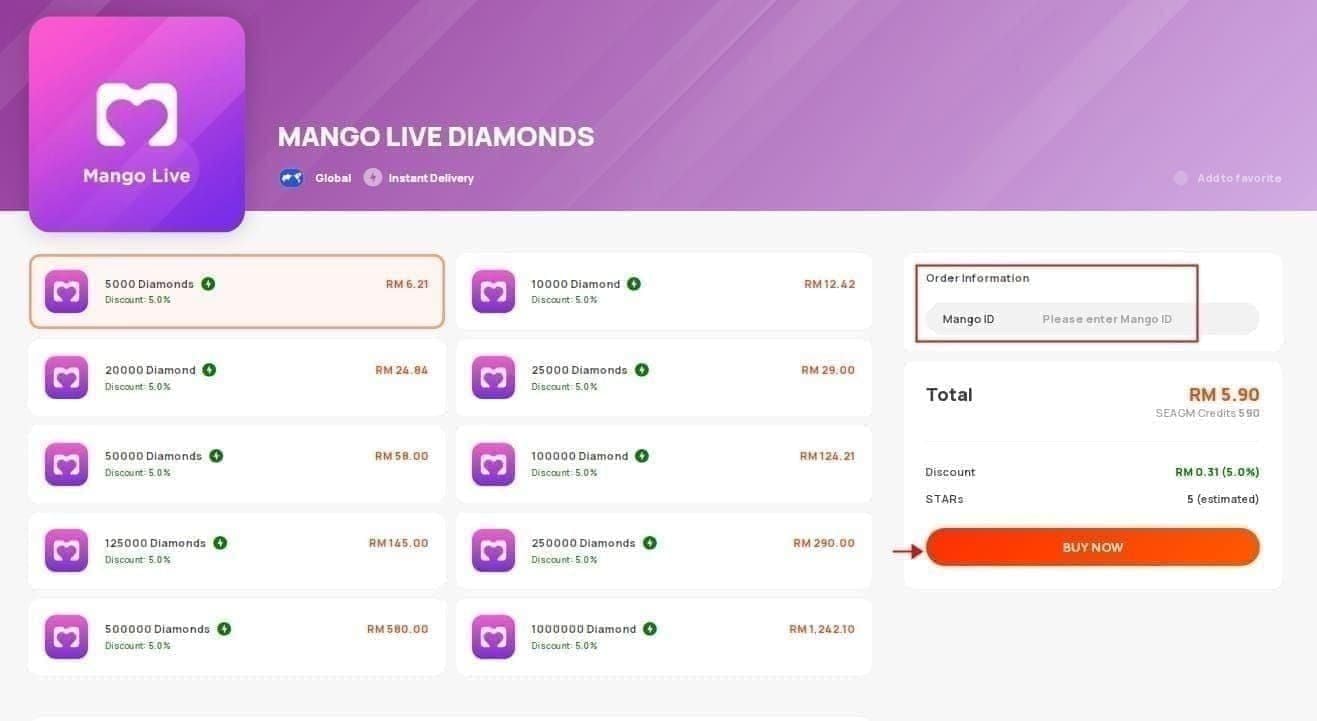
Third-party platforms require manual User ID entry—typos send diamonds to wrong accounts. Always copy UID directly from profile (tap to copy) rather than typing.
Suspect incorrect UID? Check purchase confirmation for listed UID. If doesn't match yours, contact support immediately with both incorrect UID from receipt and correct UID. Recovery takes 10-14 days.
Payment Declined But Shows Pending
Banks sometimes decline after initial authorization, creating pending status that appears completed but never finalizes. Auto-refunds in 3-5 business days, but diamonds never credit.
Contact bank to verify status. If declined, you're waiting for refund, not delivery. Retry after confirming bank will approve Mango Live transactions.
Resolution Timeline After Submitting Proof
First 24 Hours: Initial Review
Response within 24-48 hours confirms receipt, assigns ticket number, requests missing documentation. Agents verify all required proof (payment receipt, transaction ID, User ID, bank statement, timestamp) is present and legible.
Unclear or missing documentation? Resubmission request restarts 24-48 hour clock. Submit complete, clear docs initially to prevent delay.
24-48 Hours: Investigation and Verification
Billing team cross-references transaction ID with payment processor records. Takes 2-3 business days coordinating with external gateways. No updates unless team needs additional info.
Don't submit multiple tickets for same issue—creates confusion, extends resolution.
48-72 Hours: Resolution or Finance Escalation
Straightforward cases resolve in 48-72 hours via direct diamond credit. Email confirmation sent when credited, with transaction reference number. Check balance immediately.
Complex cases (payment disputes, incorrect crediting, technical glitches) escalate to finance team, adding 3-5 business days (total 5-7 days from initial ticket).
Real Case Studies
User U0100124821: Purchased 20000 Diamonds January 21, 2026. Server synchronization lag during peak hours. Complete documentation submitted, diamonds credited in 3 business days + 2000 bonus diamonds as compensation.
User U0100019680: Purchased 10000 Diamonds December 24, 2025. 48-hour hold due to new account (created December 22, 2025). Support explained automatic hold policy, diamonds credited exactly 48 hours post-purchase without further action.
If Resolution Takes Over 7 Days
Send follow-up to existing ticket (don't create new) requesting status update. Reference original ticket number, ask which investigation stage. Wait 48 hours before following up again.
Cases beyond 10-14 days typically involve payment processor disputes or require refund vs diamond credit. Request clarification on which you're receiving to determine next steps.
Refund vs Re-Credit Options
Diamond Re-Credit (Faster)
Occurs when payment verified but technical issues prevented delivery. Takes 2-3 business days from investigation completion—simple database adjustment.
Accounts in good standing receive re-credit automatically once investigation confirms delivery failure. Email notification sent with exact crediting timestamp.
When Refund Is Necessary
Required when:
- Payment processors show no completed transaction record
- You explicitly request money back vs diamonds
- Account issues prevent safe crediting (suspension/closure)
Refund processing: 7-14 business days depending on payment method and bank. Amount matches original payment exactly, including currency conversion fees.
Refund Processing Times by Method
- Credit cards: 7-10 days (some banks extend to 14 days)
- E-wallets: 3-5 days (internal processing, no bank intermediaries)
- Bank transfers: 10-14 days (inter-bank protocols)
- International transfers: Up to 21 days (currency conversion reconciliation)
Requesting Specific Resolution
State preferred method clearly in initial ticket. While support determines which applies based on findings, stating preference helps prioritize that option when both are viable.
For urgent situations, request account credit (diamond re-credit)—processes faster than refunds. But if payment never completed, refund is only option.
Preventing Future Issues: Best Practices
Pre-Purchase Checklist
Before purchasing, verify:
- Email verification: completed
- Phone number binding: completed
- Profile completion: completed
Profile > Settings > Account Security to check status. Complete pending verifications before purchase.
App version current? Requires iOS 12.0+, optimal on iOS 15.3.1+. App size 233.3 MB—confirm sufficient storage.
Choose Reliable Platforms: Why BitTopup
Third-party platforms vary significantly in reliability. BitTopup maintains transparent tracking with immediate order confirmation, eliminating processing uncertainty. 24/7 support resolves issues in real-time vs 24-48 hour wait.
Secure payment integrates directly with Mango Live systems, reducing intermediary steps causing delays. Competitive pricing + delivery guarantees = preferred choice for users who've experienced delivery issues.
Payment Method Selection
Credit cards: fastest, most reliable (94-97% success). Avoid methods requiring manual verification (bank transfers, regional payment apps with limited integration).
E-wallets process quickly but may add currency conversion delays if wallet currency differs from purchase currency.
Disable VPN entirely before purchase—creates location mismatches triggering security holds. Use native internet (WiFi or mobile data) without proxies.
Account Security Measures
Enable two-factor authentication to reduce security hold likelihood. Avoid logging from multiple devices/locations within short timeframes—triggers fraud detection blocking delivery.
Maintain consistent login patterns. Traveling? Notify support in advance with travel dates/locations to whitelist those login locations.
Keep Transaction Records
Create dedicated folder for all purchase records. Save every receipt, confirmation email, transaction ID immediately after purchase. Invaluable for delivery issues, purchase history verification, tax records, account recovery.
Screenshot balance before and after each purchase. Creates audit trail showing exactly when discrepancies occurred, making investigations faster.
Guaranteed Delivery Tracking
Every purchase generates immediate order confirmation with unique tracking number. Real-time status updates show when payment processes, when diamonds credit, completion confirmation—all visible in dashboard.
Transparency identifies issues within minutes vs waiting 30 minutes. Enables faster support contact with complete transaction details already documented.
24/7 Customer Support
Unlike Mango Live's 24-48 hour response, BitTopup provides live support 24/7. Real-time chat resolves most issues within minutes, complex cases escalate within hours vs days.
Agents access complete transaction histories instantly—no need to gather proof documentation. Account contains all necessary details for immediate investigation.
Transparent Records and Instant Receipts
Every purchase generates detailed receipt: exact diamond quantity, USD cost, exchange rate, payment method, precise timestamp. Receipts accessible indefinitely in account history.
Pricing transparency: all fees displayed upfront before confirmation. No surprise charges creating payment mismatches.
Secure Payment Processing
Never requires Mango Live password—eliminates security risks. Provide only User ID (public identifier), keeping credentials private.
Industry-standard encryption, international payment security compliance. Multiple payment options for your most trusted source.
Competitive Pricing with Guarantee
Pricing competitive with in-app purchases plus guaranteed delivery and superior support. Frequent promotional discounts, bulk purchase options for better per-diamond rates.
Delivery guarantee: if diamonds don't credit within promised timeframe, support intervenes immediately or processes refunds without lengthy investigations.
Tired of delivery issues? Top up Mango Live diamonds through BitTopup for guaranteed instant delivery, transparent tracking, and 24/7 support. Get diamonds in minutes, not days—visit BitTopup now for hassle-free top-ups with exclusive discounts!
FAQ
How long does Mango Live diamond delivery take?
85% deliver in 10 seconds, 12% in 10-40 seconds, 3% up to 30 minutes. After 30 minutes = delivery failure requiring support.
What proof do I need for missing diamonds?
Five documents: payment receipt screenshot, transaction ID/order number, bank statement showing deduction, User ID (U0100XXXXXX) with balance screenshot, timestamp evidence. Attach 3-5 clear screenshots.
Can I get a refund if diamonds aren't received?
Yes. Refunds take 7-14 business days by payment method. Diamond re-credit faster at 2-3 days. Support determines which applies—re-credit when payment verified but delivery failed, refund when payment never completed.
Why are diamonds delayed after top-up?
Common causes: server lag during peak hours (8-11 PM), new account holds (24-48 hours for accounts under 3 days), VPN blocking delivery, incomplete verification, payment gateway delays. 97% resolve within 30 minutes via troubleshooting.
How do I contact Mango Live support for diamond issues?
Profile > Settings > Help & Support > Contact Us for in-app ticket (24-48 hour response). Subject: Payment Completed - Diamonds Not Delivered - Transaction ID [XXXXX]. Attach all proof screenshots.
What should I include in support ticket?
Three sections: (1) specific problem (date, time, amount, package), (2) troubleshooting completed, (3) attached proof (payment receipt, transaction ID, User ID, bank statement, timestamps). Complete info eliminates delays, accelerates resolution to 5-7 days.