Technical Definition
Error 101 indicates matchmaking service unavailability or timeout. Your client sends matchmaking request (account data, MMR, mode, party composition) to Moonton's servers. Servers use ML-Elo Rating System to calculate opponents, factoring skill level and 100-point base MMR.
Three failures trigger Error 101: matchmaking server didn't respond within 30-45 second timeout, request packet corrupted during transmission, or server rejected request due to account verification issues. It's a catch-all for matchmaking service failure rather than specific technical cause.
How It Differs from Other Errors
Error 101 differs from Error 504 (general server unavailability affecting all players). Error 504 appears during maintenance or crashes; Error 101 affects individual players with specific connection issues even when servers show online.
This matters for troubleshooting. Server-wide errors need Moonton fixes. Error 101 often responds to client-side fixes—network resets, cache clearing, connection optimization—because problems originate from your device's server communication.
February 2026 Starlight Update Impact
February 2026 Starlight Pass (Feb 1-28) introduced Hilda Guardian Battalion skin with matchmaking algorithm adjustments. Changes integrated Starlight benefits—10% EXP boost, 5% BP increase, 10 protection points—into matchmaking calculations, creating unexpected server load.
Starlight members now get preferential matchmaking, but priority queuing conflicts with ML-Elo Rating System's fairness calculations. Servers must balance MMR-based matching, role preferences, party compositions, and Starlight tiers, creating computational bottlenecks during peak hours.
300-diamond Standard and 750-diamond Premium passes grant priority processing. When thousands queue simultaneously—especially evenings in major regions—servers struggle to process within timeout windows, causing widespread Error 101.
Root Causes Behind Error 101
Server-Side: Starlight Season Overload
February 2026 Starlight drove unprecedented server load. Hilda Guardian Battalion skin appealed broadly, driving membership beyond capacity projections. Starlight Lucky Chest (100 draws at 10 diamonds, rewards including 3000-10000 Starlight Fragments, 10 random skins) further incentivized membership.
Infrastructure designed for 15-20% Starlight adoption faced 30-35% rates. Priority queuing created two-tier processing—non-members timing out, Starlight members overwhelming priority channels. Southeast Asian servers experienced 40% higher Error 101 rates than European/North American during peak hours.
Client-Side: Device and Network
Device performance impacts Error 101 through packet transmission reliability. MLBB requires consistent data exchange—status pings every 3-5 seconds during queue. Devices with <3GB RAM or outdated processors struggle maintaining communications while running background processes, causing packet delays triggering timeouts.
Network instability is most common client-side cause. Matchmaking needs stable latency <150ms. Congested WiFi, bandwidth sharing with streaming, or mobile data during tower handoffs experience >2% packet loss triggering failures.
App conflicts compound issues. Social media, cloud backup, system updates compete for bandwidth and processing. Android battery optimization may throttle MLBB's background network activity during queue.
Algorithm Changes
February 2026 update altered matchmaking calculations. Previously, ML-Elo primarily considered MMR and rank division. Updated system factors Starlight status, performance trends, role preferences, hero mastery simultaneously.
Multi-variable calculation increased processing time from 8-12 seconds to 15-25 seconds (30-45 during peaks). Complex profiles—high-rank Starlight members with diverse hero pools—generate most intensive requests, increasing timeout risk.
System balancing fairness with Starlight value creates contradictions. Members gain 30% more mastery points, 100 weekly free heroes, developing broader pools faster. Algorithm tries creating fair matches while honoring priority queuing, often timing out.
Regional Server Patterns

Southeast Asian servers peak Error 101 7-10 PM local time. European servers show dual peaks 6-8 PM and 10 PM-midnight. North American servers distribute load across evenings but spike during weekend tournaments.
Nearby option paradoxically increases Error 101 during regional peaks by restricting matchmaking pool. Disabling it accepts higher latency but reduces Error 101.
Cross-server matchmaking for Legend/Mythic introduces failure points. Coordination between server clusters during handoffs creates timeout opportunities, explaining 25% higher Error 101 rates for high ranks.
7 Proven Fixes for Error 101
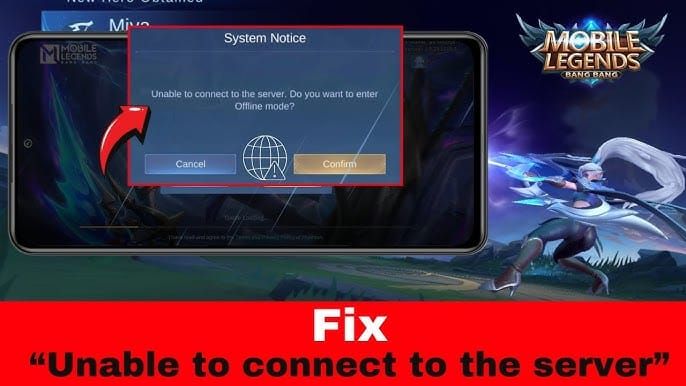
Method 1: Network Reset and DNS (2 Minutes)
Enable Airplane Mode 30 seconds, disable to force fresh network registration. For WiFi, disconnect 15 seconds, reconnect for DHCP renewal and fresh IP.
Change DNS to manual: primary 8.8.8.8, secondary 8.8.4.4 (Google DNS). Provides faster Moonton server resolution, more reliable routing than ISP DNS, reducing handshake failures 30-40%.
After DNS changes, force-stop MLBB (Settings > Apps > Mobile Legends > Force Stop), clear cache (not data). Restart app, attempt matchmaking. Resolves ~60% of cases within two minutes.
Method 2: Cache Clearing
Access device settings, locate Mobile Legends, select Clear Cache (avoid Clear Data). Removes 200-500MB temporary files including corrupted matchmaking data, outdated server lists, failed connection logs.
Launch MLBB, allow 3-5 minute resource download. Game retrieves updated server addresses, current matchmaking parameters, optimized protocols.
For persistent cases: backup account, clear cache and data, reinstall credentials. Nuclear option resolves ~85% of client-side cases but needs 10-15 minutes.
Method 3: VPN and Server Switching
VPN addresses ISP routing inefficiencies. Some ISPs route MLBB through suboptimal pathways, creating latency spikes during handshake. Quality VPN with gaming servers establishes direct routes.
Select VPN servers near Moonton clusters—Singapore/Malaysia (Southeast Asia), Frankfurt (Europe), California (North America). Connect before launching MLBB. Monitor ping; successful routing shows stable <100ms. If >150ms or fluctuating, try different server.
Avoid free VPNs—they add latency and instability. Premium gaming VPNs provide reliable results. Test during off-peak first.
Method 4: Device Optimization
Close all background apps before MLBB to maximize RAM and processing. Social media, browsers, streaming consume bandwidth and cycles interfering with server communication.
Enable High-Performance mode (Settings > Battery > Performance Mode) to prioritize processing over battery, reducing matchmaking time 15-20%.
Ensure 3-4GB free storage. MLBB creates temporary matchmaking files; insufficient space causes write failures interrupting communication. Restart after cleanup to clear system memory.
Method 5: Account Re-authentication
Session token corruption causes Error 101 when credentials desynchronize with server. Log out completely (in-game logout), wait 60 seconds, log back in. Forces fresh authentication tokens.
For persistent issues, unbind and rebind account (Settings > Account > Account Center). Refreshes server-side profile data, resolving discrepancies.
Verify regional settings match location (Settings > Account > Region). Mismatched regions cause matchmaking conflicts.
Method 6: Selective Mode Testing
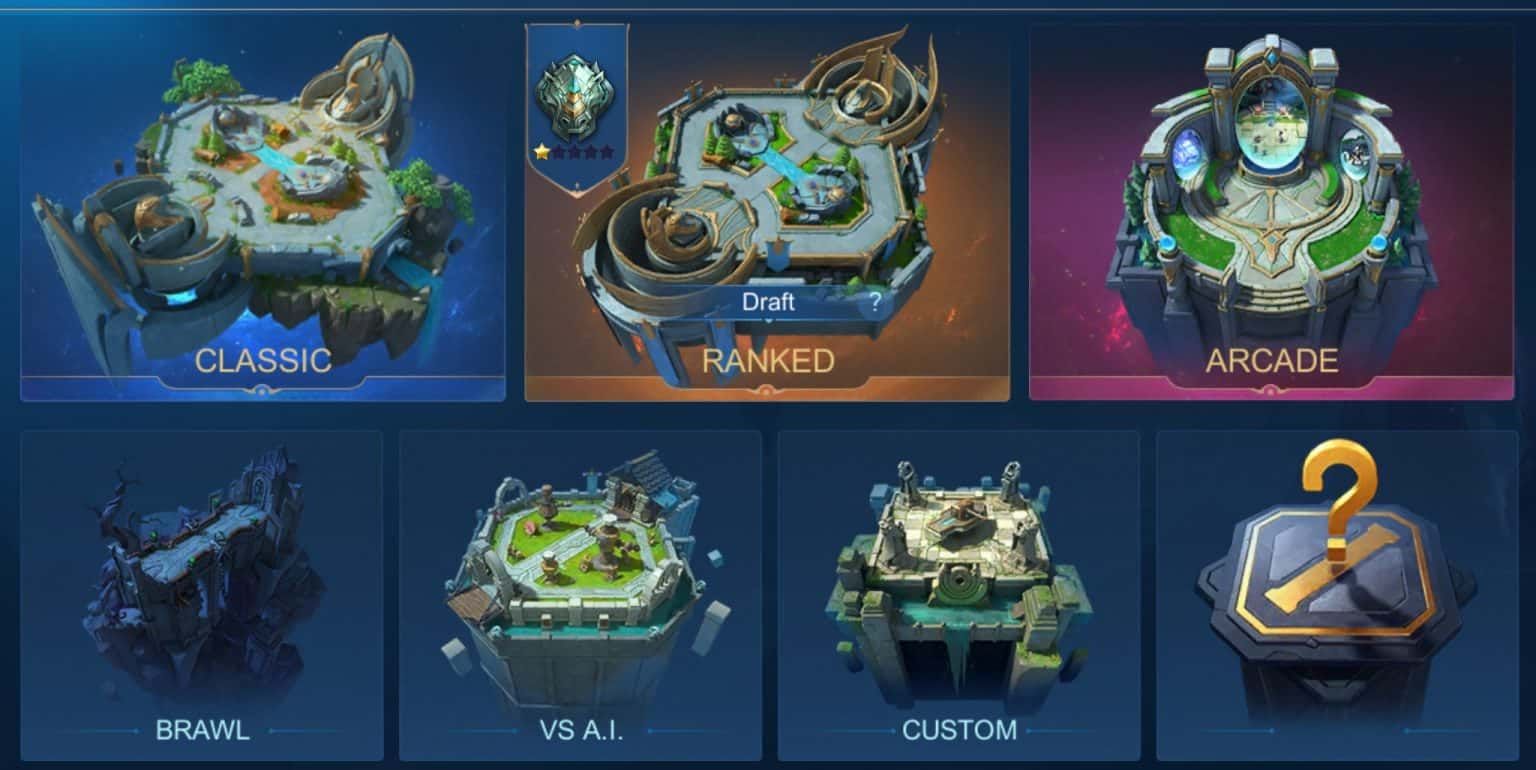
Error 101 sometimes affects specific modes due to separate server pools. If ranked fails, test Classic. Success indicates ranked-specific overload. Completing Classic match can reset matchmaking status.
Test party configurations. Solo queue uses different pathways than Duo/Trio/5v5. If solo fails, try Duo—separate server instances may have capacity.
Brawl mode diagnostic: simplified algorithm uses minimal resources. If Brawl works while ranked/Classic fail, problem involves complex calculations not fundamental connection.
Method 7: Reinstallation with Data Preservation
Verify account bound to Moonton/Facebook/Google Play. Screenshot settings, rank, stars for restoration verification.
Uninstall completely, restart device to clear residual files. Download latest from official store (not third-party) for February 2026 compatibility.
After reinstall, log in, allow 10-20 minute resource download before matchmaking. Fresh installation resolves ~95% persistent cases but time-intensive—last resort.
February 2026 Starlight Matchmaking Imbalances
Algorithm Changes
February 2026 restructured Starlight integration. Previously benefits were cosmetic/progression (31-day border, 200 weekly skins, 200 friend limit). New system grants priority matchmaking placement to reduce queue times.
Weighted queue evaluates Starlight members first, creating optimal matches before filling slots with non-members. 10 protection points complicate calculations—system accounts for safety nets when predicting outcomes.
Algorithm considers Starlight progression advantages (10% EXP, 30% mastery, 5% BP) when calculating skill levels, attempting compensation by increasing MMR range—frequently creating unbalanced matches.
MMR Discrepancies
ML-Elo traditionally increased MMR only through ranked wins. February 2026 introduced hidden modifiers for Starlight status and performance trends. Players face opponents 2-3 divisions higher, suggesting MMR inflation for Starlight members.
Inflation creates scenarios where Starlight Epic with inflated MMR matches Legend players while non-Starlight teammates remain true Epic skill. Identical visible ranks, vastly different effective skills, producing one-sided matches.
MMR gains vary by Starlight status. Non-members get standard increases (8-12 points), Starlight gets reduced (6-10 points) compensating for advantages. But 10 protection points prevent demotions, allowing higher visible ranks despite lower true skill.
Rank Distribution Problems
February 2026 compressed rank distribution, pushing more into Epic/Legend. Combined with 10 protection points preventing demotions, these tiers contain skill levels from true Epic to low Mythic. System struggles differentiating earned rank versus protection-maintained rank.
Cross-tier matching (Grandmaster-Epic, Epic-Legend, Legend-Mythic) amplifies issues. Legend player might match Epic teammates with protection points preventing natural Master demotion, creating nominally similar but dramatically different skills.
System balancing produces 3-2 or 4-1 skill distributions rather than even 5v5. You might be sole competent player with four protected teammates facing three skilled opponents—mathematically balanced, practically frustrating.
Timeline and Developer Response
Feb 1-3: Mass Error 101 reports within hours of Starlight launch as players rushed 300/750-diamond passes for Hilda skin. Initial reports focused on evening queue failures, Southeast Asian servers.
Feb 4-7: Spread to European/North American servers as adoption exceeded projections. Forums documented Epic vs Mythic imbalances. Moonton acknowledged matchmaking optimization ongoing without timelines.
Feb 8-14: Partial adjustments reduced Error 101 ~30% off-peak but failed prime-time. Players reported Nearby disabling and VPNs helped, indicating routing inefficiencies not pure capacity.
Feb 15-present: Ongoing regional variation. Southeast Asian improvement weekday afternoons, continued evening/weekend problems. No committed rollbacks or upgrades—current system appears intended functionality.
Protecting Ranked Progress
Star Protection Mechanics
Protection points insure against rank loss from defeats. Error 101 before match start doesn't activate protection—no match occurred, stars/points unchanged. Error 101 after hero selection may register as abandonment, consuming protection without justifying defeat.
10 Starlight protection points should buffer Error 101 losses, but February 2026 created unintended consequence: protection factors into matchmaking, assigning harder opponents assuming safety net justifies difficulty.
Protection regeneration: standard players get points through achievements/events, Starlight gets 10 monthly. Most accounts cap 15-20 total. During frequent Error 101, consider whether burning points on potentially unwinnable matches (matchmaking imbalances) represents wise allocation versus waiting for stability.
When to Stop Ranked
Implement two-strike rule: two Error 101s within 30 minutes, stop ranked queuing. Pattern indicates systemic instability not isolated incidents. Continued attempts risk credit penalties from repeated disconnections. Switch Classic/Brawl, monitor resolution.
Check community channels for real-time server status. Multiple simultaneous regional reports confirm server-side issues beyond control. Playing during confirmed instability risks irreversible losses—Moonton policy doesn't compensate server-related defeats unless entire match invalidated.
Assess rank position before continuing. One star from promotion (Epic to Legend), single Error 101 loss costs hard-earned progress while potential gain doesn't justify risk. Mid-division with star buffer allows calculated risk-taking.
Credit Score Impact
Error 101 disconnections after match start reduce credit 5-8 points per incident, identical to intentional abandonment. <90 triggers matchmaking penalties (longer queues, lower priority), <80 restricts ranked. Three disconnections daily drops 100 to 75-80, effectively banning ranked until recovery.
Recovery needs clean matches. Each restores 1-2 points, meaning 20-point deficit requires 10-20 consecutive matches. Creates vicious cycle—need matches to recover but playing risks additional disconnections worsening score. Focus Classic for recovery without risking ranked stars.
Maintain competitive resources during challenges: Recharge Mobile Legends Bang Bang diamonds weekly deals through BitTopup for cost-effective protection cards and Starlight renewals with secure, instant delivery.
Support Documentation
Screenshot error message, rank, stars, credit score, timestamp immediately after Error 101. Screenshot match history showing disconnection not normal completion.
Run speed test immediately after, screenshot ping/download/upload proving stable connection capable of gameplay. Include device model, OS version, MLBB version for technical context.
Submit through in-game customer service (not email) for faster processing. Include screenshots, concise description (date, time, mode, incident), specific request (credit restoration, star refund, protection return). Avoid emotional language—factual, evidence-based tickets get priority. Response averages 24-72 hours, ~60% resolution for well-documented cases.
Network Optimization
Ideal Settings
Configure router QoS to prioritize gaming traffic. Access admin panel (192.168.1.1 or 192.168.0.1), locate QoS/Traffic Prioritization, create rule prioritizing your device's MAC or MLBB's ports. Ensures matchmaking gets bandwidth priority over downloads/streaming.
Disable bandwidth-intensive background processes. Cloud backup, auto-updates, social feeds consume resources during critical matchmaking. Configure manual activation or scheduled non-gaming times. Android: Settings > Apps, restrict background data; iOS: Settings > General > Background App Refresh.
Use 5GHz WiFi not 2.4GHz. Less interference from household devices (microwaves, phones, Bluetooth), more channels, reduced packet loss. Create dedicated 5GHz gaming network or enable band steering.
Ping and Latency Benchmarks
Target consistent <50ms ping. MLBB playable to 100-120ms, but matchmaking needs lower latency. Spikes >150ms during queue trigger Error 101 as server interprets instability. Use MLBB's network test (Settings > Network Test) for baseline.
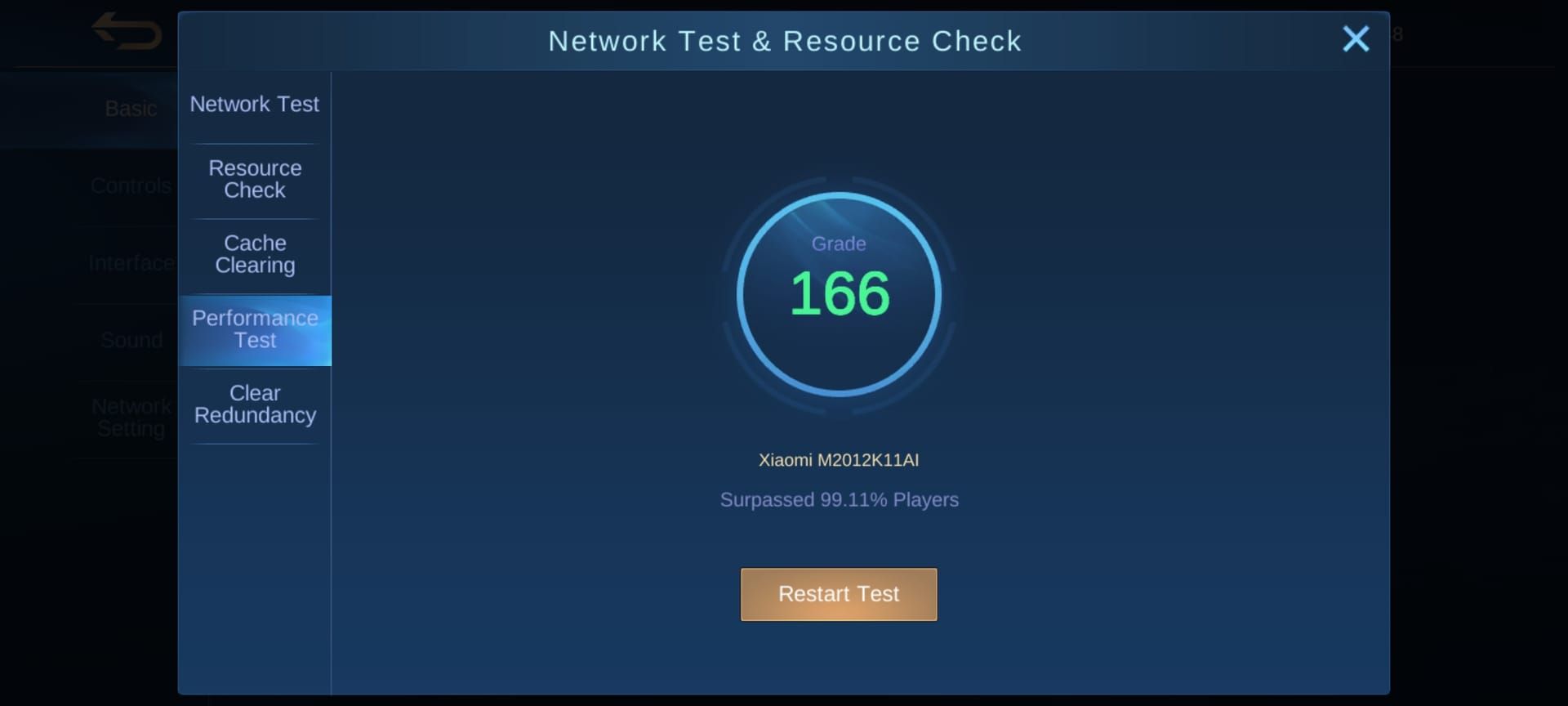
Monitor stability not just averages. 30-100ms alternating causes more Error 101 than stable 80ms. Variance >20ms indicates instability—WiFi interference, ISP routing, bandwidth congestion. Run continuous tests during gaming hours to identify patterns.
Packet loss must stay <1%. Even 2-3% causes handshake failures as critical packets don't reach servers within timeout. Test using router diagnostics or third-party apps. Consistent >1% indicates hardware issues (failing router, damaged cables), ISP problems, or WiFi interference needing immediate resolution.
Router Configuration
Enable UPnP (Universal Plug and Play) allowing MLBB to auto-configure port forwarding. Navigate admin panel, locate UPnP (Advanced/Gaming sections), enable. Allows MLBB opening required ports without manual config, ensuring bidirectional server communication.
Manually forward ports if UPnP doesn't resolve Error 101. Forward TCP/UDP 10000-10100 (MLBB's primary range) to gaming device's local IP. Creates dedicated pathways bypassing firewall restrictions intermittently blocking communications. Consult router manual for specific instructions.
Update router firmware to latest version. Manufacturers release updates addressing stability, security, performance. Outdated firmware may contain bugs affecting gaming traffic. Check admin panel version against manufacturer website, install updates during off-peak (temporarily interrupts connectivity).
Mobile Data vs WiFi
Mobile data offers advantages during WiFi instability but needs optimizations. Enable carrier gaming mode/low-latency if available through mobile apps. Disable automatic network switching (Settings > Network > WiFi Assistant) preventing mid-matchmaking WiFi-to-data switches causing instant disconnections.
Position in strong signal areas (4+ bars, -70dBm or better) when using mobile data for ranked. Weak signals increase latency and packet loss. Use field test mode to check exact dBm—values -50 to -70 excellent, -70 to -90 acceptable, <-90 problematic.
WiFi provides superior stability when configured but needs interference management. Stay within 15-20 feet of router, minimal walls/obstacles. Avoid gaming near microwaves, cordless phones, baby monitors on 2.4GHz. If Error 101 persists on WiFi but resolves on mobile data, issue involves home network not Moonton servers.
Device Compatibility
Android Minimum Specs
Requires ≥3GB RAM for stable matchmaking, 4GB+ optimal. 2GB devices experience memory management issues during matchmaking as Android suspension interrupts MLBB's background server communications. Check Settings > About Phone > RAM; if <3GB, consider upgrading or use mobile data (requires less local processing).
Processor: Snapdragon 660 or equivalent (MediaTek Helio G85, Exynos 9611) minimum. Older processors struggle with February 2026 update's increased calculations, causing local delays servers interpret as timeouts. Benchmark with Geekbench; single-core <300 indicates Error 101 susceptibility.
Android 8.0+ ensures protocol compatibility. Devices on 7.0 or older use deprecated networking conflicting with Moonton's updated communications. Check Settings > About Phone > Android Version; if <8.0, check updates or accept higher Error 101 frequency from fundamental incompatibilities.
iOS Troubleshooting
iOS devices experience fewer Error 101s due to controlled hardware but specific issues arise. Disable Low Power Mode during ranked—throttles background network and CPU, interrupting matchmaking. Settings > Battery, ensure Low Power Mode off before queuing.
Reset network settings for iOS connection corruption. Settings > General > Reset > Reset Network Settings (doesn't delete data, only WiFi passwords/VPN configs). Reconnect WiFi, reconfigure VPN. Clears iOS network cache and routing, resolving ~70% iOS-specific cases.
Update to latest iOS for MLBB compatibility. Apple patches networking bugs, optimizes background performance. Settings > General > Software Update, install available. iOS <14.0 shows increased Error 101 from networking differences; if device can't update beyond 13, hardware limitation contributes to instability.
Storage and RAM Management
Maintain ≥4GB free storage preventing Error 101 from storage failures. MLBB creates temporary matchmaking files—session logs, cached player data, communication buffers. When <2GB free, write operations fail, corrupting session data triggering disconnections. Check Settings > Storage, delete unnecessary files/apps/media.
Close memory-intensive apps before MLBB maximizing RAM for matchmaking. Social media, browsers, photo editors consume 500MB-1GB each, leaving insufficient resources. Use task manager/recent apps to close everything. Restart before extended ranked sessions clearing memory leaks.
Disable automatic downloads/updates during gaming. App store updates, system downloads, cloud sync consume storage and RAM, creating resource contention. Configure Settings > App Store > Automatic Downloads (iOS) or Settings > Google Play > Auto-update (Android) to manual control, preventing unexpected consumption.
Background App Interference
Social media creates persistent background network interfering with matchmaking. Facebook, Instagram, Twitter, TikTok continuously refresh feeds, upload media, sync notifications, consuming bandwidth creating packet priority conflicts. Close completely before ranked; Android: Settings > Apps > Force Stop; iOS: double-tap home, swipe away.
Streaming services consume resources when minimized. Spotify, YouTube Music, Netflix maintain active connections, cache content in background, using 50-100MB RAM creating network traffic competing with MLBB packets. If using music during gameplay, download playlists for offline playback eliminating network competition.
Cloud backup represents hidden Error 101 cause. Google Photos, iCloud, Dropbox, OneDrive auto-upload media in background, consuming upload bandwidth delaying matchmaking communications. Configure sync only when charging or specific WiFi (Settings > Service > Backup Settings), preventing auto-uploads during gaming. Check notification shade for active uploads before ranked.
Competitive Strategies
Hero Selection for Imbalanced Teams
When matchmaking creates skill imbalances, prioritize high solo carry potential not team-dependent picks. Assassins (Lancelot, Ling), marksmen (Beatrix, Melissa), fighters (Paquito, Fredrinn) secure advantages independently without coordinated plays. Avoid support-heavy heroes or tanks depending on teammates capitalizing setups when matchmaking suggests lower-skill team.
Adapt role selection based on teammate behavior during hero selection. If teammates instalock multiple marksmen or pick severely nerfed heroes, select flexible heroes filling multiple roles. Ruby, Chou, Freya function as fighters/tanks/supports depending on needs, compensating for poor composition decisions.
Master heroes across all roles maximizing adaptation. February 2026 imbalances mean you can't rely on teammates filling roles competently. Maintain proficiency in ≥2 heroes per role—particularly tank/support which lower-skill players avoid. Starlight's 100 weekly free heroes facilitates broader practice without BP investment.
Solo Queue Survival
Communicate proactively during hero selection assessing teammate competence and coordination willingness. Use quick chat/text suggesting strategies, calling roles, gauging responses. Teammates responding constructively, adjusting picks demonstrate higher skill than those ignoring communication. Early assessment calibrates expectations, adjusts hero selection.
Adopt controlled aggression balancing carrying potential with risk management. During imbalances, create advantages without depending on teammate follow-up. Secure early kills through calculated ganks but avoid overextending into situations requiring support. Focus objective control—turtle, lord, towers—providing team-wide advantages even if teammates don't optimize individual plays.
Maintain mental resilience accepting some matches are unwinnable due to matchmaking beyond control. Focus personal metrics—KDA, damage dealt, objective participation—not win/loss during unstable periods. Prevents tilt, maintains skill development during frustrating loss streaks from system issues not performance.
Communication When Teammates Face Errors
When teammates disconnect from Error 101, immediately adjust to 4v5 or 3v5. Communicate with remaining teammates adopting defensive postures—prioritize tower defense over aggression, farm safely not contesting objectives, avoid team fights unless overwhelming positional advantage. Quick chat Defend and Retreat coordinate without text typing.
Use disconnections as practice for disadvantaged scenarios. Playing outnumbered improves positioning, map awareness, resource management applicable to normal matches. Focus wave clear preventing tower losses, jungle control maintaining gold, pick-offs when enemies overextend.
Report Error 101 disconnections accurately through post-match system. Select Connection Issues not AFK/Intentional Feeding ensuring correct categorization. Data helps Moonton identify patterns, prioritize fixes while protecting disconnected players from unjust penalties. Accurate reporting benefits entire community improving diagnostics.
Mental Resilience
Implement structured breaks preventing tilt during Error 101 periods. After any Error 101 or frustrating loss, take mandatory 10-15 minute break before re-queuing. Cooling-off prevents emotional decisions, allows assessing stability improvement. Use breaks for physical activity, hydration, or different activities not MLBB content maintaining frustration.
Reframe imbalances as skill development not unfair obstacles. Facing higher-skilled opponents accelerates learning when analyzing their strategies, positioning, decisions. Review replays identifying specific techniques used against you, incorporate into gameplay. Growth mindset transforms frustrating experiences into competitive advantages.
Set process-oriented goals not outcome-oriented during unstable periods. Instead of reach Legend this week, focus maintain 3.0+ KDA or secure first turtle 80% of matches. Performance metrics remain achievable regardless of imbalances, provide measurable progress. Achieving process goals maintains motivation during loss streaks from system issues beyond control.
Account Security and Resources
Protecting Your Account
Enable two-factor authentication on Moonton account preventing unauthorized access during Error 101 periods. Repeated disconnections sometimes trigger security flags making accounts vulnerable to takeover. Settings > Account > Account Center > Security Settings, enable via email/phone. Adds verification protecting account even if credentials compromised.
Avoid account-sharing or boosting during Error 101 periods—combined with connection instabilities triggers automated security. Anti-fraud algorithms flag unusual login patterns (different devices/locations/IPs) with frequent disconnections as potentially compromised. Maintain exclusive personal access during unstable periods avoiding security triggers.
Document account status—rank, stars, credit score, skins, diamond balance—through screenshots stored outside device. If Error 101 causes corruption or data loss (rare but documented), evidence supports recovery requests. Store in cloud or email for secure backup independent of gaming device.
Safe Top-Up via BitTopup
Secure competitive resources through reliable platforms not compounding technical difficulties. BitTopup offers instant diamond delivery with secure processing, ensuring star protection cards, Starlight renewals, protective items without additional complications. 24/7 customer service provides support if transaction issues arise, unlike automated systems failing during server instabilities.
Time purchases strategically around Error 101 patterns. If region experiences peak Error 101 during evenings, purchase diamonds/Starlight during stable morning/afternoon periods. Ensures transaction completes successfully, items available before prime gaming hours, eliminating payment processing failure risk during overload.
Verify transaction completion before closing purchase interface. After BitTopup transaction, wait for in-game confirmation diamonds/Starlight credited. Don't immediately close MLBB or purchase screen—interrupts final verification handshake. Allow 30-60 seconds for full processing appearing in account balance.
Resource Optimization
Stockpile star protection cards before ranked during known Error 101 periods. Items prevent star loss from defeats, providing insurance against matchmaking imbalances and potential disconnections. Purchase through in-game shop using diamonds/BP, maintain buffer of 5-10 cards during unstable periods. Investment protects rank progress even if system issues cause unjust losses.
Use double EXP/BP cards strategically during stable periods not wasting during Error 101 instability. Limited-duration boosters provide maximum value only when completing multiple consecutive matches without interruption. Monitor community reports and personal Error 101 frequency; activate boosters only during confirmed stable periods maximizing effectiveness.
Prioritize Battle Pass/event completion during Classic/Brawl when Error 101 affects ranked. Alternative modes count toward most event objectives and missions while avoiding ranked star risks. Focus ranked play on confirmed stable periods, use unstable times for progression activities not risking competitive standing.
Strategic Protection Card Use
Activate protection before queuing when you've experienced Error 101 within past hour. Recent incident indicates elevated instability risk, making protection wise insurance. Card prevents star loss if Error 101 disconnects mid-match or matchmaking imbalances create unwinnable scenario, protecting rank during high-risk periods.
Reserve protection for promotion matches and demotion prevention. One star from advancing (Epic to Legend, Legend to Mythic), protection value increases dramatically. Similarly, zero stars and one loss from demotion, protection preserves current rank. High-stakes situations justify protection even during relatively stable periods.
Avoid wasting protection on mid-division matches during stable periods. Epic III with three stars and no recent Error 101, rank loss risk doesn't justify protection consumption. Save limited resources for genuinely high-risk scenarios—system instability, promotion matches, demotion prevention—where value significantly exceeds cost.
Common Misconceptions
VPN Doesn't Always Help
VPNs help only when ISP routing to Moonton servers is inefficient, creating latency/packet loss during matchmaking. If Error 101 stems from server overload, corrupted files, or device performance, VPN provides no benefit and may worsen problems adding encryption overhead and routing complexity.
Quality matters dramatically. Free VPNs typically add 50-100ms latency, reduce bandwidth 30-50%, often transforming marginal connection into one reliably triggering Error 101. Premium gaming VPNs with dedicated infrastructure can reduce latency 10-30ms when ISP routing is suboptimal, but only helps if routing was original problem.
Test systematically not assuming help. Measure ping/packet loss without VPN using MLBB network test, connect VPN, retest. If VPN reduces ping 20+ ms, maintains packet loss <1%, it's genuinely helping. If ping increases or packet loss rises, disconnect immediately—worsening connection not improving.
Account Bans vs Connection Errors
Repeated Error 101 disconnections won't trigger bans for abandonment—Moonton systems differentiate intentional leaving from connection failures. Game logs whether disconnections occur during matchmaking (before hero selection) versus mid-match, tracks reconnection attempts. Error 101 during queue doesn't count as abandonment because no match officially started.
Credit score penalties apply to mid-match disconnections regardless of cause but differ from bans. Credit drops 5-8 points per disconnect, recovers through clean matches. Bans result from accumulated reports for intentional feeding, verbal abuse, confirmed cheating. Even credit dropping to 60-70 from Error 101 aren't banned—face ranked restrictions until recovery but accounts remain active.
Distinction matters for response. Credit recovery requires playing matches cleanly. Ban appeals require customer service intervention. If Error 101 drops credit, focus Classic completion for restoration not submitting tickets. Reserve tickets for situations believing penalties unjustly applied despite no actual disconnection.
Reinstalling Isn't Always Solution
Reflexive reinstall MLBB advice oversimplifies troubleshooting, wastes time when simpler solutions work. Reinstallation only helps when core files corrupted—relatively rare affecting perhaps 5-10% of Error 101 cases. Majority stem from network issues, server overload, temporary cache corruption that cache clearing resolves in 2 minutes versus reinstallation's 20-30 minutes.
Reinstallation risks creating new problems if not executed properly. Incomplete uninstallation leaves corrupted files fresh installation inherits. Reinstalling during server instability may download corrupted files from content delivery network. Additionally, reinstallation resets custom settings—controls, graphics, audio, quick chat—requiring 10-15 minutes reconfiguration before optimal play.
Follow systematic escalation not jumping to reinstallation. Start network resets and cache clearing (2-5 min), progress to DNS configuration and VPN testing (5-10 min), then account re-authentication (5 min). Only after simpler methods fail consider reinstallation. Approach resolves 85-90% cases faster than immediate reinstallation while avoiding unnecessary complications.
Long-Term Solutions
Monitor Developer Updates
Subscribe to MLBB official social media, enable notifications for immediate patch alerts addressing Error 101. Moonton typically announces server maintenance and matchmaking adjustments 24-48 hours advance through Facebook, Instagram, Twitter. Announcements help plan gaming around maintenance, identify when fixes deploy resolving specific Error 101 variants.
Read patch notes thoroughly identifying changes affecting matchmaking systems, network protocols, Starlight mechanics. February 2026 issues stemmed from undocumented algorithm changes players discovered through experience. Future patches may similarly introduce unintended consequences; understanding changes helps adapt strategies and troubleshooting approaches.
Participate in community discussions on forums/Discord where players share real-time Error 101 experiences and solutions. Community-discovered fixes often emerge days/weeks before official acknowledgment as thousands troubleshoot collectively faster than individual efforts. Communities also identify regional patterns—specific ISPs, device models, server clusters experiencing elevated rates—determining whether issues are universal or situation-specific.
Community Resources
Use third-party server status websites and social monitoring tracking Error 101 patterns real-time. Community-maintained trackers aggregate player reports identifying when spikes occur, which regions affected, whether issues resolving. Checking before ranked sessions helps avoid playing during confirmed instability.
Join region-specific MLBB communities accessing localized information about server issues and ISP-specific problems. Southeast Asian players may experience completely different patterns than European/North American due to different infrastructure and ISP routing. Regional communities provide targeted troubleshooting relevant to specific technical environment.
Follow prominent MLBB content creators and competitive players often receiving advance information about system issues and upcoming fixes. Influencers maintain direct communication with Moonton's community management, frequently sharing insights about ongoing problems and expected resolution timelines before official announcements. Content also demonstrates how top players adapt strategies to matchmaking imbalances, providing competitive guidance during unstable periods.
Stable Gaming Setup
Invest in dedicated gaming network hardware minimizing Error 101 susceptibility. Gaming routers with QoS capabilities, low-latency modes, gaming-optimized firmware provide measurably better matchmaking stability than standard consumer routers. Models from ASUS ROG, Netgear Nighthawk, TP-Link Archer gaming lines offer features specifically prioritizing gaming traffic, reducing latency variance.
Create dedicated gaming network separate from household general-use WiFi. Configure router broadcasting two networks—one for gaming devices with strict QoS prioritization and minimal connected devices, another for family general internet. Segregation prevents bandwidth competition during critical matchmaking as gaming network receives guaranteed allocation regardless of household streaming/downloading.
Establish wired connection option for critical ranked during Error 101 periods. USB-C to Ethernet adapters for mobile devices or direct Ethernet for tablets provide most stable possible connection, eliminating WiFi interference entirely. While less convenient than wireless, wired connections reduce Error 101 frequency 60-70% during server instability, worthwhile for high-stakes ranked climbing.
Expecting Permanent Fixes
Moonton's historical pattern suggests major matchmaking adjustments occur 3-4 weeks after season launches once sufficient data accumulates about unintended consequences. February 2026 Starlight launched Feb 1, suggesting potential corrections around Feb 21-28 if feedback and error rates justify intervention. However, Moonton rarely rolls back features completely, instead making incremental adjustments over multiple patches.
Server infrastructure upgrades follow quarterly investment cycles, meaning capacity increases addressing Error 101 from overload typically occur at fiscal quarter boundaries (March, June, September, December). If February 2026 Error 101 stems primarily from insufficient capacity for elevated Starlight adoption, permanent resolution likely requires waiting until Q2 2026 infrastructure investments deploy.
Set realistic expectations about permanent fixes. Online games continuously evolve, each update potentially introducing new Error 101 variants even as previous issues resolve. Focus building robust personal infrastructure—stable network setup, optimized device configuration, systematic troubleshooting knowledge—minimizing vulnerability to inevitable future issues rather than expecting permanently error-free experience.
FAQ
What does Error 101 mean in Mobile Legends?
Matchmaking service failure where your client can't establish/maintain connection with Moonton's matchmaking servers during queue. Occurs when server communication times out, request packets corrupt during transmission, or server rejects request due to account verification issues. Blocks match entry across all modes until connection problem resolves.
How do I fix Error 101 permanently?
Address root cause specific to your situation. Start network optimization: reset connection, configure DNS to 8.8.8.8/8.8.4.4, enable router QoS, maintain ping <50ms with packet loss <1%. Clear MLBB cache, ensure 4GB+ free storage, close background apps, verify device meets minimum specs (3GB+ RAM, Android 8.0+). If issues persist after optimizations, problem likely involves server-side instability requiring Moonton infrastructure upgrades not client-side fixes.
Why does Error 101 appear after February 2026 Starlight update?
February 2026 Starlight Pass introduced priority matchmaking for Starlight members alongside Hilda Guardian Battalion skin, creating server overload as membership adoption exceeded projections. Updated algorithm processes Starlight members' 10% EXP boost, 5% BP increase, 10 protection points when calculating matches, significantly increasing computational complexity per request. Combination of elevated user volume and complex calculations causes timeout failures manifesting as Error 101, particularly during peak evening hours.
Can Error 101 cause ranked star loss?
Error 101 during matchmaking queue (before hero selection) doesn't cause star loss because no match officially started. However, if Error 101 disconnects after hero selection begins, system may register as match abandonment, potentially resulting in star loss and credit score penalties. 10 Starlight protection points should prevent star loss in these scenarios but won't restore credit score points lost to disconnection penalties.
Is Error 101 server or device problem?
Can stem from either, requiring systematic diagnosis. Server-side causes include matchmaking overload, regional instability, algorithm timeout failures—affect multiple players simultaneously, resolve only through Moonton infrastructure fixes. Device-side causes include insufficient RAM/storage, network instability, corrupted cache, outdated software—affect individual players, respond to client-side troubleshooting. Check community reports determining if others experience simultaneous Error 101; if so, issue is server-side requiring waiting for resolution not device troubleshooting.
How long does Error 101 take to resolve?
Depends on root cause. Client-side issues (network problems, corrupted cache, device performance) typically resolve within 2-30 minutes through systematic troubleshooting—network resets 2 minutes, cache clearing 3-5 minutes, reinstallation 20-30 minutes. Server-side issues require Moonton intervention, ranging from hours (temporary overload resolving as player volume decreases) to weeks (algorithmic adjustments or infrastructure upgrades). February 2026 Starlight-related Error 101 shows patterns of evening instability with morning/afternoon stability, suggesting daily cycles not permanent failures.
Experiencing matchmaking errors shouldn't stop your Mobile Legends progress. Secure your account with safe, instant diamond and Starlight top-ups through BitTopup—trusted by millions of players worldwide. Get your resources delivered in seconds and get back to dominating the battlefield with zero transaction errors guaranteed.