Root Causes: Jitter, Packet Loss, and ISP Routing
Three primary metrics trigger E003 errors:
- Jitter spikes: Inconsistent packet delivery from ISP routing changes, congestion, or router bufferbloat
- Packet loss: Data packets failing to reach servers due to overloaded nodes, faulty hardware, or ISP throttling during peak hours
- Ping variance: Latency fluctuations from unstable routing, wireless interference, or background apps consuming bandwidth
ISP routing decisions significantly impact stability. Southeast Asia servers experience 15-20% higher ghost room rates due to complex routing through multiple international exchanges, while North American servers maintain 85-98% stability with direct fiber connections.
How SUGO's Server Architecture Triggers Timeouts
SUGO employs UDP packets for real-time voice, requiring open UDP ports 10000-10100 and NAT type 2 or better. Voice chat operates at 64-128kbps bitrate overhead, demanding minimum 1Mbps upload (2Mbps for party hosts). When your network can't maintain these thresholds consistently, the server prioritizes quality over keeping unstable users connected.
Pre-queue packet loss must stay under 3% to enter matchmaking. In-game, the system continuously monitors connection quality, immediately triggering E003 when metrics degrade beyond acceptable ranges.
Jitter vs Latency: The Critical Difference
Defining Network Jitter and Ping Variance
Latency measures time for data packets to travel from your device to SUGO servers and back (displayed as ping in milliseconds). Jitter quantifies variation in latency between consecutive packets—connection consistency rather than raw speed.
A 60ms average ping with ±30ms jitter experiences actual latency ranging 30-90ms unpredictably. SUGO's servers interpret this as unreliable, triggering E003 despite acceptable average. Conversely, stable 90ms with ±5ms jitter maintains 85-95ms predictably, allowing the game engine to compensate effectively.
The 20ms jitter threshold over 10-second windows means your connection can briefly spike without penalty, but sustained variance triggers immediate disconnection.
Why Stable 90ms Outperforms Spiky 60ms
SUGO's netcode implements predictive algorithms anticipating player actions based on recent input patterns. Stable latency allows accurate predictions, creating smooth gameplay even at 81-99ms (acceptable range). Inconsistent connections force constant recalibration, causing visible stuttering and input delays despite lower average ping.
Practical gameplay differences:
- Skill timing: Abilities with 0.5-second cast times require consistent latency for proper animation sync. Jitter causes visual desync where your screen shows skill completion while server registers delayed execution
- Hitbox registration: Character collision detection relies on position prediction. Stable 90ms maintains accurate hitboxes; spiky 60ms creates phantom hits or missed attacks
- Voice chat quality: Real-time audio at 64-128kbps suffers immediately from jitter, causing robotic voices or dropped syllables that stable higher-latency connections avoid
Competitive players consistently report better performance on stable fiber showing 85ms than cable averaging 55ms with frequent spikes. Human perception threshold for latency consistency sits around 15-20ms variance—beyond this, your brain detects inconsistency as lag.
Jitter Threshold Benchmarks for Optimal Performance
Acceptable Jitter Ranges
SUGO's official network requirements establish clear tiers:
- Excellent (0-50ms ping): Jitter under 10ms, packet loss under 1% (wired Ethernet standard)
- Good (51-80ms ping): Jitter under 15ms, packet loss under 2%
- Acceptable (81-99ms ping): Jitter under 20ms, packet loss 2-4% (Wi-Fi typical)
- Unacceptable (100ms+ ping): Automatic E003 rejection regardless of jitter
Casual players can tolerate acceptable range without significant impact, though voice quality degrades noticeably above 3% packet loss. Competitive players should target good or excellent ranges for skill timing precision.
How to Measure Your Current Jitter
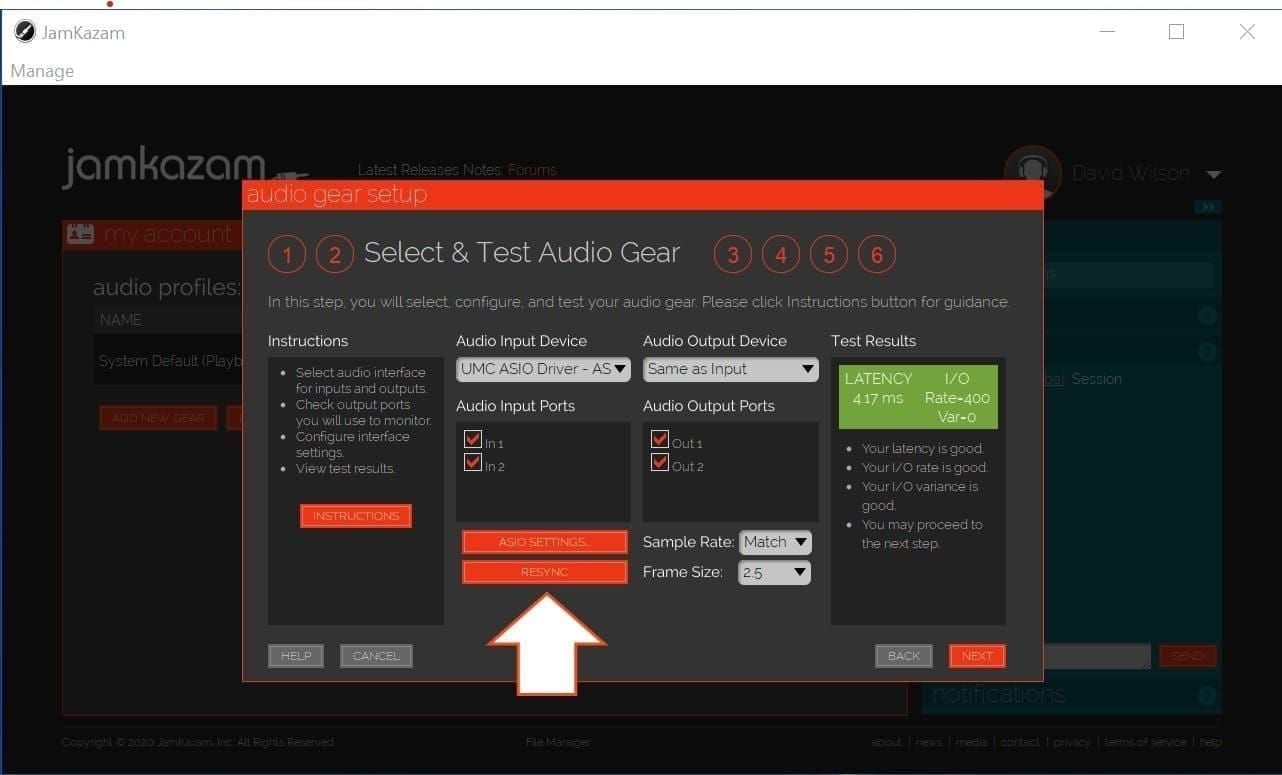
SUGO includes built-in diagnostics: Settings > Network > Connection Test. Run this 60-second test during typical gameplay hours to capture realistic metrics. The test measures:
- Average ping and maximum spikes
- Jitter calculated as standard deviation of latency samples
- Packet loss percentage over test duration
- Upload/download speeds with minimum threshold warnings
Wired Ethernet typically maintains packet loss under 1%, while Wi-Fi ranges 2-4% depending on distance and interference. Position your device within 15-20 feet of 5GHz routers to minimize wireless jitter.
SUGO's Network Tolerance Specifications (2026)
Following version 2.42.0.1 (December 15, 2025), SUGO tightened requirements to combat ghost rooms:
- Maximum ping under 100ms sustained
- Optimal ping below 80ms for competitive features
- Jitter under 20ms over 10-second windows
- Packet loss under 5% over 60-second windows
- Upload speed minimum 1Mbps (2Mbps for party hosts)
- NAT type 2 or better with UPnP enabled
These thresholds apply globally, though regional server stability varies. North American servers enforce standards strictly with 85-98% uptime, while Southeast Asian routing complexity causes 15-20% higher rejection rates.
Step-by-Step E003 Diagnostic Process
Initial Connection Quality Assessment
Begin by isolating whether E003 stems from local network or ISP-level problems:
- Clear app cache: Settings > Apps > SUGO > Storage > Clear Cache/Data (95% success rate for corrupted connection state files)
- Toggle airplane mode: Enable for 10 seconds, then disable (80% success rate for temporary routing issues)
- Disable VPN/proxy: SUGO triggers E001 VPN errors for proxies, but misconfigured VPNs can also cause E003 through routing instability
- Run connection test: Use SUGO's built-in 60-second diagnostic to establish baseline metrics
If clearing cache resolves the issue temporarily but E003 returns within hours, your connection degrades during specific times—indicating ISP congestion.
Isolating ISP Issues vs Local Network Problems
Test stability across different scenarios:
- Wired vs wireless: Connect via Ethernet directly to modem, bypassing router and Wi-Fi. If E003 disappears, your local network introduces jitter through wireless interference or router bufferbloat
- Peak hour testing: Run tests during 6-8 PM when queues extend 300-500% longer. If jitter spikes exclusively during these windows, ISP congestion causes the problem
- Alternative device: Install SUGO on different device using same network. Consistent E003 across devices confirms network-level issues
Saturday 2-4 PM provides optimal testing with 40% faster queue matching and minimal ISP congestion. Establish baseline during off-peak, then compare against peak-time metrics to quantify ISP throttling.
Advanced Network Monitoring
For persistent E003 surviving basic troubleshooting:
- DNS reset: Configure to 8.8.8.8 primary and 8.8.4.4 secondary to bypass ISP DNS server issues
- Battery optimization disable: Settings > Apps > SUGO > Battery > Unrestricted prevents Android power management from throttling network activity
- UPnP verification: Router Advanced > UPnP and enable automatic port forwarding for UDP ports 10000-10100
- QoS configuration: Prioritize SUGO's MAC address in router Quality of Service settings to guarantee bandwidth during congestion
If these fail, your ISP's routing infrastructure or peering agreements likely cause instability—requiring provider-level intervention.
ISP-Level Fixes: Choosing and Optimizing Your Provider
ISP Selection Criteria
When evaluating providers, prioritize these over advertised speeds:
- Network infrastructure type: Fiber-optic provides lowest jitter due to direct light transmission without electromagnetic interference
- Peering agreements: ISPs with direct peering to major gaming networks reduce routing hops, minimizing latency variance
- Congestion management: Providers implementing fair bandwidth allocation during peak hours maintain stable connections
- Regional server proximity: Physical distance to SUGO's regional servers impacts base latency
North American players benefit from ISPs maintaining 85-98% stability through robust fiber infrastructure. Southeast Asian players face 15-20% higher ghost room rates regardless of ISP due to international routing complexity.
Fiber vs Cable vs DSL Performance
Fiber-optic advantages:
- Jitter typically under 5ms from consistent light-speed transmission
- Packet loss under 1% from dedicated bandwidth allocation
- Immune to electromagnetic interference
- Symmetrical upload speeds meeting 2Mbps party host requirements easily
Cable limitations:
- Shared neighborhood bandwidth causes peak-hour congestion
- Jitter ranges 10-25ms depending on network load
- Packet loss spikes to 3-5% during 6-8 PM peak hours
- Asymmetrical speeds may bottleneck upload requirements
DSL constraints:
- Distance-dependent performance degrades beyond 3000 feet from exchange
- Jitter exceeds 20ms threshold frequently on older infrastructure
- Packet loss from line noise commonly reaches 5-8%
- Upload speeds often fail 1Mbps minimum requirements
For competitive SUGO, fiber provides the only reliable path to maintaining excellent (0-50ms ping, <10ms jitter) performance consistently.
Regional ISP Performance Patterns (2026)
North America:
- 85-98% server stability across major ISPs
- Average ping 45-75ms to regional servers
- Fiber providers maintain <10ms jitter consistently
- Cable providers experience 15-20ms jitter during peak hours
Southeast Asia:
- 65-80% server stability due to routing complexity
- Average ping 60-95ms with frequent international hops
- 15-20% higher ghost room rates from packet loss
- Limited fiber availability increases reliance on cable
Europe:
- 80-90% server stability with variable country performance
- Average ping 50-80ms depending on server proximity
- Strong fiber infrastructure in urban areas
- Rural DSL frequently exceeds jitter thresholds
Router and Local Network Configuration
QoS Settings: Prioritizing SUGO Traffic
Quality of Service guarantees SUGO receives bandwidth priority during congestion:
- Identify SUGO's MAC address from device network settings
- Create QoS rule prioritizing this MAC as Highest or Gaming priority
- Allocate minimum 2Mbps upload bandwidth reservation for party hosting
- Enable traffic shaping to prevent bandwidth hogging by background apps
QoS proves most effective on cable connections experiencing peak-hour congestion. Fiber with adequate bandwidth may not require QoS, though configuration provides insurance.
Bufferbloat Mitigation
Bufferbloat occurs when router buffers accumulate excessive packets during high-traffic periods, introducing artificial latency spikes. Test by running speed tests while gaming—if ping increases dramatically during downloads, bufferbloat affects your connection.
Mitigation techniques:
- Bandwidth limiting: Configure router to use 85-90% of maximum speeds, preventing buffer overflow
- Smart Queue Management (SQM): Enable if router supports this for automatic buffer optimization
- Firmware updates: Install latest router firmware addressing bufferbloat through improved queue management
Wired vs Wireless Connection Impact
Wired Ethernet maintains packet loss under 1% compared to Wi-Fi's 2-4% typical range. This difference directly impacts E003 frequency—wireless operates closer to 5% packet loss threshold, leaving minimal margin for degradation.
Wi-Fi optimization for SUGO:
- 5GHz band selection: Avoid 2.4GHz congestion and interference
- Proximity maintenance: Position within 15-20 feet of access point
- Channel optimization: Use WiFi analyzer tools to select least congested channels
- Device limit enforcement: Disconnect unused devices reducing available bandwidth
For party room hosting requiring 2Mbps upload and <3% packet loss, wired connections provide the only reliable solution.
Common Misconceptions About Network Requirements
Why 'Lower Ping is Always Better' is Wrong
The gaming community perpetuates the myth that minimizing ping guarantees optimal performance. SUGO's architecture proves this false—stable 90ms outperforms unstable 60ms consistently because the game engine compensates for predictable latency but can't adapt to random variance.
Players chasing lowest possible ping often sacrifice stability by:
- Connecting to geographically distant servers showing temporary low ping
- Using VPN services claiming ping reduction but introducing routing instability
- Overclocking network adapters beyond stable operating parameters
- Disabling network stack features providing error correction
Focus on jitter reduction and packet loss minimization rather than absolute ping values. The acceptable 81-99ms range provides excellent gameplay when maintained consistently.
The Bandwidth Myth: How Much Speed You Actually Need
ISPs market high-speed packages emphasizing 500Mbps or 1Gbps downloads irrelevant to SUGO's actual requirements. Voice chat operates at 64-128kbps bitrate overhead, requiring minimum 1Mbps upload for participants and 2Mbps for hosts—achievable on basic internet plans.
Excessive bandwidth provides no gameplay advantage once minimum thresholds are met. Connection stability, jitter control, and packet loss prevention matter infinitely more than raw speed. A 25Mbps fiber connection with <10ms jitter outperforms 500Mbps cable with 20-25ms jitter.
VPN Impact on Connection Stability
VPN services introduce additional routing hops between your device and SUGO servers, increasing latency and jitter while potentially triggering E001 VPN detected errors. Even when VPNs don't trigger explicit rejection, encryption overhead and routing through VPN servers adds 15-40ms latency with increased variance.
Disable all VPN and proxy services completely before troubleshooting E003 errors. If your ISP throttles gaming traffic requiring VPN workarounds, changing providers provides the only sustainable solution.
Troubleshooting Flowchart: Resolving Persistent E003
Quick Fixes for Immediate Relief
When E003 interrupts active gameplay:
- Clear app cache (95% success): Settings > Apps > SUGO > Storage > Clear Cache/Data
- Toggle airplane mode (80% success): Enable for 10 seconds, then disable to reset network stack
- Switch to mobile data: If using Wi-Fi, temporarily switch to cellular to isolate router issues
- Restart router: Power cycle for 30 seconds to clear routing table corruption
- Cancel extended queues: If queue exceeds 3 minutes, cancel and re-queue to avoid ghost rooms
These address temporary network state corruption and routing issues. If errors persist, proceed to medium-term optimization.
Medium-Term Optimization Strategies
For recurring E003 surviving quick fixes:
- DNS configuration: Reset to 8.8.8.8 primary and 8.8.4.4 secondary
- Battery optimization disable: Settings > Apps > SUGO > Battery > Unrestricted
- UPnP enablement: Router Advanced > UPnP ensures UDP ports 10000-10100 open automatically
- QoS configuration: Prioritize SUGO's MAC address for bandwidth guarantee
- Wired connection: Switch from Wi-Fi to Ethernet to eliminate wireless jitter
- Version verification: Install version 2.41.0.0 or later for improved timeout handling
Monitor connection quality for 48-72 hours after implementing changes. Run tests during peak hours (6-8 PM) to verify improvements persist under load.
When to Consider Changing ISPs
If E003 persists despite comprehensive local optimization, ISP-level issues require provider changes.
Change ISP when:
- Jitter consistently exceeds 20ms during connection tests
- Packet loss remains above 5% during off-peak hours
- Peak-hour performance degrades below acceptable thresholds (81-99ms ping range)
- ISP technical support can't resolve routing issues within one week
- Wired Ethernet connections still trigger E003 frequently
Before changing providers:
- Document E003 frequency with timestamps over 2-week period
- Run connection tests at various times capturing peak and off-peak performance
- Test from multiple devices to confirm ISP issues rather than device problems
- Research alternative ISP infrastructure types (fiber vs cable vs DSL)
- Verify new ISP's network coverage and peering agreements in your area
Fiber-optic providers offer highest probability of resolving persistent E003 through superior infrastructure stability and lower inherent jitter.
Long-Term Network Stability Optimization
Monitoring Tools and Performance Tracking
Establish baseline network performance metrics and track changes over time:
- Weekly connection tests: Run SUGO's built-in 60-second diagnostic every Saturday 2-4 PM during optimal conditions
- Peak-hour comparisons: Test during 6-8 PM peak hours monthly to monitor ISP congestion trends
- Error logging: Document E003 timestamps, preceding activities, and network conditions
- Router statistics: Review router logs for packet loss, retransmission rates, and connection drops
Create performance spreadsheet tracking ping, jitter, packet loss, and E003 frequency. Identify correlations between network metrics and error occurrence to predict and prevent future issues.
Seasonal and Peak-Time Considerations
Network performance varies predictably:
Peak hours (6-8 PM):
- Queues extend 300-500% longer
- Cable ISP jitter increases 50-100% from congestion
- Packet loss spikes to 4-5% on shared infrastructure
- Avoid competitive play during these windows if using cable
Optimal hours (Saturday 2-4 PM):
- Queue matching 40% faster
- Minimal ISP congestion maintains baseline performance
- Ideal for testing network optimization effectiveness
- Schedule important matches during these windows
Future-Proofing Your Connection
Anticipate network requirement increases as SUGO evolves:
- Version 2.42.0.0 (expected late January-early February 2026) may tighten jitter thresholds further
- Higher bitrate voice chat: Future updates could increase 64-128kbps overhead to 128-256kbps
- Additional party features: Enhanced SUGO jitter threshold party rooms functionality through BitTopup may demand stricter network stability
- Regional server expansion: New server locations could improve routing for currently underserved regions
Invest in fiber infrastructure now to avoid future upgrade requirements. The excellent performance tier (0-50ms ping, <10ms jitter) provides substantial margin above current requirements.
Enhancing Your SUGO Experience with BitTopup
Seamless Top-Up Solutions
Network stability optimization ensures you can fully enjoy SUGO's premium features without E003 interruptions. BitTopup provides fast, secure top-up services with competitive pricing and excellent customer service, allowing you to access exclusive content immediately when your connection performs optimally.
The platform's high user ratings reflect commitment to reliable transactions that complement your network optimization efforts. When you've invested time stabilizing your connection to meet SUGO's strict jitter and packet loss thresholds, BitTopup ensures your in-game purchases process smoothly.
Why Stable Connections Matter for In-Game Transactions
Transaction processing requires brief but stable connections to SUGO's payment servers. E003 errors during purchase attempts can cause payment failures or duplicate charges requiring customer service intervention. By maintaining jitter under 20ms and packet loss under 5%, you ensure seamless transaction completion alongside improved gameplay quality.
BitTopup's secure platform handles payment infrastructure complexity, but your network stability determines transaction success rates. The same connection optimization preventing E003 gameplay errors also guarantees reliable access to premium features.
Frequently Asked Questions
What causes SUGO E003 network timeout error?
E003 triggers when jitter exceeds 20ms over 10-second windows, packet loss surpasses 5% over 60-second periods, or ping spikes above 100ms. ISP routing instability, wireless interference, and router bufferbloat commonly cause these threshold violations. Clear app cache first (95% success rate), then optimize local network and consider ISP changes for persistent issues.
How do I fix E003 network timeout in SUGO?
Clear app cache through Settings > Apps > SUGO > Storage > Clear Cache/Data, toggle airplane mode for 10 seconds, disable VPN services, and reset DNS to 8.8.8.8. Switch to wired Ethernet, enable UPnP for UDP ports 10000-10100, and configure QoS prioritizing SUGO traffic. If errors persist, test during off-peak hours to isolate ISP congestion issues.
Why does stable 90ms feel better than unstable 60ms in SUGO?
SUGO's netcode compensates for consistent latency through predictive algorithms but can't adapt to random jitter. Stable 90ms maintains predictable hitbox registration and skill timing, while 60ms with ±30ms variance causes visual desync and phantom hits. The game engine prioritizes connection consistency over raw speed.
What jitter threshold is acceptable for SUGO gameplay?
Jitter must remain under 20ms over 10-second measurement windows to avoid E003 errors. Optimal performance requires jitter under 15ms (good range) or under 10ms (excellent range). Wired Ethernet typically maintains <5ms jitter, while Wi-Fi ranges 10-15ms depending on distance and interference.
Can router settings fix SUGO E003 network timeout?
Router optimization resolves E003 caused by local network issues but can't fix ISP-level problems. Enable UPnP for automatic port forwarding, configure QoS prioritizing SUGO's MAC address, limit bandwidth to 85-90% of maximum to prevent bufferbloat, and use 5GHz Wi-Fi within 15-20 feet of access point. If wired Ethernet still triggers E003, ISP routing issues require provider-level intervention.
What network requirements does SUGO have in 2026?
SUGO requires ping under 100ms maximum (optimal below 80ms), jitter under 20ms over 10-second windows, packet loss under 5% over 60-second periods (under 3% pre-queue), upload speed minimum 1Mbps (2Mbps for party hosts), NAT type 2 or better, and UDP ports 10000-10100 open. Version 2.41.0.0 and later enforce 45-second handshake timeouts and 90-second lobby join timeouts.
Don't let network issues interrupt your SUGO progress. Top up instantly with BitTopup and ensure you're always ready for action when your connection stabilizes. Fast, secure, and built for serious players.