Payment Processing Timeline (2026)
- Immediate crediting (under 30 seconds): Established accounts with verified payment methods
- Standard processing (1-5 minutes): New payment methods or limited recharge history
- Extended holds (15 minutes to 24 hours): Auto-fraud detection flags potential risks
The November 24, 2025 v2.41.0.0 update introduced enhanced security protocols cross-referencing device fingerprints, IP addresses, and payment velocity. Install v2.41.0.0 or later before top-up to ensure compatibility.
Common Delay Causes
Network issues (80% of delays): Toggle airplane mode for 10 seconds to reset connections. VPN/proxy triggers Error E001: VPN Detected, blocking delivery until disabled. Error E003: Network Timeout indicates DNS failures—reset DNS to 8.8.8.8/8.8.4.4.
Cache corruption: Clear app cache (Settings > Apps > SUGO > Storage > Clear Cache/Data) resolves 95% of connection issues.
Battery optimization: Disable through Settings > Apps > SUGO > Battery > Unrestricted.
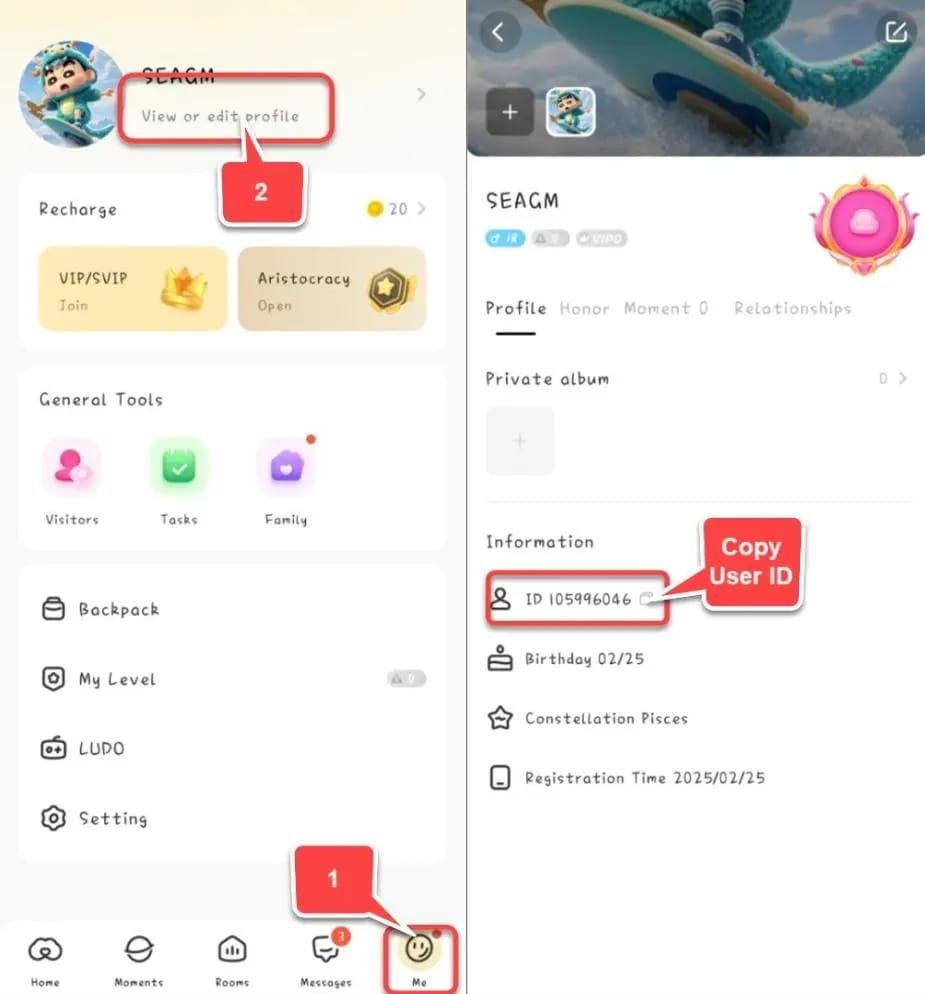
Incorrect User ID: Your numeric User ID appears under Me > Profile—differs from display name. One wrong digit sends coins to another account with no recovery.
Auto-Fraud Lock System
SUGO's algorithm analyzes transaction patterns in real-time, flagging:
- Payment velocity (multiple recharges within short timeframes)
- Geographic inconsistencies (IP location mismatching payment origin)
- Device switching patterns
- Account age relative to transaction size
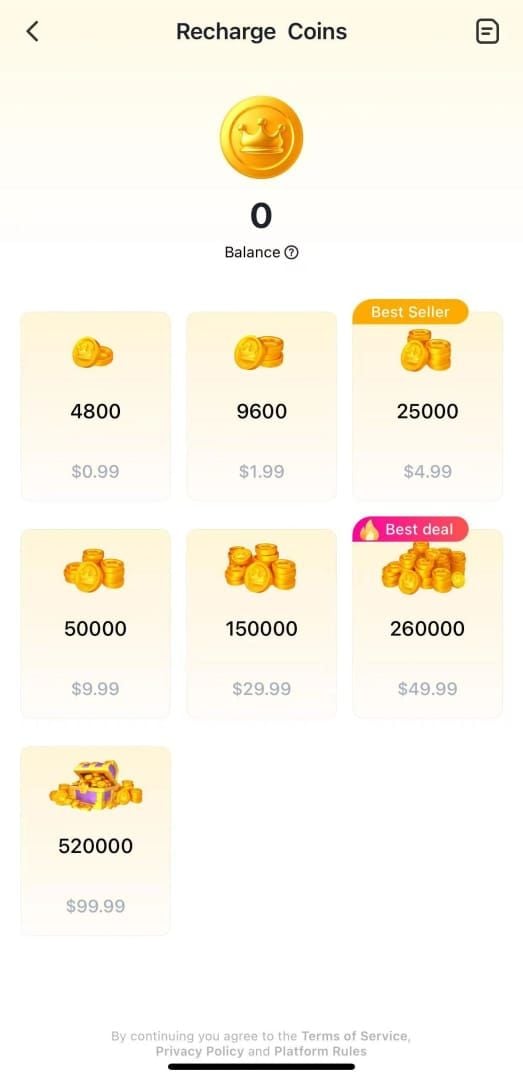
New accounts attempting large recharges face heightened scrutiny. Test with 1200 coins package ($0.80-$1.00 USD) first to establish legitimacy.
Account Status Indicators
Payment pending: System places hold for manual review. Typically resolves within 24-72 hours.
Account verification failed: Missing or incomplete identity verification. Accounts created through social logins face additional steps versus email-registered accounts.
Terminated accounts: Forfeit all coins. Permanent action only for confirmed terms violations, not legitimate payment issues.
Account Blocked Cases: Real Scenarios
Case 1: New Account First-Time Recharge Block
Player created account and immediately purchased 65000 Coins package ($46.721 USD) with new credit card. System flagged: zero activity history, large first purchase, new payment method.
Resolution: Submitted payment proof, User ID screenshot, waited 48 hours for verification. Account unlocked but limited to 6250 coins packages for 30 days.
Lesson: Start with 1200 or 2400 coins packages to build transaction history.
Case 2: VPN Triggering Fraud Alerts
Experienced player enabled VPN, creating geographic mismatch with payment method. Automatic fraud lock triggered.
Resolution: Disabled VPN, cleared cache. Contacted support with transaction ID and payment screenshot. Coins credited within 24 hours.
Lesson: Always disable VPN/proxy before recharging.
Case 3: Unverified Platform Scam
Nafrat profile scam (September-November 2023): Victim Prashant lost Rs 3.48 lakh through unofficial seller. SUGO's irreversible coin transfer system prevented recovery.
Lesson: Avoid unverified sellers. Unofficial methods violate terms of service, leading to permanent termination.
Common Patterns
All cases share: deviation from established patterns, geographic/technical inconsistencies, or unverified transaction methods. Successful resolutions required transaction IDs, payment screenshots, User ID verification, and clear explanations. Resolution typically within 24-72 hours with comprehensive proof.
Essential Payment Proof Checklist (2026)
Transaction ID and Payment Confirmation
Collect:
- Unique transaction ID/reference number
- Exact amount charged (including currency)
- Merchant name
- Transaction timestamp
- Authorization code (credit cards)
- Payment gateway reference numbers
Screenshot complete payment confirmation showing all details.
Bank Statement/Payment App Screenshots
Capture:
- Date and time
- Merchant name
- Exact amount debited
- Account's last four digits
- For international: both local currency and converted amount
SUGO Account Information
- Numeric User ID (Me > Profile > View/Edit Profile)
- Registered email address
- Phone number (if linked)
- Account creation date
- Verification level and date
Timestamp Documentation
Document exact payment completion time with time zone. SUGO servers operate on UTC. Example: 15:47 EST (20:47 UTC) on 2026-01-15.
For multi-minute processing, document both initiation and completion times.
Device and IP Information
- Device model
- Operating system version (Android 5.0+ or iOS 11.0+)
- SUGO app version (v2.41.0.0 or later)
- IP address (note Wi-Fi vs mobile data)
- If network switched, document both IPs
Previous Recharge History
Screenshot SUGO transaction history showing:
- Previous successful recharges
- Dates, amounts, coin packages
- Payment methods used
Established history accelerates dispute resolution.
Step-by-Step Resolution Process
Immediate Actions (First 24 Hours)
- Wait 5 minutes: Standard processing window
- Force-close and restart SUGO app
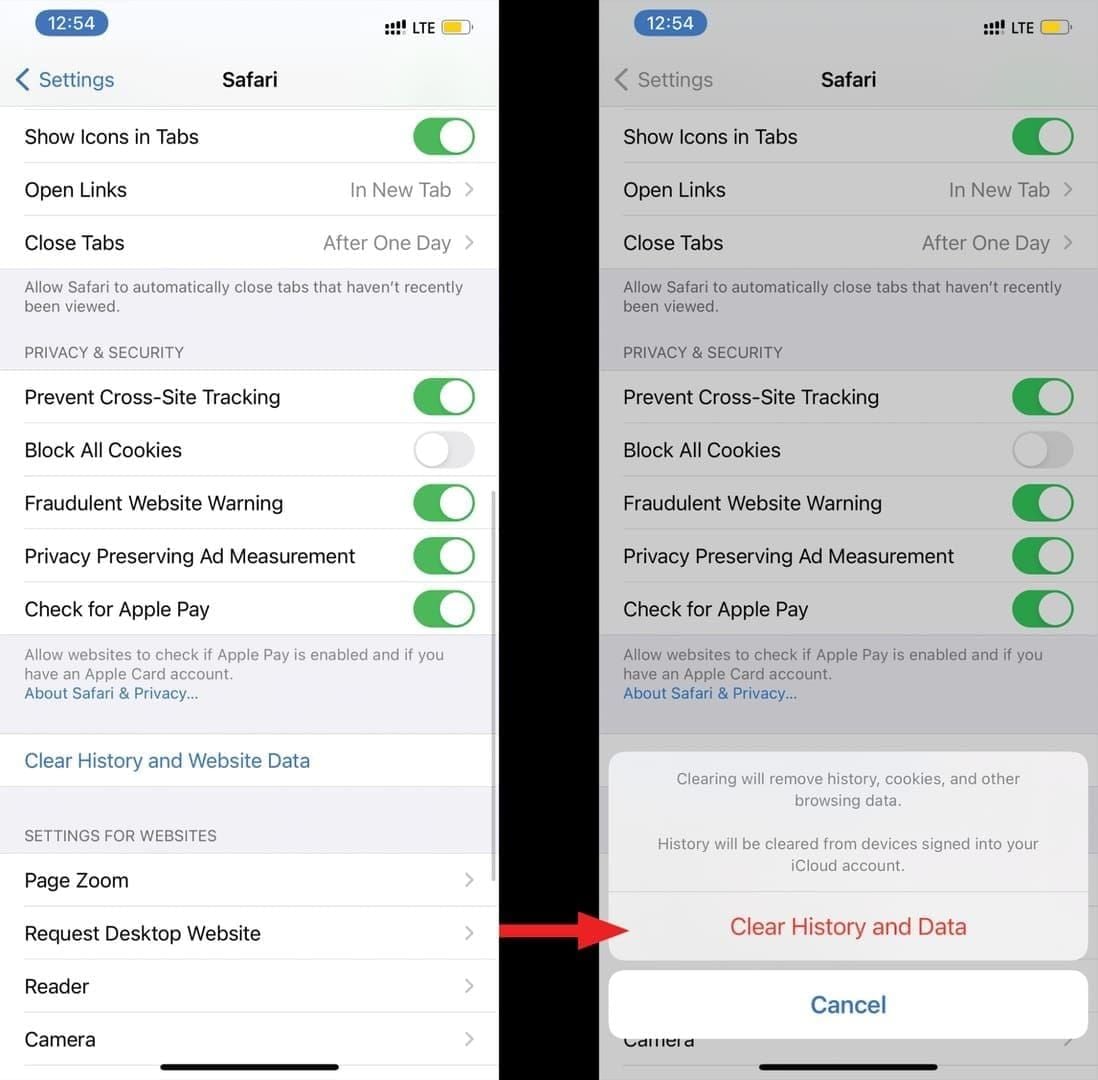
- Clear app cache: Settings > Apps > SUGO > Storage > Clear Cache/Data (resolves 95% of connection issues)
- Toggle airplane mode for 10 seconds (resolves 80% of network issues)
- Disable VPN/proxy services
- Verify User ID: Check Me > Profile matches recharge entry
Check Transaction History
Access wallet/account section. Compare transaction timestamp in payment proof against SUGO's log. Pending status indicates payment reached SUGO but awaits security clearance. Failed transactions show error codes.
Contact Support Best Practices
Compile all documentation before contact. Structure message with:
- Clear subject: Payment Completed But Coins Not Received - Transaction ID [your ID]
- Concise problem description
- Chronological timeline
- Complete proof documentation
- Specific resolution request
Use official SUGO support channels only. Avoid emotional language—focus on facts.
Expected Response Times
- Automated response: Within minutes
- Human review: 24 hours (standard), 48-72 hours (complex cases)
- Ban appeals: Up to 30 days for account restoration
Follow up if no response within 72 hours. Reference original ticket number. Don't create multiple tickets.
Auto-Fraud Lock Triggers to Avoid
Suspicious Behavior Patterns
- Rapid recharge attempts: Multiple attempts within 15 minutes, especially different payment methods
- Account age vs transaction size: New accounts (under 7 days) attempting $20+ USD
- Sudden spending increases: Dramatic jumps from historical patterns
- Multiple device logins: Different devices in different locations within short timeframes
Payment Method Red Flags
- Payment methods registered to different names than SUGO account
- Newly added payment methods (first transaction faces enhanced verification)
- Prepaid cards, virtual credit cards (higher scrutiny)
- Payment methods from different countries than account registration
Geographic and VPN Issues
- IP address location mismatching payment method origin
- VPN creating artificial geographic inconsistencies
- Public Wi-Fi networks (shared IPs may appear in fraud database)
Solution: Disable VPN/proxy before recharging. Use private networks.
Account Age and Activity
- Brand new accounts with zero activity attempting immediate recharges
- Dormant accounts suddenly reactivating with recharges
- Previous payment disputes/chargebacks (permanent risk flags)
- Multiple accounts from same device/payment method (violates terms)
Prevention Strategies
Account Verification Before Recharging
- Complete email verification, phone linking, identity document uploads
- Link and verify payment method before purchases
- Maintain consistent account information
- Use strong passwords, enable two-factor authentication
Safe Payment Methods
- Use established payment methods with successful SUGO history
- Credit cards from major issuers process fastest
- For reliable alternatives, verified platforms like BitTopup provide secure processing through buy SUGO coins online
- Local currency methods skip conversion fees and reduce geographic flags
Optimal Recharge Timing
- Start with 1200 Coins package ($0.80-$1.00 USD) for new payment methods
- Space attempts 15+ minutes apart
- Avoid high-traffic periods
- Gradually increase amounts over time
Maintain Clean Account History
- Regular app usage between recharges
- Engage with core features (voice chat, social interactions)
- Avoid terms violations, especially unofficial coin trading
- Respond promptly to verification requests
Recharge Methods: Risk and Reliability
Official In-Game Recharge
Pros: Immediate visibility, direct support, no third-party involvement, fastest crediting for established accounts
Cons: Limited payment options, geographic restrictions, higher prices in some regions
Best for: Established accounts with verified payment methods
Trusted Platform Recharges: BitTopup
Pros: Competitive pricing, broader payment acceptance, dedicated support, dispute resolution, transaction protection
BitTopup's verified merchant status processes through recognized channels that don't trigger fraud detection.
Considerations: Requires sharing User ID (standard for third-party), adds intermediary step
Choose verified platforms with established reputations and visible reviews.
Payment Method Security
- Credit cards: Strongest buyer protection but chargebacks result in account termination
- Digital wallets: Transaction records and privacy, may slow initial transactions
- Bank transfers/debit: Weaker fraud protection
- Cryptocurrency: Privacy but zero recourse for issues
Processing Speed by Method
- Established payment on verified account: Under 30 seconds
- New payment on established account: 1-5 minutes
- Any payment on new account: 5 minutes to 24 hours
- Third-party verified platforms: 1-5 minutes
Expert Tips from Players
Community-Tested Methods
- Verification recharge: Complete 1200 coins purchase immediately after account creation to establish payment relationship
- Consistent device: Complete all payments from same device
- Screenshot everything: Package selection, payment confirmation, transaction ID, final confirmation
- Update monthly: Install v2.41.0.0 or later to avoid payment gateway issues
If Repeatedly Blocked
- Verify account hasn't been flagged for unrelated violations
- Request comprehensive account review from support
- Consider if payment method carries fraud markers from other users
- Switch to verified platforms like BitTopup while resolving account issues
Long-Term Account Health
- Regular activity between recharges
- Avoid coin transfer requests from unknown users (all are scams)
- Remove unused payment methods
- Document recharge history independently (spreadsheet with dates, amounts, transaction IDs)
Red Flags to Stop and Verify
- Any error message during recharge
- Unexpected verification requests
- Coins from previous recharge haven't arrived
- Price discrepancies at checkout
FAQ
How long should I wait before reporting?
Wait 5 minutes after payment confirmation. After 5 minutes, perform troubleshooting: restart app, clear cache, toggle airplane mode, verify VPN disabled. If coins don't appear after 30 minutes, contact support with complete documentation.
Can I recharge again while waiting?
No. Never attempt additional recharges while previous transaction remains unresolved. Multiple pending transactions complicate verification and may trigger account locks.
What if support doesn't respond?
Human review takes 24-72 hours. If no response after 72 hours, send one polite follow-up referencing original ticket. Don't create multiple tickets. Ban appeals take up to 30 days.
Will I lose money if account is permanently blocked?
Terminated accounts forfeit coins, but permanent blocks occur only for confirmed violations, not legitimate payment issues. Payment-related blocks resolve through verification. Accounts blocked for actual violations face permanent termination with no refund.
How to verify platform is safe?
Check security badges, customer reviews from multiple sources, clear contact information, established history. Verify platform uses official SUGO merchant channels. Test with 1200 coins before larger purchases. BitTopup demonstrates trust through verified merchant status and transparent operations.
Payment pending vs payment failed?
Failed: Transaction rejected, no money left account or automatic reversal. Shows immediate error codes (E001, E003).
Pending: Payment reached SUGO, awaits security verification. Appears in transaction history, resolves within 24 hours. Money has left account.
Avoid payment headaches—recharge safely through BitTopup's verified platform. Get instant delivery, 24/7 support, and guaranteed protection. Start your secure recharge now at BitTopup!