What Makes Uplive Different
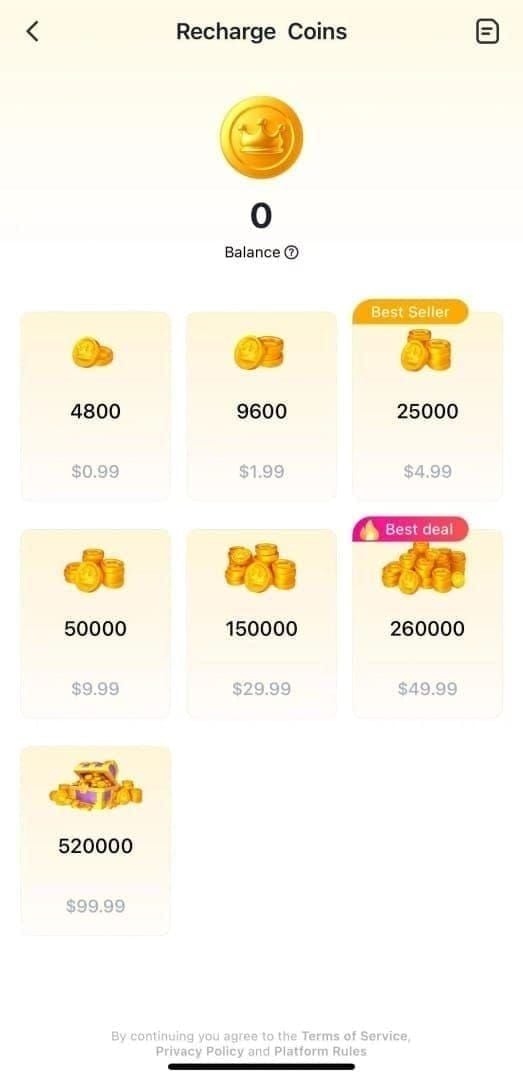
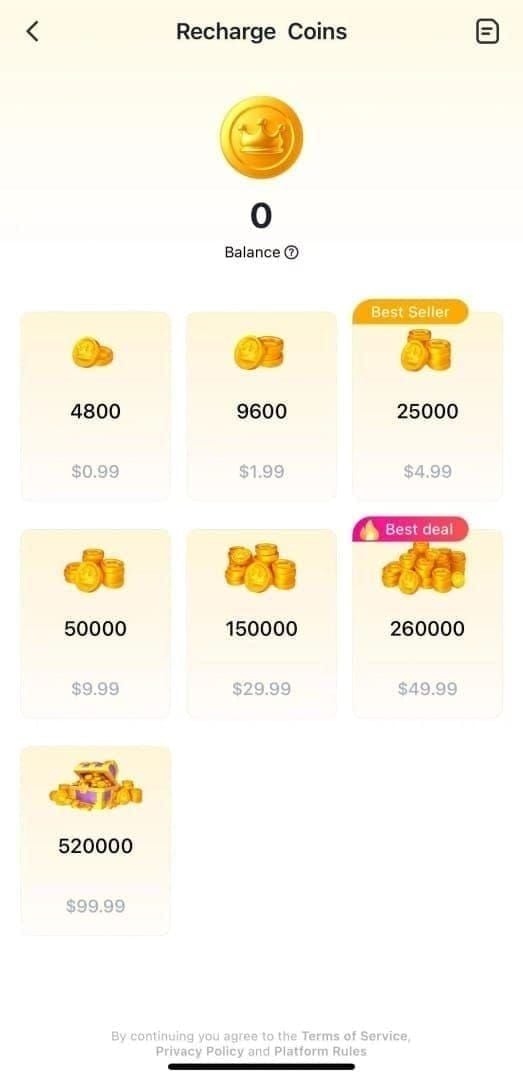
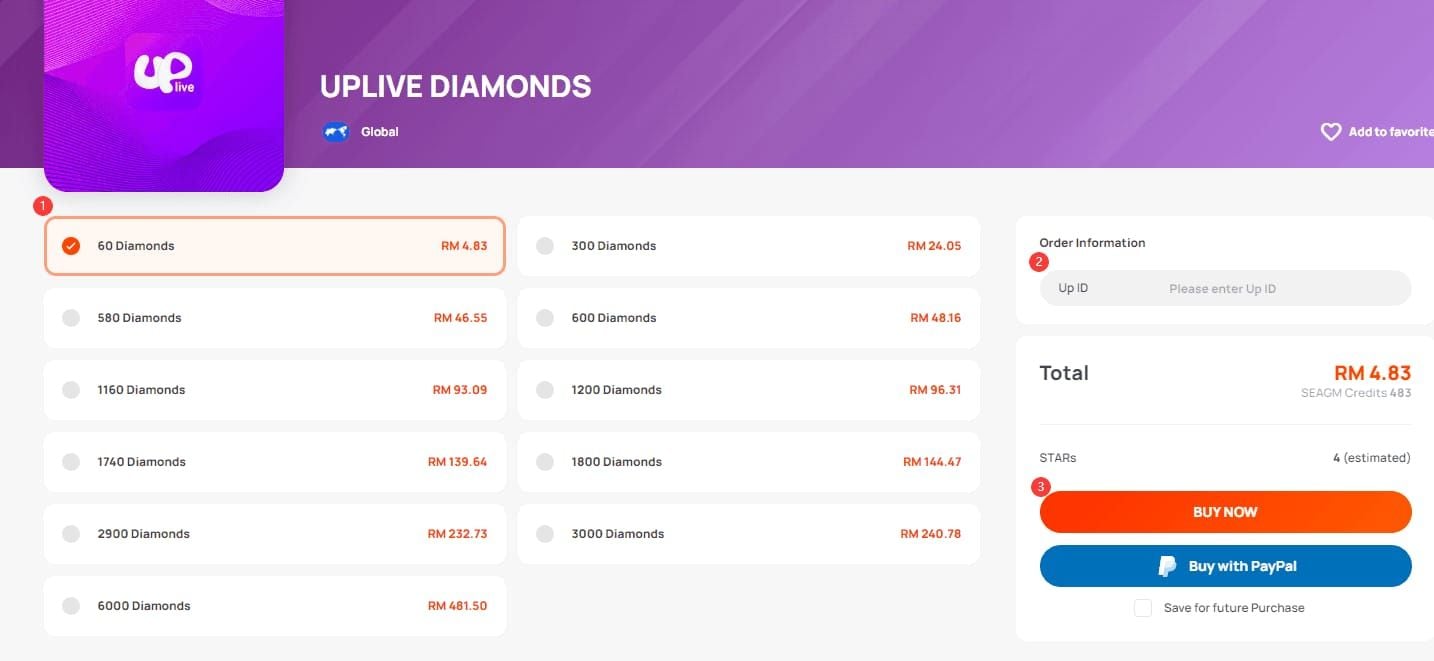
Uplive prioritizes real-time interaction over passive viewing. The gift system creates immediate feedback loops—viewer contributions translate into visual effects, leaderboard positions, and host recognition. Diamond packs range from 580 to 11,600 Diamonds, with Bronze VIP starting at 580 and Professional VIP requiring 12,000.
Livehouse enables multi-broadcaster collaborations with 50/50 revenue splits for duo streams, creating mutual cross-promotion incentives.
PK battles last exactly 7 minutes, injecting competitive urgency that mobilizes viewer gifting. Time-based rotations use 15-30 minute slots; turn-based rotations trigger after 90 million coins.
Why 1,000 Followers Matters
This threshold unlocks enhanced analytics panels showing viewer demographics, peak engagement times, and content performance. The recommendation algorithm heavily weights follower count when suggesting streams.
Monetization becomes viable here. Payout requirements: 30 hours streaming over 15 valid days, one session exceeding 1 hour, 5,000 coins minimum. With 160 uCoins equaling 1 USD, 1,000-follower bases typically generate sufficient gift volume.
Viewers instinctively trust established followings, reducing friction in converting casual viewers to followers—creating compounding growth.
Realistic Timeline Expectations
Achieving 1,000 followers requires 30-90 days depending on content quality, frequency, and strategy. Hosts streaming during prime slots—8-10PM EST weekdays, 7-9PM GMT weekends, midnight Beijing time, 11:00 AM Colombia time—reach milestones 40% faster.
30-day framework: Stream minimum 1 hour daily during peak times, participate in 3+ PK battles weekly, collaborate with 2-3 established hosts monthly. Typical progression: 300-400 followers by week 2, 600-750 by week 3, 1,000+ by day 28-35.
60-90 day trajectories suit limited availability, emphasizing quality over quantity with higher gift-per-viewer ratios.
Pre-Launch Preparation
Proper account configuration determines algorithmic favorability from day one.
Account Registration and Verification
Install Uplive version 9.10.4 (requires Android 5.1+, 224.5 MB). Released October 29, 2025.
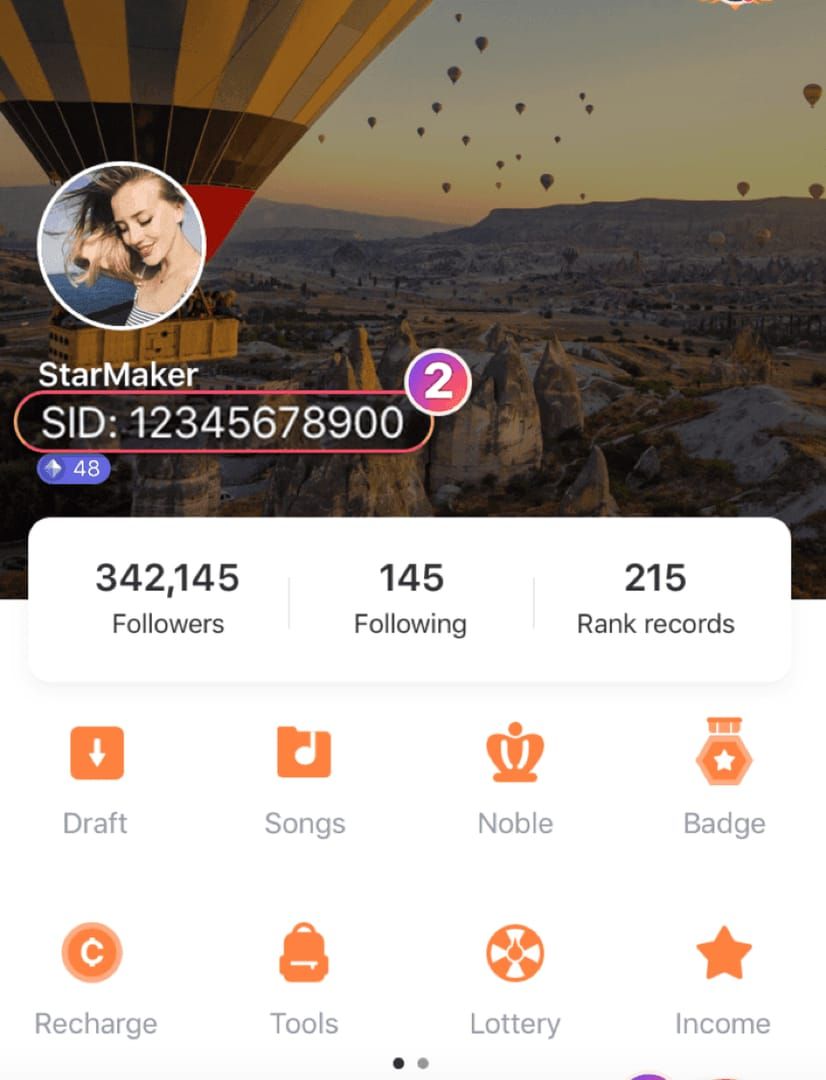
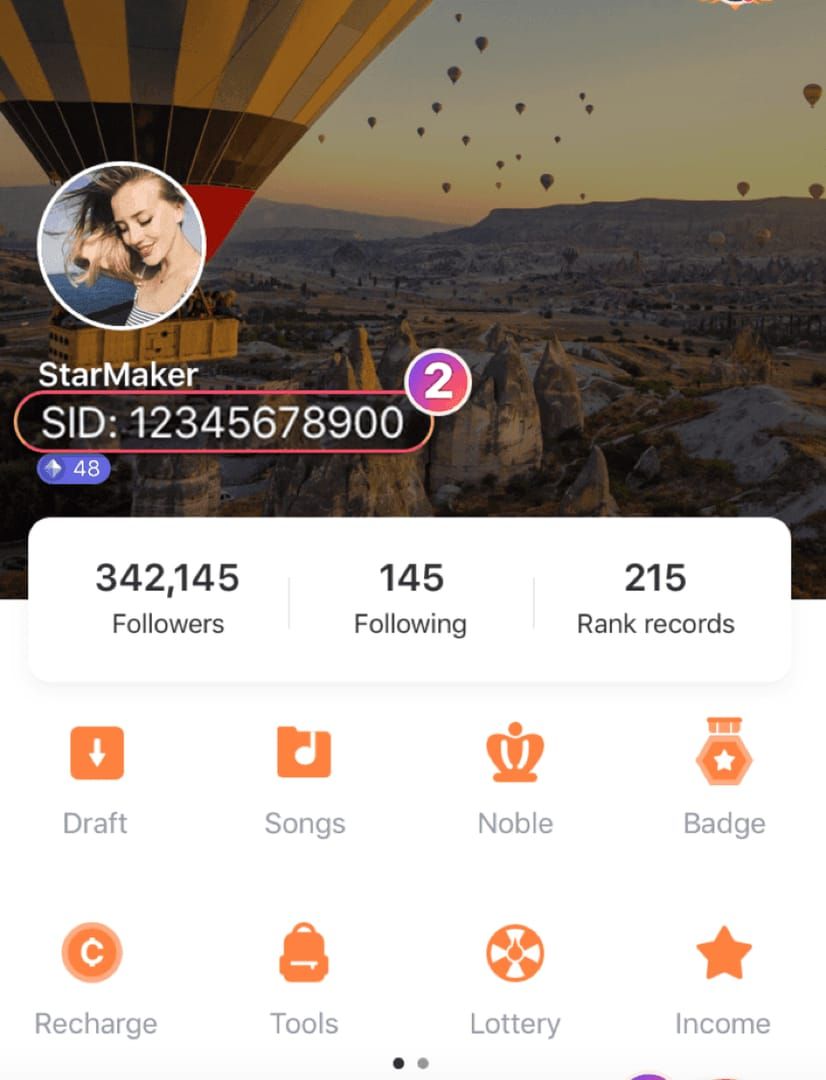
Create your Up ID (3-20 digits). Choose memorable patterns like repeating numbers (888, 777) or sequences (12345) for word-of-mouth sharing.
Verification requires ID documents matching registered name. Processing takes 24-72 hours. Verified accounts receive priority in search results and recommendations, increasing viewer trust by 60%.
Complete the Host Guide tutorial in app settings. For low-end devices, enable quiet microphone mode.
Profile Optimization
Bio formula: [Content Type] + [Schedule] + [Unique Hook]
Example: Daily singing streams 8PM EST 🎤 | Requests welcome | Building to 10K together 🚀
Avatar: High-resolution headshot, good lighting, genuine smile. Face occupies 60-70% of frame. No filters—authenticity builds trust.
Banner: Include eye-catching visuals, streaming schedule in clear typography, call-to-action. Maintain consistent color schemes with avatar.
Complete all optional fields (interests, languages, location). Each completed field increases filtered search appearances.
Dashboard Navigation
Four primary sections:
- Stream Control: Broadcast start/stop, quality settings, co-host invitations
- Analytics: Real-time viewer counts, gift totals, follower rates
- Audience Management: Current viewers, recent followers, top gifters
- Content Planning: Schedule, saved titles, templates
Pre-configure multiple stream titles for different content types. Schedule feature sends automatic follower notifications before streams.
Revenue tracking shows accumulated coins, payout eligibility, historical earnings. Monitor weekly to identify high-performing content types.
Privacy and Security
Enable Allow Messages from Non-Followers during growth phase. Restrict to followers-only after 1,000.
Keep gifts public for social proof and competitive dynamics. Enable Allow Private Gifts option.
Enable two-factor authentication immediately. Use authenticator apps, not SMS.
Livehouse Stream Configuration
Technical excellence separates amateur from professional broadcasts.
Accessing Livehouse Features
Appears after basic host verification. Access via Go Live > Livehouse.
To initiate: Go live with standard broadcast, tap invite icon, add co-hosts by Up ID or group chat selection. Optimal engagement: 2-3 hosts maximum.
Configure roles: Primary host leads direction, co-hosts handle PK battles, moderators manage chat.
For enhanced presence, buy Uplive Diamonds online through BitTopup for strategic gift exchanges during collaborations.
Stream Quality Settings
Settings > Stream Quality offers three presets:
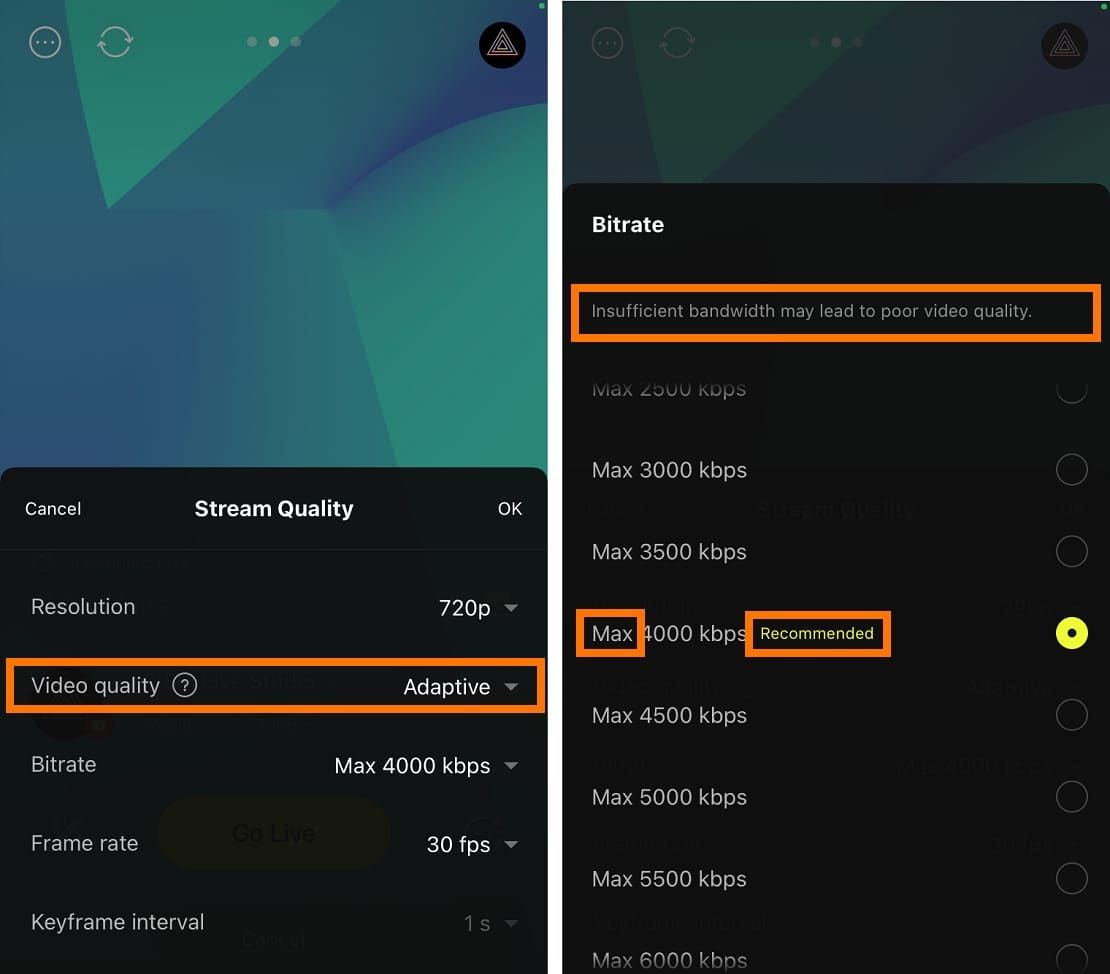
- Standard: 480p
- High: 720p (recommended for beginners)
- Ultra: 1080p (requires 5+ Mbps upload)
Frame rate: 30 FPS for talk content, 60 FPS for performance (doubles bandwidth).
Audio bitrate: 128 kbps default for speech, 192-256 kbps for music.
Enable adaptive bitrate for automatic quality adjustment during bandwidth fluctuations.
Audio and Video Checklist
Audio: Peak between -12dB and -6dB. Position microphone 6-8 inches away at 45-degree angle.
Lighting: Primary light source in front, slightly above eye level. Avoid backlighting. Ring light minimum.
Camera: Eye-level positioning. Face aligns with lens when seated naturally.
Background: Neutral, uncluttered. Nothing inappropriate in frame.
Mobile vs Desktop
Mobile: Flexibility, location variety. Sufficient quality on modern smartphones. Suits lifestyle content.
Desktop: Superior multitasking, external equipment support. Suits serious broadcasters.
Hybrid: Mobile for spontaneous streams, desktop for scheduled high-production broadcasts.
Connection stability matters most. Test both mobile data and WiFi. High-quality stream consumes 1-2 GB/hour.
Testing Before Going Live
Conduct private test streams (unlisted broadcasts). Record to review on-camera presence, audio clarity, visual composition.
Check systematically: audio levels, video clarity, lighting, background, connection stability.
Invite trusted friends for external feedback.
Pre-stream checklist:
- Microphone unmuted
- Camera positioned correctly
- Lighting on
- Stream title set
- Notification sent
- Water bottle ready
- Content outline reviewed
Mastering Chat Emoji System
Emoji integration boosts follower conversion rates by 30-40%.
Complete Emoji Library
Categories: emotional expressions, celebratory animations, gift representations, interactive prompts.
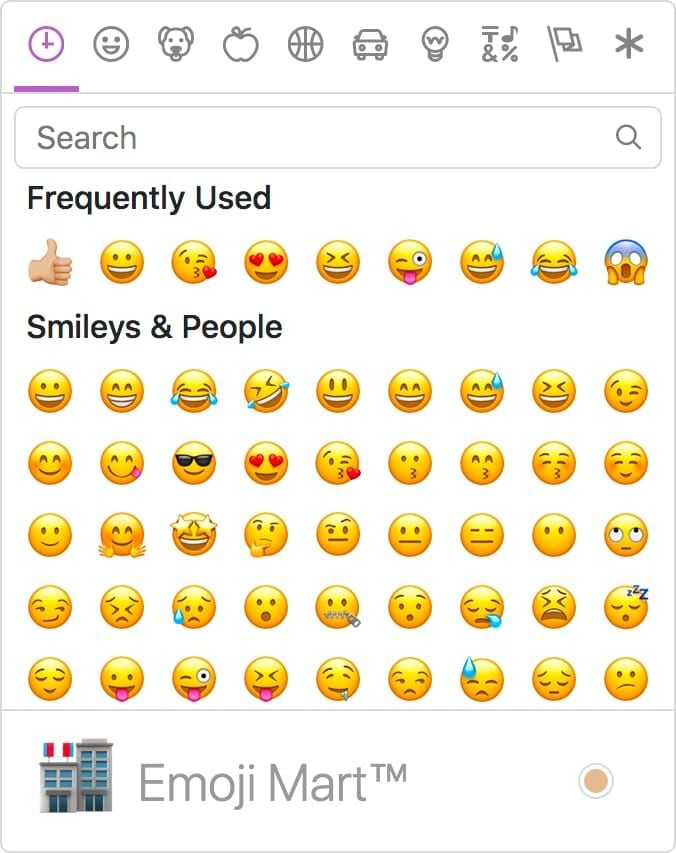
- Standard: Hearts, stars, thumbs up, laughing faces
- Animated: Screen-wide effects for significant moments
- Special event: Limited-time seasonal options
- Custom: Available around 500-750 followers
- Gift-triggered: Automatic displays from small sparkles to screen-dominating animations
Enabling Custom Emojis
Access via host dashboard customization panel. Unlocks around 500-750 followers.
Design 3-5 signature reactions reflecting brand personality. Keep simple and recognizable at small sizes.
Introduce during streams with clear usage guidance: When you love a song, hit that fire emoji!
Monitor emoji usage analytics. Retire underperforming options, replace with new ones.
Encouraging Interaction
Emoji storms: Prompt viewers to flood chat with specific emojis. Heart storm if you're excited!
Acknowledge users by name:Thanks for those stars, Alex!
Emoji voting:Thumbs up for song requests, hearts for Q&A!
Establish traditions: Specific emoji for stream starts or inside jokes.
Engagement Strategies
Emoji milestones:Let's hit 1,000 hearts before the next song!
Emoji challenges:Can we get every emoji type in chat within 60 seconds?
Seasonal campaigns: Align with platform-wide events.
New viewer training:Welcome! We use hearts to show love, stars for amazing moments. Jump in anytime!
First Stream Strategy
Your inaugural broadcast establishes expectations and first impressions.
Content Planning
10-40-10 framework:
- 10 minutes: Setup and welcome
- 40 minutes: Core content
- 10 minutes: Wrap-up and calls-to-action
Opening focuses on welcoming viewers, establishing atmosphere. Hey everyone! I'm [name], today we're doing [content]. Stick around for [highlight]!
Core content showcases strongest material. Authenticity trumps perfection.
Closing converts viewers to followers. Explicitly ask for follows, announce next stream date/time, thank top contributors.
Introduction Script
30-second pitch: Hi! I'm [name], I stream [content type] every [schedule]. I love [unique element], and we've got an amazing community building here. Welcome!
Personalize welcomes: Welcome, Alex! Great to have you here!
Establish streaming personality immediately. Consistency between introduction and sustained content prevents confusion.
Address why follow proactively: I stream every Tuesday and Thursday at 8PM. We're building to 1,000 followers together!
Handling Low Initial Viewership
First streams attract single-digit viewers. Treat intimate sessions as opportunities. Engage deeply with each viewer present.
Maintain energy regardless of viewer count. Broadcasting to two people with passion demonstrates professionalism.
Avoid apologizing for low viewership. Frame intimacy positively: I love these smaller streams where we can really connect!
Use low-viewer streams to experiment and refine approach.
First Stream Mistakes to Avoid
- Technical unpreparedness: Complete thorough testing before going live
- Over-scripting: Prepare talking points, allow spontaneity
- Ignoring chat: Balance content with chat monitoring
- Streaming too long: Limit first streams to 60-75 minutes maximum
30-Day Follower Growth Blueprint
Systematic execution transforms zero-follower accounts into 1,000+ channels.
Week 1: Establishing Consistency
Commit to streaming at identical times on specific days. Aim for 1-hour sessions during prime slots.
Complete 4-5 streams during week one, spaced across different days.
Focus on technical excellence and basic engagement. Don't pressure yourself about follower counts.
Document post-stream notes: What worked? What felt awkward? Which topics generated chat activity?
Week 2-3: Implementing Engagement
Introduce interactive elements: Q&A sessions, challenges, viewer input.
Initiate first PK battles. Identify opponents with similar follower counts.
Leverage Livehouse by collaborating with 1-2 established hosts. Reach out professionally with specific content ideas.
Analyze week one data. Double down on high-engagement topics, eliminate flat elements.
Week 4: Analyzing Metrics
Review three key metrics:
- Average concurrent viewers: Content appeal and timing optimization
- Follower conversion rate: Followers gained ÷ unique viewers
- Viewer retention time: How long people watch before leaving
Compare performance across content types, streaming times, engagement techniques.
Implement 60/40 strategy: 60% proven content, 40% experimental.
Reach out to engaged viewers for direct feedback.
Daily Action Items
- 15-20 minutes: Engage with other hosts' streams
- Post updates: Brief teasers between streams
- Respond: Messages and comments from viewers
- Review schedule: Adjust based on performance data
Advanced Engagement Features
Mastering full feature set separates growing channels from stagnant ones.
Interactive Features
Built-in games and interactive elements: trivia, prediction polls, collaborative challenges. Viewers who participate convert at 2-3x higher rates.
Screen sharing enables diverse content beyond face-to-camera.
Voice effects and filters add entertainment when used strategically—not constantly.
Countdown timers build anticipation: Big announcement in 5 minutes!
Gift System Understanding
Viewers purchase Diamonds (580, 1,160, 2,900, 11,600 packs), convert to gifts for hosts.
VIP tiers:
- Bronze: 580 Diamonds, 1x multipliers
- Silver: 3,200-6,499 Diamonds, 2-2.5x multipliers
- Gold: 6,500+ Diamonds, 3-5x multipliers
- Professional: 12,000 Diamonds, maximum benefits
Acknowledge all gifts immediately and genuinely. Small gifts deserve sincere thanks.
Create gift milestones: Let's reach 10,000 coins tonight and I'll do [special content]!
Utilizing Notifications
Enable follower notifications for stream starts. Dramatically increases initial viewer counts.
Schedule announcements 2-4 hours before streams.
Milestone announcements maintain engagement between streams.
Avoid overuse. Limit to stream starts, major milestones, occasional special events.
Building Loyal Core Audience
Identify most engaged viewers. Cultivate relationships through personalized recognition.
Create exclusive experiences: Regulars' Choice Friday where frequent attendees vote on content.
Develop inside jokes and community traditions.
Empower core members with moderator roles as community grows.
Tracking Progress
Data-driven decisions accelerate growth.
Essential KPIs
Follower growth rate: Weekly net new followers. Track trend.
Average concurrent viewers: Content appeal and timing optimization.
Viewer retention rate: Percentage remaining until end. Healthy: 60%+.
Gift revenue per stream: Monetization progress toward payout thresholds.
Using Dashboard Analytics
Monitor concurrent viewer counts during streams to identify content segments that attract/lose viewers.
Post-stream analysis reveals patterns. Review viewer count graph to identify when people joined/left.
Demographic data shows geographic distribution, age ranges, gender breakdown.
Follower source tracking reveals discovery methods.
Growth Benchmarks
Week 1: 10-30 followers (normal algorithm assessment period)
Weeks 2-3: 30-60 new followers weekly (algorithm recognition phase)
Week 4+: 60-100 new followers weekly (on track for 1,000+ within 30-45 days)
Growth varies by niche. Performance content grows faster initially. Conversation content grows slower but builds more engaged communities.
When to Pivot
15+ streams over 4 weeks without reaching 200 followers signals needed changes. Address: streaming times, technical quality, content resonance.
Declining engagement despite growing followers indicates content-audience mismatch.
Test content variations across 3-4 streams before judging effectiveness.
Seek feedback from engaged viewers before major pivots.
Troubleshooting Common Challenges
Technical Issues
Buffering/disconnections: Stream during off-peak hours to test if timing affects stability.
Audio desynchronization: Close background applications, disable visual effects, reduce quality settings.
Grainy video: Increase ambient light. Cameras require substantial light for clean images.
Echo/feedback: Use headphones. Position microphones away from speakers and hard surfaces.
Slow Follower Growth
Low viewer counts: Verify complete profile with relevant tags, accurate descriptions, appealing visuals.
High viewers, low conversion: Ensure actual streams align with profile promises.
Followers don't return: Increase interaction, acknowledge attendees by name, announce schedules.
Plateaued growth: Introduce new segments, collaborate with different hosts, explore adjacent content types.
Viewer Retention Problems
Leaving within 2-3 minutes: Strengthen welcome routine, acknowledge arrivals, establish value immediately.
Mid-stream drops: Review analytics to identify when people leave, evaluate what's happening.
Staying but not engaging: Actively prompt interaction, acknowledge every chat message.
End-of-stream exodus: Respect viewer time with concentrated value in reasonable durations.
Account Issues
Verification delays beyond 72 hours: Contact platform support with Up ID and submission date.
Rejected applications: Review requirements. Common reasons: unclear photos, mismatched information, insufficient documentation.
Restrictions/warnings: Review terms of service. Appeal through official channels if erroneous.
Login issues: Use password recovery. Contact support with proof of identity if needed.
Sustaining Momentum Beyond 1,000
Reaching 1,000 followers is a beginning, not destination.
Scaling Content Strategy
Diversify content types while maintaining core identity.
Increase production value incrementally. Prioritize audio quality over video.
Develop content series: Motivation Mondays,Throwback Thursdays.
Collaborate more frequently with hosts at similar or higher follower counts.
Monetization Opportunities
With 1,000+ followers and consistent streaming, regularly meet payout requirements: 30 hours over 15 valid days, one session exceeding 1 hour, 5,000 coins minimum.
Gift revenue increases substantially as audience deepens investment.
Brand partnerships emerge as influence grows. Maintain authenticity—only promote products you genuinely support.
Exclusive content tiers create additional revenue streams.
Community Management
Appoint trusted moderators. Provide clear guidelines covering acceptable behavior, warnings, bans.
Establish explicit community guidelines in profile.
Create opportunities for community members to connect beyond streams.
Balance accessibility with boundaries. Establish specific message response times.
Long-Term Success Principles
Consistency: Maintain regular streaming times regardless of follower count.
Continuous improvement: Implement incremental enhancements regularly.
Authenticity: Build channel around genuine interests and personality.
Community focus: Prioritize genuine connections over metrics obsession.
FAQ
How long does it take to get 1,000 followers on Uplive?
Dedicated hosts streaming daily during prime time reach 1,000 followers within 30-45 days. This assumes 1-hour streams, regular PK participation, Livehouse collaborations. Limited availability may require 60-90 days.
What are Uplive Livehouse streams?
Multi-host collaborations where 2-4 broadcasters share a stream. Go live, invite co-hosts by Up ID. Revenue splits 50/50 for duos. Exposes you to co-hosts' audiences, accelerating growth.
Can I become an Uplive host without experience?
Yes. Built-in Host Guide tutorial walks through features. Technical quality and consistent scheduling matter more than experience. Most successful hosts learned through practice.
What are the best times to stream on Uplive?
Prime slots: 8-10PM EST weekdays (North America), 7-9PM GMT weekends (Europe), midnight Beijing time (Asia), 11:00 AM Colombia time (Latin America). Analyze early demographics, optimize timing for your audience concentration.
How do Uplive hosts get paid?
Through viewer gifts purchased with Diamonds. Payout requires: 30 hours over 15 valid days, one session exceeding 1 hour, 5,000 coins minimum. Conversion: 160 uCoins = 1 USD. Viewers buy Diamond packs (580-11,600), convert to gifts during streams.
What equipment do I need?
Minimum: Smartphone with Android 5.1+, stable internet (4+ Mbps upload). Uplive app version 9.10.4 (224.5MB). Optional upgrades: external microphone, ring light, phone tripod. Start with existing device—upgrade after establishing consistency.
Ready to accelerate beyond 1,000 followers? BitTopup offers competitive Uplive Diamonds pricing with fast delivery, secure transactions, and excellent customer service for strategic gift campaigns and collaborative streams.