

Starfield Global Top Up and Product Overview in 2026
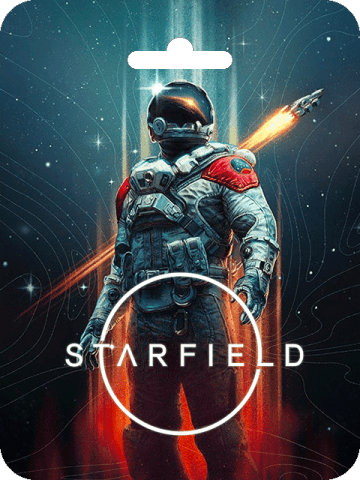
Starfield delivers an expansive space exploration experience developed by Bethesda Game Studios. Set across more than 1,000 charted planets, the game allows players to build custom ships, establish outposts, engage in space battles, and uncover the mysteries of the Artifacts. In 2026, Starfield offers a refined experience with complete official patch support, performance optimizations, official Creations modding tools, and expansion content.
Selecting the Global edition ensures that you receive an authentic digital license that can be redeemed across supported regions without country locks. Whether you are building your personal fleet or exploring uncharted star systems, acquiring your digital license directly through BitTopup gives you immediate access to the full base game and its continuous ecosystem updates.
How to Recharge and Buy Starfield Global on BitTopup
Ordering your digital code on BitTopup is direct and straightforward. Follow these steps to complete your purchase:
- Select the Product Edition: Choose Starfield (Global) from the product catalog.
- Review Product Details: Verify the platform edition and check the live pricing shown on the checkout page.
- Provide Delivery Information: Enter a valid email address where your order receipt and digital activation key will be sent.
- Choose Payment Method: Select your preferred payment option from the available secure checkout methods.
- Confirm and Pay: Complete your transaction. Once processed, your activation key will display on your confirmation screen and arrive in your email inbox.
Finding Your Account Details and Order Information
When purchasing a digital code, you do not need to submit your in-game character ID or gaming account password. Your transaction is tied entirely to your order number and the email address provided during checkout.
To locate your digital product key after checkout:- Check your on-screen order summary immediately after payment approval.- Open your email inbox and search for your BitTopup order confirmation.- Log into your BitTopup user profile and navigate to your Order History tab to view your active and past serial keys at any time.
Step-by-Step Code Activation Guide for Steam and PC
Once you receive your Starfield Global digital key, follow the platform-specific instructions below to activate and download your game.
Activating on Steam (PC)
- Launch the Steam client on your computer and log in to your account.
- Click the Games menu located at the top bar.
- Select Activate a Product on Steam... from the dropdown list.
- Click Next, agree to the Steam Subscriber Agreement, and enter your Starfield digital code in the Product Code box.
- Click Confirm. Starfield will be added permanently to your Steam Library.
- Go to your Library, select Starfield, and click Install.
Activating via Microsoft Store / Xbox App on PC
- Open the Xbox App or Microsoft Store on Windows.
- Click on your profile icon in the upper-right corner and select Redeem code.
- Type your 25-character product key into the field.
- Click Next and confirm the redemption.
- Locate Starfield in your game library to start your installation.
Global Region Compatibility and Platform System Requirements
Starfield Global keys are configured for broad international use. Before purchasing, verify that your PC hardware meets the operational specifications required for smooth gameplay.
| Specification | Minimum PC Requirements | Recommended PC Requirements |
|---|---|---|
| Operating System | Windows 10 / 11 (64-bit) | Windows 10 / 11 (64-bit) |
| Processor (CPU) | AMD Ryzen 5 2600X / Intel Core i7-6800K | AMD Ryzen 5 3600X / Intel Core i5-10600K |
| Memory (RAM) | 16 GB RAM | 16 GB RAM |
| Graphics (GPU) | AMD Radeon RX 5700 / NVIDIA GTX 1070 Ti | AMD Radeon RX 6800 XT / NVIDIA RTX 2080 |
| DirectX | Version 12 | Version 12 |
| Storage | 125 GB available space (SSD Required) | 125 GB available space (SSD Required) |
| Internet | Broadband connection for downloads | Broadband connection for downloads |
Note: Starfield requires an SSD (Solid State Drive) for both minimum and recommended configurations to ensure proper asset streaming during space flight and planet exploration.
Secure Digital Transactions: Why BitTopup Requires No Account Password
Account safety is a core priority for digital gaming transactions. BitTopup operates on a direct code distribution model, which ensures that your personal accounts remain protected at all times:
- Zero Password Sharing: You never need to share your Steam password, Microsoft login, or two-factor authentication (2FA) credentials.
- Direct Code Delivery: You receive a legitimate digital serial key that you redeem yourself directly on the official platform client.
- Encrypted Checkout: All transaction details are processed using encrypted payment processing systems.
- Protection Against Unauthorized Access: Because your login credentials stay in your own hands, your account is safe from third-party takeovers or unauthorized access.
Troubleshooting Starfield Digital Code and Redemption Issues
If you experience an issue when attempting to activate your digital key, follow these troubleshooting checks:
- Check Character Accuracy: Product keys often contain similar characters. Carefully distinguish between
0(zero) andO(letter),1(one) andI(capital i), and8(eight) andB(letter). - Verify Client Region: Ensure your client is not operating under an unsupported local network proxy that interferes with official redemption servers.
- Confirm Platform Alignment: Verify whether your code is intended for Steam or the Microsoft Store ecosystem.
- Restart the Client: Close and restart your platform client completely if you receive a temporary connection timeout error during redemption.
- Contact Customer Support: If the platform displays an "Already Redeemed" or "Invalid Key" error upon first entry, take a screenshot of the error screen and open a ticket with BitTopup 24/7 customer support with your order number attached.
Frequently Asked Questions
Where can I buy Starfield Global securely online?
You can buy Starfield Global directly on BitTopup. The platform provides legitimate digital codes delivered directly to your screen and email inbox, allowing you to redeem the game without sharing account login credentials.
How do I redeem my Starfield Global digital code after purchase?
Open your Steam or Xbox PC client, navigate to the code redemption section under the game or profile menu, paste the digital key provided in your BitTopup order confirmation, and confirm the redemption to start downloading.
Is Starfield Global playable in any country without region restrictions?
Yes. The Global edition is designed for international activation across supported territories. Always ensure your platform account matches standard global storefront guidelines during activation.
Is Starfield worth buying and playing in 2026?
Yes. With major performance patches, engine updates, vehicle travel additions, and complete access to community creations, Starfield in 2026 provides a polished, feature-rich space RPG adventure.
Do I need to provide my Steam or Xbox password to recharge Starfield on BitTopup?
No. BitTopup will never ask for your account password or 2FA codes. You receive a digital key that you redeem yourself on your personal gaming account.
What should I do if my Starfield Global product code fails to activate?
Double-check that you typed each character accurately and that you are entering the key on the correct platform. If the issue persists, contact the BitTopup 24/7 support team with your order ID and a screenshot of the platform error for immediate assistance.