




JD Gift Card (CN) Top Up: What is Jingdong E-Card (京东E卡)?
A JD Gift Card (CN), widely known as the Jingdong E-Card (京东E卡), is a prepaid digital voucher used to make purchases on JD.com (Mainland China). Issued in Chinese Yuan (RMB/CNY), this stored-value card allows users to pay for products directly on the JD platform without needing a domestic Chinese bank card or local payment method.
When you complete a JD Gift Card (CN) top up, you receive a digital redemption code comprising a card number and a secret card password (卡密). Once bound to your JD.com personal account, the card balance is immediately credited to your account asset center and can be applied during checkout on eligible products across the entire platform.
Eligible Products vs Restricted Items on JD.com
Before you recharge JD Gift Card CN, understand the exact purchasing scope. JD.com divides its marketplace between direct self-operated items and third-party merchant goods. JD E-Cards are strictly configured for self-operated catalog purchases.
Where You Can Use a JD E-Card
- JD Self-Operated Products (京东自营商品): Electronics, computer hardware, home appliances, books, apparel, and groceries that feature the red 自营 (Self-Operated) badge.
- Cross-Border JD Worldwide Self-Operated: Specific items fulfilled directly by JD Global direct warehouses.
Excluded and Restricted Categories
- Third-Party Marketplace Sellers (第三方商家): Items sold and fulfilled by independent third-party vendors (stores without the 自营 badge).
- Virtual Goods and Services: Mobile phone airtime recharge, digital game credits, gift card purchases, flight tickets, hotel reservations, and movie tickets.
- Pre-sale and Deposit Orders: Certain specialized pre-order schemes where third-party payment gateways are mandated.
- Physical Gold and Bullion: Investment gold and specific precious metal products.
| Item Category | Supported by JD E-Card? | Identification Mark on JD |
|---|---|---|
| Electronics & Gadgets | Yes | Red "自营" (Self-Operated) tag |
| Home Appliances & Living | Yes | Red "自营" (Self-Operated) tag |
| Third-Party Vendor Shops | No | Displayed shop name without "自营" |
| Mobile Top-up & Virtuals | No | Service category / Virtual products |
| Gold Bars & Bullion | No | Investment gold category |
How to Find Your JD Account Details and UID
To manage your vouchers and ensure your account is ready for code redemption, identify your JD account identifier (JD PIN / User ID).
- Open the JD Mobile App (京东) or visit JD.com on your web browser.
- Log in using your registered mobile number, WeChat, or credentials.
- Tap My JD (我的) located in the bottom navigation bar on mobile, or click your profile username on the PC top bar.
- Your JD PIN (Account ID) is visible directly beneath your profile avatar.
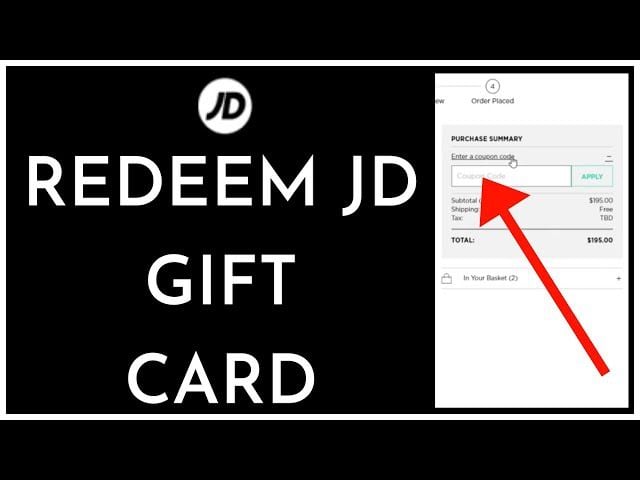
Step-by-Step Guide: How to Redeem and Bind JD Gift Card (CN)
Binding your digital card password directly to your JD wallet locks the credit to your account, preventing unauthorized use.
Method 1: Redeeming on the JD Mobile App
- Launch the JD App and tap My JD (我的).
- Tap My Wallet (我的钱包).
- Select Gift Card (礼品卡) from the financial assets menu.
- Tap Bind New Card (绑定新卡) at the bottom of the screen.
- Enter the 16-character or 20-character Card Password (卡密) received from BitTopup.
- Tap Bind (绑定). The RMB balance will instantly reflect in your available E-Card wallet.
Method 2: Redeeming on the JD.com PC Browser
- Go to
www.jd.comand log in to your account. - Click My JD (我的京东) in the top menu.
- In the left navigation sidebar under Asset Center (资产中心), click Gift Card (礼品卡).
- Navigate to the Bind Gift Card (绑定礼品卡) tab.
- Type or paste your digital Card Password (卡密) into the field and enter the security verification captcha.
- Click Bind (绑定) to complete the activation.
How to Combine Multiple JD E-Cards on Checkout
JD.com allows customers to stack multiple gift cards to pay for large purchases.
- Stacking Allowance: You can combine up to 200 JD E-Cards in a single checkout order.
- Automatic Deduction: When completing an order with self-operated items, check the box for Use JD E-Card (使用京东E卡) on the payment confirmation page. The system automatically applies the oldest active balances first.
- Split Payments: If your combined gift card balance is lower than the order total, you can pay the remaining difference using any supported checkout payment method (such as WeChat Pay, UnionPay, or credit cards).
Checking Your JD Gift Card Balance and Expiration Rules
Under JD.com terms updated for 2026, standard Jingdong E-Cards have a validity period of 36 months (3 years) from the date of issuance.
How to Check Balance and Expiry Date
- Open the JD App > My JD (我的) > My Wallet (我的钱包) > Gift Card (礼品卡).
- View your total aggregated balance.
- Tap on any active card in the list to view its unique card serial number, original face value, remaining credit, and exact expiration timestamp.
Troubleshooting Guide: Common JD Gift Card Error Codes
If you experience issues while binding or spending your card, check these common causes:
- Error: Invalid Card Password (卡密错误): Ensure there are no accidental spaces before or after the code. Code inputs are case-sensitive. Verify characters like
0(zero) andO(letter), or1(one) andI(capital i). - Error: Card Already Bound (该卡已被绑定): Each code can only be bound once. Check your Gift Card list in My Wallet to verify if the balance was already credited to your account.
- Checkout Grayed Out / Cannot Select E-Card: Check your shopping cart. If any product in your cart is sold by a third-party seller (non-自营) or is a virtual service, the platform disables the E-Card option for the entire order. Remove non-eligible items and checkout separately.
- Regional Account Restrictions: JD accounts must have completed standard identity/SMS verification. Ensure your delivery address is set within Mainland China delivery zones supported by JD logistics.
Why Buy JD Gift Card (CN) Top Up on BitTopup?
BitTopup provides a safe, direct path for international users and domestic shoppers to buy JD Gift Card CN vouchers without regional banking hurdles.
- Direct Digital Delivery: Codes are issued directly to your BitTopup user account and email immediately after payment verification.
- Zero Sensitive Data Required: You never need to share your JD account password, private login tokens, or SMS verification codes. You receive a clean, authentic voucher code to bind yourself.
- Global Payment Accessibility: Pay using various local and international payment methods in your preferred currency.
- Transparent Live Checkout Pricing: All exchange rates and fees are presented clearly on the live checkout screen before you pay.
- 24/7 Dedicated Support: Our customer support team is available around the clock to assist you with order status, code verification, and redemption questions.
Frequently Asked Questions
How do I redeem my JD Gift Card (CN) online?
Log in to your JD app or web account, go to My Wallet > Gift Card, select Bind New Card, enter the digital card password received from BitTopup, and tap Bind. You can then select your balance at checkout.
Can you combine multiple JD gift cards on one order?
Yes. JD.com supports combining up to 200 JD E-Cards in a single purchase for self-operated products. You can also pay any remaining balance with alternative payment options.
Do JD Gift Cards (京东E卡) expire?
Yes. Standard JD E-Cards are valid for 36 months (3 years) from their creation date. You can view the precise expiration date for each card under the Gift Card section in your JD Wallet.
What items cannot be purchased using a JD E-Card?
JD E-Cards cannot be used for third-party marketplace shops (stores without the red 自营 badge), mobile recharges, virtual game credits, travel/tickets, or physical investment gold products.
Can I exchange my JD Gift Card balance for cash?
No. In accordance with JD platform terms and financial regulations, JD Gift Cards cannot be refunded, exchanged for cash, or transferred to external bank accounts once bound.
Why can't I use my JD gift card at checkout?
The most common reason is having mixed items in your shopping cart. If your order contains third-party merchant products or virtual services alongside self-operated items, the E-Card payment option becomes unavailable. Split your cart so only JD Self-Operated products are included.
How do I check my remaining JD Gift Card balance?
Open the JD App, tap My JD (我的), select My Wallet (我的钱包), and tap Gift Card (礼品卡). Your aggregate balance and individual card details will be displayed on this page.