


Fast and Direct Free Fire Diamonds Top Up for MY, SG, PH, and KH
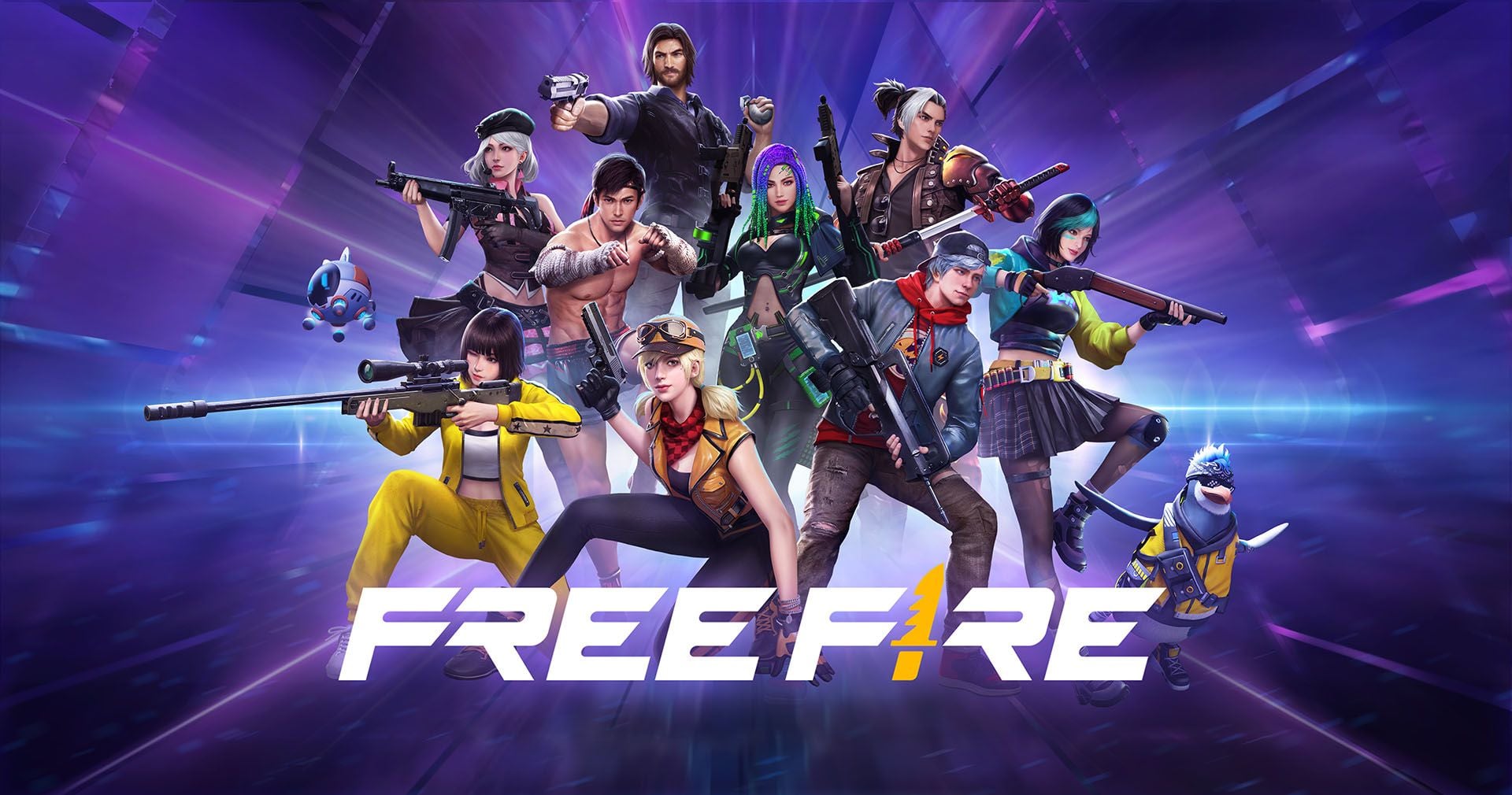
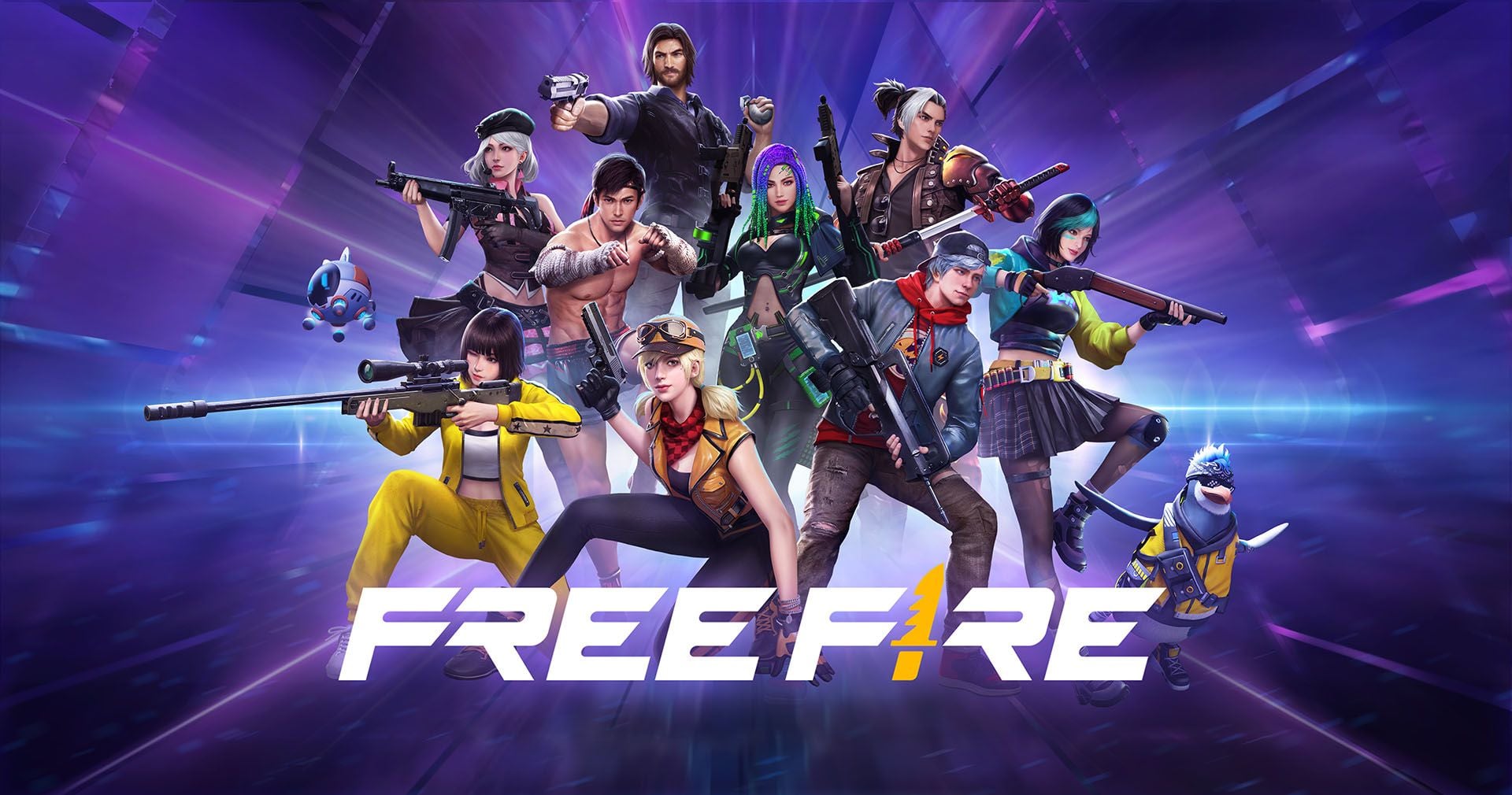
Diamonds serve as the primary premium currency in Garena Free Fire, enabling players to unlock exclusive weapon skins, character bundles, elite items, and cosmetic upgrades. When playing on regional servers across Malaysia (MY), Singapore (SG), the Philippines (PH), and Cambodia (KH), securing diamonds quickly and safely keeps you ready for every limited-time event and seasonal release.
BitTopup provides a direct recharge system built specifically for players in these regional zones. By processing recharges directly through your numerical Player ID (UID), the process eliminates unnecessary account logins, manual gift card redemptions, and third-party credential access. Your diamond balance updates directly in your game profile once the transaction completes at live checkout.
How to Find Your Free Fire Player ID (UID)
Locating your Free Fire Player ID takes only a few seconds within the game client. You do not need to share passwords, email logins, or social media tokens to complete your order.
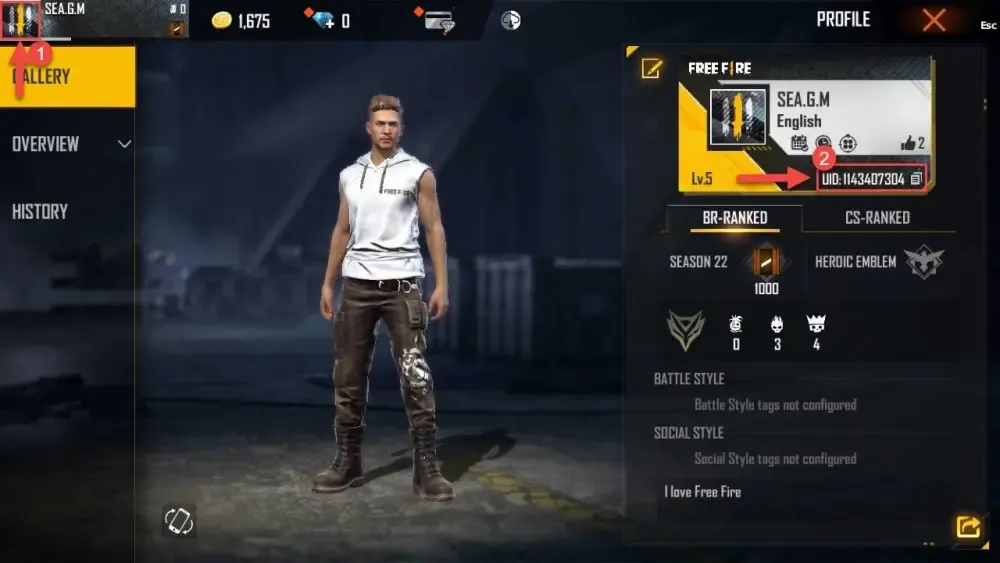
Follow these exact steps to copy your UID accurately:
- Launch the Free Fire app on your mobile device.
- Tap your profile banner or avatar icon located in the upper-left corner of the main lobby screen.
- Stay on the Gallery / Basic Profile tab.
- Locate your UID, which is a sequence of 8 to 12 digits displayed below your in-game nickname.
- Tap the copy icon next to the numbers to copy your Player ID to your clipboard.
Note: Always paste your numerical UID rather than typing your custom nickname. Nicknames with special fonts or decorative symbols cannot process automated direct top-ups.
Step-by-Step Guide to Recharge Free Fire Diamonds for MY, SG, PH, and KH
Ordering diamonds on BitTopup requires only basic account details and a few simple actions:
- Choose Your Diamond Denomination: Browse the available diamond bundles on the BitTopup product catalog and pick the pack that matches your in-game target.
- Enter Your Account Information: Paste your numerical Free Fire Player ID into the designated
Player IDinput box. - Review Order Details: Confirm that the entered UID matches your profile to avoid sending currency to an unintended account.
- Proceed to Live Checkout: Select your preferred local payment method and review the live checkout price displayed on the order confirmation screen.
- Receive Your Diamonds: Once your payment is verified, the diamonds transfer straight to your Free Fire account balance. Open the game to verify your updated balance.
Supported Regions and Server Compatibility Rules
Free Fire uses regional server locks to manage matchmaking, regional pricing, and regional events. Recharges processed under the MY/SG/PH/KH category apply strictly to accounts registered within these specific territory assignments.
| Country / Market | Server Region Code | Top-Up Method | Account Credential Needed |
|---|---|---|---|
| Malaysia | MY | Direct UID Transfer | Player ID Only |
| Singapore | SG | Direct UID Transfer | Player ID Only |
| Philippines | PH | Direct UID Transfer | Player ID Only |
| Cambodia | KH | Direct UID Transfer | Player ID Only |
Server Locking Details
- Matching Server Requirements: Your game account must have originated or be categorized under the Malaysia, Singapore, Philippines, or Cambodia operational clusters. Attempting to top up accounts registered to other regional servers (such as Brazil, Europe, India, or North America) through this specific listing will result in delivery failure or order cancellation.
- How to Check Your Account Region: Open Free Fire, tap the Settings gear icon in the top-right corner of the lobby, and look at the bottom-left corner of the settings window to confirm your assigned server region.
Direct Player ID Top-Up vs Account Sharing Security
Protecting your gaming account is critical. Many online services ask for account login credentials, passwords, or linked Facebook/Google logins to load diamonds manually. This exposes your profile to permanent theft, unauthorized spending, and potential terms-of-service bans.
BitTopup uses direct UID crediting, which offers distinct security advantages:
- Zero Password Requirements: You never share your account password, email access, or multi-factor authentication codes.
- No Account Handover: Your profile stays logged into your device without disruptions or unknown IP logins from foreign locations.
- Protection Against Phishing: Automated direct transfer means your private data remains completely in your control.
- Full Compliance: Direct top-ups comply with standard account safety practices, keeping your competitive ranking and cosmetic inventory secure.
Using Diamonds in Free Fire: Elite Pass, Skins, Characters, and Luck Royale
Recharging diamonds gives you immediate access to Free Fire's competitive features and cosmetic customization items:
- Booyah Pass & Seasonal Passes: Unlock tiered rewards, exclusive vehicle wraps, character sets, and evolving weapon cosmetics across the monthly progression track.
- Luck Royale Draws: Spin the Diamond Royale, Weapon Royale, and Incubator to acquire rare weapon blueprints, evo-gun upgrade materials, and legendary costume bundles.
- Character Unlocks and Awakening Bundles: Acquire meta-defining characters, upgrade skill slots, and purchase premium bundles to boost your combat effectiveness in Battle Royale and Clash Squad modes.
- In-Game 2026 Top-Up Events: Free Fire frequently hosts milestone recharge events where topping up a specific quantity of diamonds yields bonus pets, emote animations, or backpack skins at no extra diamond cost.
Troubleshooting Delivery Status and Common Top-Up Inquiries
If your diamonds do not reflect immediately after completing payment, review these standard troubleshooting steps:
- Restart the Game Application: Close Free Fire completely from your mobile multitasking tray and relaunch the game to force a fresh data sync with the game servers.
- Verify Order Status on BitTopup: Check your order confirmation page to confirm that the transaction finished processing and was marked successful.
- Confirm the Submitted UID: Check the receipt to make sure the Player ID entered during purchase contained no missing or extra digits.
- Check Server Maintenance: During major game patches or server maintenance windows, in-game currency deliveries may experience brief processing queues.
- Contact Customer Support: If your diamonds have not arrived after completing these checks, submit your BitTopup Order Number and your Free Fire UID to BitTopup customer support for direct resolution.
Frequently Asked Questions
How do I find my Free Fire Player ID to recharge diamonds?
Open Free Fire and tap your profile banner in the top-left corner of the home lobby. You will see your numerical Player ID (UID) displayed directly beneath your player name on the Basic Profile screen. Tap the copy icon next to the number to use it during checkout.
Can I recharge if my Free Fire account is not registered in MY, SG, PH, or KH?
No. This product listing applies only to accounts registered within the Malaysia, Singapore, Philippines, and Cambodia server zones. If your account belongs to another region (such as LATAM, EU, or MENA), you must select the corresponding regional product to ensure successful delivery.
Do I need to share my Free Fire password to receive diamonds?
No. BitTopup only requires your numerical Player ID (UID). You should never share your password, social login details, or verification codes with anyone.
How do I claim my Free Fire diamonds after completing payment?
You do not need to do any manual claiming. Diamonds transfer directly into your account balance. Once payment confirms, open the game and check the diamond counter at the top of the main lobby screen.
What is the 100 bonus top up in Free Fire and how does it work?
The 100 bonus top up is a periodic promotional event hosted by Garena where players receive extra diamonds or matching bonus amounts upon completing qualifying top-up thresholds. When this event is active in-game, eligible bonus rewards will automatically credit to your balance or become claimable in the in-game Events tab following a successful BitTopup recharge.
How long does it take for recharged diamonds to reflect in Free Fire?
Recharges are processed automatically. Under normal network conditions, diamonds appear in your account shortly after payment confirmation. Restarting your game app helps refresh your balance immediately.