

Lebara Recharge Card SA Top Up: Overview and 2026 Plans
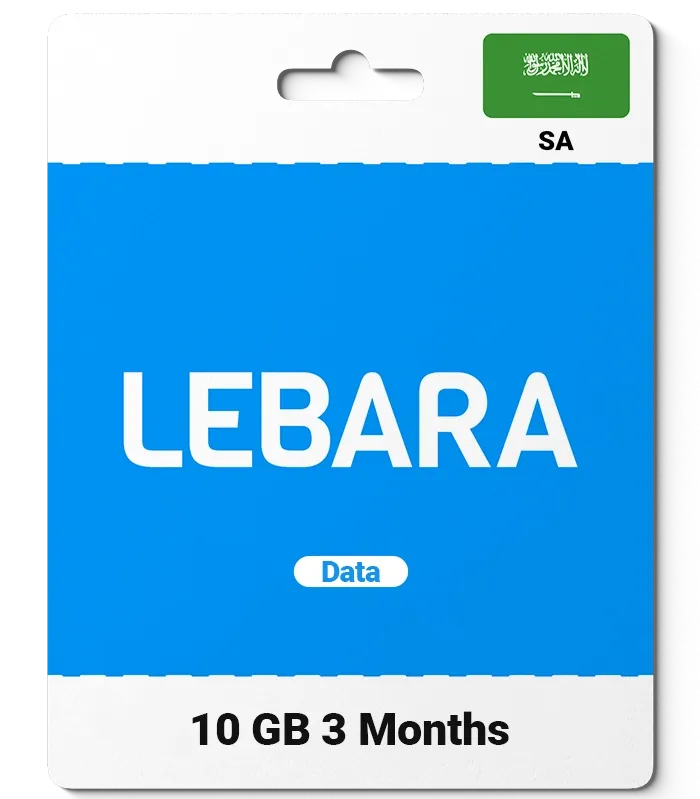
Lebara Recharge Card (SA) provides prepaid mobile credits for Lebara KSA subscribers across the Kingdom of Saudi Arabia. Using digital recharge vouchers gives you full control over your mobile spending, allowing you to add standard airtime, activate local calling packages, renew high-speed 5G/4G data bundles, or make international calls without needing a postpaid contract.
BitTopup delivers authentic Lebara Saudi Arabia digital PIN codes directly to your screen and email account. Whether you need a small balance refill or a large voucher to renew a monthly data package, you can select from various denominations tailored for the Saudi Arabian telecom network.
| Voucher Denomination | Primary Use Case | Quick USSD Command | Balance Verification |
|---|---|---|---|
| SAR 20 | Basic voice calls, SMS, emergency balance | *1755*VOUCHER_PIN# | *1345# or *000# |
| SAR 30 | Short-term local bundles & data add-ons | *1755*VOUCHER_PIN# | *1345# or *000# |
| SAR 50 | Mid-tier monthly voice & social media plans | *1755*VOUCHER_PIN# | *1345# or *000# |
| SAR 100 | High-volume monthly data & calling combos | *1755*VOUCHER_PIN# | *1345# or *000# |
| SAR 200 - 300 | Heavy data users, streaming packs, roaming | *1755*VOUCHER_PIN# | *1345# or *000# |
All real-time exchange rates, pack prices, and available denominations are displayed directly on the live BitTopup checkout catalog.
How to Buy Lebara Recharge Card SA Online on BitTopup
Buying your Lebara KSA prepaid digital code on BitTopup is fast, safe, and transparent. You do not need to share sensitive account passwords or telecom logins.
Step 1: Select Your Voucher Value
Browse the available Lebara Recharge Card (SA) denominations on the BitTopup product page. Choose the credit amount that matches your intended plan or airtime requirement.
Step 2: Confirm Order Quantity and Details
Select the quantity of cards you need. Double-check that you are purchasing the SA (Saudi Arabia) regional card, as voucher codes are locked to the KSA network.
Step 3: Complete Secure Payment
Proceed to checkout and pick your preferred payment option. BitTopup supports multiple secure local and international payment methods. Your transaction is processed through encrypted channels.
Step 4: Receive Your Instant Voucher Code
Once payment confirms, your 16-digit Lebara recharge PIN appears instantly on your screen and is delivered to your registered email address for immediate redemption.
How to Find Lebara Mobile Details and Number
Before loading your recharge card, ensure your Lebara KSA SIM card is active in your phone.
Check Your Lebara KSA Phone Number
If you forgot your phone number or need to verify the SIM inserted in your device:1. Open your phone dialer.2. Dial *000# and press the call button.3. Your Lebara mobile number will be displayed on the screen.
Check Active SIM Profile
You can also find your mobile number printed directly on the original SIM card holder or by accessing your settings profile in the official Lebara KSA mobile application.
Step-by-Step USSD and Call Redemption Instructions for Lebara Saudi Arabia
Once you receive your digital PIN code from BitTopup, apply the credit to your Lebara KSA line using any of the following official methods.
+-------------------------------------------------------------+| LEBARA KSA RECHARGE METHODS |+-------------------------------------------------------------+| Method 1: USSD Code (Fastest) || Dial: *1755* <16-Digit Voucher PIN> # [Call] || || Method 2: Interactive Voice Response (IVR) || Dial: 1755 -> Select Language -> Press 1 -> Enter PIN || || Method 3: Lebara KSA Mobile App || Open App -> Tap 'Recharge' -> Enter PIN Code |+-------------------------------------------------------------+Method 1: Instant USSD Dial Code (Recommended)
- Open your mobile dialer.
- Enter
*1755*followed by your 16-digit voucher PIN, then press#. (Example:*1755*1234567890123456#) - Press the Call / Send button.
- You will receive an on-screen confirmation and an SMS indicating your new account balance.
Method 2: IVR Voice Call
- Dial
1755directly from your Lebara SIM. - Choose your preferred language (Arabic or English).
- Press the option for Recharge / Top Up.
- Type in your 16-digit voucher code using your phone keypad when prompted.
- Wait for the automated voice confirmation.
Method 3: Lebara KSA Mobile Application
- Connect your device to Wi-Fi or mobile data.
- Open the official Lebara KSA app.
- Log in with your mobile number.
- Select Recharge with Voucher and enter your PIN code.
How to Check Lebara KSA Airtime and Data Balance After Recharge
Track your balance and verify that your recharge processed successfully using quick access codes:
- Main Airtime Balance: Dial
*1345#and press Call. A pop-up notification will display your remaining credit in SAR and your line expiration date. - Data and Bundle Allowances: Dial
*141#or*164#to view active data bundles, remaining gigabytes, and expiration timelines. - Lebara App Dashboard: Open the Lebara KSA app on Android or iOS to view real-time graphical breakdowns of your remaining minutes, SMS, and data packages.
Lebara SA Region Compatibility and Line Validity Rules
Strict Regional Compatibility
Lebara operates independent regional telecommunications entities across multiple countries. Vouchers sold as Lebara Recharge Card (SA) work only on Lebara Saudi Arabia SIM cards operating on the local KSA network.* These cards will not work on Lebara France, Lebara UK, Lebara Germany, Lebara Australia, or Lebara Denmark SIM cards.* Always verify that your SIM card was issued in Saudi Arabia before purchasing.
Line Validity and Expiration Rules
- Prepaid Line Lifespan: Adding credit extends your SIM card active validity window. Each recharge ensures your line remains active for incoming and outgoing services according to Saudi Communications, Space and Technology Commission (CST) regulations.
- Voucher Code Expiration: BitTopup provides fresh, unused digital vouchers. While vouchers have extended shelf lives, redeeming your code promptly after delivery is recommended.
Troubleshooting Common Lebara Voucher Code and Activation Issues
If you encounter an error while redeeming your voucher on the Lebara KSA network, check the following troubleshooting steps:
1. "Invalid Voucher Number" Error
- Check that you typed all 16 digits correctly without spaces, dashes, or accidental symbols.
- Make sure you dialed
*1755*PIN#and not an alternate carrier prefix.
2. "System Error / Connection Problem"
- Ensure your device has an active network signal connected to the Lebara KSA network.
- If USSD commands time out, switch off Wi-Fi, restart your mobile device, and retry the command.
- Alternatively, dial
1755directly to redeem via the automated phone system.
3. Recharge Code Already Used
- If you receive a message stating the voucher has already been redeemed, check your balance by dialing
*1345#. The funds may have credited during an earlier network attempt. - Check your SMS history to see if an automated package renewal deducted the balance immediately upon arrival.
4. Account Locked After Multiple Failed Entries
- Entering an incorrect voucher code 3 to 5 consecutive times temporarily locks the recharge feature on your line for security.
- Wait 30 to 60 minutes for the lockout to reset, or contact Lebara Customer Support by calling
1755from your Lebara line or0576001755from other local networks.
Why Buy Lebara KSA Vouchers on BitTopup?
- Instant Digital Delivery: Voucher PIN codes generate immediately after payment verification.
- Zero Password Requirements: You never need to provide your SIM PIN, Lebara online password, or sensitive personal credentials.
- Flexible Payments: BitTopup supports multiple reliable checkout methods tailored for local and global buyers.
- 24/7 Dedicated Support: Professional customer service assistance is available around the clock if you need help with your order.
Frequently Asked Questions About Lebara KSA Top Up
How to recharge Lebara card KSA with a voucher code?
Dial *1755*<16-digit PIN># from your Lebara mobile phone and press Call. You can also call 1755 and follow the voice prompts to enter the recharge code.
How can I check my Lebara KSA balance after recharging?
Dial *1345# and press Call to view your available airtime balance. Dial *141# or check the Lebara KSA app to review remaining data and active bundle balances.
Where can I buy a Lebara recharge card SA online?
You can purchase Lebara Recharge Card (SA) vouchers directly on BitTopup. Select your denomination, complete secure checkout, and receive your digital PIN code instantly.
Can I use a Lebara Saudi Arabia recharge card on a SIM from another country?
No. Lebara Saudi Arabia recharge cards work only with SIM cards issued by Lebara KSA. They cannot be applied to Lebara accounts in France, Australia, the UK, or any other region.
What should I do if my Lebara KSA voucher code fails to activate?
First, confirm that you entered the exact 16-digit PIN using *1755*PIN#. If the network displays a connection issue, dial 1755 to redeem the code via voice call. If the problem continues, contact BitTopup customer support with your order details.
Do Lebara Recharge Cards (SA) have an expiration date?
Yes, unredeemed voucher PINs carry a validity period from the date of generation. You should redeem your voucher on your Lebara KSA line promptly after receiving it from BitTopup.