

Microsoft 365 SA Top Up: Instant Prepaid Activation
A Microsoft 365 SA top up provides an immediate, prepaid method to start, renew, or extend your cloud productivity subscription across Saudi Arabia. By opting for a 25-character digital activation key rather than binding an international payment card to automatic recurring billing, you retain complete control over your subscription expenses.
Prepaid top-up codes purchased for the Saudi Arabia (SA) region apply directly to your personal or family Microsoft account. You gain full access to premium productivity applications, cloud storage, and integrated Copilot AI assistance across Windows, macOS, iOS, iPadOS, and Android devices.
Microsoft 365 Saudi Arabia Edition Comparison (2026)
Choosing the correct plan depends on how many users require dedicated cloud storage and separate Microsoft account logins. Review the primary differences between the consumer packages available in Saudi Arabia:
| Feature | Microsoft 365 Personal (SA) | Microsoft 365 Family (SA) |
|---|---|---|
| Target Users | 1 Person | Up to 6 People |
| Simultaneous Sign-ins | Up to 5 devices at the same time | Up to 5 devices per person simultaneously |
| Cloud Storage (OneDrive) | 1 TB total secure cloud space | Up to 6 TB (1 TB isolated storage per user) |
| Core Apps Included | Word, Excel, PowerPoint, Outlook, OneNote | Word, Excel, PowerPoint, Outlook, OneNote |
| Copilot AI Integration | Basic Copilot features included | Basic Copilot features per member |
| Family Safety Features | Standard | Premium location alerts & screen time filters |
| Region Lock | Saudi Arabia Microsoft Accounts Only | Saudi Arabia Microsoft Accounts Only |
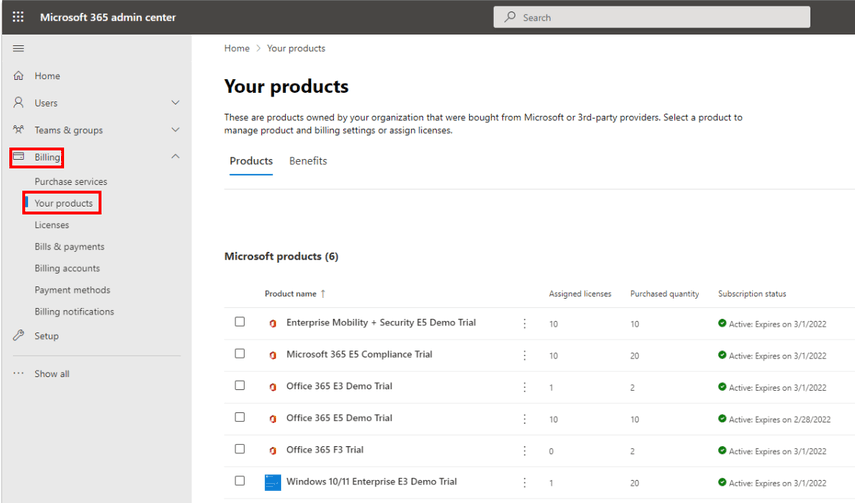
How to Check Your Account Region and Find Microsoft 365 (SA) UID
Microsoft subscriptions do not use an in-game numeric UID. Instead, your identifier is your Microsoft Account Email Address (Live ID / MSA). Because Microsoft codes are region-locked, your account country/region must be set to Saudi Arabia before applying a Saudi prepaid key.
- Open your browser and go to
account.microsoft.com. - Sign in with the exact email address and password you use across your Microsoft apps.
- Click on the Your info tab at the top navigation bar.
- Scroll down to the Profile info section.
- Verify that Country or region displays Saudi Arabia.
- If your region is set to another country, click Edit profile info, update your country/region to Saudi Arabia, enter a valid Saudi postal code, and save your changes before attempting code redemption.
How to Recharge Microsoft 365 (SA) on BitTopup
Renewing or purchasing your Microsoft 365 SA subscription through BitTopup takes only a few simple steps:
- Select Your Tier: Choose between Microsoft 365 Personal (SA) or Microsoft 365 Family (SA) based on your household or individual needs.
- Check the Live Price: View real-time pricing and confirm the package details directly on the product catalog.
- Complete Checkout: Select your preferred payment method and finalize your transaction.
- Receive Digital Key: Your 25-character activation product key is generated instantly in your order history.
- Redeem Your Code: Apply the code to your Saudi Microsoft account to activate or extend your active subscription time.
Step-by-Step Code Redemption Guide for Saudi Microsoft Accounts
Once you receive your 25-character digital code (formatted as XXXXX-XXXXX-XXXXX-XXXXX-XXXXX), follow this setup procedure:
- Open a web browser on your PC, Mac, or mobile device and navigate to
setup.office.com(orredeem.microsoft.com). - Sign in with the Saudi Arabia Microsoft account you want linked to the license.
- Enter your 25-character product key into the entry field without hyphens (the system formats it automatically).
- Confirm your country/region is detected as Saudi Arabia.
- Click Next to preview the subscription details.
- Review your recurring billing preferences. You can choose to leave recurring billing turned off to remain entirely on a prepaid schedule.
- Click Confirm. Your subscription is now active, and you can download the desktop apps directly from
account.microsoft.com/services.
How Stacking Extensions Works
If you have an active Microsoft 365 subscription of the exact same tier (e.g., Personal to Personal), entering a new 12-month prepaid code extends your expiration date by an additional 365 days from its current end date. Microsoft allows stacking up to a maximum of 5 cumulative years (60 months) on a single account.
Core Features: Word, Excel, PowerPoint, Copilot AI, and OneDrive
Activating Microsoft 365 (SA) grants continuous access to the full desktop and cloud suite of productivity software:
- Microsoft Word: Create, edit, and collaborate on documents with intelligent grammar assistance, modern templates, and built-in translation tools.
- Microsoft Excel: Build financial models, utilize automated data analysis, and deploy complex formulas with real-time cloud co-authoring.
- Microsoft PowerPoint: Design presentations with Designer AI suggestions, high-resolution media libraries, and interactive transitions.
- OneDrive Cloud Storage (1 TB to 6 TB): Store your critical files with automatic camera backup on mobile devices, ransomware detection, and a secure Personal Vault with two-factor authentication.
- Copilot AI Assistant: Draft emails, summarize long text documents, generate formula explanations, and speed up creative work across your desktop apps.
- Multi-Platform Support: Install desktop apps on up to 5 devices per user across Windows PCs, Mac computers, iPads, and Android phones.
Why Choose BitTopup for Saudi Arabia Microsoft 365 Top-Ups
- Zero Login Sharing: You never have to share your Microsoft account password or grant third-party account access. You receive a direct digital redemption code to enter yourself.
- No Auto-Renewal Traps: Avoid sudden foreign exchange fees or surprise bank deductions associated with automatic credit card renewals.
- Instant Digital Delivery: Digital codes are delivered immediately after payment confirmation, allowing you to reactivate expired access in seconds.
- Transparent Live Checkout: All package details and current regional rates are displayed clearly at checkout without hidden convenience fees.
- Dedicated Support: 24/7 customer service is available to help answer questions regarding redemption, license compatibility, and regional settings.
Troubleshooting Microsoft 365 Subscription Activation Errors
If you run into an issue while redeeming your digital code, check these standard fixes:
- Error: 'GeoRestricted' or 'CatalogSkuDataNotFound': This error occurs when your Microsoft account region does not match the product key's geo-lock. Visit
account.microsoft.com/profile, verify that your region is set to Saudi Arabia, and clear your browser cache before retrying. - Error: 'This code has already been redeemed': Check your account services list at
account.microsoft.com/services. If the code was submitted successfully on the first click, your updated subscription expiration date will already be visible there. - Tier Mismatch Warnings: If you attempt to redeem a Microsoft 365 Personal code while having an active Microsoft 365 Family subscription, Microsoft will ask to convert your remaining time based on current exchange ratios. To preserve full value, redeem the identical plan tier or wait until the existing plan expires.
- VPN/Proxy Conflicts: Disable any active VPN or proxy extensions during the redemption process so the activation server correctly identifies your connection.
Frequently Asked Questions (FAQ)
Can I activate this Microsoft 365 (SA) key on an account outside Saudi Arabia?
No. This digital license is geo-locked to the Saudi Arabia region. Your Microsoft account profile must have its country/region set to Saudi Arabia to accept the code.
How do I renew an existing Microsoft 365 subscription with a digital code?
Visit setup.office.com, log into the Microsoft account that holds your active subscription, enter your 25-character key, and click confirm. The 12 months will be added directly onto the end of your existing expiration date.
What is the difference between Microsoft 365 Personal and Microsoft 365 Family in Saudi Arabia?
Microsoft 365 Personal is intended for a single user with 1 TB of OneDrive storage. Microsoft 365 Family allows you to share the subscription with up to 5 additional family members (6 users total), giving each person an independent 1 TB storage pool and separate login credentials.
Do I have to pay to renew Microsoft 365 every year?
Yes, Microsoft 365 is an annual or monthly subscription service. Purchasing a prepaid 12-month top-up on BitTopup gives you 365 days of full service without forcing automatic card renewals at the end of the term.
Will I lose my OneDrive files if my subscription expires before I recharge?
No. Microsoft provides a grace period following subscription expiration. Your files remain stored in the cloud, but your account enters read-only mode if your data exceeds the 5 GB free allowance. As soon as you recharge with a new code, full edit and upload permissions are restored immediately.
Is Microsoft 365 a one-time purchase or a subscription?
Microsoft 365 is a subscription-based product that includes continuous updates, cloud storage, and AI features. One-time purchase editions (such as Office Home & Student) do not include 1 TB OneDrive storage or ongoing version upgrades.
What should I do if I get a region mismatch error during code redemption?
Log into account.microsoft.com, navigate to Your info, and check your Country or region. Ensure it is set to Saudi Arabia. Turn off any active VPN connections, reload setup.office.com, and submit your 25-character code again.