

Hamster Top Up: Instant Direct Recharge via Player ID
Topping up your Hamster account provides direct access to in-game resources, upgrades, and premium features without friction. Whether you are advancing through competitive levels, collecting special items, or expanding your gameplay capabilities, a direct recharge ensures your balance is credited immediately so you can focus on playing.
BitTopup offers a direct, player-focused service for your Hamster recharge needs. You do not need to share sensitive account passwords or hand over third-party login credentials. By utilizing your unique Hamster Player ID, our platform credits your purchases straight to your game profile securely.
How to Find Your Hamster Player ID in the App
Your Hamster Player ID is a distinct numeric or alphanumeric identifier assigned exclusively to your profile. Entering this ID accurately ensures that any purchased items or currency are delivered to the correct account without delay.
Follow these steps to find your Player ID:
- Launch the Hamster application on your mobile device or gaming platform.
- Tap your profile icon or avatar, usually located in the top-left or top-right corner of the main screen.
- Open the User Profile or Settings menu.
- Locate your Player ID (or UID) displayed beneath your character name or account overview.
- Tap the copy icon next to the number, or write it down carefully to avoid typographical errors during checkout.
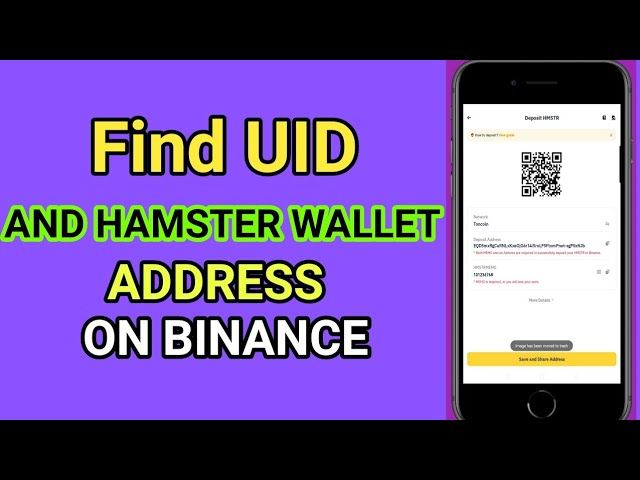
Double-check the copied digits before submitting your order on BitTopup. Using the direct copy-paste function is the safest way to prevent missing digits or swapped characters.
How to Recharge Hamster with Player ID Step-by-Step
Recharging on BitTopup takes only a few quick steps. Everything is handled online through a direct checkout system designed for speed and clarity.
Recharge Process Overview
| Step | Action | Description |
|---|---|---|
| 1 | Select Package | Choose the Hamster denomination or item bundle you want. |
| 2 | Enter Player ID | Type or paste your unique Hamster Player ID in the input box. |
| 3 | Choose Payment | Pick your preferred payment method on the live checkout screen. |
| 4 | Complete Checkout | Finalize the transaction and receive direct delivery in-game. |
Detailed Walkthrough
- Select Your Item Package: Browse the live product catalog on the Hamster recharge page and click on the package that matches your gameplay goals.
- Provide Account Information: In the required field labeled
Player ID, paste your unique identifier. Make sure you do not add extra spaces or accidental characters. - Review Current Pricing: Review the live checkout total. Prices and active denominations are displayed in real-time based on your chosen currency.
- Select a Payment Method: Choose from our supported global and regional payment channels.
- Confirm and Pay: Complete the verification steps required by your payment provider. Once payment is confirmed, the system processes your recharge and pushes the assets directly to your Hamster account.
Instant and Secure Player ID Top-Up: No Password Required
Account safety is a core concern for digital gamers. Traditional top-up services often ask for full account access, user passwords, or social login credentials, exposing accounts to phishing, unauthorized modifications, or potential bans.
BitTopup eliminates these risks completely:
- Zero Login Credentials Required: You will never be asked for your password, email login, or two-factor authentication codes. Only your public Player ID is needed.
- No Risk of Account Takeover: Because our service never accesses your login session, your account security settings remain entirely under your control.
- Encrypted Data Handling: All transaction and order data on BitTopup are processed over secure, encrypted protocols to protect user privacy.
- Direct System Dispatch: Orders are handled automatically by delivery protocols, transferring the selected items to your game profile as soon as payment clears.
Supported Payment Options and Multi-Currency Checkout
BitTopup serves a global gaming audience by supporting a broad range of convenient payment methods across multiple international currencies. Depending on your region, you can select from:
- Credit and Debit Cards: Major international bank cards for quick, standard online checkout.
- E-Wallets and Regional Digital Wallets: Popular mobile payment apps and regional digital balances.
- Online Banking & Instant Transfers: Direct-from-bank transfer options for supported regions.
- Local Payment Channels: Region-specific options configured to give players flexible local checkout options without excessive conversion fees.
Exact availability, local currency support, and processing options are displayed dynamically on the checkout page. Select your currency to view real-time totals before confirming your payment.
Safety Tips for Online Hamster Recharges in 2026
Staying safe while purchasing digital game products requires standard precautions against common online scams. Keep these guidelines in mind for all your transactions:
- Never Share Your Login Password: Legitimate direct top-up platforms only need your Player ID. Any individual or third party requesting your login credentials, password, or SMS verification codes should be treated as suspicious.
- Verify the URL and Domain: Ensure you are making purchases through the official
bittopup.comwebsite to protect against copycat or phishing domains. - Double-Check Your Player ID: Unlike password-based services, direct ID recharges send items straight to the ID submitted. Taking three seconds to verify your digits prevents misdirected deliveries.
- Keep Order Numbers Accessible: Save your BitTopup transaction ID or confirmation email until you have verified that your Hamster balance has updated inside the app.
- Avoid Unofficial Third-Party Cheats: Stick to legitimate top-up options rather than services offering free currency generators or unauthorized game modifications that risk permanent account suspension.
Troubleshooting Common Hamster Recharge and Transaction Errors
If you experience any delays or issues with your Hamster top up, refer to these common troubleshooting steps:
- Payment Completed but Balance Not Updated: Restart your Hamster application completely. Close the app from your device's background running list and reopen it to force a fresh server sync with your profile.
- Incorrect Player ID Entered: If you submitted an incorrect ID, contact BitTopup customer support immediately with your order number. If the order has already been processed by the automated delivery system to an active account, direct credits cannot be reversed, making early verification critical.
- Payment Failed or Declined: Check that your payment method supports international or online transactions and has sufficient funds. Clear your browser cache or switch to an alternate payment method available on the checkout page.
- Pending Order Status: Some banking providers apply temporary fraud verification checks. If your order status is pending, allow a few moments for your bank to clear the charge or check your email for a verification notice.
Frequently Asked Questions About Hamster Top Up
How do I recharge Hamster on BitTopup?
Select the item package you want, enter your Hamster Player ID in the designated field, select your preferred payment method on the checkout screen, and finalize your payment. The purchased resources will be credited directly to your Hamster account.
Where can I find my Hamster Player ID?
Open Hamster, tap your profile icon or open the settings menu, and look for your numeric or alphanumeric Player ID displayed under your username. You can copy the ID directly from that screen.
Do I need to provide my password or account login details to top up Hamster?
No. BitTopup requires only your Hamster Player ID to process your order. You should never share your account password, email access, or verification codes with anyone.
What should I do if I entered the wrong Player ID during recharge?
Contact the BitTopup 24/7 customer support team immediately with your order reference number. If the order has not yet been processed, our support team can assist in correcting the ID details. Completed orders delivered to existing game accounts cannot be retrieved.
How long does it take for the Hamster recharge to reflect in my account?
Most orders are processed automatically and appear in your Hamster game profile shortly after payment confirmation. If the balance does not appear right away, restart your game app to refresh your profile data.
Can I recharge Hamster for a friend using their Player ID?
Yes. Because our recharge system uses direct Player ID input without requiring login credentials, you can top up for friends or teammates by entering their specific Hamster Player ID at checkout.