Ultra Extreme is PUBG Mobile's 120 FPS setting. Extreme is 60 FPS, the 90 FPS row (often called Extreme+) is 90 FPS, and Ultra Extreme is 120 FPS. It only appears when Graphics is set to Smooth on a supported device: every iPhone or iPad with a 120 Hz screen, and Android phones with a Snapdragon 8 Gen 3, Dimensity 9300+ / 8400, Exynos 2400 or newer chip.
Updated 6 November 2026 for PUBG Mobile 4.6 (Version 4.7 is due on 12 November). The same option names are used in BGMI.
Understanding 120 FPS in PUBG Mobile
Frame Rate option | FPS | Available with |
|---|
Medium | 25 | all devices |
High | 30 | all devices |
Ultra | 40 | most devices |
Extreme | 60 (50–60 on some devices) | most devices |
90 FPS / Extreme+ | 90 | Smooth, and on select devices Balanced / HD / HDR |
Ultra Extreme | 120 | Smooth only, supported devices |
Medium to Extreme values come from the official V4.0 notes. Some clients label the 90 FPS row simply "90 FPS" instead of Extreme+. PUBG MOBILE added Ultra Extreme in Version 3.2 (May 2024).
What 120 FPS actually does
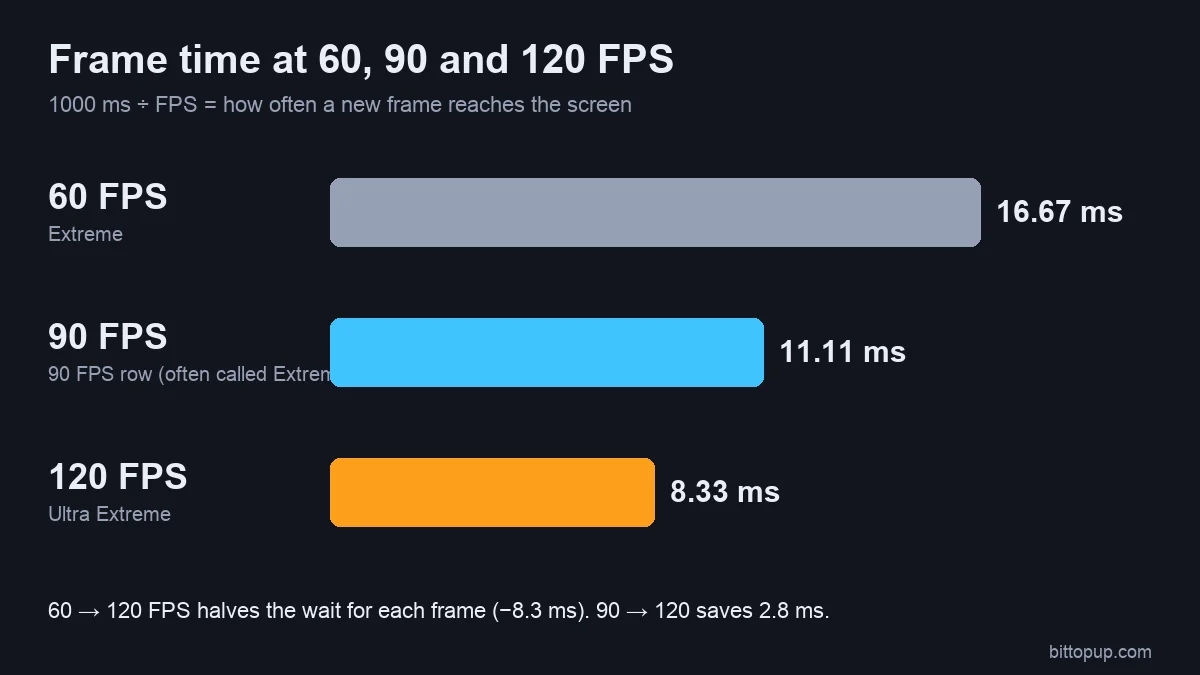
At 120 FPS the screen gets a new frame every 8.3 ms, against 16.7 ms at 60 FPS and 11.1 ms at 90 FPS. Movement, recoil and tracking a running enemy look smoother because there are twice as many frames as at Extreme. It does not change your ping or how the server registers hits.
Video (Ryder): the same PUBG Mobile scenes recorded from 20 FPS up to 120 FPS, so you can see what each frame-rate step looks like.
How many FPS is Extreme, Extreme+ and Ultra Extreme?
The same applies in BGMI. If your menu stops at Extreme, your device or current graphics preset does not allow higher frame rates.
Which devices show Ultra Extreme
Since Version 4.4 (May 2026) PUBG MOBILE uses a support rule instead of a short list. Full table: PUBG Mobile 120 FPS supported devices.
iPhone and iPad
"All iOS devices with 120 Hz refresh rate screens now support 120 FPS mode in-game" (V4.4 notes). That covers iPhone 13 Pro to 16 Pro Max (Pro models only), every iPhone 17 model including the base iPhone 17 and iPhone Air, and iPad Pro with ProMotion. Base iPhone 13–16, iPad Air and iPad mini have 60 Hz screens and cannot run 120 FPS.
Android phones
The official minimum is Snapdragon 8 Gen 3, Dimensity 9300+ / 8400, Exynos 2400 or Xiaomi XRing O1 and newer, plus other devices that pass testing. The Galaxy S23 series and Z Fold5 had 120 FPS added in Version 3.2. Google Pixel phones are not confirmed.
Gaming phones
ROG Phone 8 and 9, RedMagic 9 Pro to 11S Pro and nubia Z60/Z70 Ultra all meet the chipset rule. Their fans and large batteries help them hold Ultra Extreme longer than slim phones.
How to enable Ultra Extreme (120 FPS)
Getting your device ready
Update PUBG Mobile to the latest version.
Android: set the screen refresh rate to its highest setting (120 Hz / High). Auto or 60 Hz can hide Ultra Extreme.
iPhone: make sure Settings → Accessibility → Motion → Limit Frame Rate is off and Low Power Mode is off.
Turn off battery saver.
The in-game settings
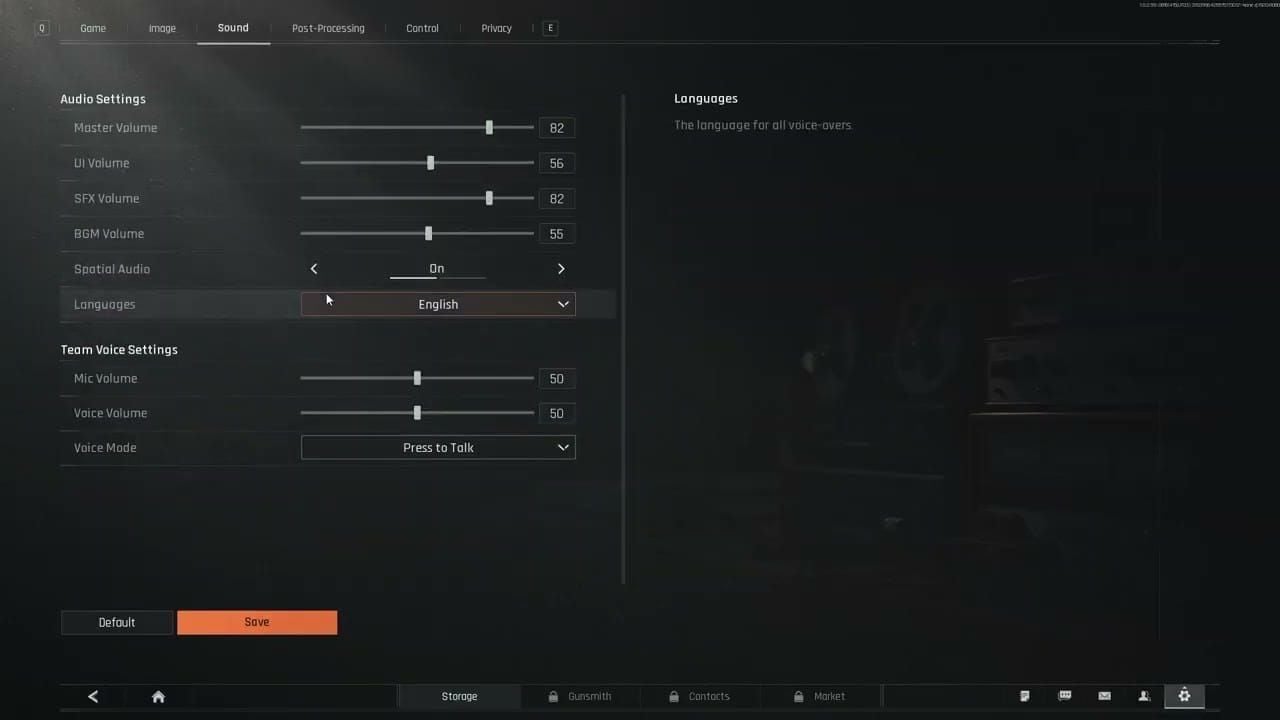
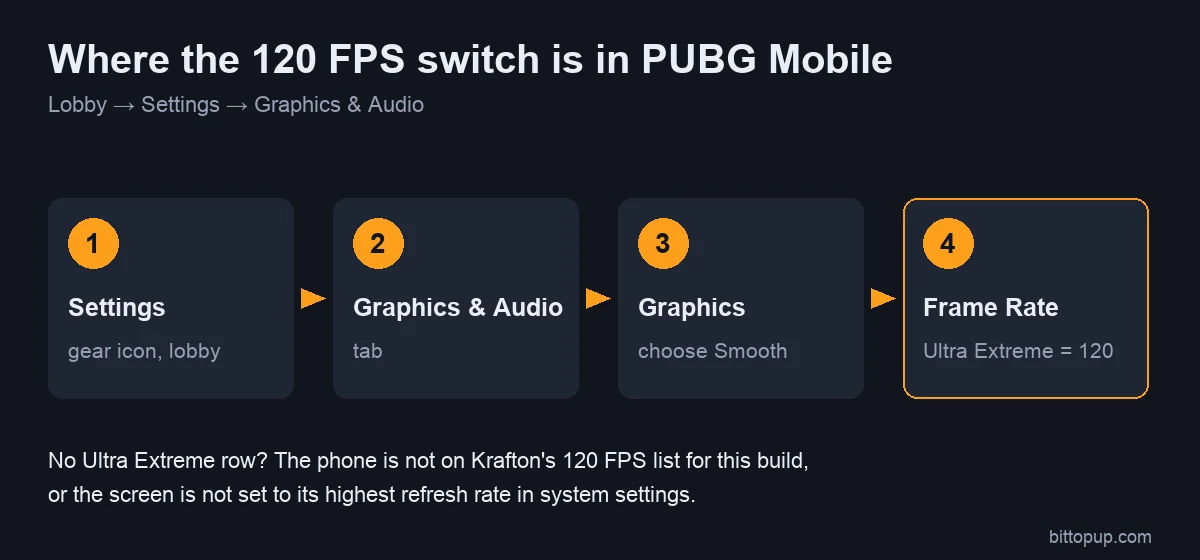
Lobby → Settings → Graphics & Audio.
Graphics: Smooth. Balanced, HD and HDR stop at 90 FPS; Ultra HDR stops at 60.
Frame Rate: Ultra Extreme.
Restart the game so the setting applies cleanly.
iPhone notes
ProMotion iPhones switch to 120 Hz automatically while you play. If 120 FPS still feels like 60, check Limit Frame Rate and Low Power Mode, and let the phone cool down. Some players report on Apple's forums that frame drops stop while screen recording runs; that is an unofficial workaround, not a fix from Apple or PUBG MOBILE.
Android notes
Set the phone's game mode (Samsung Game Booster, Xiaomi Game Turbo, OnePlus Games, ASUS Armoury Crate) to a performance profile for PUBG Mobile, so it does not cap the frame rate to save battery.
Ultra Extreme missing?
Graphics is not on Smooth.
The screen is set to 60 Hz or an adaptive/battery mode.
The game is not updated.
Your phone is below the chipset rule and has not been added after testing yet.
Avoid GFX tools, Magisk modules and edited config files that force 120 FPS. They change game files and can get the account banned.
60 vs 90 vs 120 FPS
The real-world differences
| Extreme (60) | 90 FPS | Ultra Extreme (120) |
|---|
Time between frames | 16.7 ms | 11.1 ms | 8.3 ms |
Frames vs 60 FPS | — | +50% | +100% |
Battery and heat | lowest | higher | highest |
The jump from 60 to 90 is the one most players notice. 90 to 120 is smaller, so a steady 90 beats a 120 that keeps dipping during fights. See the 90 FPS device list if your phone stops at 90.
FAQ
How much FPS is Ultra Extreme in PUBG Mobile?
120 FPS. Extreme is 60 FPS and Extreme+ (the 90 FPS row) is 90 FPS.
Is Ultra Extreme the same in BGMI?
Yes, Ultra Extreme means 120 FPS in BGMI too, but BGMI enables devices on its own schedule, so the same phone can differ between the two games.
Can I use Ultra Extreme with HD or HDR graphics?
No. 120 FPS needs Smooth graphics. HD and HDR allow up to 90 FPS on select devices, and Ultra HDR up to 60.
How do I enable 120 FPS in PUBG Mobile?
Set your screen to 120 Hz, then Settings → Graphics & Audio → Graphics: Smooth → Frame Rate: Ultra Extreme, and restart the game.
Conclusion
Ultra Extreme is 120 FPS, available with Smooth graphics on 120 Hz iPhones and iPads and on Android phones that meet the official chipset rule. If your menu stops at Extreme or 90 FPS, that is your device's current limit. If you need UC for the Royale Pass, you can top up PUBG Mobile UC on BitTopup with your Player ID.
Sources