


Apple Gift Card (DK) Top Up Overview & Supported Services
An Apple Gift Card (DK) is a digital voucher denominated in Danish Krone (DKK) designed specifically for Apple Accounts registered in Denmark. When you redeem this card, the full face value is added directly to your Apple Account balance. This allows you to purchase digital content, subscribe to services, and make in-game or in-app transactions without needing a credit card or debit card linked to your Apple ID.
Once redeemed, your balance applies across all Apple hardware and software platforms associated with your Danish Apple ID, including iPhone, iPad, Mac, Apple Watch, Apple TV, and Windows PC via supported Apple software.
What Your Danish Apple Balance Covers
- App Store: Purchase premium apps, mobile games, utilities, and software packages.
- In-App Purchases: Top up in-game currency, battle passes, and special items in popular mobile games.
- Subscriptions: Pay for monthly or annual recurring services including Apple Music, Apple TV+, Apple Arcade, Apple Fitness+, and iCloud+.
- Media & Entertainment: Buy or rent movies and TV shows via the Apple TV app, purchase audiobooks, or buy digital books through Apple Books.
Regional Restrictions & Denmark Apple Account Requirements
Apple Gift Cards are strictly region-locked. A gift card denominated in Danish Krone (DKK) can only be redeemed on an Apple Account where the country or region setting is set to Denmark.
| Attribute | Requirement Details |
|---|---|
| Card Currency | Danish Krone (DKK / kr.) |
| Account Region | Denmark (Danmark) |
| Cross-Region Use | Not supported (Cannot redeem on US, UK, German, or Swedish accounts) |
| Payment Method Required | None (Card balance covers purchases directly) |
| Delivery Method | 16-character digital code via email & order page |
If your account is registered to another region, you will see an error message stating that the code must be redeemed in the Danish storefront. To avoid this, verify your account's country settings before completing your purchase.
How to Verify Your Danish Apple Account Region
Before redeeming your code, ensure your Apple ID is set to Denmark. Follow these quick steps on your device:
- Open Settings on your iPhone or iPad.
- Tap your Name / Apple ID profile banner at the top.
- Tap Media & Purchases, then select View Account.
- Tap Country/Region to see your current storefront setting.
- Confirm that Denmark is selected.
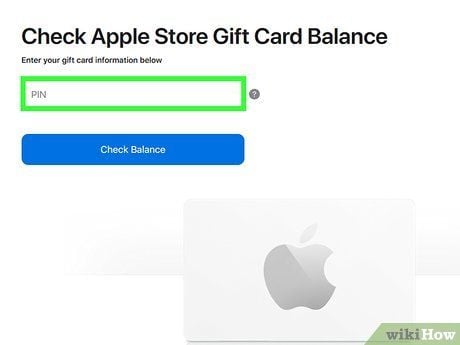
If you need to change your region to Denmark, you must first spend any remaining store credit on your current account, cancel active subscriptions, and ensure you have a valid local address format.
Step-by-Step: How to Recharge Your Danish Apple Account Balance
Redeeming your digital code is simple and takes less than a minute. You can complete the process on iOS devices, Mac computers, or a Windows PC.
On iPhone, iPad, or iPod touch
- Open the App Store app.
- Tap your profile icon or sign-in button at the top of the screen.
- Tap Redeem Gift Card or Code.
- Tap Enter Code Manually (you can also use your device camera to scan the code).
- Enter the 16-digit code received from BitTopup.
- Tap Redeem in the top-right corner. The DKK balance will instantly reflect on your account.
On a Mac (macOS)
- Open the App Store on your Mac.
- Click your name or the sign-in button in the sidebar.
- Click Redeem Gift Card in the upper-right area.
- Type in your 16-digit digital code.
- Click Redeem to update your Danish Apple Account balance.
On a Windows PC
- Open the Apple Music app, Apple TV app, or iTunes.
- Sign in with your Danish Apple ID.
- Click your account name at the bottom of the sidebar or top menu bar, then choose Redeem.
- Enter the 16-digit code and click Redeem.
What You Can Buy with Apple Gift Card DKK
Your Danish Apple balance serves as the primary payment method for digital transactions across the Apple ecosystem. When you make a purchase, Apple automatically deducts funds from your Apple Account balance before charging any secondary payment method.
Supported Services and Content Types
- iCloud+ Storage: Upgrade to 50 GB, 200 GB, or 2 TB plans with features like iCloud Private Relay and Hide My Email.
- Apple Arcade: Access hundreds of premium games without ads or additional in-app purchases.
- Apple Music & TV+: Stream millions of tracks, curated playlists, original movies, and series.
- In-Game Currencies: Buy gems, coins, skins, and battle passes inside your favorite iOS titles without sharing card details with third-party app developers.
Safe and Instant Digital Delivery Checkout via BitTopup
BitTopup provides a direct, secure way to buy Apple Gift Card Denmark digital codes online. All transactions are processed through encrypted channels with prompt digital fulfillment.
- Zero Account Sharing: You never need to provide your Apple ID password or login credentials. We deliver an official digital alphanumeric code that you redeem yourself.
- Instant Digital Delivery: Your code is displayed directly on your order confirmation screen and sent straight to your registered email address right after checkout.
- Live, Transparent Pricing: Denominations and real-time prices are clearly displayed on the product checkout selection. Check the live selector above for current rates.
- Flexible Payment Methods: Pay using a variety of secure international payment options without needing a Danish bank card.
- Responsive Customer Support: If you ever encounter an issue with your code delivery or redemption, our support team is available to assist you promptly.
Troubleshooting Common Apple Gift Card Redemption Errors
If you run into an issue while redeeming your card, consult these common solutions:
1. "Card is not valid in this country or region"
- Cause: Your Apple ID is set to a country other than Denmark.
- Fix: Change your Apple ID country/region to Denmark or redeem the card using a dedicated Danish Apple ID profile.
2. "Code is invalid"
- Cause: Typing error or mistaking similar characters.
- Fix: Check for easily confused letters and numbers, such as
0(zero) andO,1(one) andI, or8andB. Copy and paste the 16-digit code directly from your BitTopup order details.
3. "Card has already been redeemed"
- Cause: The code was already added to your balance, or another family member on a shared device redeemed it.
- Fix: Sign out of the App Store and sign back in to refresh your balance display. Check your purchase history to verify if the funds were already applied.
4. Balance Not Updating After Redemption
- Cause: App Store cache delay.
- Fix: Force close the App Store app and reopen it, or restart your device. Your balance will refresh to show the newly added DKK credit.
Frequently Asked Questions
Can I buy an Apple gift card in Denmark online?
Yes. You can purchase official Apple Gift Card (DK) digital codes online through BitTopup. Once payment is confirmed, the 16-digit redemption code is delivered instantly to your screen and email.
Can I recharge my Apple Account balance with an Apple Gift Card DK?
Yes. Redeeming the Danish Apple Gift Card code directly adds the DKK amount to your Apple Account balance, which can then be used for apps, games, subscriptions, and media purchases.
Can I use a Danish Apple Gift Card for an account registered in another country?
No. Apple Gift Cards are locked to the specific country and currency of purchase. A DK gift card in Danish Krone can only be redeemed on an Apple ID whose region setting is Denmark.
How do I redeem my Apple Gift Card DK code on an iPhone or Mac?
On an iPhone or iPad, open the App Store, tap your profile icon, tap Redeem Gift Card or Code, enter the 16-character code, and tap Redeem. On a Mac, open the App Store, click your name in the sidebar, click Redeem Gift Card, enter the code, and confirm.
Can I convert an Apple Gift Card to cash or request a refund?
No. Once a digital code has been purchased and delivered, it cannot be exchanged for cash, refunded, or transferred to another account, in accordance with Apple terms and digital product policies.
Can I buy an Apple Gift Card DK online and send it to someone else?
Yes. You can buy the code on BitTopup and forward the 16-digit code to a friend, family member, or colleague. As long as they use an Apple Account set to Denmark, they can redeem the full balance to their own profile.