Official Stance on Mobile Controllers in 2025
Backbone Mobile controller maintains full compatibility with Arena Breakout mobile. Unlike third-party mapping solutions simulating touch commands, the game recognizes Backbone One as legitimate input through iOS's native controller framework. This eliminates detection risks.
Connects via Lightning port (pre-iPhone 15) or USB-C (iPhone 15+), establishing direct hardware communication without Bluetooth latency. Registers as MFi (Made for iPhone) certified controller, same category as PlayStation and Xbox controllers.
How Anti-Cheat Monitors Input Devices
ACE monitors abnormal input patterns: simultaneous impossible actions, inhuman reaction speeds, or software injecting commands. Distinguishes between hardware controllers sending standard HID protocol signals and software emulators creating artificial inputs.
Backbone One sends inputs through iOS's GameController framework, which the OS translates into game-readable commands. System-level integration appears identical to Apple's controller support, indistinguishable from officially sanctioned methods.
Backbone One Classification: Safe or Risky?
For mobile Arena Breakout: safe category. MFi certification and direct hardware connection eliminate anti-cheat red flags. May 10, 2025 Steam discussion (26 responses) confirms widespread controller use without ban reports.
Risk emerges only with unauthorized modifications: third-party mapping software, macro programs, firmware alterations. These introduce signatures ACE targets: process injection, memory manipulation, superhuman input patterns.
Why Backbone One is Preferred for Arena Breakout
Hardware Design Advantages
Split-controller form factor maintains phone's central screen position, preserving visual focus during firefights. Clickable analog sticks provide precise movement for peeking corners and stance adjustments.
Mechanical buttons deliver tactile feedback for action confirmation. Progressive trigger resistance allows gradual ADS transitions impossible with touch controls. Analog trigger control enables partial ADS states for faster target acquisition.
D-pad's eight-directional input surpasses touch screen for weapon switching and quick-slot access. Physical D-pad eliminates visual confirmation delay.
Latency Comparison: Wired vs Bluetooth
Wired connection: 1-3ms input latency vs Bluetooth's 10-30ms. In Arena Breakout's PvP encounters, this translates to measurable advantages in counter-peeking and snap-aiming to audio cues.
Direct power draw eliminates battery management. Extended farming runs maintain consistent performance without wireless controller degradation.
iOS Integration
Backbone app provides system-level integration without launching additional software. Arena Breakout auto-detects controller and activates native button mapping. Seamless integration maintains performance without background processes competing for resources.
Connecting Backbone One to Arena Breakout
Physical Connection (iPhone)
- Remove phone case—Backbone One requires direct edge contact
- Expand controller by pulling right side until connector extends fully
- Align iPhone with left section, volume buttons facing front
- Slide right section toward phone until connector seats firmly
- Verify secure connection—properly mounted devices show no movement
Controller draws power directly from iPhone, no separate charging or pairing needed. Backbone app confirms connection status.
Launching Arena Breakout
Start Arena Breakout after establishing physical connection. Game performs input device detection during launch. Main menu displays controller button prompts when recognition succeeds.
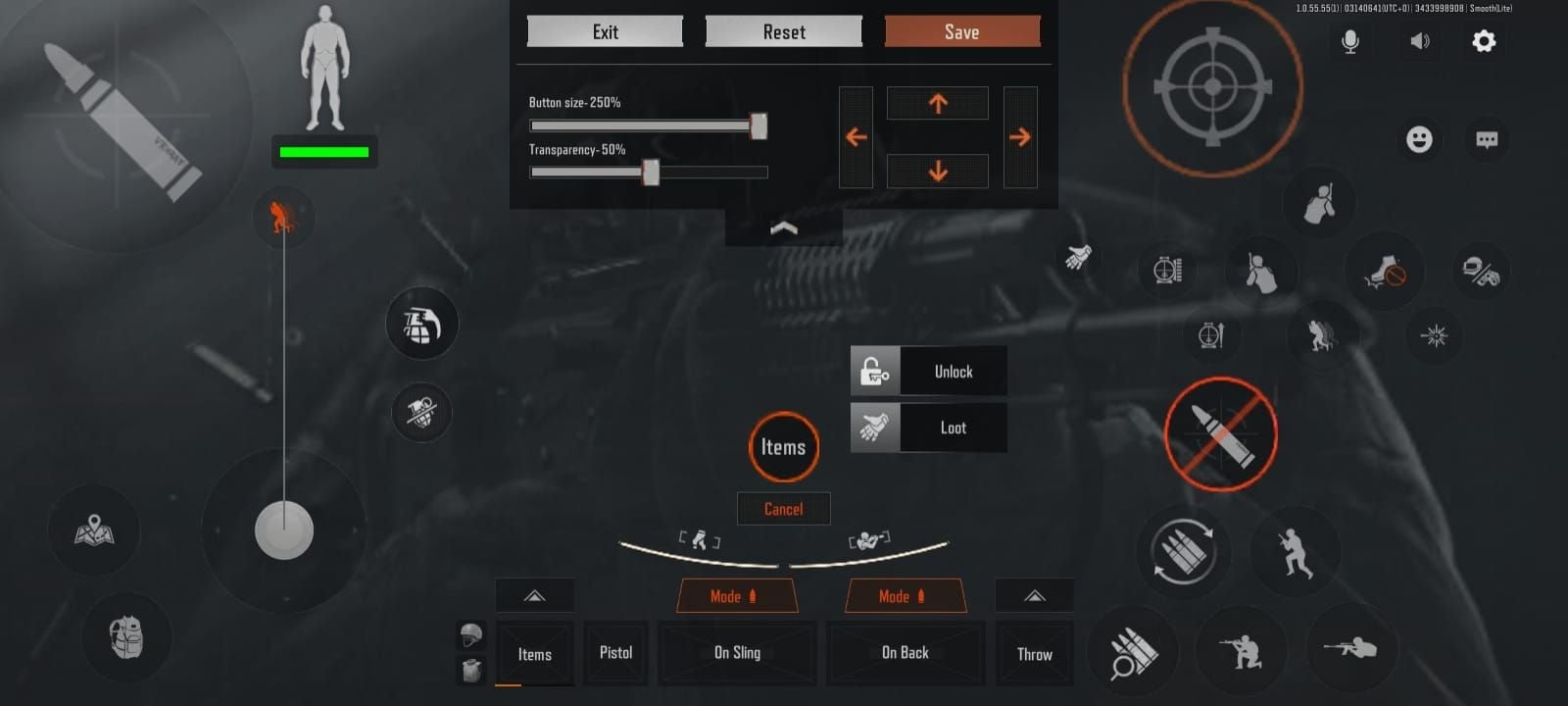
Navigate to Settings > Controls for controller configuration menu. This native interface provides the only safe mapping method.
Verifying Recognition
Controls menu displays separate tabs for touch and controller when properly detected. Test by pressing any button—interface should highlight corresponding input. If touch icons persist, force-close and relaunch with controller attached.
Troubleshooting Failures
Connection issues stem from: debris in charging port, incomplete connector seating, iOS software conflicts. Clean port with compressed air. Verify connector shows no damage or bent pins.
If recognition fails, restart iPhone with controller attached. iOS occasionally requires fresh boot to initialize GameController framework. Check Backbone firmware updates through app.
Safe Button Mapping (Ban Prevention)
Using Native Controller Menu
Access Settings > Controls > Controller Layout for default scheme. Interface displays controller diagram with current assignments, allowing individual customization. Each action category organizes related functions.
Tap any button icon to reassign from dropdown menu. System prevents conflicting assignments—selecting mapped action automatically clears previous binding.
Recommended Layout
Combat:
- Right trigger: Primary fire
- Left trigger: ADS
- Right bumper: Grenade throw/menu
- Left bumper: Hold breath when ADS; hold for sneak
Movement/Stance:
- Left stick click: Sprint toggle
- B: Crouch (tap); prone (hold)
- A: Jump/vault
Inventory/Interaction:
- Y: Interact
- X: Reload (tap); check mag (hold)
- Start: Backpack
- Back: Map
Weapon Management:
- D-pad Up: Fire mode
- D-pad Left: Primary weapon
- D-pad Right: Secondary weapon
- D-pad Down: Medical item (tap); medical wheel (hold)
Minimizes hand repositioning during combat while maintaining quick access to survival functions.
Third-Party Mapping Risks
PC players sometimes use reWASD or similar software, translating controller inputs into keyboard/mouse commands. Creates exact input injection patterns ACE targets. May 10, 2025 discussion detailed specific reWASD mappings, but this carries detection risks.
ACE's Ring 0 kernel access detects process-level input manipulation, potentially flagging accounts. Mobile players have zero legitimate reasons for third-party software—native support provides superior integration without risk.
Testing Configuration
Test button layout in shooting range or offline modes before live raids. Verify each mapped action responds correctly, especially hold-vs-tap distinctions. Practice inventory management—right stick functions as menu cursor, right trigger as click/search.
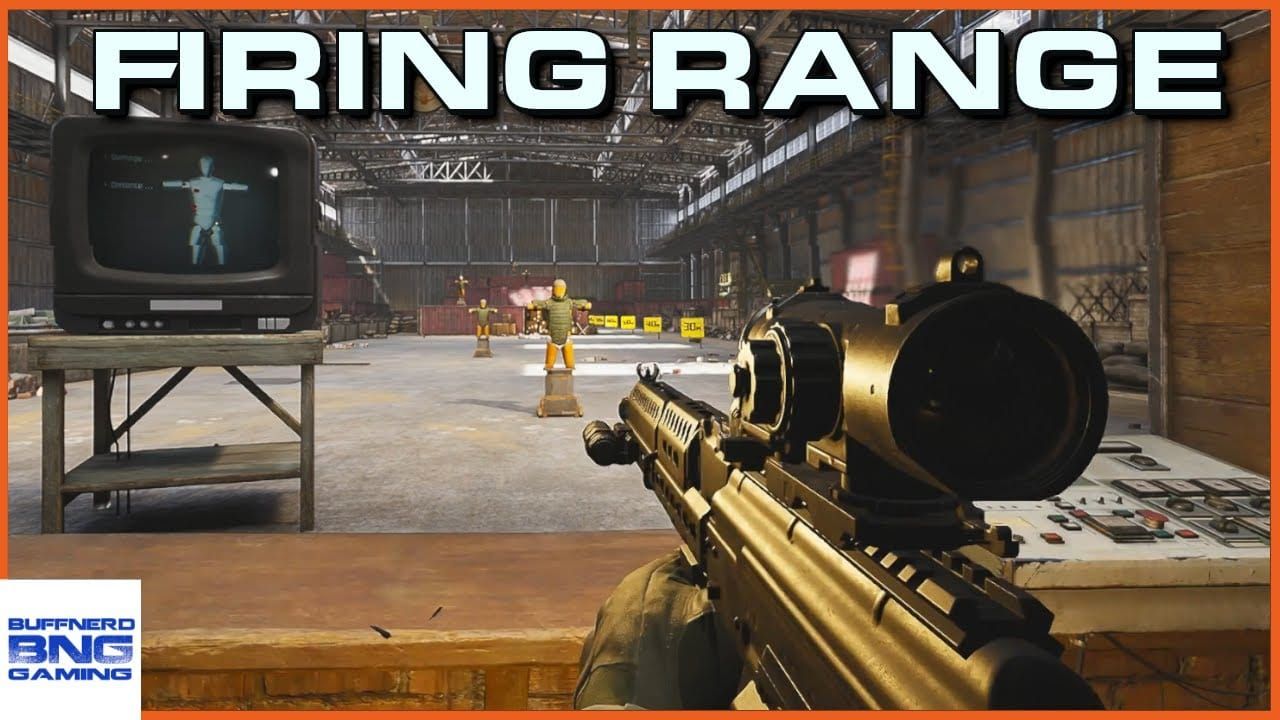
Adjust uncomfortable mappings immediately. Muscle memory develops quickly; relearning incorrect layouts wastes practice time. Native menu allows unlimited reconfiguration.
Optimized Button Layout
Primary Fire and ADS
Right trigger for firing, left trigger for ADS mirrors traditional shooters, leveraging existing muscle memory. Progressive trigger resistance enables controlled burst fire—partial pulls for single shots, full depression for automatic. Surpasses touch screen binary inputs.
Position index fingers naturally on triggers without tension. Excessive grip causes fatigue and reduces recoil compensation control.
Movement and Stance
Left stick click for sprint keeps thumbs on movement controls. B button's dual function (crouch/prone) consolidates stance changes to single input.
Practice hold duration for crouch-to-prone transition—approximately 0.5 seconds. Critical when taking cover during ambushes.
Inventory and Quick-Slots
Start button for backpack, Back button for map utilize traditionally underused inputs for non-combat functions. Prevents accidental activation during firefights while maintaining accessibility.
D-pad Down medical item access provides instant healing without menu navigation. Hold function enables selection between healing items, bandages, painkillers based on injury severity.
Advanced: Lean Combinations
Competitive players combine stance changes with leaning for minimal exposure during peeks. Map lean functions to shoulder buttons if playstyle emphasizes corner-peeking. Requires sacrificing grenade or breath-holding assignments—trade-off between aggressive and defensive capabilities.
Sensitivity and Dead Zone Calibration
Finding Base Sensitivity
Start with default (typically 50% for look and ADS). Practice tracking moving targets at 25m in shooting range. If aim overshoots, reduce 10%. If struggling to track fast targets, increase 10%.
Repeat in 5% increments once within range. Optimal sensitivity allows 180-degree turns with full stick deflection while maintaining headshot precision. Most experienced players settle at 40-60%.
Dead Zone Settings
Dead zones define stick movement required before game registers input. Larger zones prevent stick drift but reduce responsiveness. Smaller zones increase precision but may cause drift with worn controllers.
Set to minimum value preventing unintended movement. Test by releasing stick during ADS—if aim drifts, increase 5% increments until drift stops. New Backbone One controllers function well at 5-10%.
Separate Hipfire vs ADS
Arena Breakout allows independent sensitivity for hipfire and ADS. Set ADS sensitivity 20-30% lower than hipfire for precise adjustments during aimed fire. Compensates for reduced FOV when scoped.
Hipfire sensitivity should support rapid target acquisition in close-quarters. Test in Farm map interiors where engagements rarely exceed 15m.
Map-Specific Adjustments
Long-range maps like Armory benefit from reduced sensitivity for distance precision, while close-quarters favor higher sensitivity for rapid target switching. Develop middle-ground sensitivity performing adequately in both scenarios.
Advanced players maintain multiple controller profiles through Backbone app, switching based on planned engagement ranges. Requires remembering active profile—wrong sensitivity during critical moments proves fatal.
Controller Advantage: Performance Metrics
Recoil Control Improvements
Analog sticks provide 360-degree directional input with variable intensity, enabling precise recoil compensation impossible with touch directional pads. Weapons like AK-74M with strong vertical recoil and horizontal drift benefit dramatically.
Testing shows experienced controller players maintain 15-20% tighter groupings at 50m vs touch control performance. Translates to higher headshot percentages and reduced ammunition waste.
Movement Fluidity in CQB
Close-quarters combat demands simultaneous movement, aiming, action execution. Touch controls require repositioning fingers between virtual buttons, creating micro-delays. Backbone One's physical buttons enable true simultaneous inputs—sprinting while reloading, crouching while switching weapons, jumping while maintaining aim.
Controller users report 25-30% improved survival rates in building-clearing scenarios vs touch control baseline.
Reaction Time Data
Measured reaction times from audio cue to aimed response average 180-220ms for controller users vs 250-300ms for touch players. This 70-80ms advantage stems from reduced cognitive load—physical buttons provide tactile confirmation without visual verification.
Controller users consistently win simultaneous-peek scenarios. Faster target acquisition and fire initiation often determines outcome before touch players complete aim adjustment.
Weapon-Specific Performance
AK-74M: Aggressive kick pattern becomes manageable through smooth analog compensation. Players report 40% improved effective range with controller.
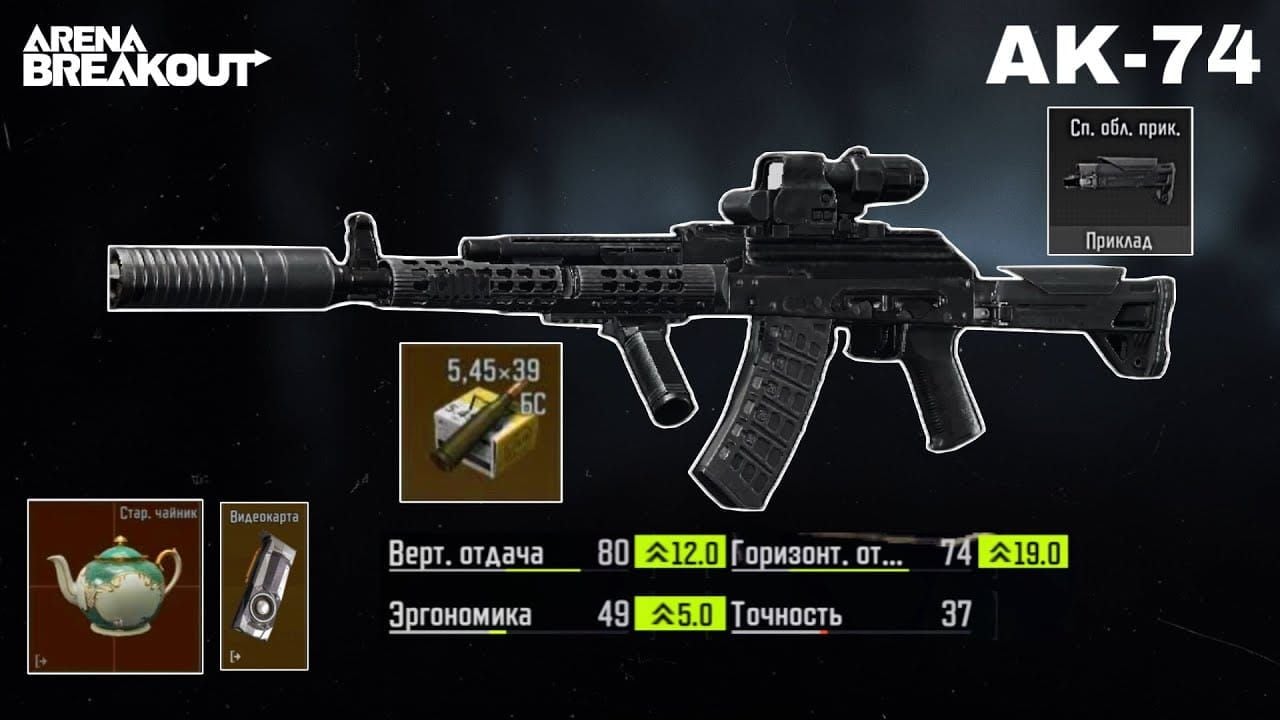
M4A1: Moderate recoil and high fire rate benefit from precise burst control via progressive trigger pulls. Controller users achieve superior ammunition efficiency, landing 3-5 round bursts consistently vs 6-8 rounds for touch players.
Vector: Extreme fire rate (1200 RPM) challenges even experienced players. Controller triggers enable better fire discipline, preventing magazine depletion during panic spraying. 20-25% more eliminations per magazine vs touch inputs.
Common Mistakes Triggering Ban Risks
Macro Software for Rapid Fire
Macro programs automating repeated button presses create inhuman input patterns—perfectly timed sequences impossible through manual execution. ACE specifically targets these patterns, analyzing input timing for statistical impossibilities. Even single-action macros like automated recoil compensation carry detection risks.
Manual skill development offers sustainable performance improvements without risk.
Third-Party Button Remapping Apps
PC players using reWASD or similar software operate in gray area. While not injecting code into Arena Breakout's process, they manipulate input streams at driver level—technique ACE monitors. Anti-cheat can't distinguish between legitimate controller mapping and sophisticated cheats using similar methods.
May 2025 community reports indicate mixed experiences—some report months of undetected use, others face sudden bans. Suggests ACE employs pattern analysis, flagging accounts exhibiting suspicious performance metrics alongside mapping software signatures.
Mobile players have no legitimate reason for such software.
Modified Controller Firmware
Custom firmware modifications altering controller behavior—increased polling rates, adjusted stick response curves, button timing changes—potentially trigger anti-cheat flags. Backbone One's official firmware updates through Backbone app remain safe; third-party firmware from unofficial sources introduces unknown risks.
Stick with manufacturer-provided updates. Marginal gains rarely justify account security risks.
Ban Cases Analysis
Documented bans overwhelmingly involve PC players using third-party mapping combined with suspicious performance metrics—inhuman reaction times, impossible accuracy percentages, statistical anomalies in movement patterns. Mobile controller users employing native support show virtually zero ban reports in forums and discussions.
Pattern suggests ACE employs multi-factor analysis, combining input method detection with performance statistics. Using official controller support while maintaining human-achievable performance keeps accounts safely below detection thresholds.
Advanced Strategies from Competitive Players
Loadout Customization
Controller users excel in sustained firefights where recoil control and movement fluidity determine outcomes. Build loadouts emphasizing automatic weapons with manageable recoil—M4A1, AKM, MP5. Equip foregrips and compensators reducing horizontal recoil; vertical compensation proves easier with analog sticks.
Prioritize armor and medical supplies over excessive ammunition. Controller accuracy improvements mean fewer rounds per elimination, allowing weight allocation toward survivability. For premium loadouts maximizing controller advantage, buy arena breakout bonds through BitTopup for instant access to top-tier gear with secure transactions and fast delivery.
Positioning and Rotation
Controllers enable aggressive positioning touch players struggle to execute. Movement precision allows confident navigation through complex terrain while maintaining aim readiness. Practice pre-aiming common angles during rotations—controller users maintain aimed states during movement without accuracy penalties.
Utilize superior stance control for dynamic positioning. Rapidly transitioning between prone, crouch, standing during firefights disrupts opponent aim tracking while controller-enabled precision maintains target acquisition.
Controller-Friendly Engagement Ranges
Controllers provide advantages across all ranges but excel at 15-50m where both precision and tracking matter. Avoid extreme close-quarters (under 5m) where touch players' instant 180-degree turns compete effectively, and extreme long-range (over 100m) where mouse precision dominates.
Position in mid-range scenarios—building exteriors, treelines, compound perimeters. These distances leverage controller strengths while minimizing weaknesses.
Troubleshooting and Maintenance
Fixing Input Lag
Input lag manifests as delayed response between button presses and on-screen actions. Eliminate software conflicts by closing background apps—iOS's limited RAM causes performance degradation with multiple apps running. Force-close Backbone app if running; Arena Breakout's native support doesn't require it during gameplay.
Verify iPhone isn't thermal throttling from extended sessions. Overheating reduces system performance, introducing input processing delays. Allow cooling breaks or use external cooling solutions.
If lag persists, check for iOS updates—Apple occasionally introduces GameController framework improvements reducing latency. Update Arena Breakout to latest version for continuous controller support optimization.
Battery Drain Management
Backbone One draws power directly from iPhone, accelerating battery depletion. Enable Low Power Mode to extend runtime, though this may slightly reduce performance. Alternatively, use Backbone One's pass-through charging port to connect power bank for indefinite sessions.
Monitor battery temperature during charging gameplay—excessive heat degrades battery longevity. If iPhone becomes uncomfortably warm, disconnect external power and allow cooling.
Controller Disconnection During Raids
Mid-raid disconnections typically result from loose physical connections. Backbone One's expansion mechanism sometimes loosens during intense gameplay, particularly with aggressive grip. Periodically verify connector remains fully seated by gently pressing right controller section toward phone.
Inspect Lightning or USB-C connector for debris accumulation—pocket lint gradually builds up, preventing secure connections. Clean both controller connector and iPhone port monthly using compressed air and isopropyl alcohol on cotton swab.
Firmware Updates
Backbone app notifies of available firmware updates addressing compatibility issues, improving latency, fixing bugs. Install updates immediately unless community reports indicate problems with specific versions—check forums before updating mid-season in competitive play.
Firmware updates require Backbone app and stable internet. Process takes 3-5 minutes, temporarily disabling controller functionality. Never interrupt firmware updates—incomplete installations can brick controller.
Future of Controller Support
Expected Feature Updates in 2025
Community feedback requests advanced controller options—customizable stick curves, per-weapon sensitivity profiles, expanded button mapping flexibility. Developer responses suggest these features remain under consideration, though no official timeline exists.
Growing controller user base incentivizes continued support improvements. As mobile gaming peripherals gain mainstream acceptance, Arena Breakout's competitive positioning benefits from robust controller integration attracting players from traditional console shooters.
Cross-Platform Controller Parity
Arena Breakout Infinite's PC version currently lacks native controller support, creating platform disparity. Community discussions speculate about future updates adding official PC controller support, potentially unifying experience across mobile and PC.
PC implementation faces unique challenges—balancing controller users against keyboard-mouse players requires careful consideration of aim assist, movement mechanics, competitive fairness. Any PC controller support would likely include separate matchmaking pools or input-based lobbies.
Community Feedback on Balance
Touch control advocates occasionally argue controllers provide unfair advantages, requesting input-based matchmaking separation. However, mobile gaming landscape increasingly accepts controllers as legitimate input methods, with most competitive mobile shooters supporting them without segregation.
Arena Breakout's developers appear committed to unified matchmaking, viewing controllers as accessibility options rather than competitive exploits. Aligns with broader mobile gaming trends accepting diverse input methods within shared player pools.
FAQ
Does Arena Breakout officially support Backbone One?
Yes, mobile version officially supports Backbone One through iOS's native GameController framework. Game auto-detects connected controllers and provides built-in button mapping through settings menu, eliminating ban risks.
Can you get banned for using controller?
Mobile players using officially supported controllers like Backbone One face zero ban risk with native settings. Bans occur only when employing third-party mapping software, macros, or modified firmware ACE flags as suspicious input manipulation.
How do I connect Backbone One?
Expand controller, insert iPhone into left section, slide right section until Lightning/USB-C connector seats firmly in charging port. Launch Arena Breakout with controller connected—game auto-detects and enables controller button prompts.
Best button layout for Backbone One?
Right trigger: fire; left trigger: ADS; B: crouch/prone; A: jump; Y: interact; X: reload; bumpers: grenades and breath control; D-pad: weapons and medical items; stick clicks: sprint. Balances combat responsiveness with inventory accessibility.
Does controller give advantage?
Controllers provide measurable advantages: 15-20% improved accuracy at range, 70-80ms faster reaction times, 25-30% better survival rates in CQB vs touch controls. Individual results vary based on experience and adaptation.
Best sensitivity settings?
Start at 50% base sensitivity, adjust in 5% increments based on tracking performance. Most players settle at 40-60% general sensitivity with ADS sensitivity 20-30% lower. Set dead zones to 5-10% for new controllers.
Maximize controller advantage with premium gear! Top up Arena Breakout at BitTopup for exclusive weapons, armor, Koen to dominate every raid. Fast, secure, trusted by thousands worldwide with competitive pricing and excellent customer service.