


Block StarMaker Bot Duets: Keep Profile Public (2025)
Approximately 90% of StarMaker accounts are fake or bots sending automated duet invites that clutter notifications. This guide shows how to block bot duet invites while maintaining a public profile for organic growth through duet permission settings, account identification, and advanced filtering—without sacrificing discoverability.


What Are Bot Accounts and Why They Target Duets
Bot accounts operate as automated profiles with dummy recordings and generic interactions. With 90% of accounts being fake, bots target duets because invites create forced engagement—notifications draw attention to their profiles, artificially inflating visibility metrics.
Bots exploit StarMaker's collaborative duet system with low-quality audio, generic songs, and minimal personalization. The invitation mechanism provides direct notification access, bypassing normal discovery algorithms.
How Bot Invites Affect Your Experience
Constant bot invites create notification fatigue, making it difficult to identify legitimate collaborations. You risk missing genuine engagement from real followers while wasting time reviewing fraudulent requests.
Bot interactions can hurt your algorithmic performance. Accepting bot duets associates your content with low-quality profiles, potentially reducing visibility to genuine users. Recommendation systems may interpret bot engagement as your preferred style, attracting more automated accounts.
The Cost of Setting Your Profile to Private
Many users mistakenly believe going private is the only solution. However, StarMaker Lite has no private profile option, and even in the full version, going private severely limits growth. Private profiles don't appear in search results, trending lists, or recommendation feeds—eliminating organic discovery.
StarMaker has an option to allow duets on own solos without requiring a private profile. You can maintain public discoverability while controlling who initiates collaborations through granular privacy controls.
For enhanced StarMaker experience with VIP features including advanced privacy controls, starmaker coins recharge through BitTopup offers secure transactions with competitive pricing and instant delivery.
Complete Guide to Duet Permission Settings
Accessing Privacy and Collaboration Controls
Navigate to duet settings: tap your profile icon → gear icon → Privacy or Collaboration section. Duet permission controls sit separate from overall profile visibility settings. This separation is crucial—you can maintain a completely public profile while restricting duet invitations.
Four Duet Permission Levels

- Everyone: Any user can send duet invites. Maximizes collaboration but exposes you to full bot spam.
- Followers Only: Restricts invites to followers. Blocks ~80% of automated attacks since most bots don't follow before sending mass invites.
- Friends Only: Limits invites to mutual friends. Maximum protection but significantly reduces spontaneous collaborations.
- Off: Completely disables duets. Eliminates bot invites but removes core engagement mechanism.
Recommended Settings by User Type
Growing artists: Use Followers Only for optimal protection without sacrificing discoverability. Genuine fans who follow can collaborate while blocking most bots.
Established users: Friends Only works best when you actively curate your friends list, focusing on quality collaborations.
New users: Use Everyone mode for first 2-3 weeks to maximize early collaborations. Switch to Followers Only after building 100-200 engaged followers.
Method 1: Enable 'Followers Only' Duet Mode
Step-by-Step Configuration
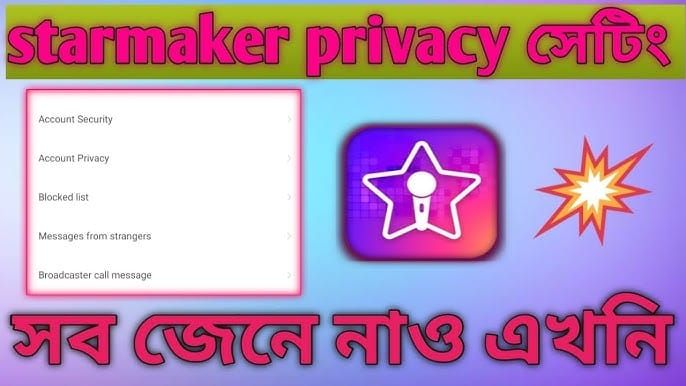
- Open StarMaker settings through profile page
- Navigate to Privacy or Collaboration settings
- Locate Duet Permissions or Who Can Duet With Me
- Select Followers Only
- Confirm change (some versions auto-apply, others require Save)
- Verify in privacy dashboard
Takes effect immediately across all published recordings. New invites only come from followers.
How This Blocks Bots While Maintaining Discoverability
Bots operate on volume, sending thousands of invites daily. Following each target before inviting is economically unviable—it requires additional API calls and creates traceable connections making bot networks easier to detect and ban.
Your profile remains fully public—appearing in search results, trending lists, and recommendations exactly as before. Restriction applies only to duet invitations. Users can still view content, like recordings, comment, and follow. They must follow before sending duet invites.
Expected Results
Most users see immediate 70-85% reduction in bot invites. Remaining spam comes from sophisticated bots that do follow first. Within 48 hours, your notification feed should show primarily legitimate collaboration requests.
Monitor duet invite quality over the first week. Invites should come from accounts with complete profiles, multiple recordings, and genuine engagement patterns.
Method 2: Set Up 'Friends Only' Collaboration Filter
Creating Your Trusted Friends List
Friends system requires mutual acceptance, creating curated networks. Send friend requests to users whose content aligns with your style. Focus on accounts with:
- Account age over 3 months
- At least 20 original recordings
- Regular comment activity
- Follower-to-following ratio suggesting organic growth
Accept requests selectively. Look for personalized messages—bots rarely include custom text. Check recording history for variety and quality progression.
Configuring Friends-Only Duet Permissions
After building 15-20 trusted friends:
- Access Privacy settings
- Select Friends Only in duet permissions
- Review current friends list
- Enable and confirm
Provides maximum protection while maintaining collaborations with curated network. Likelihood of spam drops to near zero. Trade-off: reduced spontaneous collaborations from new users.
Managing Friend Requests Efficiently
Implement weekly review process for pending requests rather than immediate responses. Create criteria: minimum account age, recording quality threshold, evidence of genuine participation.
Reject requests from accounts with generic usernames, no profile picture, or fewer than 10 recordings. Communicate collaboration preferences in profile bio.
Advanced Bot Prevention
7 Red Flags of Bot Accounts
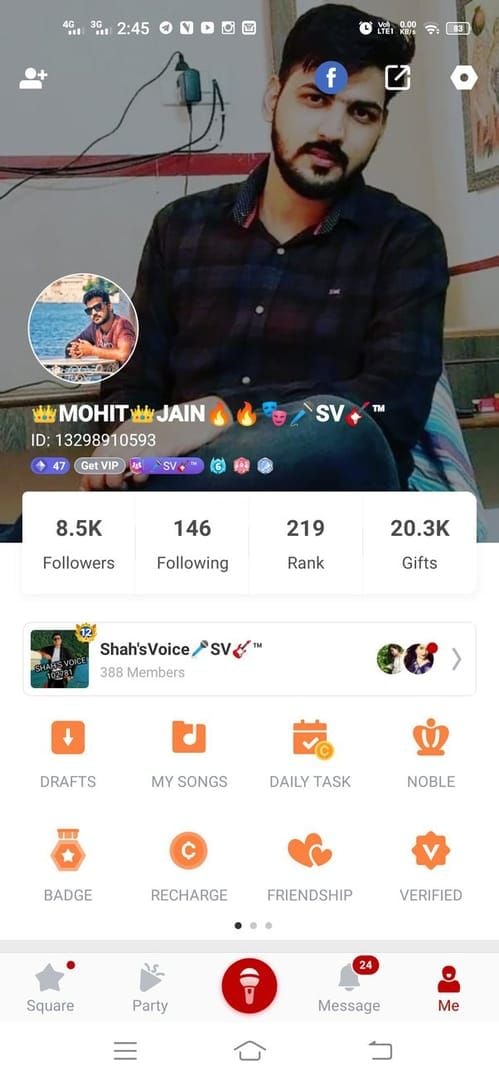
- Generic usernames: Random letters/numbers (e.g., user847392) or formulaic patterns
- Minimal profile info: No bio, default picture, missing social media links (feature added 12 Dec, version 9.21.2)
- Dummy recordings: Low-quality audio with identical song choices, often same 5-10 popular tracks
- Suspicious follower ratios: Following thousands while having few followers
- No engagement history: Zero comments, no likes given, no community interaction
- Recent creation: Profile under 2 weeks with high activity volume
- Identical patterns: Invites at precise intervals (every 2 hours) indicating automation
Using Block Function Strategically
Visit suspicious account's profile → three-dot menu → Block User. This removes them from followers, prevents future invites, and hides their content.
Blocking signals to algorithms that account engages in unwanted behavior. Multiple blocks flag account for review and potential removal.
Create monthly blocking routine reviewing recent followers and invite senders, removing obvious bots. Prevents bot accumulation that can hurt your account's perceived legitimacy.
Reporting Bot Networks
When encountering sophisticated bot networks—coordinated groups with similar patterns—report through Settings → Help & Support → Report Abuse.
Provide specific details: usernames of related accounts, timestamps, screenshots showing coordination. Effective reports include evidence: similar profiles, identical recordings, coordinated following/unfollowing.
For enhanced account security features, top up starmaker coins through BitTopup provides VIP membership benefits including advanced privacy controls, with fast delivery and secure payment.
Maintaining Profile Visibility While Protected
How Duet Settings Impact Search Rankings (They Don't)
Duet permission settings have zero impact on how StarMaker ranks and displays content. Algorithm evaluates content quality, engagement rates, completion rates, and retention—not collaboration accessibility.
Recordings appear in search, trending, and recommendations based entirely on performance metrics. Duet permission level affects only invitation mechanism, not algorithmic distribution. You can set Friends Only while still appearing in Top Trending if content performs well.
Optimizing Your Public Profile
Complete all profile fields—profiles with 100% completion rank higher. Since social media display feature was added 12 Dec (version 9.21.2), link Instagram, TikTok, or YouTube to demonstrate cross-platform credibility.
Use relevant keywords in bio describing musical style, genres, and collaboration interests. Include brief statement about duet preferences (e.g., Open to duets from followers—send me a request!).
Maintain consistent posting schedules—at least twice weekly. Quality matters more than quantity. Two well-produced recordings weekly outperform seven low-effort posts.
Balancing Privacy with Growth
Optimal privacy configuration evolves as your account grows. Review duet settings quarterly, adjusting based on growth stage and spam volume.
Track legitimate-to-bot invite ratio over 30 days. If legitimate exceeds bot by 3:1 or better, settings provide good balance. If bots dominate, tighten restrictions. If too few opportunities, temporarily relax settings.
Consider seasonal adjustments around major events or challenges. During platform-wide competitions, temporarily enable Everyone mode to maximize collaborations. Return to Followers Only after event concludes.
Common Mistakes
Misconception: Private Profile Is Only Solution
Most damaging mistake is assuming you must choose between bot spam and privacy. This false dichotomy causes talented users to hide content, severely limiting growth. StarMaker's granular controls allow complete public visibility while restricting duet invitations.
Private profiles don't appear in any discovery features—search, trending, recommendations, or genre browsing. You become invisible except to existing followers.
Mistake: Blocking All Duet Invites Completely
Setting duets to Off eliminates spam but removes powerful growth mechanism. Duets create network effects where your content reaches collaborator's audience and vice versa. This cross-pollination drives discovery.
Collaborative content performs better algorithmically because it signals community engagement. Recordings with duets receive boosts in recommendation feeds. By disabling duets, you sacrifice algorithmic advantages and viral potential.
Better approach: selective filtering through Followers Only or Friends Only modes.
Overlooking Notification Settings
Many focus exclusively on duet permissions while ignoring notification settings that attract bots. If notification settings allow public visibility of your activity (likes, comments, follows), bots identify you as active user and target you.
Disable Show my activity to everyone options. Restrict activity visibility to followers or friends only.
The pinned comments feature (added 29 Oct, version 9.18.5) allows you to control conversation tone. Pin a comment stating collaboration preferences to set clear expectations.
Troubleshooting: When Legitimate Users Can't Send Invites
Adjusting Filters for Real Collaborators
After implementing strict permissions, you may receive messages from frustrated legitimate users. Create clear communication in profile bio explaining settings and how collaborators can connect.
Include alternative contact methods: Duets open to followers only. Follow me and send a DM to discuss collaborations!
Monitor direct messages for collaboration inquiries and respond promptly. When you identify genuine user, add them as friend (Friends Only mode) or ask them to follow (Followers Only mode).
Creating Duet Whitelist System
While StarMaker lacks formal whitelist feature, create equivalent through strategic friend list management. Maintain dedicated friends category for Collaboration Partners—vetted users you want ongoing duet access with.
Periodically review friends list. Remove friends inactive for 3+ months. This curation keeps collaboration network focused on genuine, active users.
For occasional collaborators, use temporary permission adjustment. When planning specific collaboration, briefly switch to Followers Only, coordinate duet, then return to Friends Only.
Communicating Settings to Audience
Use profile bio to clearly explain duet policy: I love collaborating! Duets open to followers. Follow me and send your invite!
The private likes feature (added 29 Oct, version 9.18.5) allows private engagement, but duet settings should be publicly communicated. Consider creating pinned recording explaining collaboration process.
Respond to comments about collaborations with consistent messaging reinforcing your settings.
VIP Privacy Features
Exclusive Privacy Controls for VIP Members
VIP membership includes advanced privacy features unavailable to free users:
- Enhanced blocking: bulk blocking of suspicious accounts
- VIP security dashboard: analytics on profile views, invite attempts, and engagement
- Automated filters: minimum follower counts or account ages for duet eligibility
Advanced Filtering Options
VIP-exclusive filtering sets specific criteria for duet invite eligibility:
- Minimum account age (e.g., 30 days)
- Minimum recording count (e.g., 10 uploads)
- Minimum follower count (e.g., 50 followers)
These thresholds automatically block most bots. VIP accounts also access priority support—bot reports reviewed within 24 hours vs. 3-5 days for free users.
How to Upgrade with BitTopup
VIP features require StarMaker VIP membership obtained through coin purchases. BitTopup offers secure StarMaker coin recharge with competitive pricing, instant delivery, and excellent customer service. Multiple payment methods ensure convenient access regardless of location.
Monitoring and Maintaining Privacy Settings
Monthly Privacy Audit Checklist
- Review duet invite quality: Calculate legitimate-to-bot ratio over past 30 days
- Check follower list: Identify and remove obvious bot accounts
- Audit friends list: Remove inactive or suspicious friends
- Update password: Change every 3-4 months using strong combination (uppercase, lowercase, symbols, numbers, minimum 12 characters)—blocks 80% of automated attacks
- Review blocked accounts: Verify blocks remain active
- Check Security Devices section: Review active sessions, log out unused devices
Tracking Metrics: Quality vs Quantity
Track monthly to evaluate effectiveness:
- Total duet invites: Should decrease after implementing Followers/Friends Only
- Percentage from verified accounts: Should increase significantly
- Duet acceptance rate: Should rise with higher-quality invites
- Follower growth rate: Should remain stable or increase
- Engagement rate on duets: Should improve with real users
If follower growth declines >15% after changing settings, restrictions may be too aggressive. Consider relaxing from Friends Only to Followers Only.
Updating Settings as Account Grows
Under 500 followers: Followers Only provides bot protection while maintaining accessibility.
1,000-5,000 followers: Transition to Friends Only. Sufficient collaboration requests to be selective.
10,000+ followers: Friends Only with strict acceptance criteria. Established presence means discovery happens through existing content.
Enable additional security as account value increases:
- Visit Security Devices section regularly to check active sessions
- Enable 2-step verification
- Consider fingerprint lock, face recognition, pattern lock, or password lock
- Since 41% of users reuse passwords, ensure StarMaker password is unique
- Update password every 3-4 months (blocks 80% of automated attacks)
- Use password manager for complex passwords meeting requirements
FAQ
How do I stop bot duet invites without going private?
Enable Followers Only through Settings > Privacy > Duet Permissions. Blocks ~80% of bot invites while keeping profile fully public and discoverable.
What's the difference between blocking users and blocking duet invites?
Blocking a user prevents all interactions from that account. Blocking duet invites through permission settings restricts who can send requests without affecting profile visibility or other interactions.
Can I still get discovered if I restrict duet permissions?
Yes. Duet settings have zero impact on discovery algorithms. Content appears in search, trending, and recommendations based on performance metrics, not collaboration accessibility.
How do I identify bot accounts?
Look for: generic usernames with random numbers, minimal profile info, dummy recordings with identical songs, suspicious follower ratios, no engagement history, recent creation with high activity, identical interaction patterns. Accounts with 3+ indicators are likely bots.
Does blocking duet invites affect my ranking?
No. Duet permissions don't influence algorithmic ranking. StarMaker evaluates content quality, engagement, and retention—not collaboration accessibility.
What are the different duet permission levels?
Four levels: Everyone (any user), Followers Only (restricts to followers), Friends Only (mutual friends), and Off (disables duets). Followers Only provides optimal balance for most users.
Recommended Articles








Recommended Products




Table of Contents
- Understanding Bot Duet Invites
- What Are Bot Accounts and Why They Target Duets
- How Bot Invites Affect Your Experience
- The Cost of Setting Your Profile to Private
- Complete Guide to Duet Permission Settings
- Accessing Privacy and Collaboration Controls
- Four Duet Permission Levels
- Recommended Settings by User Type
- Method 1: Enable 'Followers Only' Duet Mode
- Step-by-Step Configuration
- How This Blocks Bots While Maintaining Discoverability
- Expected Results
- Method 2: Set Up 'Friends Only' Collaboration Filter
- Creating Your Trusted Friends List
- Configuring Friends-Only Duet Permissions
- Managing Friend Requests Efficiently
- Advanced Bot Prevention
- 7 Red Flags of Bot Accounts
- Using Block Function Strategically
- Reporting Bot Networks
- Maintaining Profile Visibility While Protected
- How Duet Settings Impact Search Rankings (They Don't)
- Optimizing Your Public Profile
- Balancing Privacy with Growth
- Common Mistakes
- Misconception: Private Profile Is Only Solution
- Mistake: Blocking All Duet Invites Completely
- Overlooking Notification Settings
- Troubleshooting: When Legitimate Users Can't Send Invites
- Adjusting Filters for Real Collaborators
- Creating Duet Whitelist System
- Communicating Settings to Audience
- VIP Privacy Features
- Exclusive Privacy Controls for VIP Members
- Advanced Filtering Options
- How to Upgrade with BitTopup
- Monitoring and Maintaining Privacy Settings
- Monthly Privacy Audit Checklist
- Tracking Metrics: Quality vs Quantity
- Updating Settings as Account Grows
- FAQ
Recommended Products




Recommended Articles

StarMaker Redeem Codes: The Truth About Voucher Drops and Aggregator Lists

How to Get Free WeSing Kcoin from Ads and Daily Tasks

Heroes Evolved Leaked Heroes 2026: Real Kits or Scrap Assets?

Zenless Zone Zero Controller Not Working: Fixes and Best Keybinds

Free Fire EU Event Schedule 2026 Reset Times and What to Skip

How to Redeem Codes in Bleach Soul Resonance iOS Step by Step

Cheap StarMaker Coins for SupernovaX 2026 Auditions (12-23% Off)

SUGO Coins Missing After Recharge? Fix It & Avoid Bans in 2026



























































































