Why Password Doors Matter for Custom Maps
Password doors transform static layouts into dynamic experiences. They enable:
- Gate premium content requiring skill or knowledge
- Create narrative progression with sequential story unlocks
- Implement difficulty tiers separating casual and advanced zones
- Establish team cooperation requiring coordinated inputs
- Build puzzle challenges rewarding observation and experimentation
Players experience satisfaction from solving entry puzzles, creating memorable moments that distinguish exceptional maps. Maps with well-designed password systems consistently receive higher engagement and community recognition.
Core Components: Trigger Areas
Trigger areas function as invisible detection zones monitoring player and object interactions. Workshop Mode provides several trigger volume shapes (Cone, Half Sphere), each suited to different spatial requirements. Proper implementation requires understanding three critical properties:

Detection Scope: Triggers monitor specific entities (individual players, faction members, physical components) or broader categories. Password doors need precise entity detection preventing unintended activations.
Activation Conditions: Each trigger supports customizable parameters—entry events, exit events, continuous presence detection. Password systems typically use entry events for discrete input actions.
Intensity Considerations: Base Intensity Limits start at 18,000, increasing to 21,000 at 1,000 Craftsman Points and 25,000 at 10,000 Craftsman Points. Complex password doors must account for these constraints.
Sequential Logic Powers Verification
Sequential logic chains create verification backbones using variables to track input state progression. Workshop Mode supports six variable types: integer, float, boolean, string, vector3, position. Password doors primarily use integer and boolean for state management.
Verification flow:
- Initialize state variables to defaults (0 for integers, false for booleans)
- Monitor first trigger area for player entry
- Validate input against expected first element
- Update state variable if valid, reset if incorrect
- Repeat validation for subsequent elements
- Trigger door activation when final state confirms complete sequence
Global variables enable state tracking throughout all triggers, ideal for password systems spanning multiple map sections.
Essential Workshop Tools
Building functional password doors requires combining multiple Workshop elements: trigger volumes, prefab objects, UI Editor components, and Eggy Code blocks.
Trigger Area Props
Event Trigger Volumes serve as invisible input detection. Access trigger configuration via More menu > select unit > Edit Eggy Code.
Trigger areas should be sized appropriately—excessively large zones create timing ambiguity, overly small triggers frustrate players. Optimal dimensions: 2-3 Eggy units diameter for ground-based pressure plates, 1.5-2 units for wall-mounted buttons.
Volume units offer specialized shapes. Cone-shaped volumes work well for directional input systems. Half Sphere shapes provide 180-degree detection arcs, ideal for wall-mounted button simulations.
Door Objects and Movement
Physical door components require visual representation and movement mechanics. Prefab objects serve as door structure, with movement controlled through Eggy Code blocks.
Door movement methods:
Show/Hide Mechanics: Simplest approach—door prefab disappears when correct password completes. Minimal intensity, instant feedback.
Translation Animation: Position-based movement sliding or rotating to reveal passages. Play Animation block enables predefined movement sequences.
Skill Library Integration: Advanced implementations leverage Prefab Editing Skill Library for custom behaviors with multi-stage animations synchronized with password states.
Button Props vs Pressure Plates
Input representation impacts player experience. Button props provide clear visual indicators. Pressure plates offer subtle integration.
Button props best for:
- Wall-mounted panels mimicking keypads
- Vertical sequences requiring specific ordering
- Clear input indication improving accessibility
Pressure plates excel in:
- Floor-based pattern recognition
- Stealth-oriented systems where inputs shouldn't be obvious
- Large-scale passwords requiring spatial navigation
Both use identical trigger mechanics—choice affects visual presentation.
Timer Components
Time-limited entry adds urgency. Implement timing through variable manipulation and conditional logic:
- Set integer variable to maximum allowed time (seconds)
- Use repeating trigger decrementing variable every second
- Check variable value before accepting inputs
- Reset password progress if timer reaches zero
Requires careful intensity management. For maps approaching limits, implement timers only for final stages.
Building Your First 3-Digit Password Door
This implementation demonstrates core concepts through a functional 3-digit system using password sequence 1-3-2.
Phase 1: Physical Door Structure
Place door prefab at desired location. Select prefab clearly communicating locked status—walls, barriers, gates. Position to completely block passage.
Create three button prefabs labeled 1, 2, 3 using text props or visual markers. Position in logical arrangement with adequate spacing (minimum 2 Eggy units) preventing accidental simultaneous activation.

Add visual feedback elements (light props, color-changing indicators) near each button. Position Guide Point logic unit near door as respawn location for failed attempts.
Phase 2: Input Trigger Areas
Attach Event Trigger Volumes to each button. Size triggers to encompass button visual plus 1.5-unit activation radius. Configure to detect player entry events specifically.
Access Eggy Code editor for first trigger. Create integer variable passwordState with default value 0. This global variable tracks progress across all buttons.
First trigger logic:
- Condition: Check if passwordState equals 0
- Action: Set passwordState to 1
- Feedback: Activate visual indicator for button 1
Repeat for buttons 2 and 3:
- Button 2 checks passwordState equals 1, sets to 2
- Button 3 checks passwordState equals 2, sets to 3
Phase 3: Sequential Logic Chain
Sequential logic ensures exact order 1-3-2. Add error handling resetting progress on incorrect buttons.
For button 1, add condition:
- Condition: If passwordState does NOT equal 0
- Action: Set passwordState to 0 (reset)
- Feedback: Play error sound, flash red indicator
Apply similar reset logic to buttons 2 and 3. This creates strict sequence where any deviation restarts entry.
Implement reset mechanism using separate trigger or timer. Place Reset button setting passwordState to 0, or create 30-second inactivity timer auto-resetting state.
Phase 4: Door Activation
Create final trigger attached to door prefab monitoring passwordState continuously:
- Condition: When passwordState equals 3
- Action: Activate door opening (hide prefab or play animation)
- Feedback: Play success sound, display completion message
Add 1-2 second delay between completion and opening for satisfying interaction rhythm.
Test complete sequence with correct entry and intentional errors verifying reset functionality. For extensive custom maps with multiple password systems, buy eggy coins cheap at BitTopup to access premium workshop assets.
Advanced Password Logic Systems
4-Digit and Higher Complexity
Extending password length follows same sequential principles but requires careful variable management. For 4-digit systems, expand passwordState integer range to 0-4, adding fourth button with appropriate checks.
Intensity becomes critical with longer passwords. Each additional trigger, feedback element, and logic block consumes intensity budget. Maps approaching 18,000 base limit should prioritize password complexity over decorative elements.
Variable naming essential for managing multiple doors. Use letters, digits, underscores—avoid special characters, spaces, starting digits. Implement naming convention like door1_state, door2_state.
For passwords exceeding 6-7 digits, implement checkpoint systems dividing passwords into segments with intermediate validation points.
AND Logic for Simultaneous Triggers
AND logic requires multiple conditions true simultaneously. Creates cooperative systems where multiple players coordinate inputs.
Implementation using boolean variables:
- Create separate booleans for each required trigger (button1Active, button2Active)
- Configure each trigger setting corresponding boolean to true on entry
- Add master validation checking if ALL booleans equal true
- When validation succeeds, activate door opening
Add timeout mechanics resetting all booleans to false after 2-3 seconds, requiring truly simultaneous activation.
OR Logic for Alternative Paths
OR logic provides multiple valid password sequences, creating puzzle flexibility and replayability.
Structure using separate state tracking for each path:
- Path A: Uses passwordStateA tracking sequence 1-2-3
- Path B: Uses passwordStateB tracking sequence 3-1-2
- Door Trigger: Opens when EITHER passwordStateA OR passwordStateB reaches completion
Allows narrative integration where different paths represent different story outcomes.
Time-Limited Entry Systems
Time pressure transforms password doors into skill challenges. Implement countdown timers resetting progress if players don't complete within allowed duration.
Create timer using integer timeRemaining:
- Set default to desired limit (e.g., 30 for 30 seconds)
- Create repeating trigger decrementing timeRemaining by 1 every second
- Add condition: if timeRemaining reaches 0, reset passwordState to 0
- Display timeRemaining using Input Box UI Editor with Converts to String block
Add Sets Text Content block to text widget creating visible countdown display.
Trigger Area Placement and Optimization
Optimal Spacing
Trigger spacing must account for player movement patterns. Ground-based triggers require minimum 2.5 Eggy unit spacing preventing simultaneous activation. Wall-mounted triggers can be closer (1.5 units).
Consider player approach angles. Triggers perpendicular to natural movement paths receive more accurate activation than those requiring sharp changes.
Test with different player speeds. Running players have larger collision detection radii. Position triggers with 0.5-unit buffer zones accounting for movement speed variations.
Collision Detection Sensitivity
Configure sensitivity through trigger volume size. Larger volumes (2-3 units) provide forgiving activation zones for mobile players. Smaller volumes (1-1.5 units) create challenging precision requirements.
Layer multiple trigger sizes for adaptive difficulty. Place small, accurate trigger at center with larger, forgiving trigger surrounding it.
Performance Impact
Each active trigger consumes processing resources and contributes to intensity totals. Complex doors with 6+ triggers can approach limits rapidly.
Optimize through:
- Disable when not needed: Use show/hide deactivating distant doors until players approach
- Consolidate feedback: Use single light props with color-changing logic vs. multiple indicators
- Minimize continuous checks: Replace constant monitoring with event-based triggers
- Reuse variables: Share global variables across multiple doors when states don't need independent tracking
Monitor intensity via Rule Settings in Settings menu.
Mobile-Friendly Sizing
Mobile players require special consideration. Touchscreen controls lack precision of mouse/keyboard.
Implement mobile-friendly triggers by:
- Increasing trigger radius 25-30% vs. PC-optimized sizes
- Adding visual boundaries clearly indicating activation zones
- Positioning triggers away from map edges where camera angles become awkward
- Avoiding vertical arrangements requiring camera tilting
Test on actual mobile devices before publishing.
Visual Feedback and Player Experience
Light Indicators
Light props serve as most effective feedback. Position colored lights near each button using color changes indicating state:
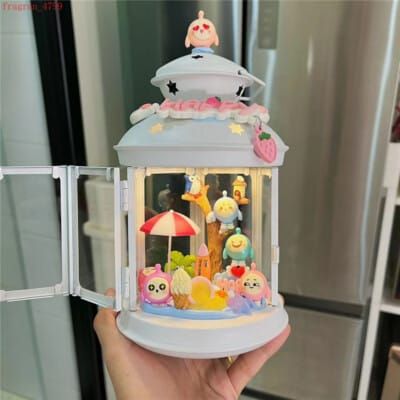
- Inactive: Dim white/gray
- Correct input: Bright green
- Incorrect input: Flashing red
- Complete: Pulsing gold/yellow
Implement light state changes through Eggy Code blocks connected to validation logic.
Create progress indicators showing overall completion. Use row of lights representing each digit, illuminating sequentially as players progress.
Sound Effects Integration
Audio provides immediate confirmation, especially when visual indicators might be off-screen.
Implement three-tier sound system:
- Input registration: Subtle click/beep confirming activation
- Correct step: Pleasant chime/ascending tone
- Incorrect input: Harsh buzz/descending tone
- Completion: Triumphant fanfare/mechanical unlocking
Layer sounds creating information-rich feedback.
Progress Display Systems
Physical prop arrangements visualize entry progress:
Number Displays: Arrange number props (0-9) in rows, highlighting current digit being entered.
Bar Graphs: Use stacked blocks creating progress bars filling as players complete segments.
Symbolic Representations: Use contextually appropriate props—unlocking gears for steampunk, filling vials for laboratory themes.
Connect displays to passwordState variable using conditional triggers.
Error Indication
Clear error communication prevents frustration. Implement multi-sensory feedback:
Visual: Flash all buttons red, shake door prefab, display large X symbol
Audio: Play distinct failure sounds differing from success tones
Informative Messages: Use Input Box UI Editor displaying specific errors
Reset all indicators to default states after error feedback completes.
Common Mistakes and Troubleshooting
Why Doors Fail to Open (Top 5 Causes)
1. Variable Scope Mismatches: Using local variables when global scope required causes state tracking failures. Solution: Verify all password variables use global scope.
2. Incorrect Conditional Logic: Off-by-one errors in state checking prevent activation. Solution: Trace each state transition manually, confirming final state matches door activation condition.
3. Missing Reset Mechanisms: Without proper reset logic, incorrect inputs leave system in undefined states. Solution: Implement comprehensive reset triggers returning all variables to defaults.
4. Trigger Overlap Conflicts: Overlapping areas cause simultaneous activation skipping sequence steps. Solution: Ensure minimum 0.5-unit spacing, verify no unintended overlaps.
5. Intensity Limit Exceeded: Maps exceeding thresholds disable newer logic elements. Solution: Monitor total intensity, optimize by consolidating redundant triggers.
Fixing Timing Issues
Timing problems manifest as skipped inputs, double-registrations, or sequence reversals.
Implement debounce logic preventing double-registrations:
- Add boolean inputLocked defaulting to false
- When any trigger activates, set inputLocked to true
- Process password input logic
- After 0.5 seconds, set inputLocked to false
- Ignore all activations while inputLocked equals true
For sequence reversal issues, add minimum time delays between accepted inputs using timestamp tracking.
Resolving Collision Detection
Collision failures occur when triggers don't activate despite players entering zones.
Entity Type Mismatches: Triggers configured for Faction won't activate for individual players. Solution: Set detection to Player entity type.
Volume Shape Issues: Rectangular triggers at angles may have unexpected boundaries. Solution: Use Cone or Half Sphere for predictable zones.
Z-Axis Positioning Errors: Triggers placed too high/low fail to detect entry. Solution: Position centers at player waist height (approximately 1 Eggy unit above ground).
Test collision by adding temporary visual feedback revealing which triggers function correctly.
Preventing Unintended Activations
Projectile Interference: Configure triggers detecting only player entities, excluding projectiles.
Spectator Mode Activation: Add conditional checks verifying activating entity is active, living player.
Respawn Point Conflicts: Position respawn points (Guide Point units) at least 3 units from password triggers.
Team Member Interference: Implement faction-specific triggers responding only to designated team members.
Security and Bypass Prevention
Blocking Jump-Over Exploits
Prevent jump bypasses through:
Ceiling Barriers: Place invisible walls above door extending 5-6 Eggy units upward.
Detection Zones: Create triggers above/around door detecting unauthorized passage. Teleport players back to starting area when entering without completing password.
Architectural Integration: Design surroundings with overhanging structures, low ceilings, narrow passages physically preventing jump clearance.
Test by attempting maximum-height jumps from various angles and distances.
Preventing Wall-Clip Bypasses
Strengthen door structures against clipping:
Thickness Layering: Build doors from 3+ overlapping prefab layers eliminating collision gaps.
Solid Backing: Place large, solid prefabs behind decorative door elements.
Collision Box Verification: Test boundaries by approaching from multiple angles attempting to walk through.
Teleport Triggers: Position triggers immediately behind door detecting unauthorized presence, teleporting intruders back.
Fail-Safe Reset Mechanisms
Prevent broken states requiring map restarts:
Manual Reset Button: Place clearly marked reset button setting all password variables to defaults.
Automatic Timeout Reset: Create timer monitoring time since last input. If 60 seconds pass without activity, auto-reset all variables.
Checkpoint Integration: For maps with multiple doors, implement checkpoints saving progress.
Admin Override: Include hidden administrator triggers bypassing requirements for testing.
Testing for Vulnerabilities
Systematic vulnerability testing:
- Perimeter Testing: Walk entire door perimeter attempting to find gaps, jump points, clip vulnerabilities
- Speed Testing: Approach at maximum sprint from multiple angles
- Cooperative Testing: Use multiple players testing if simultaneous activation creates unexpected states
- Edge Case Testing: Attempt entry while jumping, falling, or in unusual movement states
- Persistence Testing: Verify state resets properly after map restarts, deaths, team changes
Document discovered vulnerabilities and solutions in testing log.
Testing and Iteration Best Practices
Solo Testing Protocol
Functionality Verification (15-20 min):
- Test correct sequence 5 times consecutively
- Attempt 10 different incorrect sequences verifying reset
- Test each button in isolation confirming activation
- Verify visual/audio feedback triggers correctly
- Confirm door opens reliably when password completes
Edge Case Testing (10-15 min):
- Activate triggers in rapid succession (button mashing)
- Activate with long delays between inputs (30+ seconds)
- Attempt entry while jumping, falling, moving at high speed
- Test immediately after map load and after extended play
- Verify behavior with multiple simultaneous players
User Experience Testing (10 min):
- Approach as first-time player with no prior knowledge
- Assess whether input locations are obvious
- Evaluate whether feedback clearly communicates success/failure
- Determine if difficulty matches intended challenge tier
Multiplayer Stress Testing
Concurrent Access Testing:
- Have 2-4 players attempt entry simultaneously
- Verify one player's inputs don't interfere with another's
- Test whether multiple players can complete cooperatively
Network Latency Simulation:
- Test with players experiencing varying connection qualities
- Verify input registration remains reliable despite delays
- Confirm visual feedback synchronizes correctly across clients
Griefing Prevention:
- Have one player intentionally disrupt another's entry
- Test whether spam-clicking creates instability
- Verify reset mechanisms function with multiple players triggering
Performance Monitoring
Frame Rate Monitoring:
- Observe frame rates while interacting with doors
- Note stuttering/lag during trigger activation
- Test performance with maximum player counts
Intensity Budget Analysis:
- Review total map intensity after implementation
- Identify which components consume most intensity
- Optimize high-intensity elements if approaching limits
Mobile Device Testing:
- Test on actual mobile devices, not emulators
- Verify touchscreen controls reliably activate triggers
- Confirm visual feedback remains visible on smaller screens
- Check performance on mid-range devices
Community Feedback Integration
Structured Feedback Collection:
- Create specific questions about password door experience
- Ask players to rate difficulty on 1-10 scale
- Request suggestions for improved clarity
- Inquire whether players discovered bypass methods
Observation Analysis:
- Watch gameplay recordings seeing how players approach doors
- Note common mistakes or confusion points
- Identify whether players understand system without explanation
Iterative Refinement:
- Implement changes based on consistent feedback patterns
- Re-test modified systems with fresh players
- Compare completion rates and satisfaction scores between versions
Creative Password Variations
Color-Based Systems
Color passwords replace numerical inputs with colored buttons. Players activate triggers in specific color sequences.
Implementation:
- Create 4-6 different colored button prefabs (red, blue, green, yellow, purple, orange)
- Assign each color numerical value in state tracking (red=1, blue=2, etc.)
- Provide color sequence clues through environmental storytelling
Color systems work well for narrative-driven maps where clues integrate into story elements.
Musical Note Sequences
Musical passwords use sound-based inputs where players activate triggers playing specific notes in sequence.
Create by:
- Assigning unique sound effects to each trigger (different musical notes)
- Providing audio clue playing correct sequence
- Requiring players to memorize and reproduce note pattern
Musical systems increase accessibility for players with visual impairments while adding variety.
Team Cooperation Mechanisms
Cooperative passwords require multiple players activating separate triggers simultaneously or in coordinated sequences.
Design using:
- Spatially separated triggers requiring players to split up
- Simultaneous activation requirements using AND logic
- Role-specific inputs where different members perform designated actions
Best for team-based game modes or social maps designed for group play.
Story-Driven Puzzle Doors
Narrative integration transforms password doors into story elements. Password becomes puzzle revealing plot information.
Implementation techniques:
- Hide clues in readable text props scattered throughout map
- Create NPC dialogue providing hints when players ask questions
- Design environmental puzzles where solving reveals password digits
- Implement multiple doors with interconnected solutions telling sequential story
Story passwords significantly increase engagement and map memorability.
FAQ
How do trigger areas work in Eggy Party Workshop?
Trigger areas function as invisible detection zones monitoring when players or objects enter, exit, or remain within designated spaces. Access configuration through More menu > select unit > Edit Eggy Code. Triggers activate based on entity type (players, factions, physical components) and execute Eggy Code blocks modifying variables, showing/hiding prefabs, playing animations, or triggering map events.
What's the maximum number of trigger areas for a password door?
Maximum depends on total intensity budget rather than specific trigger limit. Base intensity: 18,000, increasing to 21,000 at 1,000 Craftsman Points and 25,000 at 10,000 Craftsman Points. Each trigger, logic block, and feedback element consumes intensity. Practical implementations typically use 3-8 triggers for input detection, with additional triggers for reset and bypass prevention. Complex systems with 12+ triggers remain feasible if other elements are optimized.
Can you create a 4-digit password door?
Yes, 4-digit doors use same sequential logic as 3-digit but extend state tracking variable range. Create integer passwordState with values 0-4, where 0 represents no input and 4 indicates completion. Configure four separate triggers, each checking appropriate state value before incrementing. Fourth trigger activates door opening when passwordState reaches 4. Longer passwords require careful intensity management and should include checkpoints reducing frustration.
How to prevent players from bypassing password doors?
Implement multi-layered prevention: (1) Place ceiling barriers extending 5-6 Eggy units above doors blocking jump-overs, (2) Build doors from 3+ overlapping prefab layers eliminating wall-clip gaps, (3) Position detection triggers behind doors teleporting unauthorized players back, (4) Create solid backing prefabs behind decorative elements, (5) Test thoroughly attempting bypasses from multiple angles at various speeds. Combine physical barriers with detection systems for comprehensive security.
How to add visual feedback to password attempts?
Implement using light props positioned near each button. Configure Eggy Code blocks changing light colors based on state: dim white for inactive, bright green for correct inputs, flashing red for errors, pulsing gold for completion. Use Set Variable block for physical components modifying light properties. Add progress indicators creating rows of lights representing each digit, illuminating sequentially as players advance. Combine lighting with Play Animation block for prop movements and UI Editor rotation properties for widget effects.
Can password doors reset automatically?
Yes, implement automatic reset using timer-based variable monitoring. Create integer tracking time since last input, then use repeating trigger incrementing timer every second. Add conditional check resetting all password variables to defaults when timer exceeds threshold (typically 30-60 seconds). Alternatively, create error-triggered resets activating when players input incorrect sequences. Combine automatic timeout resets with manual reset buttons providing player control while preventing indefinite locked states.
Ready to unlock premium Eggy Party content and exclusive workshop items? Visit BitTopup for instant, secure top-ups with the best rates. Power up your creative journey today!