Why Free Fire Fries Budget Phones in 2025
Ever notice your FPS tanking right when you need it? Temps over 70°C throttle performance by 20-40%. On 2GB setups with Mali T400-ish GPUs, shadows chew 25% CPU, AA gobbles 15-20% GPU. Hitting 60 FPS baseline? It trims lag by 16.7ms over 30 FPS—but only if you stay under 70°C sustained (80°C max bursts). Pros swear by low graphics for 30% sharper spotting. Fire up the in-game FPS counter; grab a battery app for temps. Oh, and 60 FPS guzzles 20-30% more juice—tradeoff worth it?
Must-Have Free Fire Settings for Low-End Rigs
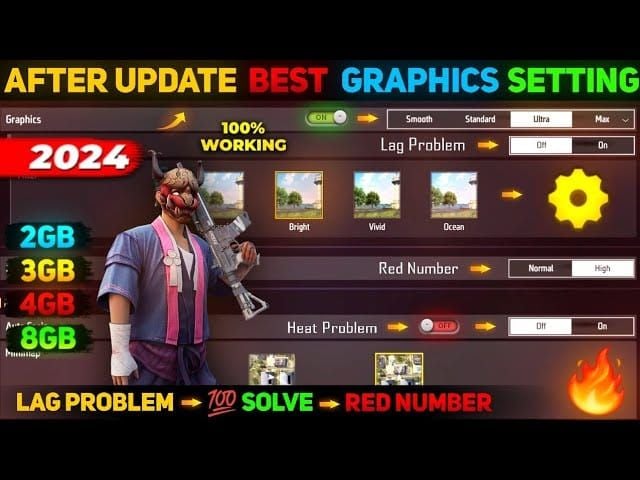
Switch to Smooth graphics + Normal FPS: that's a 40% CPU slash, perfect for 60 FPS on 2GB. Ditch AA (15-20% GPU relief), Shadows (25% CPU win), and drop textures to Low. Crank HD 720p in Dev Options for 30-35% pop. Brightness? 60-70%. OLED folks, Dark Mode is your friend.
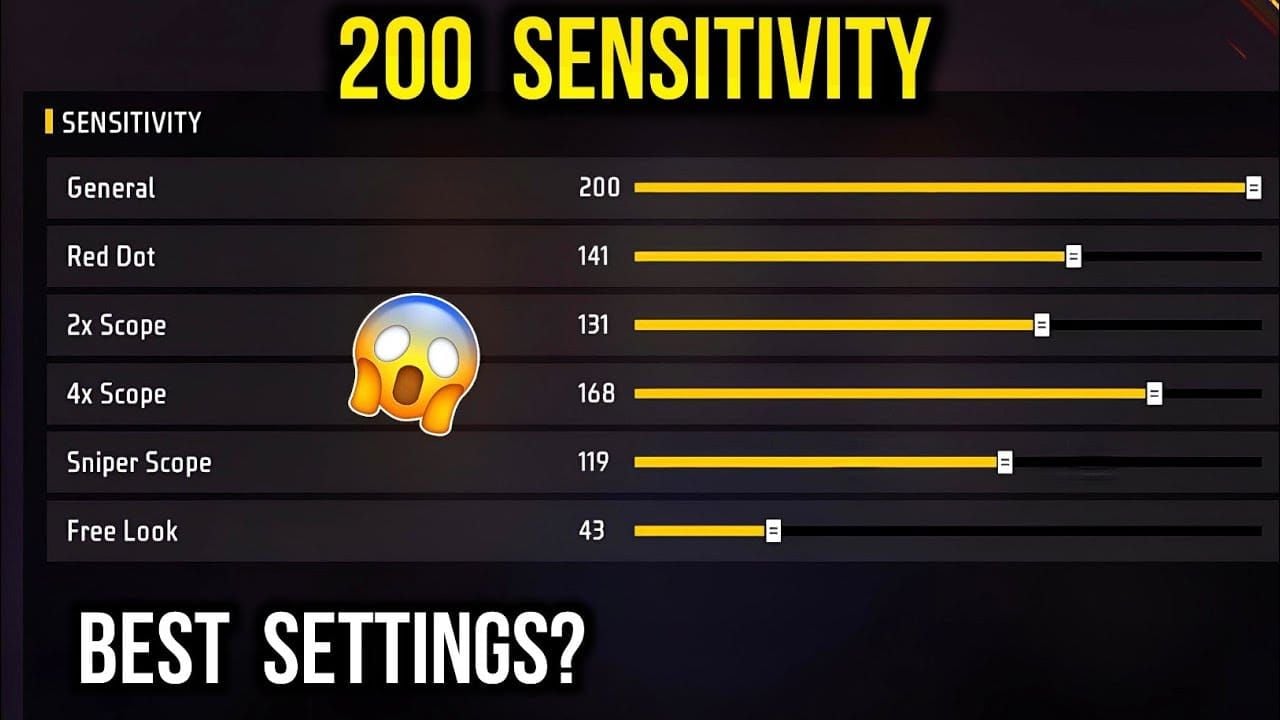
For sensitivity on 2GB at 60 FPS: General 185, Red Dot 188, 2x 182, 4x 180, AWM 180, Free Look 190. Hop into training grounds—test it, feel that 23% headshot edge.
Free Fire diamonds top up for low-end devices via BitTopup: instant top-ups, low prices, secure transactions, 99% satisfaction, broad support for uninterrupted play.
Charging Smarts to Kill Overheat
Charging mid-game? Big no—spikes battery and CPU heat like crazy. Airplane Mode + WiFi nukes haptics, stretches 60 FPS sessions by 15-20%. Pair with Battery Saver and 40-60% brightness. Quick routine: 1. Top to 100% before queuing. 2. Airplane on, WiFi back. 3. Vibes off.
(Pro tip from the trenches: this alone saved my old phone from melting during ranked pushes.)
Pre-Game Tweaks and Dev Magic
Background apps are heat vampires—slash to 2 processes for 10-15% cooler runs. Kill Bluetooth, GPS, unused WiFi. Dev Options gold: Force GPU Rendering (+5-10 FPS, offloads 15-20% CPU), Window Animation at 0.5x or off, cap processes at 2. DNS swap to 8.8.8.8/8.8.4.4 or 1.1.1.1/1.0.0.1 smooths to 60 FPS. Weekly: 1GB free storage via cache wipes.
Buy Free Fire diamond recharge online on BitTopup: seconds delivery, top security, wide device support, 24/7 service for cool sessions.
Stay Cool: Heat Hacks and Cooling Gear
Ditch the case. Flat, hard surface for airflow—game-changer. External coolers? +15% FPS after 30 minutes. Breaks every 30-45min drop you back under 70°C. Cool room, fan nearby; dust vents. Do this: 1. Case off. 2. Hard play spot. 3. Cooler + timed breaks.
Tools to Track the Heat
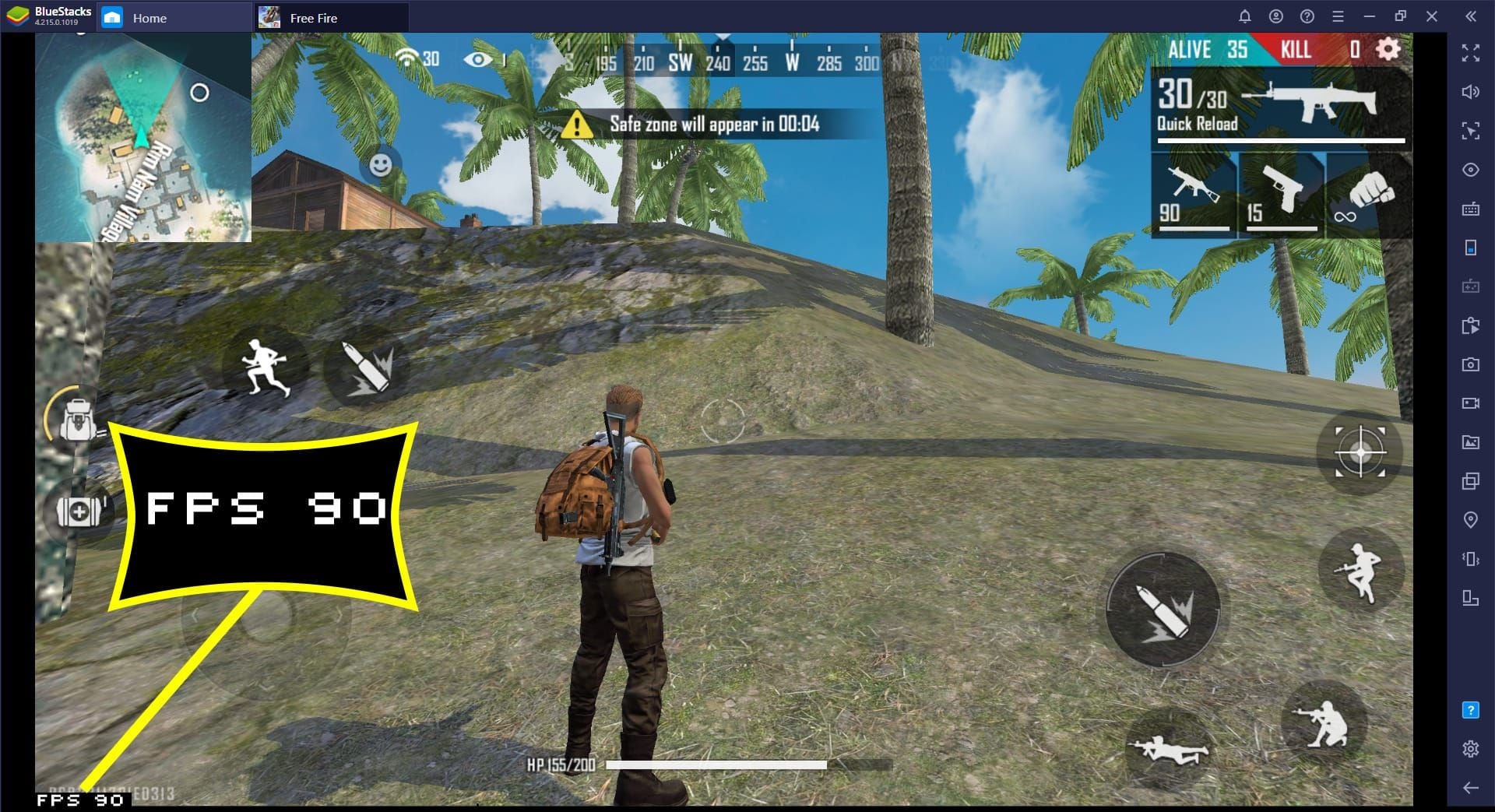
In-game FPS on—chase stable 60s, under 70°C (80°C ceiling). Battery temp apps are clutch. Routine: 1. FPS display live. 2. Temp check mid-game. 3. Tweak if over 70°C (drop FPS cap first).
Your Maintenance Rhythm
Weekly: Free Fire cache clear, 1GB free space, app updates. Daily: Restart + Battery Saver. Monthly: Full reboots; factory reset every 6-12 months. Path: Settings > Apps > Free Fire > Storage > Clear Cache.
Quick-Fire Overheat Fix Checklist
- Graphics: Smooth, Normal FPS; AA/Shadows off.
- Apps to 2 processes; Bluetooth/GPS dead.
- No charging; case off, hard surface, 60% brightness.
- Dev: GPU Rendering, 0.5x animations, 720p.
- Sensitivity: General 185/Red Dot 188 on 2GB.
- FPS/temp under 70°C; 30min breaks.
- Weekly cache, 1GB free.
2GB 60 FPS holy grail: Smooth, no AA/Shadows, GPU Rendering, free storage.
FAQ
Why does Free Fire overheat budget phones so quick?
Shadows (25% CPU), AA (15-20% GPU) crank past 70°C, trigger 20-40% throttling, FPS nosedive.
How to fix Free Fire overheating on low-end phones?
Smooth + Normal FPS (40% CPU cut), AA/Shadows off; GPU Rendering (+5-10 FPS), hold <70°C.
Can I charge while playing Free Fire without overheating?
Skip it—pre-charge to 100%, Airplane + WiFi for 15-20% extra playtime.
What Free Fire settings prevent device heat in 2025?
Smooth, Low textures, no AA/Shadows, 720p (30-35% boost); General sensitivity 185 for 2GB.
How to maintain 60 FPS in Free Fire without heating?
Kill backgrounds, GPU Rendering (+5-10 FPS), coolers (+15%), 30min breaks; monitor <70°C.
What charging habits reduce Free Fire overheat?
No in-game charging, Battery Saver, 40-60% brightness; haptics off (15-20% longer sessions).