Understanding StarMaker's 24-Hour Renewal Window
StarMaker's server queries subscription status exactly 24 hours before expiration and initiates renewal at that moment. Missing this window by minutes triggers charges you meant to avoid.


Cancel StarMaker auto-renew at least 24 hours before renewal to avoid charges. StarMaker processes renewals 24 hours before your billing period ends—not on the expiration date. Add a 2-4 hour buffer for processing delays. This guide covers iOS/Android cancellation, timing strategies, refunds, and alternative coin options.
StarMaker's server queries subscription status exactly 24 hours before expiration and initiates renewal at that moment. Missing this window by minutes triggers charges you meant to avoid.
Each maintains the exact timestamp from initial purchase, including timezone. Subscribe January 1st at 3:00 PM? Monthly renewal hits February 1st at 3:00 PM—meaning auto-charge processes January 31st at 3:00 PM.
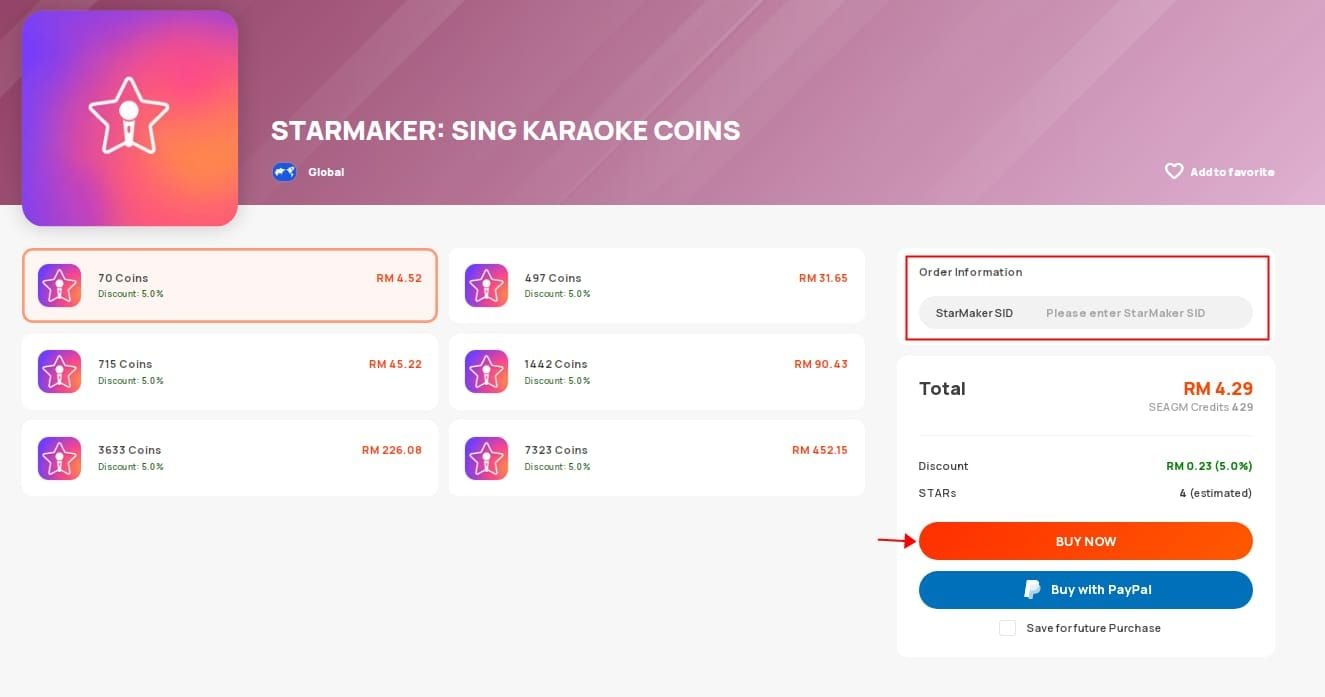
For no-commitment options, try StarMaker coins one-time top-up through BitTopup.
These delays create risk if you cancel too close to the deadline.
Example: Renewal February 15th at 2:00 PM → 24-hour deadline is February 14th at 2:00 PM → Safe window closes February 14th at 10:00 AM (4-hour buffer).
iOS: Settings > [Your Name] > Subscriptions > StarMaker
Android: Google Play > Profile > Payments & subscriptions > Subscriptions > StarMaker
Screenshot the exact time, not just date. You'll need it for deadline calculations and dispute documentation.
Coin Distribution:
Keep: VIP access until paid period ends, all coins (never expire), purchased items, profile customizations, account progress
Lose: Recurring coin distribution and VIP-exclusive features after expiration
Cancel February 15th with March 1st expiration? Full VIP access until March 1st at original subscription time.
Screenshot before canceling:
Cancel through Apple's system, not the StarMaker app.
Wait 5-10 minutes for processing. Don't close Settings until status changes from Renews on to Expires on.
App Store > Profile icon (top-right) > Subscriptions > StarMaker > Cancel
Same result, different interface.
Status must read Expires on [date] not Renews on [date]. This confirms cancellation.
Grayed-out button: Wrong Apple ID or already canceled. Check Settings > [Your Name] for correct ID.
Family sharing: Family organizer must cancel, not individual members.

Processing takes 15-30 minutes. Keep app open until email confirmation arrives.
Visit play.google.com/store/account/subscriptions while signed into Google account. Same functionality, useful for troubleshooting mobile issues.
Status shows Expires on [date] not Renews on [date]. Google sends confirmation email within minutes.
Missing from list: Wrong Google account. Check you're signed into purchase account.
Third-party purchases: Some promotional subscriptions require cancellation through original purchase channel. Check confirmation email.
Cancel immediately when you decide to stop—you lose nothing. Paid access continues until period ends, and early cancellation eliminates forgetting risks.
Want to maximize value? Cancel 48-72 hours before renewal for safe buffer.
Create calendar alerts:
Label specifically: Cancel StarMaker by [time] to avoid $14.99 charge not generic StarMaker renewal.
Charge typically processes anyway. Payment authorization already completed. Your only option: refund request through App Store/Google Play. Approval not guaranteed.
Within 24 hours and desperate? Cancel anyway, then immediately submit refund request explaining the situation. Email appsupport@starmakerstudios.com to document your attempt—helps if disputes escalate.
Full subscription remains active until exact paid period end. Cancel January 15th with February 1st at 3:00 PM expiration? Keep complete VIP access until February 1st at 3:00 PM.
All coins remain indefinitely. Purchased items, recordings, followers, progress—everything persists unchanged.
At expiration timestamp, account automatically reverts to free tier. No warning, no grace period. You lose VIP-exclusive features but keep basic StarMaker functionality.
Just subscribe again through original process. Previous promotional pricing may no longer apply.
Alternative: Recharge StarMaker coins without subscription via BitTopup for flexible spending without auto-renewal.
Valid reasons: Accidental purchase, technical issues, unauthorized charges, billing errors despite timely cancellation
Weak reasons: Changed mind, vague dissatisfaction
iOS: reportaproblem.apple.com > Sign in > Find StarMaker charge > Report a Problem > Submit (48-hour response)
Android: Google Play subscription details > Request a refund > Choose reason > Submit (1-4 business days)
Write clear, factual explanations. State when you canceled, what prevented success, why refund is warranted. Concise beats lengthy complaints.
First-time requests with good account standing and clear documentation typically succeed. Repeated requests, vague reasons, or late requests face higher rejection.
Denied? Appeal through platform's dispute process with substantial new evidence.
Deleting StarMaker does nothing to subscription status. Subscriptions run through App Store/Google Play, independent of app installation. This causes countless unwanted charges.
Most common mistake: canceling last day or hours before renewal. Underestimating 24-hour window, timezone confusion, procrastination.
Cancel when you decide to stop. Zero advantage to waiting.
Cancellation only prevents future charges. Current paid period continues uninterrupted. You lose nothing by canceling early.
Users experimenting with tiers sometimes maintain multiple simultaneous subscriptions. Each renews independently, multiplying charges.
Review complete subscription list in App Store/Google Play settings. Cancel each unwanted subscription individually.
One-time purchases eliminate auto-renewal concerns. Buy exact coins needed, when needed, no recurring commitments or cancellation deadlines.
Perfect for variable usage—heavy some months, minimal others. Subscriptions waste money during low-usage periods.
BitTopup's competitive bundles often match or beat subscription per-coin costs without long-term commitments. Purchase larger bundles during promotions, use at your pace.
Single transactions, no future obligations. Never risk unexpected charges, never remember cancellation deadlines, never deal with unwanted renewal refunds.
BitTopup offers coin bundle promotions, seasonal discounts, bulk bonuses unavailable through standard subscriptions. Secure processing, fast delivery, excellent support.
Wrong account. Verify you're signed into Apple ID/Google account that purchased subscription.
iOS: Settings > [Your Name] confirms Apple ID
Android: Google Play account settings
Close app completely, restart device, try again. Ensure stable internet connection.
Errors persist? Try alternative method—iOS users switch between Settings/App Store; Android users try web interface at play.google.com.
Status still Renews on [date] 30 minutes after canceling? Cancellation didn't process. Repeat immediately and screenshot each step.
No confirmation email = incomplete cancellation. Try again.
All self-service fails?
iOS: support.apple.com > Subscriptions & Purchases
Android: support.google.com/googleplay > subscription help
Email appsupport@starmakerstudios.com with situation details, account info, screenshots. StarMaker can't directly cancel but provides guidance and documents attempts for refund requests.
Create dedicated calendar for all subscription renewals. Review weekly. Enable email notifications for all App Store/Google Play purchases—catch unexpected charges within hours.
Calculate actual coin usage over 3-6 months. Using fewer coins than subscription provides? Wasting money. Regularly buying additional coins? Consider upgrading or switching to direct purchases.
Track StarMaker activity patterns. Heavy 2-3 weeks then barely using for months? Direct purchases better match sporadic usage.
Subscribe during high-activity periods (summer, holidays, events), cancel during busy work periods. Coordinate with StarMaker's event calendar—subscribe for major competitions, switch to direct purchases during routine times.
Maintain spreadsheet tracking all StarMaker spending: subscriptions, direct purchases, other charges. Monthly reviews reveal patterns and enable data-driven decisions.
Many discover they spend more through subscriptions than realized, especially across different billing cycles. Visibility enables better planning and often motivates switches to economical methods.
How do I cancel StarMaker auto-renew before being charged?
Cancel at least 24 hours before renewal. iOS: Settings > [Your Name] > Subscriptions > StarMaker > Cancel. Android: Google Play > Profile > Payments & subscriptions > Subscriptions > StarMaker > Cancel. Add 2-4 hour buffer for processing. Verify status changes to Expires on [date].
What happens to VIP benefits after canceling?
Benefits remain active until paid period ends. Cancel February 15th with March 1st at 3:00 PM expiration? Keep all VIP until March 1st at 3:00 PM. Coin balance, purchased items, account progress unchanged. Only recurring coins and VIP-exclusive features disappear after expiration.
Can I get a refund if already charged?
Refund eligibility: 15 days for StarMaker purchases, 90 days for Apple, varies for Google. Request through reportaproblem.apple.com (iOS) or Google Play subscription page (Android). Accidental purchases and technical issues typically qualify; preference changes often don't.
Why was I charged after canceling?
Canceled within 24-hour processing window before renewal. Other causes: wrong account, incomplete cancellation that didn't save, managing wrong subscription if multiple active.
How do I check renewal date?
iOS: Settings > [Your Name] > Subscriptions > StarMaker. Android: Google Play > Profile > Payments & subscriptions > Subscriptions > StarMaker. Shows exact time, not just date. Screenshot for deadline calculations.
Is there a cheaper way to get coins?
Direct purchases through BitTopup often provide better value for casual/moderate users. Subscriptions make sense only if you consistently use all distributed coins. Calculate actual monthly usage and compare—many discover direct purchases align better with usage patterns while eliminating auto-renewal hassles.
Tired of subscription hassles? Get StarMaker Coins through BitTopup—no auto-renew, no surprise charges, instant coins at competitive rates. Visit BitTopup for exclusive bundles and full spending control!