Order IDs in Dispute Resolution
Order IDs serve three functions: confirm payment completion, establish exact transaction timestamp, and contain encoded payment method data preventing fraud claims.
Google Play format: GPA.####-####-####-##### (19 characters)
Apple format: M followed by 9-10 digits
These identifiers remain permanently linked to purchases even after uninstalling Likee or changing devices.
Without Purchase Proof
Missing order IDs extend resolution from 24-48 hours to 5-7+ business days. Support must manually investigate account activity and verify identity through additional security questions.
With UID mismatches causing 60-70% of delivery failures, absent receipts make it impossible to determine if diamonds went to wrong account or never processed.
2026 Update: Stricter Verification
Q2 2026 updates introduced enhanced fraud prevention requiring comprehensive documentation. First-time purchases undergo 24-48 hour verification where receipts are mandatory. Unverified accounts face 5000-10000 diamond monthly limits.
Submissions lacking complete order IDs, timestamps, and amounts route to lower-priority queues with 50-100% longer processing during peak hours (6-10 PM). Complete documentation receives priority processing averaging 5-10 minutes during off-peak hours (2-6 AM).
Understanding Likee Payment Systems
Likee's payment infrastructure creates transaction records at multiple points. Payment processes through Google Play or Apple's gateway (generating platform receipt), communicates with Likee's billing servers (creating in-app log entry), then credits your wallet (maintaining transaction history).
These systems don't sync instantly due to 15-30 minute wallet cycles. During high traffic, delays between platform confirmation and in-app log updates create temporary discrepancies.
In-App History vs Platform Records
In-app history (Profile > Wallet > Transaction Log) shows:
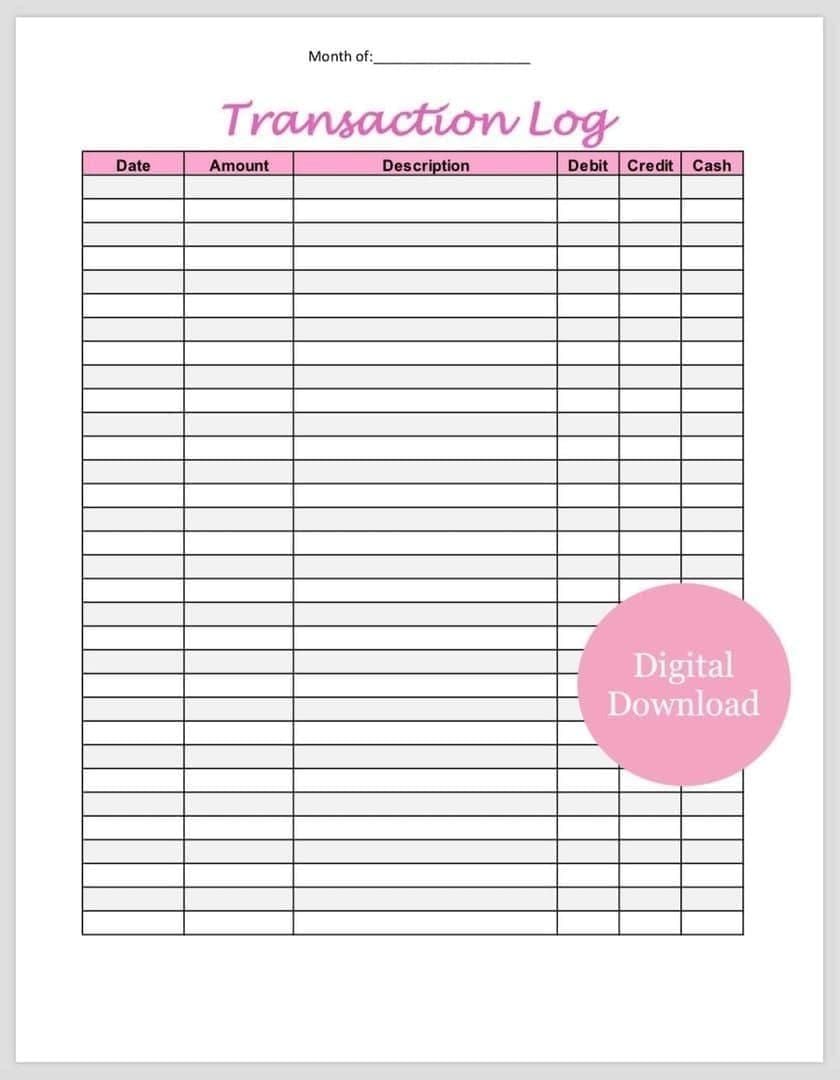
- Green checkmarks: completed deliveries
- Clock icons: pending (up to 48 hours)
- Red X: failed attempts
Platform records contain authoritative payment confirmation with method details, exact timestamps, tax calculations, and unique order IDs. When discrepancies occur, support defers to platform records.
Google Play vs Apple Receipts
Google Play provides:
- GPA order number
- Purchase date/time
- Payment method last 4 digits
- Item description
- Price breakdown with taxes
- Refund request link (48-hour window)
- Indefinite accessibility through Google account
Apple provides:
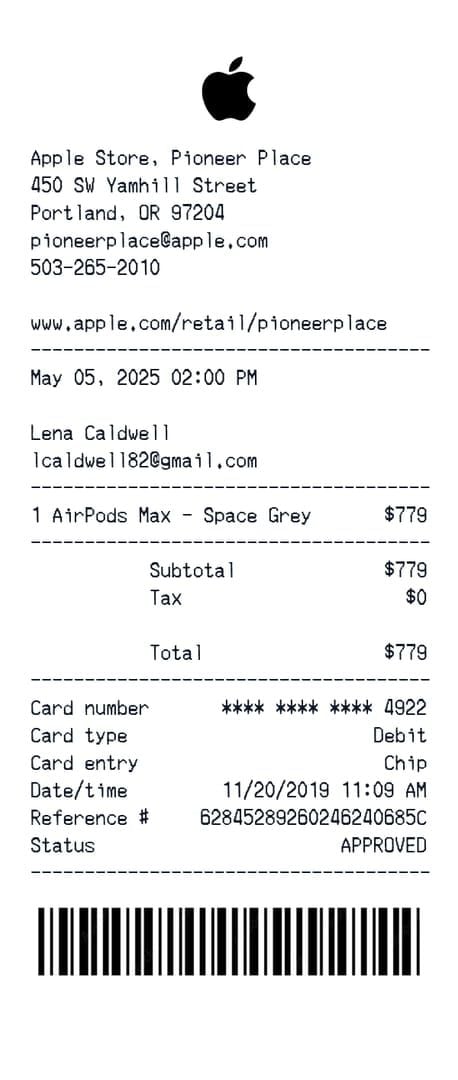
- M-prefixed invoice number
- Purchase date
- Billing address
- Payment method type
- Itemized charges
- Email receipts within minutes
- 90-day in-app history limit
Why Platform Receipts Override In-App History
Platform receipts are legal financial transaction records complying with payment card industry standards. Google and Apple maintain these for tax reporting, refund processing, and dispute arbitration—making them tamper-proof and independently verifiable.
In-app histories can be affected by cache corruption, sync failures, or database rollbacks. Cache clearing resolves 30-40% of missing diamond cases by forcing wallet re-sync, but temporarily erases or duplicates log entries. Platform receipts remain unaffected.
Find Google Play Order IDs
Google Play stores records accessible through three methods. BitTopup automatically provides documentation immediately after purchase.
Method 1: Play Store App (Mobile)
- Open Play Store app
- Tap profile icon (top-right)
- Select Payments & subscriptions
- Tap Budget & history
- Search Likee or scroll to find purchase
- Tap transaction to expand details
- Screenshot GPA order number (format: GPA.1234-5678-9012-34567)
Method 2: Google Play Website (Desktop)
- Navigate to pay.google.com
- Sign in with Google account
- Click Subscriptions and services > View purchases
- Click Likee transaction
- GPA number appears at top of modal
- Screenshot or click Print receipt for PDF
Method 3: Gmail Receipts
Search Gmail for Google Play Order Receipt or Likee. Each email contains complete order details including GPA number and direct receipt link.
Pro tip: Create Gmail label Game Receipts and auto-filter all Google Play confirmation emails for organized storage.
Understanding GPA Numbers
GPA = Google Play Android. Four number groups encode transaction date, payment gateway routing, merchant account, and sequential order. Each GPA number is globally unique.
Always provide GPA number when Likee requests order ID—not separate Transaction ID fields. Wrong format adds 24-48 hours to resolution.
Retrieve Apple App Store Receipts
Apple's receipt system distributes records across device settings, iTunes, and email.
iPhone/iPad Purchase History
- Open Settings
- Tap your name (top)
- Select Media & Purchases
- Tap Purchase History
- Tap Likee purchase to expand
- Screenshot invoice number (M followed by 9-10 digits)
Note: Default view shows last 90 days only.
iTunes (Mac/PC)
macOS Catalina+: App Store > profile icon > View Information > Purchase History
Windows/older macOS: iTunes > Account > View My Account > Purchase History
Click See All > locate Likee > click arrow to expand details.
Email Receipts from Apple
Search email for Apple receipt Likee or filter sender no_reply@email.apple.com. Emails arrive within 5-15 minutes with complete itemized receipts.
Pro tip: Create email folder for Apple receipts with automatic filtering rules.
Apple Invoice Numbers
Format: M + 9-10 digits (e.g., M123456789). The M prefix identifies App Store/iTunes transactions.
Always include complete invoice number with M prefix. Missing prefix causes automatic rejection, adding 24-48 hours.
Essential Dispute Documentation
Complete submissions resolve in initial 24-48 hour window. Incomplete triggers additional info requests adding 24-48 hours per cycle.
7 Critical Data Points
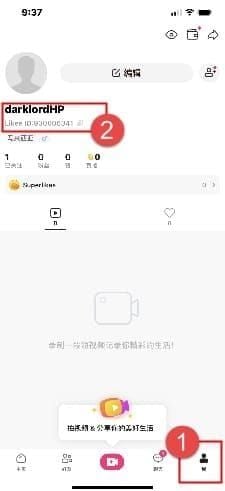
- Likee ID: 10-digit number (Profile icon > View or Edit Profile)
- Order ID: Complete GPA or M-number
- Purchase date/time: Exact timestamp from receipt
- Package amount:1000 diamonds for $9.99
- Payment method: Credit card, PayPal, carrier billing, etc.
- Current balance: Profile > Wallet screenshot
- Issue description:Purchased 1000 diamonds on [date] at [time], payment confirmed via order [ID], diamonds not received after 48 hours. Balance shows no increase.
Screenshot Best Practices
Capture complete, unedited screens showing:
- Platform receipt: order ID, date/time, payment method, amount, confirmation
- Transaction log: date, amount, status (pending/failed)
- Current balance: wallet screen with timestamp
- Likee ID: profile page
Technical requirements:
- Use native screenshot function (Android: Volume Down + Power; iOS: Side Button + Volume Up)
- No cropping or editing
- No third-party apps adding watermarks
- Verify all text is legible before submitting
- Wait 30-60 seconds after capture to ensure save completes
Common Documentation Mistakes
Partial order IDs: Missing digits or incorrect formatting triggers automatic rejection. Copy directly from receipts—don't type manually.
Cut-off screenshots: Critical info obscured by notifications or cropped edges. Zoom in to verify complete visibility before submitting.
Premature disputes: Submitting during 5-30 minute processing window. Check transaction log status—if pending clock icon shows, wait full 48 hours.
Complete Evidence Package
Organize documentation in logical sequence:
- Platform receipt (completed payment)
- Transaction log (missing/failed entry)
- Current balance (diamonds not credited)
- Text document with 7 data points numbered
Save in cloud storage: Likee_Dispute_[Date]_[OrderID]
Likee Diamond Dispute Process (2026)
Likee's tiered support structure includes automated pre-screening routing complete submissions to priority queues.
When to File
Standard processing: 5-30 minutes under normal conditions, 80% within 24 hours
First-time purchases: Wait full 48 hours (extended verification period)
Repeat purchases: File after 24 hours if transaction log shows pending/failed
Peak hours (6-10 PM): Processing extends 50-100%—add 12-hour grace period
Off-peak (2-6 AM): File after 24 hours for genuine issues
Before filing, troubleshoot:
- Force close app (swipe up and flick away)
- Wait 30-60 seconds
- Reopen app
- Clear cache: Settings > Apps > Likee > Storage > Clear Cache (Android) or Settings > General > iPhone Storage > Likee > Offload App (iOS)
This resolves 30-40% of cases by forcing wallet sync.
Support Ticket Template
Access: Settings > Help & Support > Contact Us or profile feedback option
Select: Payment Issues or Diamond Purchase Problems
Template:
**Subject: Diamond Purchase Not Received - Order [Your Order ID]
Likee ID: [10-digit ID]
Order ID: [Complete GPA or M-number]
Purchase Date/Time: [Exact timestamp]
Package: [Amount] diamonds for [Price]
Payment Method: [Google Play/Apple App Store]
Current Balance: [Diamond count]
Issue: Purchased [amount] diamonds on [date] at [time]. Payment confirmed by [Google Play/Apple] receipt (order ID above). After 48 hours, diamonds not credited. Transaction log shows [pending/failed/no entry]. Please investigate and credit purchased diamonds.
Attached: Platform receipt, transaction log, current balance screenshots**
Response Times
Initial response: 24-48 hours for properly documented disputes
Complex cases: 3-5 business days (UID mismatches, gateway failures)
Automated acknowledgment: Within 2 hours confirming ticket number and estimated timeframe
Investigation period: Support verifies order ID against gateway records, checks server logs, reviews account history
Diamond credit: Within 24 hours of investigation completion
UID error corrections: 5-7 business days (manual database updates)
Wallet sync: 15-30 minute cycles. Force close/reopen after credit confirmation for immediate sync.
Tracking Dispute Status
Check: Settings > Help & Support > My Tickets or Contact History
Status indicators:
- Submitted
- Under Investigation
- Awaiting Information
- Resolved
Enable push notifications: Settings > Notifications > Support Messages
If Awaiting Information shows 48+ hours without message: Submit follow-up: I have not received requests for additional information. Please advise next steps.
Escalation Strategies
Escalate when standard support fails within expected 3-5 business day timeframe.
Escalation Triggers
Escalate if:
- No response within 72 hours
- Support requests already-provided information
- Denial without specific reasoning/evidence
- Unresolved after two response cycles (5-7 days total)
Legitimate denials include:Payment gateway shows no record of order GPA.#### or Order delivered [date] at [time] per server logs
Vague denials warrant escalation:Cannot verify purchase without details
Platform Provider Support
Google Play and Apple maintain independent dispute systems. Platform disputes carry weight via chargeback penalties but should be reserved for definitive Likee support failures.
Google Play:
- Play Store > purchase history
- Tap transaction > Request a refund
- 48-hour window (extends to 30 days for in-app purchases)
- Provide documentation and Likee support failure timeline
Apple:
- Visit reportaproblem.apple.com
- Sign in with Apple ID
- Locate purchase > Report a Problem
- Select I didn't receive this item
- Include Likee ticket number and timeline
Reviews complete within 48 hours.
Social Media Escalation
Public complaints accelerate high-visibility cases but risk account flagging.
Professional approach:Purchased diamonds [date], provided complete documentation including order [number], no resolution after [number] days. Ticket #[number]. Requesting senior support escalation.
Tag official accounts, use #LikeeSupport or #LikeeHelp. Never post full order IDs or personal info publicly. Many companies respond within 24 hours requesting DM for private resolution.
Chargebacks: Last Resort
Credit card chargebacks reverse payment but likely result in permanent account ban and payment method flagging.
Initiate only after exhausting all escalation options. Contact card issuer's dispute department with complete evidence package. Resolution: 30-60 days.
Refund timelines:
- Digital wallet: 1-2 business days
- Credit/debit: 3-5 business days
- Carrier billing: 7-10 business days
Digital wallet refunds avoid account ban risks.
Common Top Up Errors
Diamonds Deducted But Not Received
Evidence checklist:
- Platform receipt (completed payment)
- Transaction log (failed/missing entry)
- Current balance with timestamp
- Likee ID screenshot
- Device specs: Settings > About (OS version—iOS 12.0+/Android 6.0+ required)
Troubleshooting documentation:Verified device meets requirements (iOS 12.0+/Android 6.0+, 1GB+ storage, stable 1-2 Mbps connection, VPN disabled). Performed force close, cache clear, logout/login without resolution.
Duplicate Charges
Multiple identical charges within minutes, but only one delivery.
Evidence:
- All duplicate receipt screenshots (order IDs, timestamps, amounts)
- Transaction log showing single entry
- Balance proving single package credited
- Calculation: Two purchases of 1000 diamonds each (orders GPA.#### and GPA.####). Balance should show 2000, only 1000 credited.
Request refund explicitly:Please refund order [duplicate ID]. This represents unintentional duplicate from network interruption. Received diamonds from order [original ID], only require duplicate refund.
Network Failures
Network interruptions during payment confirmation create ambiguous states.
Documentation:
- Speed test screenshot immediately after failure
- Network settings (WiFi/cellular, airplane mode, VPN status)
- Description: Purchase attempted on [WiFi/cellular] with [speed] Mbps. Network interruption during confirmation—[describe what happened].
Prevention protocol:
- Verify 1-2 Mbps stable connection via speed test
- Disable VPN, wait 10-15 minutes
- Close background apps
- Enable airplane mode 10 seconds, then disable
- Verify 1GB+ free storage
- Purchase during off-peak hours (2-6 AM)
Account Issues vs Payment Problems
Unverified accounts face 5000-10000 diamond monthly limits. Flagged accounts may have suspended purchasing.
Distinguish by checking platform receipt. If payment processed but diamonds not delivered, request: Please confirm account has no active restrictions or purchase limits preventing delivery. Platform receipt confirms successful payment.
Resolution timelines:
- Verification: 24-48 hours (first-time purchases)
- TOS violation reviews: 3-5 business days
- Post-restriction delivery: Automatic within 15-30 minute wallet sync or manual credit
Prevention Strategies
Proactive measures eliminate 60-70% of common delivery failures.
Pre-Purchase Checklist
Verify Likee ID: Profile icon > View or Edit Profile. Screenshot and save to Game Receipts folder.
Check device specs:
- iOS 12.0+ or Android 6.0+
- 1GB+ free storage
- Stable 1-2 Mbps connection (speed test screenshot)
Disable VPN: Wait 10-15 minutes before purchasing
Close background apps: Swipe up and flick away all previews
Force close/reopen Likee: Fresh session with cleared cache
Refresh network: Airplane mode 10 seconds, then disable
Verify auto date/time: Settings must be automatic, not manual
Confirm payment method funds: Sufficient balance/credit available
Receipt Organization
Cloud storage structure:
- Create folders: Likee > 2026 > January,Likee > 2026 > February
- Naming: Likee_[Date][Amount][OrderID].jpg
- Pair screenshots: receipt + balance confirmation
- Example: Likee_2026-03-15_1000diamonds_GPA1234567890123456.jpg + Likee_2026-03-15_1000diamonds_Balance.jpg
Email filtering:
- Gmail: Auto-label emails from googleplay-noreply@google.com and no_reply@email.apple.com containing receipt
- Route to Game Receipts label/folder
BitTopup Advantages
Players using BitTopup for Likee diamonds benefit from:
Integrated receipt management: Automatic comprehensive documentation for every purchase via unified dashboard
Priority support: Direct Likee billing team communication, bypassing first-tier queues. Same-day resolution for many cases vs standard 24-48 hours.
Real-time tracking: Specific progress updates like Payment verified 14:32, coordinating with Likee delivery team vs generic investigating responses
Dedicated account managers: High-volume purchasers get 2-4 hour resolution vs 24-48 hour standard
Transparent dashboard: Color-coded status (green/yellow/red), sortable history, instant search by date/amount/order number
Technical diagnostics: API response codes, server timestamps, diagnostic data for expert troubleshooting
Additional benefits:
- Competitive pricing with promotional discounts
- Multiple payment methods beyond Google/Apple
- High user ratings reflecting consistent delivery
- Wide game coverage for unified receipt archive
Automatic Backup Systems
Smartphone auto-backup:
- Android: Settings > Backup & sync (Google Photos)
- iOS: Settings > [Name] > iCloud > Photos
- Enable WiFi and cellular backup for immediate upload
Monthly maintenance:
- Calendar reminder: 1st of month
- Checklist: Verify paired screenshots, confirm cloud backup, delete local copies
Receipt management apps:
- Receipt Bank or Expensify
- Auto-capture email receipts
- Categorized folder organization
FAQ
Where can I find my Google Play order ID for Likee purchases?
Play Store app > profile icon > Payments & subscriptions > Budget & history > tap Likee purchase to view GPA order number (format: GPA.####-####-####-#####). Or search Gmail for Google Play Order Receipt.
How do I retrieve Apple App Store receipts for Likee diamonds?
iPhone/iPad: Settings > your name > Media & Purchases > Purchase History > tap Likee purchase for invoice number (M + 9-10 digits). Or check email for receipts from no_reply@email.apple.com sent within 15 minutes.
What information does Likee support need for diamond disputes?
10-digit Likee ID, complete order ID (GPA or M-number), exact purchase date/time, diamond package amount, payment method, current balance screenshot, transaction log screenshot. Include platform receipt showing completed payment.
How long does Likee take to resolve missing diamond issues?
Initial response: 24-48 hours for proper documentation. Standard resolution: 3-5 business days. Complex cases (UID mismatches, gateway failures): 5-7 business days. Incomplete documentation adds 24-48 hours per request cycle.
Can I get a refund if my Likee diamonds don't arrive?
Yes. Google Play: 48-hour window (extends to 30 days for in-app). Apple: reportaproblem.apple.com. Refund timelines: digital wallet 1-2 days, credit/debit 3-5 days, carrier billing 7-10 days. Or work with Likee support for diamond delivery instead.
How to prove I paid for Likee diamonds that didn't arrive?
Screenshot platform receipt (order ID, timestamp, payment method, amount) + transaction log (failed/missing delivery) + current wallet balance (diamonds not credited). This three-screenshot package provides comprehensive proof.
Tired of payment disputes and missing diamonds? Top up Likee on BitTopup for instant delivery, automatic receipts, and priority support. Join thousands who never worry about lost diamonds. Start hassle-free top up now!























































































































