



Moonton Account Unbind Without Email: 2025 Recovery Guide
Lost email access and can't complete Moonton secondary verification? This guide shows proven recovery methods through official support, alternative verification routes, and ownership proof strategies—plus prevention steps to avoid future lockouts.
What Is Secondary Verification
Moonton's secondary verification sends codes to your bound email when logging in from new devices. This prevents account hijacking even if someone steals your password. But if you lose email access—forgotten passwords, deleted services, expired school/work emails—you can't receive codes, blocking unbinding processes.
For players who mlbb diamonds recharge through BitTopup, accessible emails are critical—purchase records tied to verified emails serve as powerful ownership evidence during recovery.
Common Email Access Loss Scenarios
- Temporary emails expire after 30-60 days
- School/work emails become inaccessible after graduation/job changes
- Registration typos discovered only during account management
- Email providers delete inactive accounts after 6-12 months
- Hacked emails with changed recovery info
Moonton Binding Architecture
Moonton accounts support binding to Facebook, Google Play Games, VK, and Apple ID. You must connect to two or more platforms before unbinding any single one. Once you bind a Moonton account, it can't be unbound—only third-party platforms disconnect. This protects account integrity but complicates recovery without email access.
Pre-Recovery Checklist
Essential Account Details
Collect before starting recovery:
- User ID: Numeric string in profile section
- Server ID: Regional server hosting your data
- Nickname: Current in-game name
- Account Level: Must reach level 3 to access customer service
- Current Rank: Demonstrates recent activity
Purchase History
Strongest ownership evidence. Gather:
- Order IDs from every diamond top-up
- Order dates and channels
- Receipt screenshots
- Transaction amounts
Mobile legends top up cheap through BitTopup creates detailed purchase logs with timestamps and account identifiers—invaluable for recovery. Even one verified purchase significantly increases success rates.
Alternative Bindings
Check Profile → Account → Tap Connect to view active bindings:
- Google Play Games
- VK
- Apple ID
If you access any of these, recovery becomes simpler—use them to log in and manage settings without email verification.
Ownership Proof Screenshots
Capture:
- Complete skin list
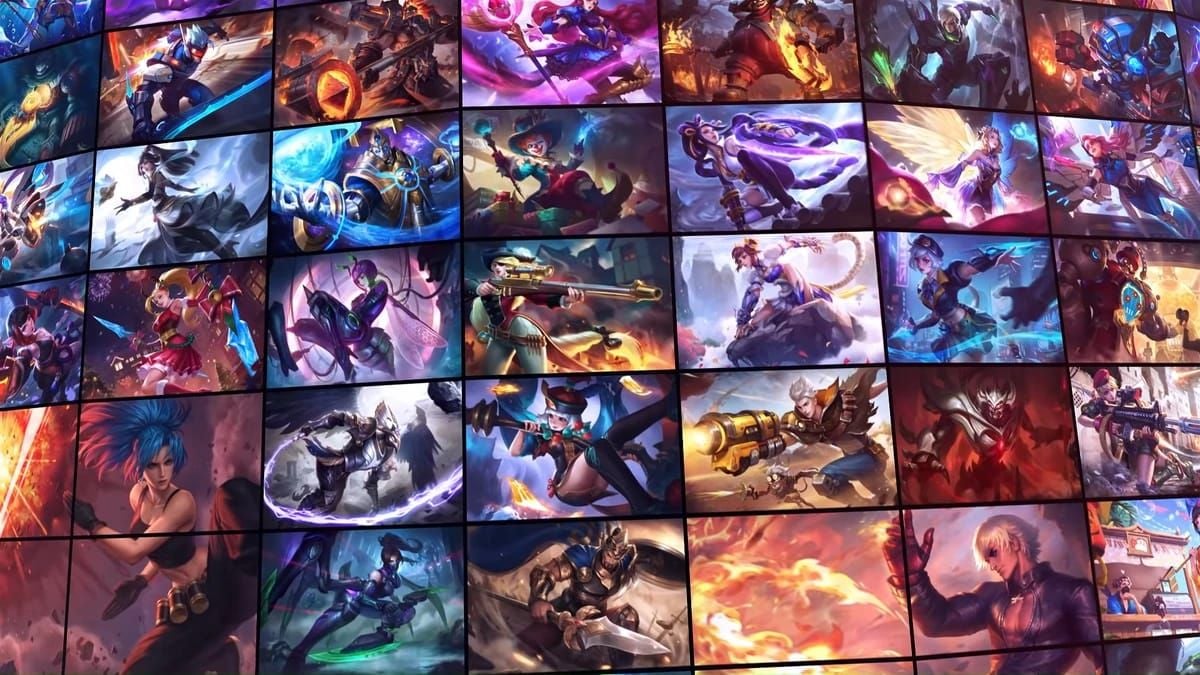
- Heroes owned
- In-game friend names
- Recent battle records
- Squad memberships
- First device brand name
- Account creation date
- Switch-banned status (if applicable)
More specific details = faster authentication.
Method 1: Official Customer Support Recovery
Submit Support Ticket
- Open MLBB → Settings (gear icon)
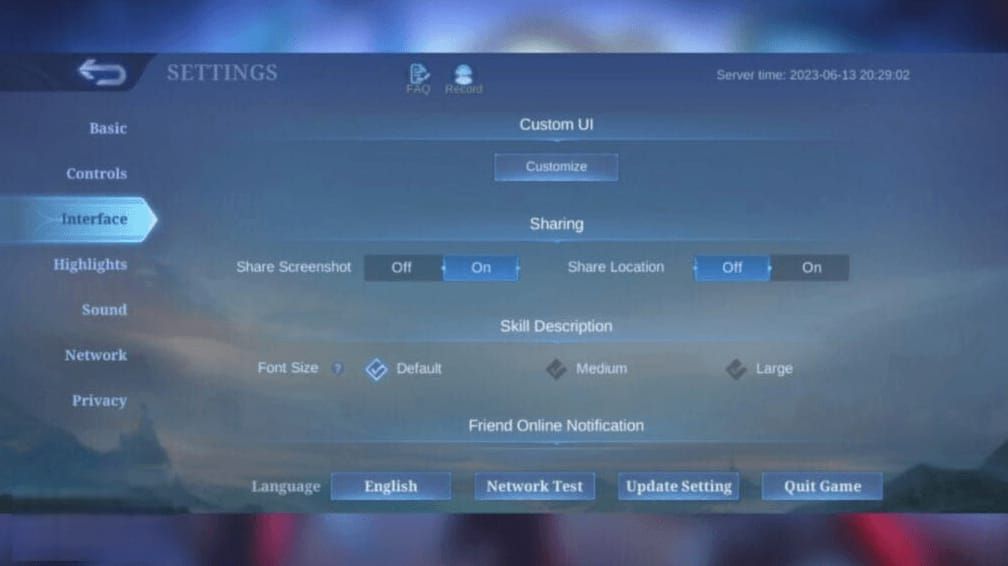
- Ensure account is level 3 (complete tutorial if needed)
- Click customer service icon
- Select category:
- I cannot unbind the connected 3rd party account
- I cannot change or remove the connected Moonton email address
- I cannot change the Moonton account password
Craft Effective Recovery Request
Structure your ticket with distinct sections:
Account Identification
- User ID: [your ID]
- Server ID: [your server]
- Nickname: [name]
- Level: [number]
Purchase History
- Order dates, channels, IDs
- Receipt screenshots attached
Account Details
- Skins owned: [complete list]
- Heroes owned: [list]
- Current rank: [rank]
- In-game friends: [names]
Device Information
- First device brand: [brand]
- Devices logged in: [list]
- Account creation date: [approximate date]
Organized presentation reduces back-and-forth delays.
Expected Timeline
- Initial response: 24-72 hours
- Complete resolution: 5-10 business days (varies by verification complexity)
- Accounts with extensive purchase history process faster
Don't submit multiple tickets—duplicates slow processing. If no response after 5 business days, follow up once through the same ticket thread.
Verification Questions
Support will ask:
- Complete skin list (especially rare/limited editions)
- Purchase history cross-referenced against database
- Device records and login history
- Specific in-game friends by User ID/nickname
Answer precisely and consistently—contradictions extend timelines or cause denial.
Method 2: Alternative Verification Routes
Facebook or Google Account
If you maintain access to bound platforms:
- Profile → Account → Tap Connect
- Select bound platform to log in (bypasses email)
- Settings → Accounts → Bind Account menu
- Manage platform bindings (maintain 2+ connections before unbinding)
For Google: create passkey for fingerprint/face scan authentication instead of passwords.
PIN-Based Verification
Enable in Profile → Account Settings for emergency access:
- Authenticates account linking and gifting without email codes
- Set memorable but secure PIN
- Document in safe location separate from device
- Bypasses New Device Secondary Verification for specific tasks
Multiple Bindings Strategy
Bind to every available platform—Moonton Account, Facebook, Google Play Games, VK, Apple ID. This ensures losing one platform never completely locks you out.
When one fails, authenticate through alternatives, then update the problematic binding. Transforms lockouts into minor inconveniences.
Proving Ownership Without Email
Purchase Records (Gold Standard)
Financial transactions create verifiable third-party records. Provide:
- Order IDs, dates, receipt screenshots
- BitTopup transaction details: timestamps, diamond quantities, payment methods, confirmation numbers
Customer support cross-references against payment processor records that can't be fabricated.
In-Game Activity History
Your gameplay creates unique behavioral fingerprints:
- Current rank and recent history
- Most-played heroes with match counts
- Battle records: recent results, MVP awards, seasonal achievements
- Highest rank and season earned
- Squad memberships and tournament participation
Device Information
- First device brand name (predates security concerns)
- Login History and Device Records from settings
- All devices logged in: brands, models, approximate dates
- Typical login locations (geographic patterns)
Friend List and Squad Verification
- In-game friend names and User IDs
- Squad name, leader, members
- Join date and squad activities
- Tournament dates and outcomes
Social proof demonstrates legitimate community integration thieves can't replicate.
Common Recovery Mistakes
Incomplete Information
Don't submit tickets with only User ID and Server ID. Frontload comprehensive ownership proof in initial submission:
- Complete purchase history with receipts
- Detailed skin/hero lists
- Device information
- Friend names
- All verifiable account details
Each back-and-forth adds 24-48 hours to resolution.
Third-Party Recovery Services
Never use services claiming to bypass verification or hack access. These are scams that:
- Steal remaining account information
- Charge fees without results
- Compromise security through unauthorized access attempts
- Trigger permanent bans
Moonton's official customer support is the only legitimate recovery channel.
Multiple Simultaneous Requests
Don't submit multiple tickets for the same issue. This creates confusion, delays resolution, and raises fraud concerns. File one comprehensive ticket, track progress, respond promptly to requests.
Ignoring Official Channels
Always use in-app customer service icon through Settings. Social media, forums, and general inquiry forms can't process recovery—they lack secure verification infrastructure.
Timeline and Success Rates
Average Recovery Duration
- 5-7 business days: Extensive purchase records + detailed proofs
- 10-15 business days: Minimal purchase history or limited documentation
- 15-20 business days: No purchase history + sparse documentation (may face denial)
Acceleration Factors
- 5+ verified purchases (priority processing)
- First device brand name + creation date
- Organized, professional communication
- Clear section headers and bullet-pointed lists
Emotional appeals, threats, or disorganized messages slow processing.
Follow-Up Timing
- First follow-up: After 5 business days with no response
- After support requests info: Reply within 24 hours
- After providing info: Wait 3-5 business days before next follow-up
Post-Recovery Security Hardening
Multiple Backup Bindings
Immediately bind to every platform:
- Profile → Account → Tap Connect
- Add Facebook, Google Play Games, VK, Apple ID
- Verify successful binding before proceeding
- Enable PIN-based Secondary Verification
Update Email
Replace inaccessible email with secure, actively monitored address:
- Choose provider with two-factor authentication
- Add recovery phone numbers and backup emails
- Avoid temporary services or school/work addresses
- Test verification by logging in from new device
Enable Security Features
- Turn on New Device Secondary Verification
- Check Login History and Device Records weekly
- Log out unknown devices immediately
- Reset password if unauthorized access detected (forces logout from all devices)
Monthly Security Audit
- Verify all platform bindings remain active
- Confirm email accessibility
- Review login history for suspicious activity
- Update password if 90+ days old
- Document account info in password manager
Preventing Future Issues
Email Account Management
- Use reliable providers: Gmail, Outlook, Yahoo
- Enable two-factor authentication
- Set up backup emails and recovery phone numbers
- Log in monthly to prevent inactivity termination
Why Multiple Bindings Are Essential
Single-platform binding = single point of failure. Multiple bindings distribute risk across independent platforms. 3+ active bindings virtually eliminate complete lockouts. Takes 2-3 minutes per platform for disproportionate security benefits.
Document Account Information
Create comprehensive document including:
- User ID, Server ID
- All bound platform credentials
- Purchase history summaries
- Account creation date
Store in password manager with encryption and multi-factor authentication. Update whenever making significant changes.
Quarterly Verification Checks
Test each bound platform's login functionality. Verify email accessibility and test New Device Secondary Verification from secondary device. Proactive testing identifies broken bindings before emergencies.
Safe Diamond Top-Up After Recovery
Why BitTopup for Recovered Accounts
BitTopup provides comprehensive transaction documentation—timestamps, order IDs, account identifiers—serving as permanent ownership proof. Secure payment processing protects financial info while creating verifiable purchase trails that strengthen account security.
Competitive pricing, fast delivery, and excellent customer service make BitTopup the trusted choice for players who understand documented, legitimate purchases matter.
Maintain Purchase Records
- Save every receipt, confirmation email, transaction record
- Create dedicated folder for MLBB purchases
- Organize chronologically
- Screenshot in-game purchase history periodically
- Store alongside external records
Secure Payment Methods
Use methods generating detailed records:
- Credit cards
- PayPal
- Established payment platforms
Avoid anonymous transactions with minimal documentation. Link payment methods to same email as Moonton account for consistent identity verification.
FAQ
Can I unbind my MLBB account without email access? No self-service unbinding without email, but you can recover through Moonton customer support with comprehensive ownership proof: User ID, Server ID, purchase receipts, device info, skins owned, in-game friends. Recovery takes 5-15 business days depending on documentation quality.
What's the fastest way to prove MLBB account ownership? Purchase history with Order IDs, dates, and receipt screenshots. Accounts with 5+ documented purchases achieve recovery in 5-7 business days. Supplement with device info (first device brand), creation date, complete skin lists, and friend names for maximum speed.
How do I contact Moonton customer support for account recovery? Open MLBB → Settings (gear icon) → customer service icon (requires level 3). Select category: I cannot unbind the connected 3rd party account,I cannot change or remove the connected Moonton email address, or I cannot change the Moonton account password. Submit comprehensive ticket with all ownership proofs initially.
Will I lose diamonds or skins during recovery? No. Account recovery doesn't affect in-game assets. Diamonds, skins, heroes, and progress remain intact. Customer support only helps regain access—they don't modify, transfer, or remove account contents during legitimate recovery.
Can I use phone number instead of email for MLBB verification? MLBB relies on email and platform bindings (Facebook, Google, VK, Apple ID), not phone numbers. But you can enable PIN-based Secondary Verification in Profile → Account Settings for authentication through numeric PIN for account linking and gifting operations.
How long does Moonton account recovery take? 5-20 business days depending on documentation. Extensive purchase history + comprehensive proofs: 5-7 days. Limited documentation: 10-15 days. Minimal proof: 15-20 days or denial if verification confidence insufficient.
Secure your recovered MLBB account with safe diamond top-ups from BitTopup—trusted by millions worldwide. Fast delivery, competitive prices, and purchase records that verify ownership. Top up now and dominate the Land of Dawn!
Recommended News





Recommend products



Table of Contents
- Understanding Moonton Secondary Verification
- What Is Secondary Verification
- Common Email Access Loss Scenarios
- Moonton Binding Architecture
- Pre-Recovery Checklist
- Essential Account Details
- Purchase History
- Alternative Bindings
- Ownership Proof Screenshots
- Method 1: Official Customer Support Recovery
- Submit Support Ticket
- Craft Effective Recovery Request
- Expected Timeline
- Verification Questions
- Method 2: Alternative Verification Routes
- Facebook or Google Account
- PIN-Based Verification
- Multiple Bindings Strategy
- Proving Ownership Without Email
- Purchase Records (Gold Standard)
- In-Game Activity History
- Device Information
- Friend List and Squad Verification
- Common Recovery Mistakes
- Incomplete Information
- Third-Party Recovery Services
- Multiple Simultaneous Requests
- Ignoring Official Channels
- Timeline and Success Rates
- Average Recovery Duration
- Acceleration Factors
- Follow-Up Timing
- Post-Recovery Security Hardening
- Multiple Backup Bindings
- Update Email
- Enable Security Features
- Monthly Security Audit
- Preventing Future Issues
- Email Account Management
- Why Multiple Bindings Are Essential
- Document Account Information
- Quarterly Verification Checks
- Safe Diamond Top-Up After Recovery
- Why BitTopup for Recovered Accounts
- Maintain Purchase Records
- Secure Payment Methods
- FAQ
Recommend products



Recommended News
Fix MLBB Payment Canceled by System Error on Android and iOS
Once Human Crystagin Not Received After Top Up: Fix Guide

How to Lower PS5 Ping Japan Servers for Smooth Online Play

Eggy Party Beginner Guide: Essential Skills and Traps to Avoid

How to Get Free Gems in Guild Wars 2 Without Heavy Grinding

How to Change Keybinds in Lineage W PC: Client Setup Guide

How to Fix Astra Knights of Veda Crashing on Startup PC in 2026
MLBB Tier List 2026: Best Heroes to Pick in Ranked Matches




























































































