Regional Variations
Japan restricts refunds exclusively to defective products due to local consumer protection laws. Japanese players must demonstrate product defects rather than requesting refunds for unused items.
Global and Korean players benefit from the standard 7-day policy but must meet all documentation and usage requirements.
Legal Framework
The policy aligns with digital goods regulations, particularly Japan's Specified Commercial Transactions Act and Payment Act. Access legal notations directly through the UC charge screen for transparency about your rights and limitations.
Refund Eligibility Criteria
Refund eligibility hinges on three factors: timing, usage status, and documentation completeness. The 7-day window begins immediately upon purchase completion.
Valid refund reasons:
- Accidental purchases
- Technical glitches during transactions
- Unauthorized account access
Factual explanations like accidental purchase by child or duplicate charge from connection error carry more weight than vague complaints.
Common Rejection Scenarios
Refund requests fail due to:
- Submissions past the 7-day window (automatic denial)
- Any evidence of use—even opening one crate or spending one UC
- Incomplete documentation missing transaction numbers, timestamps, or account details
- Vague reasons like changed my mind or didn't like the items
- Prior refund history (increased scrutiny for pattern abuse)
Documentation Requirements
Required documentation:
- Character name (exactly as displayed in-game)
- Precise purchase timestamp (down to the minute)
- Complete item descriptions with prices
- Registered account email
- Full transaction number (GPA. prefix for certain platforms)
Pro tip: Screenshot all documentation immediately after every purchase to create permanent records before technical issues arise.
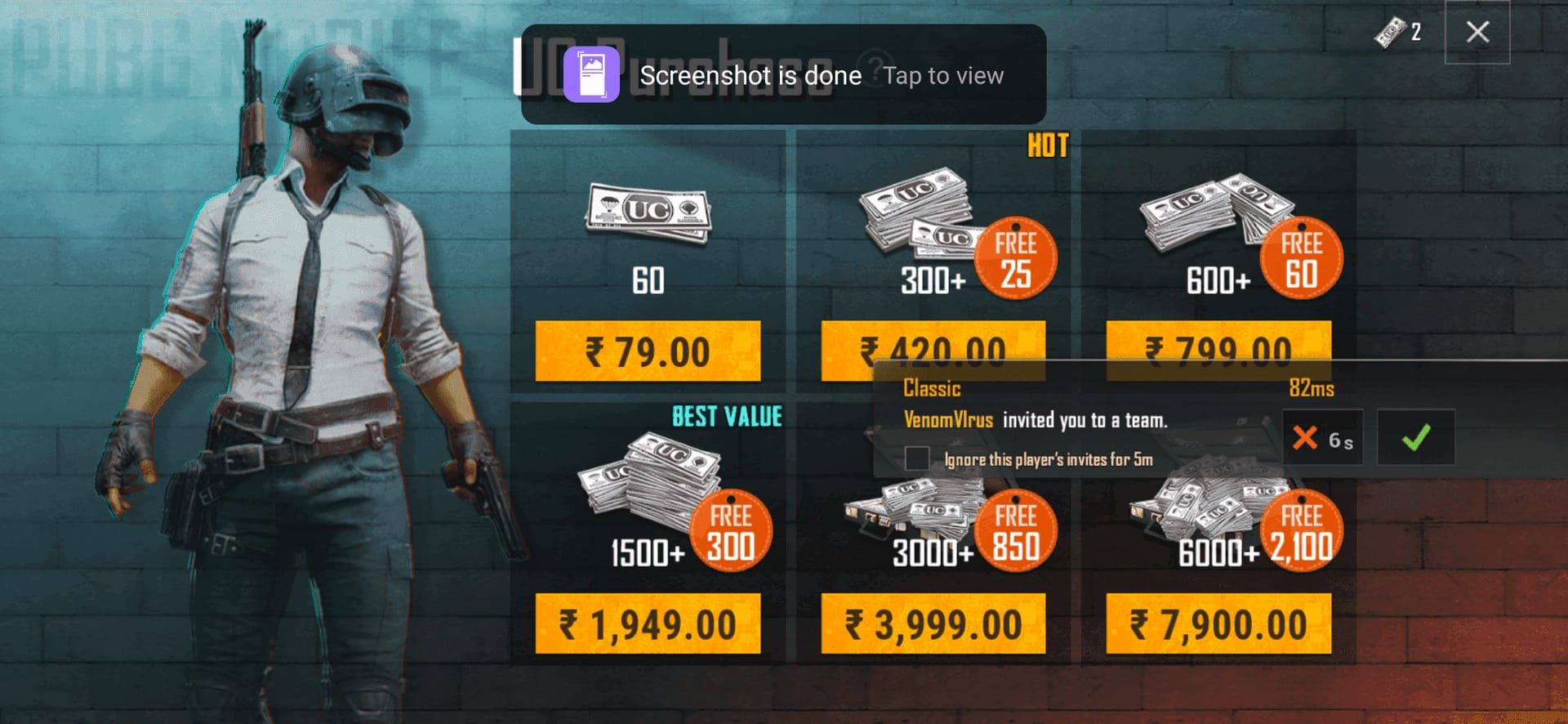
UC Refund Request Process: Step-by-Step
iOS Refund Process
- Open Settings → Apple ID profile
- Access Purchase History → locate UC transaction
- Select transaction → tap Report a Problem
- Choose reason: accidental purchase, technical glitch, or unauthorized access
- Provide detailed explanation with supporting documentation
- Submit and note confirmation number
Response time: 48-72 hours. Complex cases may extend to 5 business days.
Android Refund Process
- Open Google Play Store → account menu
- Navigate to Order History → find UC transaction
- Select Report a Problem
- Choose factual reason matching your situation
- Attach all required documentation including screenshots
- Submit and monitor registered email
Response time: 24 hours for most cases.
Direct Support Ticket Method
For complex situations, submit a direct ticket to PUBG Mobile support. Access in-game support system → select Payment Issues → complete detailed form.
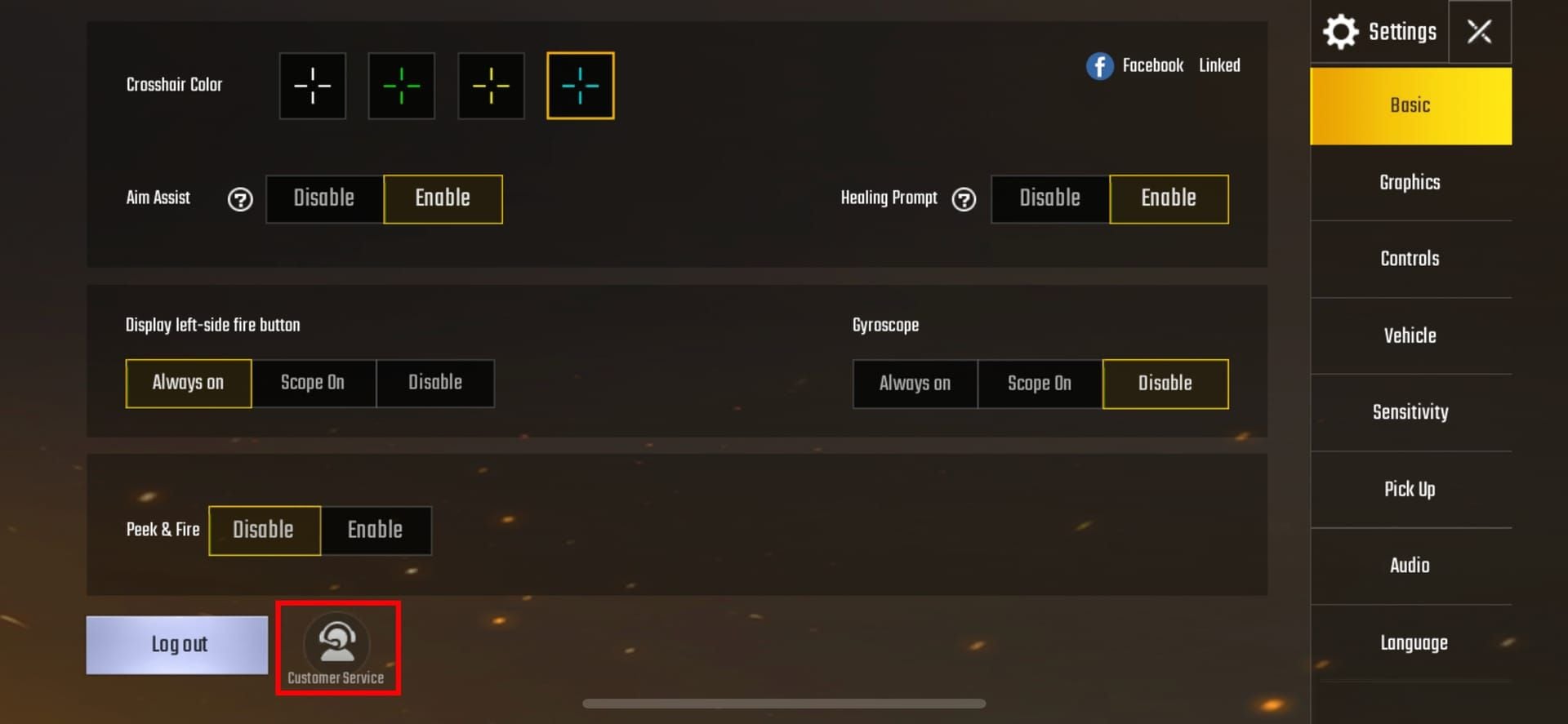
Acknowledgment: 24 hours. Resolution: 3-5 business days. This extended timeline allows human review of nuanced situations that automated systems might reject.
Understanding the UC Refund Policy from your purchase platform helps set realistic expectations.
Chargebacks vs. Refunds: Critical Differences
Chargebacks and refunds are fundamentally different. A refund works through official channels (iOS, Android, or direct support) following established policies and preserving account standing. A chargeback bypasses the game entirely, going directly through your bank or credit card company.
Critical distinction: Chargebacks after spending UC result in immediate permanent account bans.
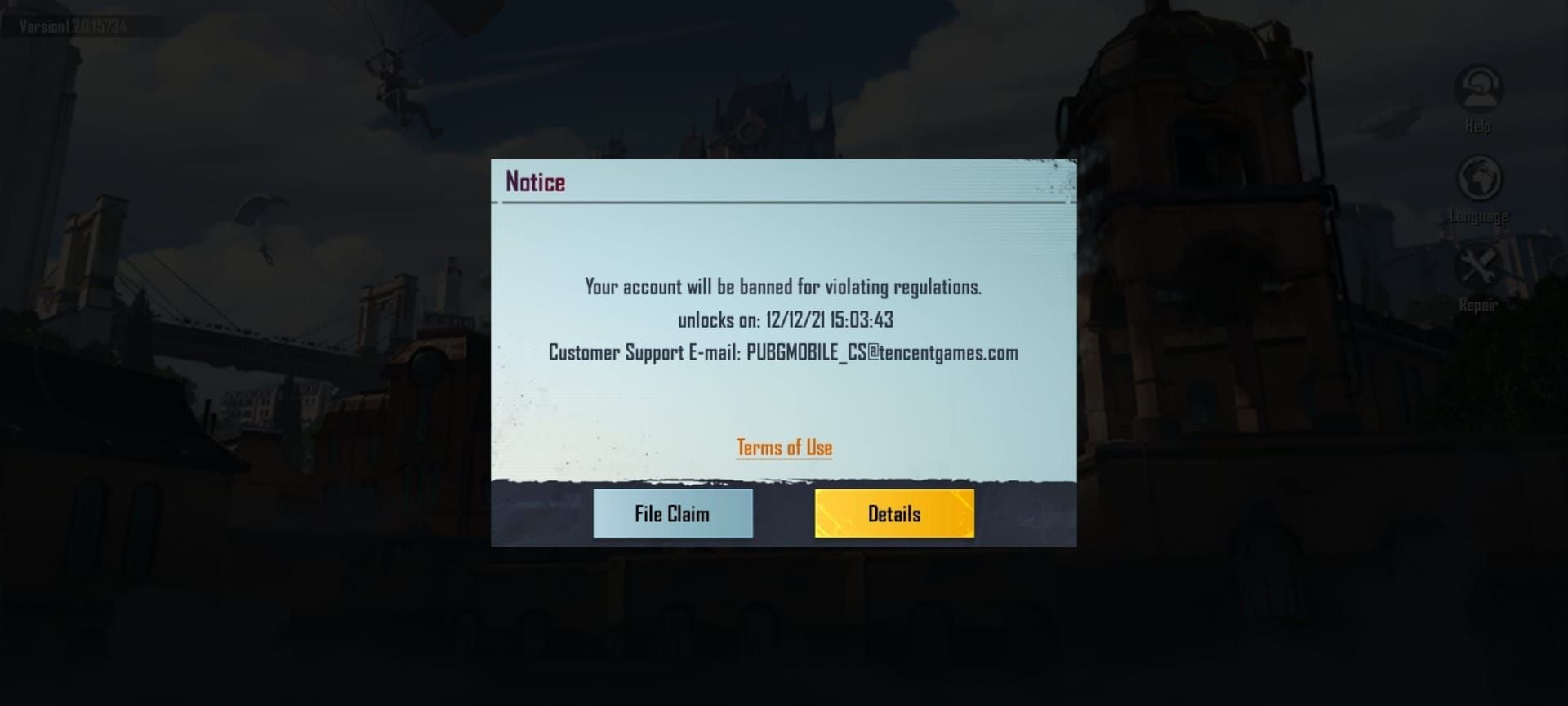
Why Chargebacks Trigger Permanent Bans
When you chargeback after spending UC, the game's payment system registers an abnormal payment pattern. The platform delivered digital goods, you consumed them, then payment disappears. This sequence matches fraudulent behavior patterns, triggering automatic permanent bans.
Even legitimate concerns like unauthorized access result in irreversible account penalties when bypassing official refund channels.
Proper Dispute Resolution Hierarchy
- Attempt resolution through purchase platform (iOS/Android) using official refund processes
- If platform refunds fail, escalate to direct PUBG Mobile support with comprehensive documentation
- Only if both official channels deny legitimate claims, contact your payment provider
In step 3, explain you're disputing an unresolved issue, not initiating a standard chargeback. Some payment providers offer dispute mediation that doesn't trigger the same system flags.
Chargeback Consequences: Account Penalties
Chargebacks result in permanent bans that eliminate access to all progress, purchases, and achievements. No appeals process exists for chargeback-triggered bans.
Negative UC Balance Implications
Before permanent ban execution, chargebacks create negative UC balances. If you spent 1,800 UC then charged back the purchase, your account shows -1,800 UC. This negative balance prevents any gameplay activities requiring currency, effectively freezing your account.
No mechanism exists to resolve negative balances through repayment. Once the chargeback registers, the ban sequence initiates automatically.
Real Consequences
Players who chargeback after spending UC face immediate account termination regardless of account value or history. A player with $5,000 in legitimate purchases over three years receives the same permanent ban as a new player.
This zero-tolerance policy prevents exploitation where players could purchase UC, spend it immediately, then chargeback for free currency.
Common UC Refund Scenarios
Accidental Purchases and Unauthorized Access
Accidental purchases by children or unauthorized users represent the most commonly approved refund scenario. You can successfully request refunds provided the UC remains unspent. Document unauthorized access, explain circumstances clearly, and submit within 7 days.
If the child spent UC before you discovered the purchase, refund eligibility ends immediately.
Failed Transactions and Missing UC
Failed transactions where payment processed but UC never appeared qualify for refunds or redelivery. Required documentation:
- Payment confirmation from bank or payment provider
- Screenshots showing current UC balance
- Exact timestamp when transaction should have completed
Most platforms resolve through UC redelivery rather than refunds, crediting your account once they verify payment processed.
Duplicate Charges and Billing Errors
Duplicate charges from connection errors represent clear refund scenarios. Documentation must show multiple identical charges within seconds or minutes of each other, proving duplication resulted from technical errors.
Submit refund requests for duplicate charges only, not the intended purchase, and provide transaction numbers for all related charges.
Non-Refundable Scenarios
Dissatisfaction with purchased items never qualifies for refunds. If you buy UC, spend it on crates, and dislike the items received, no refund mechanism exists. The random nature of crate contents is disclosed before purchase.
Gift card purchases follow the same rules—approved refunds return as store credit rather than original payment method refunds. Redeem codes become non-refundable the moment you view them.
Alternative Solutions When Refunds Aren't Available
Safe Payment Provider Contact
If you must contact your payment provider, explain the situation as an unresolved dispute rather than requesting immediate chargeback. Many credit card companies offer dispute mediation services that investigate claims without triggering automatic chargeback flags.
Provide all documentation from refund attempts, including denial reasons from PUBG Mobile support.
Escalation Within PUBG Mobile Support
If initial support tickets receive denials, request escalation to senior support representatives. Explain you've followed all proper procedures, provide complete documentation, and emphasize your desire to resolve without chargebacks.
Persistence through official channels occasionally yields results for technical issues or unauthorized access with strong supporting evidence.
Prevention Strategies
Implement preventive measures:
- Enable purchase confirmations requiring password or biometric authentication
- Set up parental controls if children use your device
- Verify transaction details before completing purchases
- Keep detailed records of all transactions
Note: Prices on Android and iOS differ due to platform fees.
Protecting Your Account: Best Practices
Purchase Confirmation and Security Settings
- Enable two-factor authentication on PUBG Mobile account and payment methods
- Configure device to require authentication for every purchase
- Review purchase history regularly through payment platform and in-game records
Immediate detection of unauthorized or erroneous charges increases refund success rates.
Transaction Record Keeping
Maintain a dedicated folder for PUBG Mobile transaction records:
- Purchase confirmations
- Receipts
- UC balance screenshots
- Character name and account email
This organized documentation proves invaluable when disputes arise.
Choosing Secure Purchase Platforms
Select established, reputable platforms for UC purchases to minimize transaction risks. Trusted platforms maintain clear refund policies, secure payment processing, and responsive customer support.
BitTopup exemplifies secure UC purchasing with competitive pricing, fast delivery, and transparent transaction policies. The platform's excellent customer service and high user ratings reflect commitment to buyer protection.
Avoiding Fraudulent Sellers
Never purchase UC through unofficial sellers, account sharing services, or platforms offering extreme discounts. These fraudulent sources often use stolen payment methods, resulting in delayed bans when PUBG Mobile detects irregular transactions.
Legitimate platforms charge market-appropriate prices. Extreme discounts signal fraudulent operations that jeopardize your account.
Frequently Asked Questions
Can you get a refund on UC purchases in PUBG Mobile?
Yes, within 7 days for unspent UC, unopened premium crates, unactivated battle passes, and unused cosmetic items. Japan restricts refunds to defective products only.
What happens if you chargeback UC in PUBG Mobile?
Chargebacks after spending UC trigger immediate permanent account bans with no appeal process. Always use official refund channels to protect your account.
How long does it take to refund UC?
iOS: 48-72 hours. Android: 24 hours. Direct support tickets: 3-5 business days. Approved refunds return to original payment method.
What documentation do I need for a refund?
Character name, exact purchase timestamp, complete item description and price, registered account email, transaction number (including GPA. prefix), and payment receipts.
Can you refund accidental UC purchases?
Yes, if UC remains unspent and you submit within 7 days. Provide clear explanation, complete documentation, and evidence currency hasn't been used.
What are common reasons for refund denials?
Submissions past 7 days, evidence of UC usage, incomplete documentation, vague explanations, or prior refund history. Include specific factual reasons and complete transaction details to maximize approval chances.






























































































































