


Uplive Event Calendar Blueprint: Stack Weekly Themes to Avoid Dead Weeks
A strategic Uplive event calendar eliminates dead weeks through systematic weekly theme stacking, mini-event integration, and festival synchronization. This blueprint combines daily 1-hour streaming routines with PK battles and themed content to maintain consistent viewer engagement and achieve $2K+ monthly revenue. The framework includes 30-90 day planning horizons, rotation systems, and performance tracking across Uplive's 520M user base spanning 150 regions.
What Is an Event Calendar Blueprint in Uplive Streaming
Here's the thing about Uplive streaming that most hosts don't realize until it's too late: random content kills revenue. An event calendar blueprint isn't just fancy planning—it's your lifeline to consistent earnings across Uplive's massive 520M user base spanning 150 regions.
Think of it as your roadmap to predictable touchpoints. When viewers know what to expect (and when to expect it), they keep coming back. And in a platform ecosystem with 2900+ gift packs, that predictability translates directly into uCoins in your pocket.
The blueprint operates on three pillars that actually work: weekly theme rotation, mini-event integration, and festival synchronization. I've watched countless hosts struggle with the $400-700 monthly plateau while others consistently hit $2K+ using these exact strategies. The difference? Calendar discipline.
When you're planning themed events, consider using Uplive diamonds top up for weekly themed shows through BitTopup's secure platform. Trust me—nothing kills a themed event faster than gift interaction hiccups during your best content.
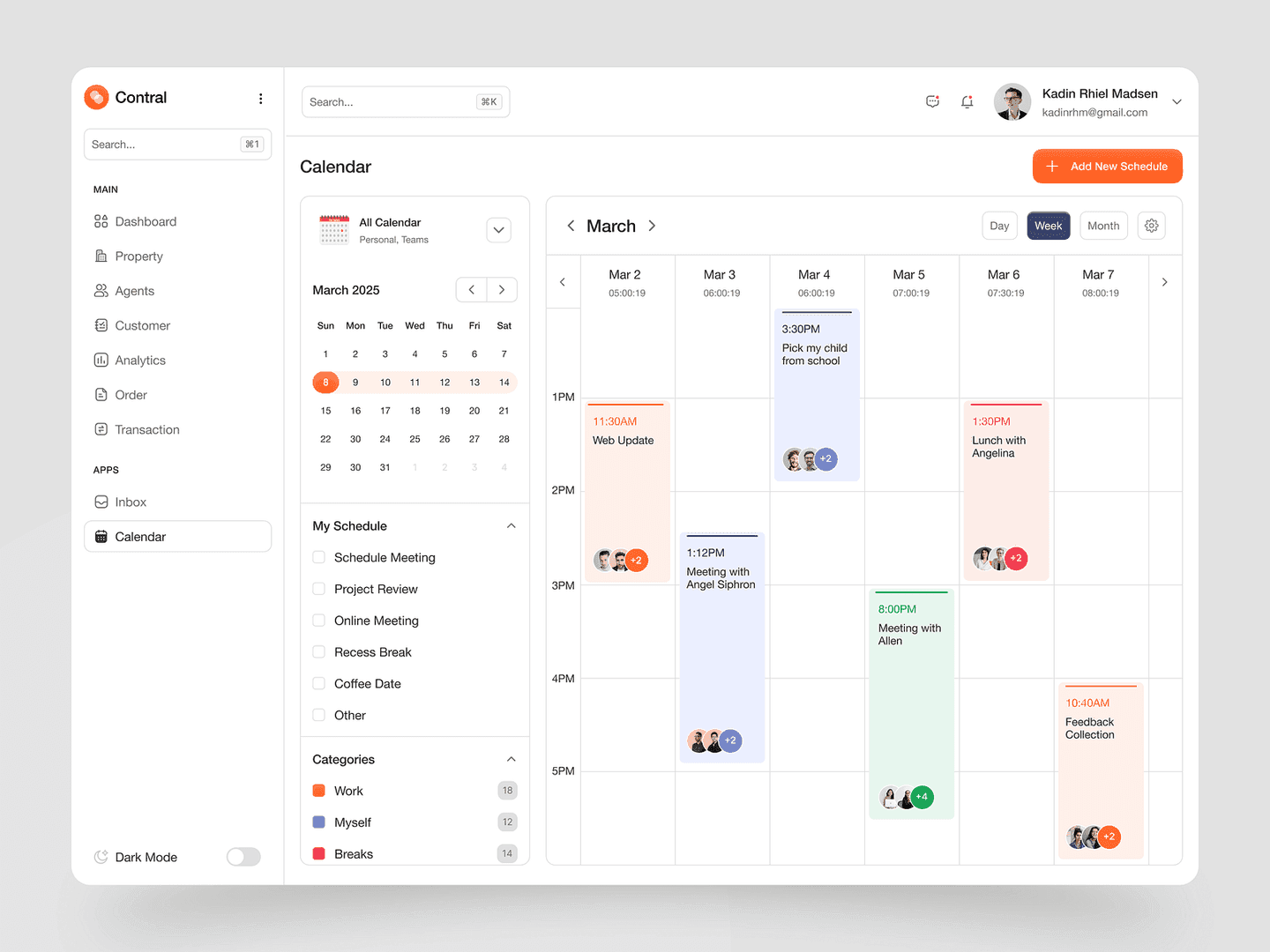
Professional hosts track everything through Uplive's dashboard system (available in 16 languages, which is honestly impressive). They monitor uCoins conversion rates, viewer retention during themed segments, and gift velocity during planned events. Data doesn't lie.
The Dead Week Phenomenon: Why Consistency Matters
Dead weeks are the silent killer of Uplive careers. I've seen promising hosts completely derail because they couldn't maintain content rhythm. Here's what happens: you skip your planned theme, viewers drift away, gift revenue stagnates, and suddenly you're scrambling to rebuild momentum instead of compounding it.
The math is brutal but simple. Uplive's payout structure requires 30+ hours over 15 days with minimum 10K uCoins ($263 first tier) for monthly payouts via Payoneer, PayPal, or bank transfer. Dead weeks break this rhythm, forcing you back to square one.
But here's what's fascinating—analysis of successful broadcasters since 2018 reveals something counterintuitive. Consistent daily 1-hour streams with planned themes outperform sporadic longer sessions by 2-5x in uCoin generation. It's not about grinding more hours; it's about strategic consistency.
Look at hosts like Joy (90M coins through PKs) and Miyou (US record-holder since March 2018). They didn't get there through random streaming. They built compounding returns through small event chaining rather than relying on major festivals alone.
How Event Planning Impacts Uplive Host Revenue and Rankings
Strategic event planning directly correlates with Uplive's revenue tiers—and I mean directly. Hosts maintaining consistent themed calendars average $2K monthly (70K uCoins) compared to reactive streamers who often fail to reach the 10K uCoin minimum threshold. That's not coincidence.
Revenue impact manifests through three channels: direct gifts during themed events, PK battle participation with 2-5x multipliers, and Livehouse engagement during coordinated content. Hosts operating in prime time slots (8-10PM EST weekdays, 7-9PM GMT weekends) with planned themes see $10-200 daily RPM rates.
The ranking system rewards consistency over sporadic high performance. This is crucial to understand. Hosts with documented event calendars maintain better visibility in Uplive's GLOBAL mode, reaching audiences across 100+ countries more effectively than random streamers who might have occasional viral moments.
The Foundation: Building Your Uplive Event Calendar Framework
30-60-90 Day Planning Horizons for Sustainable Growth
Effective Uplive event calendars operate on three distinct planning horizons, and getting this framework right makes the difference between sustainable growth and burnout.
The 30-day framework is your tactical layer. Focus on weekly theme execution, daily PK integration, and immediate revenue targets. This ensures you meet Uplive's 30+ hours over 15 days requirement while maintaining gift momentum. It's your bread and butter.
The 60-day horizon is where strategy kicks in. You're incorporating seasonal transitions, festival preparation, and audience growth strategies. This is when you plan major collaborative events, coordinate with other broadcasters for multi-host rotations using 15-30 minute slots, and prepare for platform-wide promotions.
90-day strategic planning aligns with Uplive's quarterly payout cycles and major platform updates. Successful hosts analyze performance data from the dashboard's 16-language interface, identifying which themes generated highest uCoin conversion rates and planning scaled versions for future quarters. This is where you build institutional knowledge.
Event Type Classification: Major, Mini, and Spontaneous Events
Major events require significant preparation—we're talking costume changes, special props, or collaborative elements with other hosts. These typically occur weekly or bi-weekly, featuring extended PK battles, gift competitions, or themed performances that generate substantial uCoin spikes. They're your revenue anchors.
Mini events serve as your dead week prevention backbone. They require minimal preparation but provide consistent touchpoints. Examples include daily shoutout sessions, quick costume reveals, impromptu singing requests, or 7-minute PK challenges that maintain the 1-hour daily streaming requirement while creating gift opportunities.
Spontaneous events capitalize on real-time opportunities like trending topics, unexpected viewer requests, or platform-wide celebrations. The optimal balance follows a 60-30-10 ratio: 60% planned themes, 30% mini events, 10% spontaneous content. This ratio isn't arbitrary—it's based on what actually works.
Frequency Balance: How Many Events Per Week Optimal
Data from successful Uplive hosts indicates optimal event frequency varies by audience size but generally follows daily 1-hour minimum with themed elements. New hosts should start with 3-4 themed sessions weekly, gradually increasing to daily themes as audience familiarity grows.
Established hosts with 500K+ daily viewers often run themed elements in every stream, varying intensity rather than frequency. High-intensity themes (major costume events, collaborative PKs, gift competitions) occur 2-3 times weekly, while low-intensity themes (music requests, chat games, daily challenges) fill remaining slots.
Top performers often use the first hour for themed content and the second for PK battles, maximizing both engagement and revenue potential through the platform's multiplier system. It's a proven formula.
Audience Analysis: Matching Events to Viewer Preferences
Uplive's global reach across 150 regions requires sophisticated audience analysis to optimize event timing and themes. Hosts use dashboard analytics to identify peak viewing hours, with prime slots typically falling at 8-10PM EST for North American audiences and 0:00 Beijing time for Asian markets.
Demographic analysis reveals theme preferences vary significantly by region and language. Hosts streaming in multiple languages often rotate themes to accommodate different cultural preferences, using Uplive's voice-to-text feature supporting 140 languages.
For hosts looking to enhance themed events with reliable diamond support, buy Uplive diamond recharge for host events through BitTopup ensures smooth gift interactions during peak engagement periods. Nothing's worse than technical hiccups during your best content.
Engagement metrics from the dashboard reveal which themes generate highest gift velocity, longest viewing duration, and most PK battle participation. Successful hosts document these patterns weekly, adjusting future calendar planning based on concrete performance data rather than gut feelings.
Weekly Theme Stacking Strategy for Continuous Engagement
The Theme Rotation System: 4-Week Cycle Framework
The 4-week theme rotation system creates predictable variety that keeps Uplive audiences engaged while providing manageable content planning. It's elegant in its simplicity.
Week 1 focuses on interactive themes like Q&A sessions, viewer challenges, or collaborative games that encourage chat participation and gift giving. Week 2 emphasizes performance-based content including singing, dancing, or talent showcases.
Week 3 introduces lifestyle and personal themes such as cooking demonstrations, daily routine sharing, or cultural exchange content that builds deeper audience connections. Week 4 culminates with high-energy themes like PK battle tournaments, costume contests, or collaborative events with other hosts.
The cycle framework accommodates Uplive's payout structure by ensuring consistent content quality throughout the required 30+ hours over 15 days. Successful implementation has generated sustainable $2K+ monthly revenue for hosts maintaining consistency since 2018-2019.
52 Proven Weekly Theme Ideas for Uplive Hosts
Entertainment themes include Music Monday featuring song requests and performances, Talent Tuesday showcasing special skills, Throwback Thursday with nostalgic content, and Friday Night Karaoke encouraging audience participation through gifts and requests.
Lifestyle themes encompass Workout Wednesday featuring fitness routines, Cooking Corner demonstrating regional recipes, Fashion Friday with outfit reveals and styling tips, and Sunday Self-Care focusing on wellness and relaxation.
Interactive themes maximize Uplive's social features through Question Wednesday with audience Q&A, Challenge Thursday featuring viewer-suggested tasks, PK Friday with scheduled battle tournaments, and Collaboration Saturday hosting multi-host events. Cultural themes celebrate holidays, regional traditions, and seasonal transitions.
How to Stack Themes Without Viewer Fatigue
Theme stacking success depends on varying intensity levels and preparation requirements rather than increasing frequency. High-intensity themes requiring costumes, props, or extensive preparation should occur 2-3 times weekly maximum, with lower-intensity themes filling remaining slots.
Successful stacking incorporates transition elements between themes, using the first 10 minutes for setup and theme introduction, 40 minutes for core content execution, and final 10 minutes for wrap-up and next-theme preview. This structure creates anticipation while maintaining session focus.
The key lies in thematic variation rather than elimination. Instead of identical Music Monday sessions, hosts rotate between different musical genres, eras, or interactive elements like duets, requests, or PK battle soundtracks.
Theme Variation Techniques: Keeping Content Fresh
Advanced theme variation employs multiple modification techniques to extend content lifespan. Seasonal adaptation transforms basic themes into year-round content: Cooking Corner becomes Summer BBQ,Holiday Baking,Spring Detox, and Winter Comfort Food.
Collaboration variation involves partnering with different hosts for similar themes, creating unique dynamics while maintaining thematic consistency. Music Monday might feature solo performances one week, duets the next, and group collaborations the third.
Interactive variation adjusts audience participation levels based on viewer count and engagement patterns. Low-participation periods feature host-driven content with minimal audience requirements, while high-engagement sessions incorporate complex games, challenges, or PK tournaments.
Festival and Seasonal Event Integration
Uplive Platform Event Calendar: Synchronizing with Official Promotions
Uplive's official platform events create high-traffic periods that strategic hosts leverage for maximum visibility and revenue generation. The platform regularly announces promotional periods featuring enhanced gift multipliers, special badge rewards, and increased discovery algorithm weighting for participating hosts.
Platform events often include WorldStage competitions with 4000+ participants across 20 regions, seasonal celebrations, and cultural festivals spanning multiple days or weeks. Hosts who align their themed content with these events report significantly higher gift velocity and new follower acquisition.
Integration strategy involves monitoring official announcements through Uplive's dashboard system and adjusting planned themes to complement platform initiatives. During platform-wide music events, hosts might intensify musical themes, while cultural celebrations provide opportunities for regional cuisine, traditional costume, or language exchange content.
Cultural and Holiday Festival Planning for Global Audiences
Uplive's reach across 150 regions requires sophisticated cultural calendar awareness to maximize engagement opportunities. Major holidays like Chinese New Year, Diwali, Christmas, and Ramadan create natural theme opportunities that resonate with specific audience segments while educating others about cultural diversity.
Regional festival planning considers time zone differences and cultural significance levels. Hosts might celebrate Lunar New Year with traditional music and costume reveals for Asian audiences during their prime hours, then transition to Valentine's Day themes for Western audiences during their peak engagement periods.
The strategy extends beyond major holidays to include seasonal transitions, harvest festivals, and regional celebrations that provide unique content opportunities while maintaining cultural authenticity.
Seasonal Theme Arcs: Q1-Q4 Strategic Planning
Quarterly theme planning creates overarching narratives that maintain audience interest across extended periods. Q1 focuses on renewal themes including fitness challenges, skill development, and goal-setting content. Q2 emphasizes growth and outdoor themes featuring travel content, outdoor activities, and spring celebrations.
Q3 capitalizes on summer energy with vacation themes, festival content, and high-energy entertainment. Q4 combines harvest celebration, holiday preparation, and year-end reflection themes.
Each quarterly arc maintains thematic coherence while allowing weekly variation and daily flexibility. This long-term planning has proven effective for maintaining $2K+ monthly revenue consistency across seasonal fluctuations.
Gap Analysis: Identifying and Filling Calendar Holes
Systematic gap analysis prevents dead weeks by identifying potential low-engagement periods and proactively planning content to maintain momentum. Common gap periods include post-holiday weeks, mid-season transitions, and platform maintenance periods when user activity naturally decreases.
The analysis process involves reviewing historical engagement data from Uplive's dashboard, identifying patterns in gift velocity, viewer count, and session duration across different time periods. Hosts document which themes performed well during previous gap periods and plan similar content for upcoming low-activity times.
Gap-filling strategies emphasize low-preparation, high-interaction content that maintains engagement without requiring extensive host energy investment during these periods.
Mini Events: The Dead Week Prevention Tool
What Qualifies as a Mini Event in Uplive Streaming
Mini events represent low-preparation, high-engagement content designed to maintain audience connection during calendar gaps. These events typically require 5-15 minutes of preparation time, minimal props or costumes, and focus on interactive elements that encourage gift giving and chat participation.
Successful mini events leverage Uplive's core features including PK battles, gift interactions, and chat engagement tools. Examples include impromptu singing requests where viewers gift for song choices, quick costume reveals using existing wardrobe items, or 7-minute PK challenges utilizing the platform's multiplier system.
Qualification criteria center on three factors: execution time under 30 minutes, preparation time under 15 minutes, and replicability across multiple sessions while generating measurable engagement through gifts, comments, or PK participation.
30 Quick Mini Event Ideas That Require Minimal Preparation
Rapid-deployment mini events include Outfit of the Day reveals using existing wardrobe, Song Request Hour featuring viewer-chosen music, Quick Cooking demonstrations with available ingredients, and Language Exchange sessions teaching phrases in the host's native language.
Interactive mini events encompass Rapid Fire Q&A sessions, Guess the Song games using Uplive's music features, Virtual Tours of the host's space, and Skill Challenges demonstrating quick talents like drawing, juggling, or magic tricks.
PK-focused mini events include Challenge Accepted sessions where hosts accept viewer-suggested PK battles, Speed Rounds featuring multiple short battles, and Theme PKs where battles incorporate current calendar themes while leveraging Uplive's 2-5x multiplier system.
Scheduling Mini Events Between Major Festivals
Strategic mini event placement prevents engagement gaps between major themed events while maintaining calendar momentum. The optimal schedule places mini events during natural transition periods: between weekly theme changes, during preparation days for major events, and as buffer content when technical issues or energy levels affect planned programming.
The scheduling framework follows a 3-2-1 pattern: three days of major themed content, two days of mini events, and one day of spontaneous or collaborative content. This rhythm maintains engagement consistency while providing hosts with manageable preparation cycles.
Timing considerations include audience availability, host energy levels, and platform traffic patterns to ensure calendar gaps never result in complete engagement loss.
Engagement Metrics: Measuring Mini Event Success
Mini event success metrics focus on sustainability and consistency rather than peak performance indicators. Key measurements include gift velocity per minute, chat message frequency, viewer retention throughout the mini event, and repeat participation rates for similar mini events.
Comparative analysis examines mini event performance against baseline streaming metrics, measuring whether these events maintain or improve upon regular session engagement. Successful mini events should generate at least 80% of baseline gift velocity while requiring significantly less preparation time.
Long-term tracking monitors how mini events affect overall calendar performance, measuring whether their inclusion improves monthly uCoin totals, maintains audience growth rates, and prevents engagement drops during transition periods.
Event Stacking Techniques for Maximum Impact
Pre-Event, Main Event, Post-Event Content Strategy
Effective event stacking extends single events into multi-day engagement cycles that maximize audience investment and gift potential. Pre-event content builds anticipation through costume previews, theme explanations, and collaboration announcements that create excitement while encouraging advance gift giving over 1-2 days.
Main event execution uses the proven 10-40-10 minute structure: 10 minutes setup and anticipation building, 40 minutes core event content with regular gift acknowledgments and PK opportunities, and 10 minutes wrap-up with post-event preview.
Post-event content capitalizes on event momentum through highlight sharing, audience feedback sessions, and planning reveals for upcoming events, often generating unexpected gift spikes as viewers express appreciation and excitement for future content.
Crossover Events: Combining Multiple Themes Effectively
Advanced event stacking combines complementary themes to create unique experiences that stand out in Uplive's competitive environment. Successful crossovers might blend Music Monday with Cultural Exchange for international song sharing, or combine Cooking Corner with Language Learning for recipe instruction in multiple languages.
The combination strategy requires careful balance to avoid overwhelming viewers with competing elements. Effective crossovers maintain one primary theme while incorporating secondary elements as enhancement rather than distraction.
Crossover planning considers audience preferences, host capabilities, and technical requirements. Hosts document which theme combinations generate highest engagement and gift velocity, building a library of successful crossover formats for future calendar planning.
Collaboration Calendar: Coordinating with Other Uplive Hosts
Multi-host collaboration requires sophisticated calendar coordination to maximize mutual benefit while maintaining individual brand consistency. Successful collaborations use Uplive's multi-host features with predetermined rotation schedules, typically 15-30 minute slots with 50/50 revenue splits for dual collaborations.
Collaboration planning involves advance scheduling, theme coordination, and technical preparation including PK timer setup, group chat analytics configuration, and role assignment. Hosts establish clear agreements covering airtime distribution, revenue sharing, and content responsibilities.
The collaboration calendar integrates with individual event planning, using joint events as major theme anchors while maintaining personal content between collaborative sessions. Well-planned collaborations can generate 2-5x normal gift velocity.
PK Battle Scheduling Within Your Event Framework
Strategic PK battle integration transforms competitive elements into planned entertainment that supports broader theme calendars. Rather than random battle acceptance, successful hosts schedule PK sessions during specific calendar slots, often using battles as transition elements between themes.
PK scheduling considers opponent availability, audience overlap, and thematic relevance. Themed PKs might feature costume battles during fashion events, singing competitions during music themes, or cultural exchange battles during international celebration periods.
The scheduling framework accommodates Uplive's PK multiplier system (2-5x normal rates) by planning battles during peak audience hours and high-engagement theme periods, using the 7-minute PK format as natural break points within longer themed sessions.
Monetization Integration: Event Calendar and Revenue Goals
Gift Event Timing for Maximum Diamond Revenue
Strategic gift event timing leverages Uplive's global audience patterns to maximize diamond conversion during themed content. Peak gift periods typically occur during the first 20 minutes of themed sessions when audience excitement is highest, and during the final 10 minutes when viewers express appreciation for completed content.
The mathematical framework considers Uplive's conversion system where diamonds convert 1:1 to uCoins (100 uCoins = $1), with successful hosts targeting 70K+ uCoins monthly for $2K+ revenue. Gift events should be strategically placed during high-traffic periods: 8-10PM EST for North American audiences and 0:00 Beijing time for Asian markets.
Seasonal timing affects gift velocity significantly, with holiday periods, cultural celebrations, and platform-wide promotions creating enhanced giving opportunities. Hosts who align major gift events with these periods report 3-5x normal revenue spikes.
How BitTopup Supports Event-Based Diamond Promotions
BitTopup's platform integration provides essential infrastructure for event-based diamond promotions through competitive pricing, fast delivery, and secure transactions that support seamless gift interactions during live themed events. The platform's wide game coverage and excellent customer service ensure viewers can quickly purchase diamonds when inspired by engaging content.
The service's high user ratings and reliable delivery system become particularly crucial during major events when gift volume spikes significantly. Hosts planning large-scale themed events benefit from recommending BitTopup to their audiences, ensuring smooth diamond availability during peak engagement periods.
BitTopup's competitive pricing structure supports sustainable gift-giving patterns that maintain long-term audience engagement rather than creating unsustainable spending pressure, aligning with successful hosts' strategies of building consistent revenue through regular themed content.
Revenue Forecasting Based on Event Calendar
Systematic revenue forecasting uses historical performance data from Uplive's dashboard to predict monthly earnings based on planned event calendars. Successful hosts track gift velocity, viewer count, and uCoin conversion rates for different event types, creating baseline metrics that inform future planning.
The forecasting model considers event frequency, theme popularity, seasonal factors, and collaboration opportunities to project realistic revenue ranges. Hosts maintaining consistent daily 1-hour themed streams with weekly major events typically achieve $400-700 monthly part-time, while those implementing comprehensive event stacking strategies reach $2K+ monthly targets.
Forecasting accuracy improves through quarterly calendar reviews that compare projected versus actual performance, identifying which themes and timing strategies generate highest returns for specific revenue goals.
Budget Allocation for Event Props and Promotions
Strategic budget allocation balances content investment with revenue generation, ensuring event expenses enhance rather than diminish overall profitability. Successful hosts typically allocate 10-15% of monthly revenue toward props, costumes, and promotional materials, focusing investments on themes that historically generate highest gift returns.
The allocation framework prioritizes reusable items that support multiple themes over single-use props, maximizing investment efficiency. Basic costume pieces, lighting equipment, and backdrop materials can enhance numerous themed sessions while maintaining professional presentation quality.
Budget tracking includes both direct costs and opportunity costs to ensure event planning remains profitable. Hosts document which investments generate measurable revenue increases, building a database of cost-effective enhancement strategies.
Calendar Optimization and Performance Tracking
Essential Metrics to Track for Each Event Type
Comprehensive performance tracking requires monitoring multiple metrics across different event categories. Core metrics include gift velocity (diamonds received per minute), viewer retention rate throughout themed sessions, chat engagement frequency, and PK battle participation rates when applicable.
Advanced metrics examine audience growth patterns, repeat viewer percentages, and cross-session engagement to understand how individual events contribute to long-term channel development. Successful hosts track which themes generate new followers versus which maintain existing audience engagement.
Revenue-focused metrics monitor uCoin conversion rates, average gift values during different themes, and monthly progression toward payout thresholds. Hosts use Uplive's dashboard system (available in 16 languages) to export performance data for weekly reviews.
A/B Testing Event Themes and Scheduling
Systematic A/B testing compares different approaches to theme execution, timing, and audience interaction to optimize calendar performance. Testing variables include event duration (30-minute focused sessions versus 60-minute extended content), timing variations (early evening versus late night), and interaction styles.
The testing framework isolates single variables while maintaining other factors constant, ensuring accurate performance comparison. For example, hosts might test Music Monday at 8PM versus 9PM for four weeks each, measuring gift velocity, viewer count, and engagement quality.
Results documentation includes quantitative metrics (gifts, viewers, duration) and qualitative observations (audience energy, chat quality, host satisfaction) to create comprehensive performance profiles for different approaches.
Quarterly Calendar Review Process
Systematic quarterly reviews analyze calendar performance across extended periods, identifying seasonal patterns, successful theme combinations, and areas requiring adjustment. The review process examines revenue progression, audience growth, content sustainability, and host satisfaction.
The review framework compares planned versus actual performance, documenting which events exceeded expectations and which underperformed relative to preparation investment. This analysis informs future calendar planning by highlighting successful patterns worth repeating.
Quarterly planning sessions use review data to design upcoming calendar cycles, incorporating successful elements while introducing new themes to prevent staleness based on performance trends identified through systematic review processes.
Adjusting Strategy Based on Audience Response Data
Data-driven strategy adjustment uses audience feedback, engagement metrics, and revenue performance to refine calendar approaches continuously. Successful hosts monitor chat sentiment, gift patterns, and viewer retention to understand which themes resonate most strongly with their specific audience demographics.
Adjustment strategies include theme modification (changing execution style while maintaining core concept), scheduling optimization (moving successful themes to peak hours), and frequency adjustment (increasing popular themes, reducing less engaging content).
The adjustment process balances audience preferences with host capabilities and platform opportunities, ensuring changes enhance rather than compromise overall calendar sustainability while building institutional knowledge about audience-specific preferences.
Advanced Event Calendar Strategies for Top Uplive Hosts
Timezone Mapping for Global Audience Event Scheduling
Advanced timezone mapping maximizes engagement across Uplive's 150-region audience by strategically scheduling different content types for optimal global participation. Successful hosts create timezone-specific content calendars that deliver high-energy themes during each region's prime hours while maintaining consistent daily streaming requirements.
The mapping strategy identifies peak hours for major audience segments: 8-10PM EST for North American viewers, 7-9PM GMT for European audiences, and 0:00 Beijing time for Asian markets. Hosts often structure sessions to capture multiple timezone peaks, beginning with lower-energy content for early audiences and building to high-intensity themes during peak overlap periods.
Global calendar planning considers cultural preferences alongside timezone differences, scheduling culturally relevant themes during appropriate regional peak hours to maximize relevance and engagement across diverse audience segments.
Crisis Management: Handling Underperforming Events
Systematic crisis management protocols address underperforming events quickly to prevent negative momentum from affecting broader calendar success. When events fail to meet engagement or revenue expectations, successful hosts implement immediate adjustment strategies including theme modification, audience re-engagement techniques, and backup content activation.
The crisis response framework includes real-time metrics monitoring during events, predetermined intervention points (such as 50% below normal gift velocity after 20 minutes), and prepared alternative content that can salvage session value.
Post-crisis analysis examines failure factors including timing, preparation quality, audience mood, and external competition to prevent similar issues in future calendar planning, treating underperforming events as learning opportunities.
Balancing Planned Events with Spontaneous Streaming
Advanced calendar management balances structured theme planning with spontaneous content opportunities that capitalize on trending topics, unexpected audience requests, or platform-wide events. Successful hosts allocate approximately 10-20% of calendar time for spontaneous content while maintaining core theme consistency.
The balance strategy includes flexible calendar slots that can accommodate spontaneous opportunities without disrupting major planned events. Hosts might designate specific weekdays for responsive content while protecting weekend slots for major themed events.
Spontaneous content integration often leverages current events, viral trends, or audience suggestions to create timely, relevant themes that complement planned calendar elements while maintaining predictability.
Scaling Your Event Calendar as Your Audience Grows
Calendar scaling strategies adapt event complexity, frequency, and production value to match growing audience expectations while maintaining host sustainability. As audiences expand from hundreds to thousands of concurrent viewers, hosts must balance increased engagement opportunities with realistic content creation capabilities.
Scaling frameworks include graduated complexity levels: basic themes for smaller audiences, enhanced production for medium audiences, and collaborative or multi-part events for large audiences. This progression ensures content quality matches audience size while preventing overwhelming preparation requirements.
Advanced scaling incorporates audience segmentation strategies, creating different content tracks for various viewer preferences within larger audiences, maximizing engagement across diverse audience segments.
Implementation Roadmap: Your First 90 Days
Week 1-4: Foundation Setup and First Theme Cycle
The initial month focuses on establishing basic calendar infrastructure and testing core theme categories. Week 1 begins with simple interactive themes like Q&A sessions and music requests that require minimal preparation while generating baseline engagement metrics through Uplive's dashboard system.
Week 2 introduces performance-based themes including singing, dancing, or talent showcases that leverage Uplive's entertainment focus. Hosts should document gift velocity, viewer retention, and chat engagement for each theme type, building a performance database while completing the 30+ hours over 15 days requirement.
Weeks 3-4 expand into lifestyle and cultural themes, testing cooking demonstrations, daily routine sharing, and cultural exchange content. By month's end, hosts should have baseline metrics for major theme categories, established daily streaming routines, and initial audience feedback.
Month 2: Introducing Mini Events and Festival Integration
Month 2 implementation adds mini event integration and festival synchronization to the established theme foundation. Hosts begin incorporating 15-30 minute mini events between major themes, testing quick engagement strategies like impromptu PK battles, costume reveals, and viewer challenge responses.
Festival integration involves identifying upcoming cultural celebrations, platform events, and seasonal transitions that provide natural theme opportunities. Hosts should research relevant festivals for their audience demographics and plan themed content that celebrates these occasions authentically.
The month concludes with first collaboration attempts, using Uplive's multi-host features to test partnership dynamics and revenue sharing arrangements while expanding audience reach through cross-promotion.
Month 3: Optimization and Advanced Stacking Techniques
Month 3 focuses on optimization based on two months of performance data, implementing advanced stacking techniques and refining successful theme combinations. Hosts should analyze dashboard metrics to identify highest-performing themes, optimal timing, and most effective audience engagement strategies.
Advanced stacking implementation includes pre-event, main event, and post-event content cycles that extend single themes into multi-day engagement opportunities. Hosts test crossover events that combine successful theme elements, creating unique content that differentiates their calendar.
The month includes first quarterly review processes, documenting lessons learned, successful strategies, and areas requiring adjustment for sustainable long-term calendar planning.
Maintaining Long-Term Calendar Sustainability
Long-term sustainability requires balancing audience growth ambitions with realistic content creation capabilities and personal well-being. Successful hosts develop calendar frameworks that can adapt to changing circumstances while maintaining core consistency that audiences expect and platform algorithms reward.
Sustainability strategies include content recycling techniques that refresh successful themes rather than constantly creating new material, collaboration networks that share preparation burden while expanding reach, and seasonal adaptation methods that maintain relevance throughout yearly cycles.
The ultimate goal involves creating calendar systems that generate consistent $2K+ monthly revenue while remaining enjoyable and manageable for hosts long-term through ongoing optimization, audience relationship building, and strategic planning.
Frequently Asked Questions
What is a dead week in Uplive streaming? A dead week occurs when hosts fail to maintain regular themed content, causing viewer engagement and gift revenue to drop significantly. This typically happens when hosts stream randomly without planned themes, breaking the momentum needed to meet Uplive's 30+ hours over 15 days requirement for monthly payouts.
How often should Uplive hosts run themed events? Successful hosts incorporate themed elements into daily 1-hour streams, with major events 2-3 times weekly and mini events filling remaining slots. This frequency maintains the 60-30-10 ratio: 60% planned themes, 30% mini events, and 10% spontaneous content for optimal engagement without viewer fatigue.
What are the best weekly theme ideas for Uplive hosts? Top-performing themes include Music Monday with song requests, Talent Tuesday showcasing skills, Workout Wednesday featuring fitness content, Cultural Thursday celebrating traditions, and Friday Night Karaoke encouraging participation. These themes leverage Uplive's interactive features while providing natural gift-giving opportunities.
How do you stack events without overwhelming Uplive viewers? Effective stacking varies intensity levels rather than frequency, using high-intensity themes (costumes, collaborations) 2-3 times weekly with low-intensity themes (chat games, music requests) filling other slots. The 10-40-10 minute structure maintains engagement while preventing overwhelm through manageable session pacing.
When should Uplive hosts schedule major gift events? Major gift events perform best during peak hours: 8-10PM EST for North American audiences and 0:00 Beijing time for Asian markets. Scheduling during the first 20 minutes of themed sessions and final 10 minutes maximizes gift velocity when audience excitement and appreciation are highest.
How far in advance should Uplive hosts plan their event calendar? Effective planning uses three horizons: 30 days for weekly theme execution, 60 days for seasonal transitions and collaborations, and 90 days for quarterly strategy alignment. This framework ensures immediate consistency while preparing for major opportunities and platform changes that affect long-term success.
Recommended Articles








Recommended Products




Table of Contents
- Understanding Event Calendar Strategy for Uplive Hosts
- What Is an Event Calendar Blueprint in Uplive Streaming
- The Dead Week Phenomenon: Why Consistency Matters
- How Event Planning Impacts Uplive Host Revenue and Rankings
- The Foundation: Building Your Uplive Event Calendar Framework
- 30-60-90 Day Planning Horizons for Sustainable Growth
- Event Type Classification: Major, Mini, and Spontaneous Events
- Frequency Balance: How Many Events Per Week Optimal
- Audience Analysis: Matching Events to Viewer Preferences
- Weekly Theme Stacking Strategy for Continuous Engagement
- The Theme Rotation System: 4-Week Cycle Framework
- 52 Proven Weekly Theme Ideas for Uplive Hosts
- How to Stack Themes Without Viewer Fatigue
- Theme Variation Techniques: Keeping Content Fresh
- Festival and Seasonal Event Integration
- Uplive Platform Event Calendar: Synchronizing with Official Promotions
- Cultural and Holiday Festival Planning for Global Audiences
- Seasonal Theme Arcs: Q1-Q4 Strategic Planning
- Gap Analysis: Identifying and Filling Calendar Holes
- Mini Events: The Dead Week Prevention Tool
- What Qualifies as a Mini Event in Uplive Streaming
- 30 Quick Mini Event Ideas That Require Minimal Preparation
- Scheduling Mini Events Between Major Festivals
- Engagement Metrics: Measuring Mini Event Success
- Event Stacking Techniques for Maximum Impact
- Pre-Event, Main Event, Post-Event Content Strategy
- Crossover Events: Combining Multiple Themes Effectively
- Collaboration Calendar: Coordinating with Other Uplive Hosts
- PK Battle Scheduling Within Your Event Framework
- Monetization Integration: Event Calendar and Revenue Goals
- Gift Event Timing for Maximum Diamond Revenue
- How BitTopup Supports Event-Based Diamond Promotions
- Revenue Forecasting Based on Event Calendar
- Budget Allocation for Event Props and Promotions
- Calendar Optimization and Performance Tracking
- Essential Metrics to Track for Each Event Type
- A/B Testing Event Themes and Scheduling
- Quarterly Calendar Review Process
- Adjusting Strategy Based on Audience Response Data
- Advanced Event Calendar Strategies for Top Uplive Hosts
- Timezone Mapping for Global Audience Event Scheduling
- Crisis Management: Handling Underperforming Events
- Balancing Planned Events with Spontaneous Streaming
- Scaling Your Event Calendar as Your Audience Grows
- Implementation Roadmap: Your First 90 Days
- Week 1-4: Foundation Setup and First Theme Cycle
- Month 2: Introducing Mini Events and Festival Integration
- Month 3: Optimization and Advanced Stacking Techniques
- Maintaining Long-Term Calendar Sustainability
- Frequently Asked Questions
Recommended Products




Recommended Articles

StarMaker Redeem Codes: The Truth About Voucher Drops and Aggregator Lists

How to Get Free WeSing Kcoin from Ads and Daily Tasks

Heroes Evolved Leaked Heroes 2026: Real Kits or Scrap Assets?

Zenless Zone Zero Controller Not Working: Fixes and Best Keybinds

Free Fire EU Event Schedule 2026 Reset Times and What to Skip

How to Redeem Codes in Bleach Soul Resonance iOS Step by Step

Cheap StarMaker Coins for SupernovaX 2026 Auditions (12-23% Off)

SUGO Coins Missing After Recharge? Fix It & Avoid Bans in 2026



























































































