Master your first week on Roblox with our direct setup roadmap, essential account security steps, free avatar items, and the best starter experiences.
Roblox hosts millions of user-created experiences, persistent trade systems, and an extensive avatar catalog funded through its virtual currency, Robux. For a new player, the sheer volume of options can feel disorienting.
You do not need to spend money to get started. While legacy platform records tracked roughly 64 to 65 million users, recent metrics show more than 111 million daily active users across the platform. This guide outlines how to secure your account, configure default controls, pick up zero-cost cosmetics, and jump into beginner-friendly games.
Getting Started: System Setup and Core Controls
Roblox operates across a broad spectrum of hardware configurations. Windows 7 or newer provides the most stable performance, though the client maintains legacy compatibility back to Windows XP (Windows 8 setups require Desktop Mode rather than the app container).
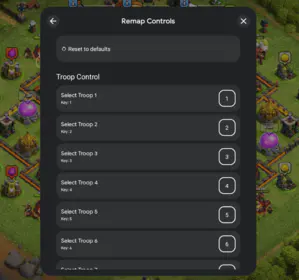
Key bindings remain consistent across most PC games:
- Movement: Use WASD or directional arrow keys to walk forward, backward, left, and right.
- Jumping: Press Spacebar to leap.
- Camera Control: Hold the right mouse button and drag to rotate your view.
- Gear Selection: Press the 1-3 number keys to equip hotbar items.
- Drop Items: Press Backspace to drop or unequip carried items when allowed.
- Interaction: Click the Left Mouse Button to click UI prompts, use tools, or talk to NPCs.
Camera control via the right mouse button is critical. Relying entirely on directional keys limits situational awareness when environmental hazards strike.
Essential Security Settings to Protect Your Account
Account safety requires immediate attention. Bad actors target new accounts through phishing sites, malicious browser bookmarklets, HAR file extraction schemes, and unauthorized API links to steal items in a process known as beaming.
Set up these security defenses before joining public servers:
- Enable Authenticator App 2FA: Go to Account Settings > Security and link an authenticator app using the QR code. You will need a six-digit code whenever signing in from a new device.
- Save Your 10 Backup Codes: Roblox generates ten single-use emergency codes during 2FA setup. Save them in a password manager or physical notebook to recover your account if you lose your phone.
- Create a Parent PIN: Under Settings, set a four-digit PIN to lock your email, password, and security configurations.
- Restrict Privacy and Trades: Open Privacy to disable unsolicited trade requests and restrict direct messages.
If you choose to acquire Robux or game passes later, purchase through direct channels such as Roblox Hong Kong balance options instead of unverified third-party generators that compromise login tokens.
Equipping Free Avatar Cosmetics on Day One
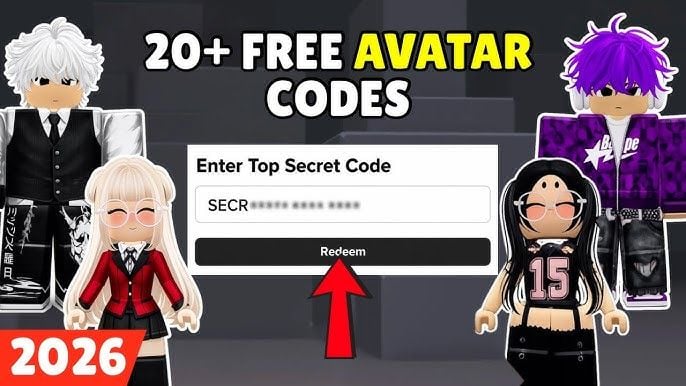
You do not need Robux to customize your starting character. The Avatar Shop contains dozens of base bundles, hairstyles, and clothing items at zero cost.
Filter the Avatar Shop catalog by setting the price range from 0 to 0 (or sorting by Price: Low to High). Claiming these cosmetics permanently adds them to your account.
| Item Name | Item Category | Aesthetic Style | Acquisition Method |
|---|
| Pal Hair | Hair Accessory | Classic Casual (Brown) | Avatar Shop (Filter: Free) |
| Knit Sweaters | Tops / Layered Clothing | Cozy / Casual Wear | Avatar Shop (Filter: Free) |
| Roblox Boy / Girl Bundles | Character Bundle | Standard Base Rig | Avatar Shop (Filter: Free) |
| Classic Jeans with White Shoes | Bottoms | Streetwear Basic | Avatar Shop (Filter: Free) |
| Linlin / Dennis Bundles | Character Bundle | Stylized Proportions | Avatar Shop (Filter: Free) |
| Standard Cap (Roblox) | Hat Accessory | Sporty / Street | Avatar Shop (Filter: Free) |
Takeaway: You can build a unique, customized avatar using free bundles and layered clothing without spending a single cent of real-world money.
The 7-Day Roblox Onboarding Checklist
A structured plan prevents endless scrolling through low-quality clones. Use this day-by-day routine to develop core mechanics across major genres safely.
Day 1: Account Lockdown and UI Setup
Register an email, turn on two-factor authentication, and store your ten emergency recovery codes. In the desktop client settings, set graphics to manual level 3-5 for steady framerates.
Day 2: Claim Free Cosmetics and Practice Movement
Claim the Pal Hair, Knit Sweaters, and standard character bundles in the shop. Launch Natural Disaster Survival to practice jump timing and camera tracking during floods and storms.
Day 3: Social Sandboxes and Driving
Enter Brookhaven RP for 15 to 20 minutes. Test vehicle controls, home customization, and spatial text chat in an environment without combat or death mechanics.
Day 4: Physics and Collaborative Building
Join Build A Boat For Treasure. Place wood blocks and a pilot seat on your plot, then launch downstream to observe how water current and collision physics affect structures.
Day 5: Rapid Mechanics Testing
Complete five rounds of Epic Minigames to test platforming, timing puzzles, and race courses with fast turnarounds and no loss penalties.
Day 6: Collection and Economy Loops
Try Fisch or Grow a Garden. Practice inventory management, selling hauls to NPCs, and purchasing basic gear upgrades.
Day 7: Basic Creation in Roblox Studio
Open Roblox Studio on PC and select the Obby template. Spend 15 minutes moving parts, testing platform spacing, and publishing a personal test course.
Best Roblox Starter Games by Genre
Starting with well-designed games prevents early frustration from unbalanced mechanics or aggressive monetization. These six selections highlight platform mechanics across social, building, survival, and collection formats.
| Game Title | Primary Genre | Best Beginner Use Case |
|---|
| Brookhaven RP | Social Roleplay | Open-ended sandbox play and relaxed socializing with friends |
| Natural Disaster Survival | Survival / Physics | Mastering camera and movement controls in short repeatable rounds |
| Epic Minigames | Minigame Variety | Testing multiple quick game mechanics with minimal failure penalty |
| Build A Boat For Treasure | Physics / Building | Collaborative building and iterative problem-solving |
| Fisch | Exploration / Fishing | Cozy, non-competitive solo exploration and collection |
| Grow a Garden | Idle / Farming Sim | Casual, short-session crop management and pet care |
Takeaway: Sticking to established titles with transparent mechanics ensures you learn platform fundamentals without hitting punishing progression walls.
1. Brookhaven RP (Social Sandbox)
Brookhaven RP provides a zero-pressure roleplay space. You spawn into a suburban town where you can instantly claim a home, spawn vehicles, equip tools, and interact with other players.
The game omits combat, health bars, and economic grinding. A quick 15-minute session is enough to learn how player interactions, UI prompts, and character props operate.
2. Natural Disaster Survival (Movement and Physics)
Natural Disaster Survival drops players onto an island with a central building. Each round triggers a random event—such as a tornado, earthquake, meteor strike, or flash flood.
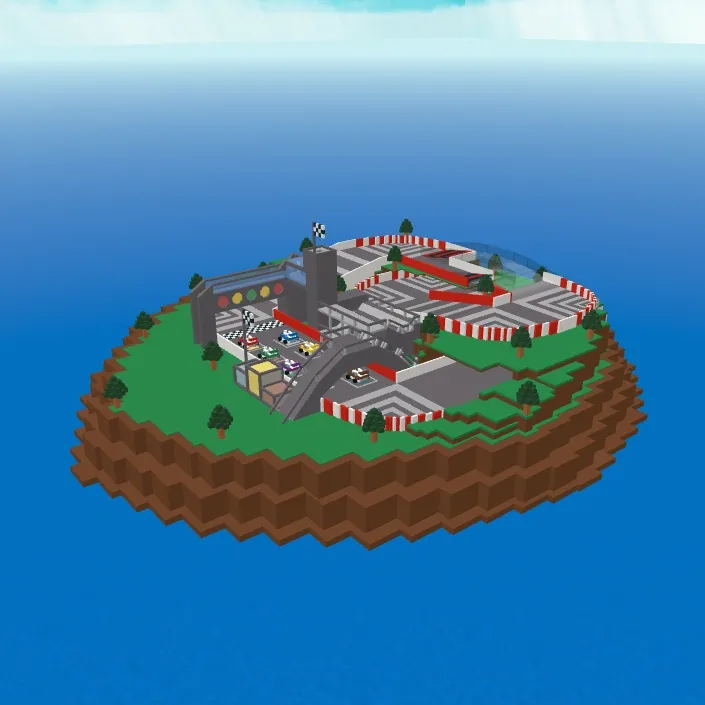
Your objective is simple: stay alive until the timer runs out. Fast round resets make this the most efficient way to practice moving while rotating your camera around physics debris.
3. Epic Minigames (Skill Variety)
Epic Minigames features dozens of short mini-challenges on rotation. Rounds alternate between dodging rolling boulders, crossing crumbling tile grids, and racing across moving platforms.
Every mini-game lasts under a minute with zero penalty for elimination, making it easy to see which gameplay styles you prefer.
4. Build A Boat For Treasure (Physics and Building)
Build A Boat For Treasure introduces modular building. Players place blocks, engines, and seats on a personal plot before launching their raft down a tiered river canyon.
Obstacles strip away unreinforced parts, teaching how structural balance and material resilience interact. Gold earned from reaching checkpoints buys sturdier materials like iron and stone.
5. Fisch (Exploration and Progression)
Fisch focuses on atmospheric exploration over high-stress combat. You travel between islands, cast lines across diverse bodies of water, and catalog over 400,000 fish species and mutations.
Selling catches to island vendors provides money for better rods, specialized bait, and boats, allowing you to advance at your own speed.
6. Grow a Garden (Cozy Farming)
Grow a Garden showcases passive progression systems. The experience set platform growth benchmarks by reaching one billion total visits in 33 days.
Gameplay centers on planting seeds, watering plots, harvesting rare crop mutations, and collecting pets. It fits well into quick 10-minute sessions.
Notable Mentions: Social Deduction and Trending Tycoons
When comfortable with base controls, try Murder Mystery 2. Rounds assign roles of Innocent, Sheriff, or Murderer without graphic violence, building spatial awareness and line-of-sight tracking.
For large-scale events, Steal a Brainrot demonstrates high server concurrency, having reached peak concurrent counts of 25.8 million players while hosting virtual concerts. (Platform sources cite Brazilian Spyder, SpyderSammy, and Do Big Studios across creator listings).
When buying passes or funding social features, use trusted sources like Roblox Hong Kong digital vouchers to prevent payment errors.
Default PC Controls and Navigation Reference
Keep these standard inputs in mind during your first week. They apply to approximately 95% of PC experiences.
| Action | Key Binding | In-Game Function | Practical Tip |
|---|
| Walk / Strafe | W, A, S, D or Arrows | Character movement in 4 directions | Tap lightly for precise edge platforming |
| Jump | Spacebar | Clear gaps and obstacles | Hold while running forward for maximum distance |
| Camera Pan | Right Mouse Click + Drag | 360-degree environmental look | Keep your camera slightly elevated above your avatar |
| Zoom In / Out | Mouse Scroll Wheel | Switch between 1st and 3rd person | Zoom out fully in survival games for better awareness |
| Equip Slot 1-3 | 1, 2, 3 Number Keys | Select items from inventory bar | Use number keys instead of clicking icons manually |
| Drop Tool | Backspace | Drop currently held item | Useful for passing materials to team members |
Takeaway: Memorizing hotbar number keys (1-3) and camera dragging gives you an immediate competitive edge over players using manual clicks.
Creating Your First Game in Roblox Studio
Every account includes access to Roblox Studio, the platform's proprietary engine. You can build and test basic levels without writing code.
- Launch Studio and Choose a Template: Open Studio on PC and select the Obby preset.
- Move and Scale Parts: Select any floating part. Use the Select, Move, and Scale tools in the top ribbon to adjust jump gaps.
- Change Colors and Materials: Pick a part, open the Color menu, and select a material like wood, metal, or neon.
- Inspect Hazard Scripts: Click a red kill block to see how its touch-detection script resets player health on contact.
- Modify Conveyors: Select moving platforms and tweak speed values to alter momentum.
- Playtest Locally: Press F5 or click Play to test jump physics directly.
A simple obstacle course takes under 15 minutes to assemble and shows how hitboxes and collision detection function from the engine side.
Critical Beginner Traps and Scam Prevention
New accounts are frequent targets for scams. Watch out for these standard tactics:
- Fake Currency Generators: Any site, video, or experience promising free Robux in exchange for account credentials is a credential-harvesting scam.
- HAR File Requests: Never export
.har network logs to anyone on Discord or social media. These files store active session tokens that grant direct account access. - Browser Bookmarklets: Never drag javascript code snippets into your browser bar to unlock themes or check trade values. These scripts siphon account data.
- Off-Platform Trades: If a player asks to trade across different games or offers third-party gift cards, refuse. Use only built-in trade windows.
- Missing Backup Codes: Enabling 2FA without saving your ten emergency recovery codes can permanently lock you out if your mobile device is lost.
To purchase currency or game passes safely, stick to official storefront options such as Roblox Hong Kong official products.
Frequently Asked Questions
Is Roblox free to play for beginners?
Yes. Creating an account, downloading the client, and accessing most experiences is completely free. Avatar cosmetics and optional in-game perks use the paid currency Robux.
What are the default PC controls for Roblox?
Movement uses WASD or arrow keys, jumping uses the Spacebar, and camera rotation is controlled by holding and dragging the right mouse button. Left-clicking interacts with items and UI elements.
What is the best Roblox game to start with during your first week?
Brookhaven RP and Natural Disaster Survival are the two best starting experiences. They feature simple interfaces, zero punishing combat loops, and short rounds that teach social and movement mechanics.
How can parents keep a new Roblox account safe?
Enable Two-Factor Authentication via an authenticator app, set a four-digit Parent PIN to lock settings, and restrict chat and trade permissions in the Privacy tab. Teach new players never to click links promising free Robux.
How do you get free cosmetics for your Roblox avatar?
Visit the official Avatar Shop and set the price filter slider to free (0 to 0). You can claim dozens of classic bundles, hair styles like the Pal Hair, and casual clothing pieces without spending money.
What should I do if I get locked out of my authenticator app on Roblox?
Enter one of the ten emergency backup codes provided during your initial two-step verification setup. If you do not have your backup codes, submit an account recovery ticket through official Roblox support channels under Can't Log In.
First Week Roadmap Verdict
Roblox does not require upfront spending or complex setups to enjoy. Spending your first 48 hours configuring 2FA, claiming zero-cost cosmetics, and learning camera controls in Natural Disaster Survival resolves the common pain points that cause new players to quit. Start with proven titles like Brookhaven RP, Build A Boat For Treasure, and Fisch before moving to competitive servers, and keep your backup codes stored securely.