





Google Play Gift Card UK Top Up: Overview & How It Works
A Google Play Gift Card (UK) provides a direct, prepaid method to add British Pounds (GBP) to your Google Play balance. This digital voucher contains a unique 16-character alphanumeric code that credits your digital wallet instantly upon redemption.
Unlike physical bank cards or credit accounts, a digital Google Play voucher is not a reloadable plastic card. When you recharge your balance using a voucher, the funds transfer permanently into your Google account wallet. You do not need to manage or carry the code once applied; your account retains the GBP balance until you decide to spend it on digital content across the Google Play ecosystem.
Using a digital code gives you full spending control without linking a debit card or credit account directly to your Android device. It protects your financial details and prevents unexpected recurring charges by limiting outlays strictly to the balance available in your account.
How to Redeem Your UK Google Play Gift Code Step-by-Step
Redeeming your Google Play code takes less than a minute. You can apply the credit directly from your Android smartphone or tablet, or through any desktop web browser.
Method 1: Redeeming on an Android Phone or Tablet
- Open the Google Play Store app on your device.
- Tap your profile icon in the top right corner of the screen.
- Select Payments & subscriptions from the menu.
- Tap Redeem code.
- Carefully enter the 16-digit digital code sent to you after your purchase on BitTopup.
- Tap Redeem, then confirm the Google account receiving the GBP funds.
Method 2: Redeeming via a Web Browser (PC or Mac)
- Open your browser and navigate to
play.google.com/redeem. - Log in with the specific Google account you want to credit.
- Enter your alphanumeric digital voucher code into the input field.
- Click Redeem.
- Confirm the prompt to add the GBP balance to your Google Play wallet.
How to Verify Your Google Play Account Region and Email
Before you purchase or redeem a United Kingdom gift voucher, confirm that your active Google account is set to the UK region. Google Play ties voucher redemptions strictly to the registered country profile of the logged-in account.
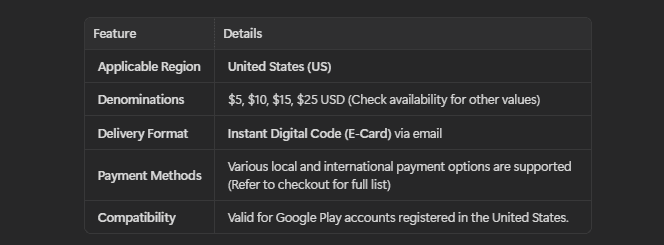
Checking Your Account Email and Country Setting:
- Launch the Google Play Store app.
- Tap your profile icon at the top right to view the active Google email address.
- Go to Settings > General > Account and device preferences.
- Scroll down to the Country and profiles section.
- Confirm that United Kingdom is listed with a green checkmark.
If multiple Google accounts exist on your device, double-check that the Play Store is actively displaying the correct profile before entering your code. Codes redeemed on the wrong account cannot be transferred or refunded.
UK Region Lock Requirements and Account Country Settings
Google enforces geographic restrictions on all Play Store gift cards. A Google Play Gift Card denominated in GBP (£) works only on Google accounts configured to the United Kingdom country profile, connecting from a UK IP address.
| Requirement | UK Google Play Gift Card | Non-UK / International Profile |
|---|---|---|
| Card Currency | British Pound (GBP / £) | Non-GBP (USD, EUR, etc.) |
| Account Country | United Kingdom (Required) | Incompatible (Redemption Blocked) |
| IP Address Location | United Kingdom | Blocked / Region Mismatch Error |
| Balance Transfer | Locked to redeeming account | Non-transferable between accounts |
| Supported Content | UK Play Store catalog | Varies by country setting |
Attempting to redeem a UK gift card on a US, EU, or other international account will trigger a country mismatch error. Ensure your Google Pay payments profile reflects a valid UK residential address to avoid redemption locks.
What Can You Buy with Google Play UK Balance
Your Google Play UK balance covers a broad catalog of digital entertainment and productivity tools available on the UK Play Store.
Permitted Purchases:
- Android Apps & Games: Buy premium paid games, utility apps, and customization tools.
- In-App Purchases (IAP): Purchase in-game currencies, season passes, gacha pulls, character skins, and expansion packs in popular mobile titles.
- Subscriptions: Pay for recurring app services, including Google One cloud storage tiers, fitness apps, and participating media streaming services billed through Google Play.
- Google Play Books & Audiobooks: Purchase individual e-books, graphic novels, and audiobooks.
- Google TV / Movies: Rent or buy digital movies and TV series directly on your account.
Excluded Purchases:
- You cannot use Google Play balance to buy physical hardware (such as Pixel phones or smart home devices) on the Google Store.
- Google Play balance cannot be withdrawn as cash, transferred to a bank account, or used at physical retail stores through contactless Google Pay.
How to Fix Common Google Play Code Redemption Errors
If you run into an error message when entering your code, use the troubleshooting steps below to resolve the issue.
1. Error: "We need more info to redeem your gift card" (PRS-PGC-01 / BM-RGCH-01)
This error occurs when Google detects an IP location mismatch, active VPN connection, or incomplete account verification.* Fix: Turn off any active VPN or proxy tools on your device or home network. Ensure your device connects directly through a standard UK internet connection. Verify that your Google payments profile has a completed UK address registered.
2. Error: "Code cannot be redeemed in your country"
This means your Google Play account country setting does not match the UK voucher region.* Fix: Open the Play Store, check Account and device preferences, and ensure your profile is set to the United Kingdom. If your account is set to another region, you must switch your country profile to the UK or redeem the code on an account registered in the UK.
3. Error: "Invalid Code"
- Fix: Check for common typing mistakes. Alphanumeric codes frequently mix up the letter
Owith the number0, the letterIwith the number1, or the letterSwith the number5. Copy and paste the digital code directly from your BitTopup order confirmation page to prevent manual input errors.
4. Balance Not Updating After Redemption
- Fix: Force close the Google Play Store app and clear its local cache via Android Settings > Apps > Google Play Store > Storage > Clear Cache. Reopen the app to view your refreshed GBP balance.
Why Buy Your Google Play UK Digital Code on BitTopup
BitTopup delivers a secure, streamlined checkout for mobile gamers and Android users who need official UK Google Play credit.
- Zero Account Sharing Required: You never need to share your Google password, 2-Step Verification codes, or sensitive account credentials. BitTopup delivers a clean, standalone digital code that you redeem directly on your personal device.
- Instant Digital Delivery: Your digital voucher generates immediately upon completed checkout, allowing you to top up your balance and return to your games without delay.
- Scam Protection & Security: Receive verified digital codes generated through authorized distribution channels, eliminating the risks associated with unverified third-party sellers.
- Clear Checkout Pricing: View live GBP rates and multiple checkout options directly on the product page before completing your order.
- Customer Assistance: If you encounter questions regarding your code format or checkout status, BitTopup customer support is available to assist you.
Frequently Asked Questions
How to top up Google Play balance in the UK?
To top up your UK balance, purchase a Google Play Gift Card (UK) on BitTopup. Open the Google Play Store app on your Android device, tap your profile icon, choose Payments & subscriptions, select Redeem code, and input your 16-character digital code. The GBP funds credit immediately to your account balance.
Can a Google Play UK gift card be used internationally?
No. Google Play gift cards are region-locked. A UK code denominated in GBP can only be redeemed on a Google account registered with a United Kingdom country profile while connected from a UK IP address. It will not work on accounts registered to other countries.
Can I add money directly to an existing Google Play gift card?
No. Google Play gift cards are non-reloadable single-use vouchers. Once you redeem the code, the voucher becomes inactive, and the entire monetary value moves permanently into your Google Play account balance.
What should I do if I get a region error when redeeming my UK code?
First, disable any VPN, proxy, or private relay services running on your device. Next, open your Play Store settings and confirm that your Country and profiles menu displays the United Kingdom. Ensure you are connected to a standard UK internet connection before attempting redemption again.
Do Google Play Gift Card UK codes expire?
Official Google Play gift card codes issued for the United Kingdom do not have an expiration date. Once redeemed, the credited GBP balance remains in your Google account until spent.
What payment methods can I use to recharge a Google Play UK voucher?
BitTopup provides a variety of payment methods on the live order page. You can review available local and international payment options, select your preferred method, and check real-time pricing directly at checkout.




































































































