


Hoki Chat Top Up: Instant Voice Room Coins
Hoki Chat is a popular social audio platform where users connect in real-time group voice rooms, host online parties, play interactive casual games, and interact with live audio creators. In-app coins serve as the primary virtual currency on Hoki Chat, allowing you to participate actively in voice communities, support your favorite room hosts, and unlock premium profile customization features.
BitTopup provides a direct, secure Hoki Chat top up service using only your numeric Player ID. You never need to share sensitive account login details or passwords. Select your coin pack, complete the checkout process, and receive your coins directly inside your Hoki Chat account.
Why Recharge Hoki Chat Coins? Room Gifting, VIP, and Audio Effects
Hoki Chat coins unlock the full social experience across public and private audio rooms. Whether you host your own events or support other broadcasters, having an active balance of coins gives you access to high-tier community interactions.
Virtual Gifts and Host Support
Send animated digital gifts directly to mic speakers and room owners during live sessions. Gifting boosts host rankings, triggers dynamic room-wide animations, and highlights your profile at the top of the room contributor leaderboard.
VIP Status and Badges
Convert coins into VIP memberships or exclusive badge upgrades. VIP users receive distinct chat colors, glowing avatar frames, priority queue placement for speaking slots, and exclusive access to premium room tools.
Custom Entrance Effects and Audio Themes
Make an entrance whenever you join a voice room. Coins can be used to acquire specialized vehicle entrance animations, custom sound effects, and themed room wallpaper designs that set your profile apart.
Interactive Room Games
Participate in community mini-games within active chat rooms. Coins allow you to enter game sessions, compete with room members, and win community recognition.
| Coin Utility | In-App Benefit | User Impact |
|---|---|---|
| Animated Gifts | Visual screen alerts and audio effects | Increases host popularity and contributor rank |
| VIP Badges | Profile borders and special name tags | Highlights status in voice rooms and chat lists |
| Entrance Effects | Custom vehicles and arrival banners | Announces your arrival across the entire voice room |
| Room Tools | Premium audio filters and room themes | Improves community hosting and audience engagement |
How to Find Your Hoki Chat Player ID
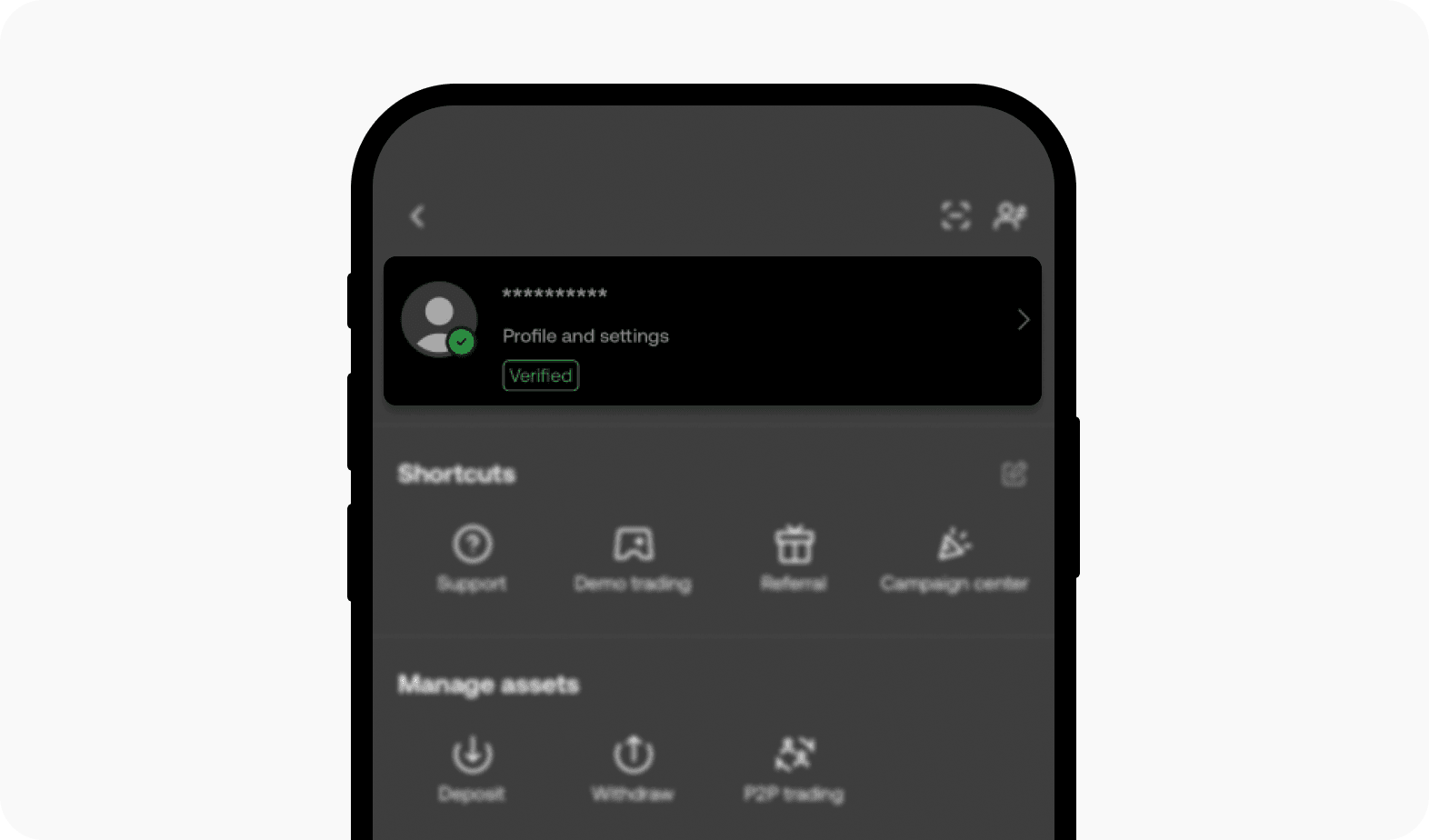
To ensure your coins arrive at the correct account, you must enter your exact Hoki Chat Player ID during checkout. Follow these steps on your mobile device:
- Open the Hoki Chat app on your Android or iOS device.
- Tap the Profile / Me icon located in the bottom right corner of the main screen.
- Locate your Player ID (UID) displayed directly below your profile nickname and avatar.
- Tap the copy icon next to your ID number to copy it to your clipboard.
Always double-check your ID number before completing your purchase to prevent delivery delays.
Step-by-Step Guide to Recharge Hoki Chat Coins on BitTopup
Buying Hoki Chat coins through BitTopup takes only a few quick steps:
- Select Your Coin Package: Browse the available coin bundles on this page and select the amount you want to purchase.
- Enter Your Player ID: Paste your numeric Hoki Chat Player ID into the required account field. Ensure there are no extra spaces.
- Proceed to Checkout: Review your order details and choose your preferred payment option.
- Complete Payment: Finalize the transaction through the secure payment gateway.
- Check Your In-App Balance: Open Hoki Chat and refresh your wallet balance to confirm your new coin credit.
Safe and Secure Player ID Top Ups: No Password Required
Account safety is a core requirement when purchasing digital credits online. BitTopup uses a direct Player ID delivery system that protects your personal data:
- Zero Password Requests: You will never be asked for your Hoki Chat login password, social login credentials, or SMS verification codes.
- No Account Sharing: Your account remains strictly in your hands at all times, eliminating risks associated with shared logins or account takeovers.
- Encrypted Checkout: Every transaction on BitTopup is processed through encrypted SSL payment channels to safeguard your billing details.
Global Payment Methods and Currency Compatibility
BitTopup accommodates users worldwide by supporting a wide range of secure payment channels. Live prices and local currency options are displayed directly on the product checkout interface, allowing you to select the payment method that fits your region:
- Credit and Debit Cards: International Visa, Mastercard, and other major card networks.
- Digital Wallets: Popular online wallets and regional mobile payment solutions.
- Direct Banking and Instant Transfers: Local bank transfers suited for international and regional users.
Prices adjust transparently based on current exchange rates and selected packages. View the live order form above for exact rates.
Troubleshooting Common Hoki Chat Recharge Issues
If your coins do not reflect in your account immediately after payment, follow these standard troubleshooting checks:
- Restart the App: Close Hoki Chat completely from your phone's app switcher and reopen it to force a server balance refresh.
- Verify Your Player ID: Check your order confirmation receipt to ensure the Player ID submitted matches your in-app profile ID.
- Check Payment Status: Confirm that your payment method processed successfully and that you received a transaction confirmation email.
- Contact 24/7 Support: If your balance does not update within a few minutes of successful payment, reach out to BitTopup customer support with your Order ID and Player ID for rapid resolution.
Frequently Asked Questions
How do I find my Hoki Chat Player ID for top up?
Open Hoki Chat, go to the Me / Profile tab at the bottom right, and find your numeric ID displayed under your profile name. Use the copy button to capture the exact number.
Do I need to share my Hoki Chat account password to recharge?
No. BitTopup only requires your numeric Player ID. You should never share your account password, email credentials, or verification codes with anyone.
What are Hoki Chat coins used for?
Hoki Chat coins are used to send animated virtual gifts to room hosts, purchase VIP profile badges, unlock custom room entrance effects, apply special themes, and join in-room party mini-games.
How long does it take for Hoki Chat coins to arrive after payment?
Coin delivery is automated. Once your payment clears through the gateway, coins are credited directly to your Hoki Chat account balance within moments.
What should I do if I entered the wrong Hoki Chat Player ID?
Because digital coin top ups are processed instantly to the ID provided, orders delivered to an active wrong account cannot be reversed. If your order has not yet processed, immediately contact BitTopup 24/7 customer support with your correct Player ID.
Can I recharge Hoki Chat coins for a friend using their Player ID?
Yes. You can purchase coins for friends, family, or room hosts by entering their numeric Hoki Chat Player ID in the account field at checkout.