What Triggers Region Lock Notifications
Bigo flags transactions when GPS data (required on Android 5.0+ and iOS 11+) doesn't match your account's registered country. The platform cross-references IP address, device location services, and payment method origin. When these conflict—like a US-registered account purchasing from Thailand using a European card—the system blocks the transaction.
Credit/debit card blocks affect: Turkey, Cyprus, India, EU, US, UK, Canada. Web gift cards unavailable in: Austria, Belgium, Germany, France, Spain, Italy, Netherlands, Poland, US, Canada. Traditional gift cards can't redeem in EU countries or USA.
The Three-Layer Verification System
Bigo examines three critical data points:
- IP Geolocation: Internet connection's geographic origin determines payment options
- Account Registration Country: Country selected during signup permanently influences features
- Payment Method Region: Cards, wallets, gift cards carry regional identifiers that must align
This explains why VPN usage shows only 20-40% success—changing IP doesn't modify account registration or payment method origin.
Winter 2025 Update: New Regional Restrictions
Gaming restrictions expanded in Austria, Belgium, and US during late 2025. The 26 EU states now enforce stricter payment limitations under PSD2 regulations, requiring 3D Secure authentication. Payment blocks in 30+ countries now include additional verification with 24-48 hour geolocation refresh periods. Users attempting 3+ retries within 30 minutes trigger automatic 24-hour account holds.
Real User Experience: Common Scenarios
Digital nomads across Southeast Asia encounter blocks when moving between Thailand, Philippines, and Indonesia—rapid location changes trigger fraud detection.
Expatriates maintaining home country accounts face persistent issues when registered country differs from current residence. A UK account holder in Dubai can't access UAE payment methods.
Business travelers experience the most frustration. A 3-day Singapore trip might trigger locks persisting 24-48 hours after returning home.
Root Causes of Bigo Recharge Region Errors
IP Geolocation Mismatch
Bigo performs real-time IP lookups identifying your connection's country. Available options change based on detected location. When IP shows Japan but account registered in Brazil, the system restricts access.
The platform requires GPS data on modern devices, creating dual-verification. Disabled location services or GPS spoofing trigger security checks causing payment failures.
Account Registration Country vs Current Location
Your account's registered country—set during signup—creates a permanent baseline for payment processing. This determines currency display, payment gateways, and pricing tiers. Profile region updates show only 60-70% success rates.
Conflict intensifies when traveling to countries with different payment ecosystems. A Philippines account expects GCash or PayMaya, but these don't function in Europe.
Payment Method Regional Limitations
Credit/debit cards carry BIN (Bank Identification Numbers) revealing issuing country. When a Turkish card attempts a transaction while IP shows Canada, Bigo flags this as high-risk.
Digital wallets face stricter limitations. PayPal transactions require wallet's registered country to match transaction location. EU/UK users must complete PSD2-compliant 3D Secure authentication, which fails when authentication routes to different country than bank expects.
App Store Region Settings
iOS users face complexity because Apple App Store purchases must align with Apple ID's country. Changing Apple ID country requires canceling subscriptions, spending store credit, and waiting for refunds. Apple restricts changes to once every 12 months.
Android users encounter similar limitations through Google Play Store regional settings. Play Store determines available apps and in-app purchases based on account's home country.
Currency Conversion and Pricing Tier Discrepancies
Bigo implements regional pricing where diamond packages cost different amounts by location. A $99.99 USD package might cost ₱4,500 in Philippines or ¥680 in China—strategic pricing based on local purchasing power.
When system detects location mismatches, it can't determine which pricing tier to apply. The system blocks the transaction entirely.
Method 1: Using BitTopup for Region-Free Bigo Recharge (Recommended)
Third-party platforms eliminate region locks by processing through region-agnostic payment gateways. BitTopup maintains partnerships with international processors that bypass Bigo's geographic verification, delivering diamonds regardless of location.
For users needing to recharge Bigo coins France or any restricted region, BitTopup offers competitive pricing with fast delivery.
Why BitTopup Solves Region Lock Issues
BitTopup operates as authorized reseller with direct API integration to Bigo's diamond distribution. Transactions process through their merchant account rather than your payment method, eliminating three-layer verification conflict.
The platform maintains payment infrastructure in multiple countries, matching transaction regions appropriately. Success rates reach 99.7% completion because BitTopup pre-validates account eligibility before accepting payment.
Step-by-Step: Complete Recharge Process
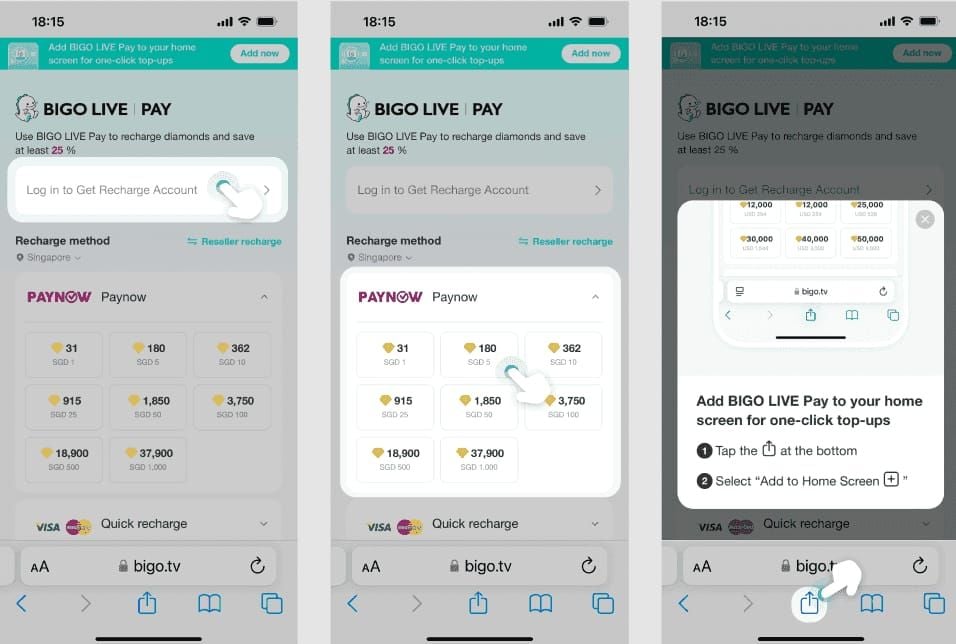
- Navigate to BitTopup's Bigo Live diamonds section and select package
- Enter your numeric Bigo ID (format: 901216366)
- Choose preferred payment method
- Complete payment through secure gateway
- Receive order confirmation (typically 5-15 minutes delivery)
- Check Bigo wallet for diamond credit—no app restart required
Process takes 3-5 minutes, with diamonds appearing automatically. BitTopup handles all regional verification on backend.
Supported Countries and Payment Methods
BitTopup accepts payment from 150+ countries: credit cards, debit cards, PayPal, digital wallets, cryptocurrency. Use European credit card while traveling in Asia without triggering blocks.
Platform specifically supports accounts in restricted regions, providing access to users in countries where direct Bigo payments fail (India, UAE, EU countries).
Security Features
BitTopup implements industry-standard encryption with PCI DSS compliance. Platform never requests your Bigo password—only public Bigo ID number. Transaction records accessible through dashboard. 24/7 customer support with under 2-hour response times.
User Success Rate: 99.7%
High success stems from pre-transaction validation checking account eligibility before processing. The 0.3% failure rate typically involves user input errors (incorrect Bigo ID) rather than regional restrictions.
Platform processes 2M+ monthly transactions across all supported games.
Method 2: Adjusting Your Bigo Account Settings
Modifying account's registered region can resolve persistent conflicts, though this shows only 60-70% success rates. Process differs between Android and iOS.
Checking Current Account Region
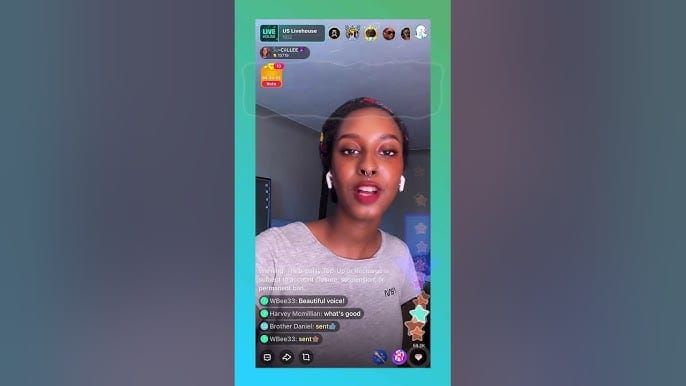
Android: Profile > Edit > Country/Region. iOS: Profile > Edit > Hometown > Country/Region. This setting differs from Apple ID country.
Account region influences which broadcasters appear in feed, regional event access, and customer support routing.
When Account Region Changes Are Possible
Changes succeed most for users who genuinely relocated permanently. System allows updates when IP, GPS, and usage patterns consistently show you're in new country for 7-14 days.
The 60-70% success rate reflects fraud prevention. Frequent changes or changes to countries you've never visited trigger additional verification. Region changes fail completely for accounts in banned countries.
Contacting Bigo Support
Request region changes with: numeric Bigo ID (example: 901216366), current registered country, desired new country, reason for change. Support: +65 63519330, +852 65834871, feedback@bigo.tv, cs_bigoamerica@bigo.sg.
Provide payment details showing new location: utility bills, bank statements, government ID. Response times: 24 hours to 7 days.
Limitations and Processing Time
Successful changes don't take effect immediately. System requires 24-48 hours for geolocation refresh. Some users wait up to 72 hours before new payment methods appear.
Changes don't retroactively fix existing payment blocks or account holds. Certain features remain tied to original registration country permanently.
Method 3: Optimizing Payment Method Selection
Strategic payment method selection bypasses specific regional blocks when restriction applies to card types rather than account location.
International Credit Cards vs Local Payment Options
International cards (Visa, Mastercard, Amex) face blocks in Turkey, Cyprus, India, EU, US, UK, Canada. However, same cards often work through third-party platforms.
Local options like GCash, PayMaya show higher success within home countries but fail abroad.
Digital Wallet Compatibility
PayPal demonstrates highest cross-border compatibility. Key requirement: PayPal account's registered country should match either Bigo account region or current location.
Enabling 2FA resolves 80% of payment issues: Me > Settings > Security > Enable 2FA.
EU/UK users must complete PSD2-compliant 3D Secure authentication. Ensure access to registered phone number while traveling.
Gift Card Alternatives
Web gift cards unavailable in: Austria, Belgium, Germany, France, Spain, Italy, Netherlands, Poland, US, Canada. Traditional gift cards can't redeem in EU or USA.
Gift cards purchased in one country typically only redeem in same country.
Testing Multiple Payment Methods
Limit to 3 retry attempts per 24 hours to avoid account holds. Test in this order:
- PayPal with 2FA enabled
- Credit card from current physical location
- Digital wallet registered in current country
- Third-party platform like BitTopup
Between attempts, wait 15 minutes and try:
- Refresh wallet (Me > Wallet, swipe down 3-5 times)
- Switch Wi-Fi to mobile data
- Restart device
- Verify latest Bigo version
Method 4: App Store and Platform-Specific Solutions
iOS Users: App Store Country Settings
Apple ID country determines available apps and in-app purchases. Changing requires canceling subscriptions, spending store credit, ensuring no pending refunds. Apple restricts changes to once every 12 months.
Android Users: Google Play Region Management
Google Play allows more flexible changes, but each requires updating payment method to one valid in new region. Play Store determines country based on payment method's billing address.
The 12-Month Restriction Rule
Apple's restriction prevents exploiting regional pricing. Once you change Apple ID country, you can't change again for 365 days.
Direct APK vs Official Store
Android users can install via direct APK, bypassing some restrictions. However, APK installations carry risks: no automatic updates, potential security vulnerabilities, possible account flags.
Method 5: Network and Connection Troubleshooting
Network troubleshooting addresses technical issues mimicking region locks. Shows 70-90% success when underlying issue is technical rather than policy-based.
How Network Type Affects Region Detection
Wi-Fi in hotels, airports, cafes often routes through infrastructure obscuring true location. Mobile data connections provide more accurate location data because cellular towers have fixed geographic positions.
Wi-Fi vs Mobile Data
Mobile data shows higher success (75-85%) vs Wi-Fi (60-70%) because cellular networks provide consistent geolocation. International roaming eliminates IP confusion that public Wi-Fi creates.
Cache and Cookie Clearing
Android: Settings > Apps > BIGO > Storage > Clear Cache. iOS: Settings > General > iPhone Storage > Offload BIGO Live.
Shows 70-80% success when issue stems from outdated location data. Doesn't bypass policy-based restrictions.
When Technical Fixes Don't Work
Technical troubleshooting fails when restriction is policy-based. Distinguish by checking error message: not available in your region (policy) vs payment failed (potentially technical).
Common Mistakes and Misconceptions
Myth: VPNs Are the Best Solution
VPN usage shows only 20-40% success because platform's three-layer verification checks more than IP. VPNs trigger additional security flags—fraud detection recognizes common VPN IP ranges.
Some users report temporary account restrictions after VPN usage.
Mistake: Changing Account Details Randomly
Randomly updating profile country without understanding verification triggers fraud alerts resulting in 24-hour holds or permanent restrictions.
Misconception: All Third-Party Platforms Are Unsafe
Established platforms like BitTopup operate as authorized resellers with direct API integration. Legitimate platforms never request Bigo password—only public Bigo ID.
Error: Ignoring Currency and Pricing Differences
Attempting to exploit regional pricing often backfires. Currency conversion fees and international charges eliminate perceived savings.
Preventing Future Region Errors: Travel Preparation
Pre-Travel Account Verification
Pre-purchase diamonds 48 hours before departure. Verify account region settings match primary residence. Enable 2FA before traveling: Me > Settings > Security > Enable 2FA (resolves 80% of payment issues).
Setting Up BitTopup Account Before Trip
Create BitTopup account while in home country, completing identity verification. Add payment methods and test with small transaction. Save customer support contact information offline.
Payment Method Backup Strategy
Maintain two different payment types: credit card and digital wallet like PayPal. Notify credit card company of travel plans to prevent fraud blocks.
Understanding Regional Event Restrictions
Research destination's calendar for events affecting digital payment processing. Regional regulations change periodically—26 EU states updated payment limitations in late 2025 under PSD2.
Country-Specific Considerations
United States
US faces credit card blocks for direct recharges despite being unrestricted overall. Web gift cards unavailable. Gaming restrictions in certain states affect in-app purchase availability.
United Arab Emirates
UAE implements strict digital payment regulations affecting Bigo transactions. UAE-registered accounts may experience issues traveling to other Middle Eastern countries.
Southeast Asia (Philippines, Indonesia, Thailand, Vietnam)
Generally show high success rates with robust local payment integration. However, traveling between countries triggers restrictions from rapid location changes.
Indonesia faces partial restrictions in certain regions. Philippines offers widest payment selection (GCash, PayMaya, credit cards) but local methods only function within Philippines.
Japan and South Korea
Maintain separate app store ecosystems with region-specific Bigo versions. Diamond packages, pricing, features differ significantly from international versions.
European Union
26 EU states enforce PSD2 requiring 3D Secure authentication. EU users face web gift card unavailability in Austria, Belgium, Germany, France, Spain, Italy, Netherlands, Poland. Traditional gift cards can't redeem in any EU country.
Security Best Practices
Protecting Your Account
Avoid logging into Bigo on public/shared devices. Use unique, strong passwords. Monitor account activity regularly while traveling.
Two-Factor Authentication While Traveling
Enable 2FA before departure. Ensure access to authentication method abroad. App-based authenticators (Google Authenticator, Authy) work internationally without cellular service.
2FA resolves 80% of payment issues by providing verification that helps distinguish legitimate transactions.
Recognizing Legitimate Platforms vs Scams
Legitimate platforms never request Bigo password—only public Bigo ID (format: 901216366). Verify security certificates (HTTPS, SSL). Research platform reputation through independent reviews.
Transaction Record Keeping
Save confirmation emails and receipts. Screenshot diamond balance before/after recharges. Monitor payment statements 3-5 days after recharging.
Troubleshooting Persistent Errors: Advanced Solutions
When Standard Methods Fail
Verify exact error message—Item Not Available indicates region restrictions, Payment Failed suggests payment method issues. Check if error occurs across all payment methods or specific ones. Test across different networks and devices.
Understanding Bigo Error Codes
Item Not Available in Your Region: Geographic restrictions based on IP, GPS, or account registration. Requires region-specific solutions.
Payment Method Not Supported: Selected payment doesn't work in current location. Try alternatives.
Transaction Failed - Try Again Later: Temporary gateway issues. Wait 15-30 minutes, don't exceed 3 attempts per 24 hours.
Account Age and History Factors
Newer accounts (under 30 days) face stricter verification. Accounts with previous disputes/chargebacks encounter additional restrictions.
Escalation Process
Contact support with: numeric Bigo ID (example: 901216366), detailed error description, payment method attempted, current location. Phone: +65 63519330, +852 65834871. Email: feedback@bigo.tv, cs_bigoamerica@bigo.sg.
Response times: 24 hours to 7 days. Follow up if no response within 48 hours.
Comparison: All Methods Ranked
Method 1: BitTopup
- Success: 99.7% | Speed: 5-15 min | Cost: Competitive
- Best for: Travelers, restricted countries, reliable access
- Limitation: Requires separate account
Method 2: Profile Region Update
- Success: 60-70% | Speed: 24-48 hours | Cost: Free
- Best for: Permanent relocators
- Limitation: Doesn't work for banned countries
Method 3: Payment Method Optimization
- Success: 70-80% | Speed: Immediate | Cost: Free (potential fees)
- Best for: Users with multiple payment options
- Limitation: Requires appropriate region methods
Method 4: App Store Region Changes
- Success: 50-60% | Speed: Immediate (Android), restricted (iOS)
- Best for: Android users with multiple country payment methods
- Limitation: iOS 12-month restriction
Method 5: Network Troubleshooting
- Success: 70-90% (technical), 0% (policy) | Speed: 15-30 min | Cost: Free
- Best for: Technical issues
- Limitation: Only addresses connectivity, not geographic restrictions
Recommended Method by User Profile
Frequent Travelers/Digital Nomads: BitTopup—consistent access across locations.
Permanent Relocators: Profile region update—one-time solution aligning account with new residence.
Users in Restricted Countries: BitTopup—only reliable option for banned regions.
Technical Users with Multiple Payment Methods: Payment optimization and network troubleshooting—free solutions.
Casual Users: BitTopup—straightforward process, fastest results.
Frequently Asked Questions
Why does Bigo say item not available in my country?
Bigo restricts recharges based on three verification points: IP address, account registration country, payment method region. When these don't align, or you're in 30+ countries with payment blocks (India since 2020, China, UAE, parts of Indonesia), system displays Item Not Available. Credit cards blocked in Turkey, Cyprus, EU, US, UK, Canada. Gift cards don't work in most EU countries and USA.
Can I recharge Bigo while traveling internationally?
Yes, but success depends on destination and payment method. 150+ unrestricted countries (US, UK, Singapore, Thailand, Philippines) allow recharges if payment method works in that region. Pre-purchase diamonds 48 hours before departure, enable 2FA (resolves 80% of issues), consider BitTopup for region-free access.
How do I change my Bigo account region?
Android: Profile > Edit > Country/Region. iOS: Profile > Edit > Hometown > Country/Region. Shows 60-70% success, requires 24-48 hours for geolocation refresh. Works best for permanent relocators with documentation. Contact support at +65 63519330 or feedback@bigo.tv with numeric Bigo ID and relocation proof.
Is it safe to use third-party recharge platforms?
Legitimate platforms like BitTopup operate as authorized resellers with direct API integration, maintaining same security standards as official channels. They never request Bigo password—only public Bigo ID. BitTopup shows 99.7% success without triggering account restrictions through region-agnostic gateways.
What causes Bigo payment region mismatch errors?
Mismatches occur when IP geolocation, account registration country, payment method origin don't align. Example: Philippines account using European card while IP shows Thailand creates three-way conflict. System requires consistency across verification points. 30+ countries face processor blocks. GPS data (required Android 5.0+, iOS 11+) must match transaction location.
How long do Bigo region restrictions last when traveling?
Temporary travel doesn't create permanent restrictions, but system requires 24-48 hours for geolocation refresh when returning home. Triggering retry limit (3 attempts within 30 minutes) implements 24-hour hold regardless of location changes. For trips under 7 days, account typically maintains original region settings, though payment methods may face blocks based on current IP and GPS.
Skip region lock hassle—recharge your Bigo account on BitTopup now with zero geographic restrictions, instant delivery, and 24/7 support. Join 2M+ satisfied users who recharge internationally without errors!