What is Smallest Width in Android Gaming
Smallest width represents your screen's shorter dimension in density-independent pixels, regardless of orientation. This Android setting controls display scaling independently from physical resolution, adjusting content amount without changing pixel count.
Uses dp units rather than physical pixels, ensuring consistency across screen densities. A 1080x2400 device might show the same smallest width as a 720x1600 screen if physical dimensions match.
How DPI Settings Affect Free Fire Max Performance
Modifying smallest width changes how Free Fire Max renders interface and gameplay area. Lower dp values compress more content onto screen, potentially expanding visible battlefield. Higher values enlarge UI elements, improving accessibility but reducing field of view.
Performance impact extends beyond visuals. Smaller width forces rendering of additional environmental details at screen edges, increasing GPU load on budget devices. Samsung A-Series phones must balance visual advantages against thermal and battery considerations.
The Relationship Between DPI and Field of View
FOV expansion through smallest width adjustment provides competitive benefits. Reduced dp values let you spot enemies earlier at screen peripheries, gaining crucial milliseconds in reaction time.
Trade-offs exist: compressed UI elements become harder to tap accurately, text readability decreases. Pro players prioritize stability over maximum FOV, choosing conservative settings that maintain usability.
Why Samsung A-Series Requires Special Attention
Samsung A-Series spans diverse hardware from budget A03 (2GB RAM) to mid-range A53 (6GB RAM). This diversity creates varying tolerance levels for smallest width modifications.
The series uses One UI overlay atop Android, adding system processes consuming RAM and resources. When smallest width exceeds safe thresholds, background services conflict with modified display parameters, triggering instability or boot loops.
The Boot Loop Risk: What Every Samsung A-Series User Must Know
Boot loops occur when Android fails to complete startup, repeatedly restarting without reaching home screen. Aggressive smallest width modifications trigger this on Samsung A-Series, particularly limited-RAM models.
System UI processes attempt rendering interface elements at impossible dimensions given available memory. When launcher can't calculate proper element positioning, it crashes during initialization, forcing automatic restart encountering the same failure.
RAM-Based Safe Limits for Samsung A-Series
Strict smallest width limits by RAM:
- 2GB RAM: Below 380 dp
- 3GB RAM: Below 410 dp
- 4GB RAM: Below 410 dp
- 6GB RAM: Below 440 dp
These account for One UI's memory overhead and background processes. Exceeding triggers initialization failures.
Warning Signs Before Boot Loop
Indicators you've pushed too far:
- Launcher lag when returning to home screen
- App icons failing to load or showing placeholders
- System UI crashes with System UI has stopped
If you see these after DPI modifications, immediately revert to default 360 dp before next restart. Once boot loop initiates, recovery requires advanced techniques or factory reset.
Safe Smallest Width Settings by Samsung A-Series Model
Samsung A03 Recommended Settings
2GB RAM configuration requires below 380 dp. Default 360 dp provides adequate performance without risks. For minor FOV improvements, test 370 dp increments, monitoring responsiveness. Any launcher lag signals immediate reversion.
Samsung A23 and A23 5G Configuration
4GB RAM allows more aggressive optimization while maintaining below 410 dp threshold. Optimal performance at 390-400 dp for Free Fire Max. This expands FOV noticeably while preserving UI usability. Pause USB PD charging during gaming to manage thermal output.
Samsung A53 5G Advanced Optimization
6GB RAM supports below 440 dp. Competitive players report optimal settings at 420-430 dp, balancing expanded visibility with comfortable UI interaction. Superior thermal management supports sustained sessions. Pause USB PD charging to prevent throttling.
Step-by-Step Guide: Changing Smallest Width Safely
Enabling Developer Options on Samsung A-Series
- Open Settings → About phone
- Locate Build number
- Tap Build number seven times
- Enter device PIN/password when prompted
- Confirmation: Developer mode has been enabled
Developer Options now appears in Settings menu.
Accessing and Modifying Smallest Width Settings
- Open Developer Options from Settings
- Scroll to Drawing or Display subsection
- Locate Smallest width or Minimum width
- Note current value (typically 360 dp)
- Tap setting to open modification dialog
- Enter target dp value based on RAM limits
- Confirm change
Modification takes effect immediately. Don't restart until you've tested thoroughly.
Testing Your New Settings in Free Fire Max
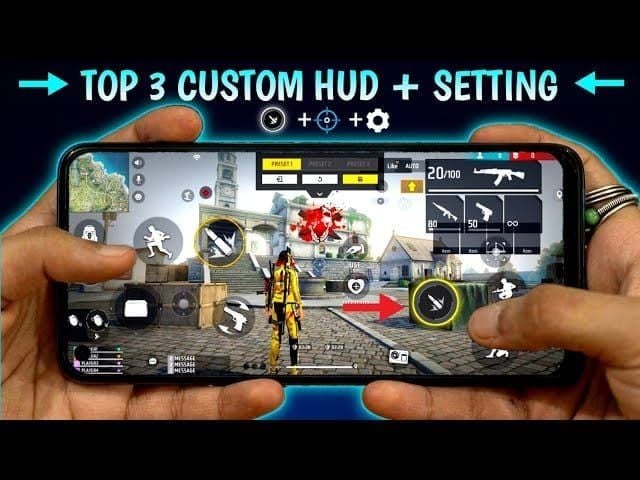
Launch Free Fire Max immediately after applying changes. Check menus for rendering glitches, misaligned buttons, text readability issues.
Enter training mode to assess FOV changes and UI positioning. Verify all HUD elements remain accessible—fire buttons, movement controls, item slots, minimap.
Monitor device temperature during 15-minute session. Excessive heat indicates settings stress GPU beyond sustainable levels. If temperatures exceed normal, reduce by 10 dp increments.
Performance Impact Analysis: Before vs After DPI Optimization
Field of View Improvements in Free Fire Max
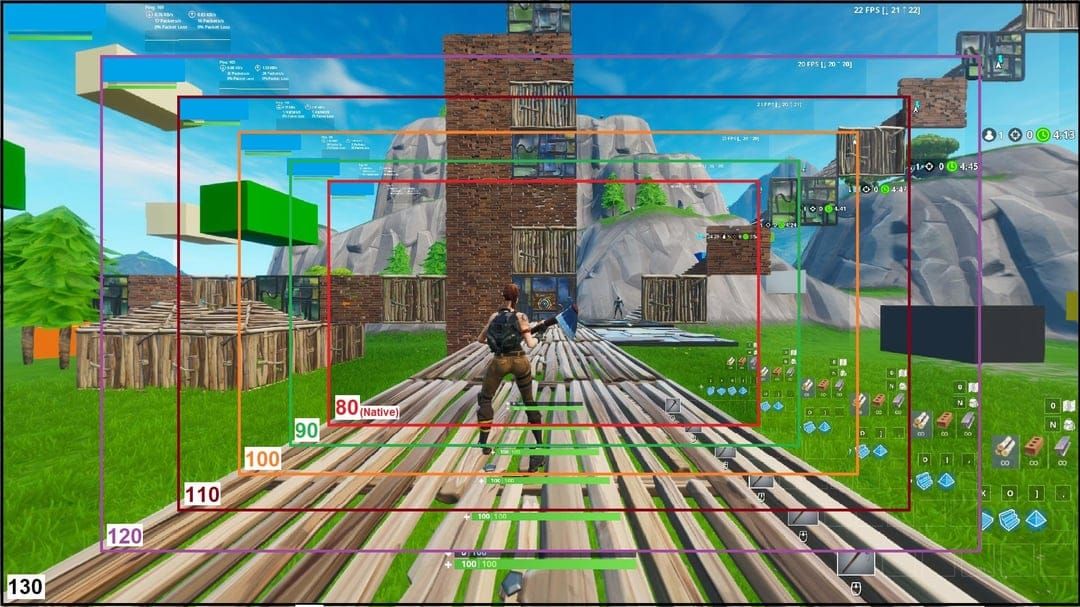
Reducing from default 360 dp to model-appropriate values expands visible battlefield. Samsung A53 at 420 dp versus 360 dp reveals approximately 8-12% additional horizontal viewing area.
Players report spotting opponents 0.3-0.5 seconds earlier with optimized FOV, providing critical reaction time. Benefit diminishes in close-quarters combat where central screen focus dominates.
UI Element Visibility and Usability Changes
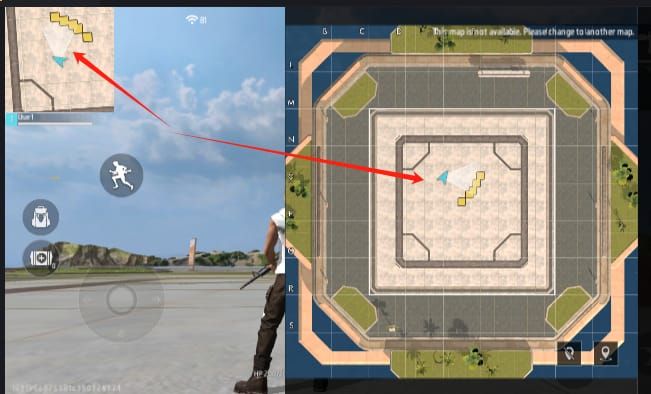
Compressed smallest width shrinks all interface elements proportionally. Fire buttons, joystick, item slots decrease in size, potentially impacting touch accuracy.
Text elements suffer most—player names, damage indicators, kill feed become harder to read below certain thresholds. Players with larger hands or over 30 often struggle with UI compressed beyond 380 dp.
Minimap presents challenges. While expanded FOV increases utility, smaller rendering makes distinguishing teammate positions from enemies harder. Competitive players cite minimap readability as limiting factor, not device stability.
Emergency Recovery: Fixing Boot Loops from DPI Changes
Method 1: Safe Mode Recovery Process
- Power off device completely
- Press and hold Power until Samsung logo appears
- Release Power, immediately press and hold Volume Down
- Continue holding Volume Down through entire boot
- Safe Mode watermark appears at screen bottom
- Navigate to Settings → Developer Options
- Reset Smallest width to 360 dp
- Restart normally
Succeeds in ~70% of DPI-related boot loops.
Method 2: ADB Commands for Remote Reset
Requires prior USB debugging enablement:
- Connect device to computer via USB during boot loop
- Install ADB tools if not present
- Open command prompt in ADB directory
- Execute:
adb shell wm density reset - Execute:
adb shell wm size reset - Restart:
adb reboot
Works only if USB debugging was enabled before boot loop.
Method 3: Factory Reset as Last Resort
- Power off completely
- Hold Volume Up + Power simultaneously
- Release when Samsung logo appears
- Android Recovery menu displays
- Navigate to Wipe data/factory reset
- Press Power to select
- Confirm with Yes
- Wait 5-10 minutes
- Select Reboot system now
Guarantees boot loop resolution but destroys all data. Regular backups prevent catastrophic loss.
Common Mistakes and Misconceptions About DPI Settings
Myth: Lower DPI Always Means Better Performance
Smallest width changes how content is arranged, not how efficiently GPU processes graphics. Extremely low dp values can decrease performance on budget devices by forcing rendering of additional environmental details. A03 and A13 models often experience frame drops below 340 dp.
Mistake: Ignoring Device-Specific Limitations
Generic guides recommending 320 dp for best FOV ignore critical RAM-based limitations. A configuration safe for 6GB A53 triggers immediate boot loops on 2GB A03. Prioritize device-specific safe limits over community recommendations.
Misconception: DPI Changes Increase FPS
Smallest width affects display scaling, not frame rate generation. FPS depends on GPU capabilities, graphics settings, thermal conditions, background processes—none influenced by smallest width. Objective measurements show identical frame rates before and after modifications when graphics settings remain constant.
Advanced Optimization: Combining DPI with Other Settings
Graphics Settings Optimization After DPI Changes
Expanded FOV increases rendering demands, potentially requiring graphics quality reductions for stable frame rates. A23 users at 390 dp should consider dropping from High to Medium graphics to maintain smooth 60 FPS.
Shadow and particle effects impact performance most with modified DPI. Disable shadows entirely and set effects to Low to recover GPU headroom, particularly on 3GB and 4GB RAM models.
Battery and Thermal Management Considerations
Modified smallest width increases power consumption through expanded rendering. A23 and A53 benefit from pausing USB PD charging during gaming to reduce thermal buildup.
Enable Game Launcher battery optimization with non-default smallest width. Save power mode limits background processes and reduces brightness, offsetting increased power draw.
Monitor temperature during extended sessions. If phone exceeds 40°C, reduce smallest width by 10 dp increments or enable cooling measures like removing case.
Professional Player Insights and Recommendations
Device-Specific Setups from Competitive Teams
Pro teams standardize configurations for consistent gameplay. A53 users in competitive circuits settle on 410-420 dp, well below 440 dp safety threshold for stability margins during tournaments.
Budget-conscious competitive players using A23 favor 390 dp, balancing FOV with conservative approach. These players emphasize graphics reductions over aggressive DPI modifications, recognizing stable 60 FPS outweighs marginal FOV advantages.
When to Prioritize Stability Over Optimization
New players should avoid smallest width modifications until achieving consistent performance with defaults. DPI optimization delivers diminishing returns for players developing fundamental skills—aim accuracy, movement, game sense matter more than 5-10% FOV expansions.
Device age influences optimization wisdom. A-Series phones over 18 months old with degraded batteries handle modified DPI less reliably. Older devices benefit from conservative stock configurations minimizing system stress.
Maximizing Your Free Fire Max Experience
Optimized display settings enhance competitive capabilities, but sustained success requires consistent access to premium items. When you've perfected smallest width and graphics settings, buy ff diamonds online through BitTopup for competitive pricing, instant delivery, and secure transactions.
Why Optimized Settings Enhance Your Diamond Purchases
Optimized smallest width ensures you fully appreciate premium character skins, weapon effects, UI customizations by displaying them at ideal scaling ratios. Expanded FOV helps showcase rare emotes and victory animations across larger battlefield areas.
Competitive advantages from optimized settings improve win rate, making ranked-exclusive diamond purchases more cost-effective through faster progression.
FAQ
What is the safest smallest width for Samsung A13 in Free Fire Max?
A13 models (3GB RAM) require below 410 dp. Conservative recommendations: 380-390 dp for optimal stability with modest FOV improvements over default 360 dp.
How do I fix a boot loop caused by DPI changes?
Boot into Safe Mode (hold Volume Down during startup), reset smallest width to 360 dp in Developer Options. If Safe Mode fails, use ADB commands (adb shell wm density reset) with USB debugging enabled. Factory reset is final recovery method.
Does smaller DPI improve aim in Free Fire Max?
No. Smallest width doesn't directly improve aim mechanics. Reduced dp expands FOV for earlier enemy spotting, but compressed UI may hinder touch accuracy. Aim improvement comes from practice and sensitivity tuning.
Will changing DPI void my Samsung warranty?
No. Modifying smallest width through Developer Options uses built-in Android features without rooting or bootloader unlocking. However, Samsung support may refuse assistance if non-standard configurations caused device issues.
What is the default smallest width for Samsung A23?
360 dp default, matching standard Android specifications. Free Fire Max players can safely increase to 390-400 dp given A23's 4GB RAM capacity.
How to enable Developer Options on Samsung A-Series safely?
Settings → About phone, tap Build number seven times. Enter device PIN when prompted. Developer Options appears in Settings menu. No risk—simply unhides existing Android features.
Ready to dominate Free Fire Max with optimized settings and premium content? Visit BitTopup now for instant diamond top-ups at competitive rates! Fast delivery, secure transactions, excellent customer service. Maximize your gaming experience with BitTopup's reliable recharge platform!