Types of Background Noise in Apartment Environments
Not all apartment noise is created equal, and that's actually good news for us. Different noise types require different strategies, but once you understand the patterns, you can tackle them systematically.
Constant low-frequency sounds like air conditioning create what we call a steady baseline. These are actually the easiest to deal with because noise gates can filter them out effectively. Intermittent high-frequency sounds—think footsteps from upstairs neighbors or conversations in the hallway—require dynamic suppression techniques that adapt in real-time.
Then there's structural noise transmission through walls. This one's tricky because it bypasses traditional acoustic treatments entirely. You'll need strategic microphone positioning to handle this properly.
Here's something experienced streamers know: environmental noise follows predictable schedules. Peak disturbance happens during rush hours, meal times, and evening activities. Map these patterns for a week or two, and you'll start optimizing your streaming schedule for maximum audio quality during naturally quieter periods.
How Background Noise Impacts Viewer Retention and Gifts
In my experience working with Poppo Live hosts, those who prioritize audio quality over video quality consistently achieve higher retention rates and increased gift frequency. It might seem counterintuitive on a visual platform, but clean sound enables natural conversation flow and reduces viewer fatigue.
Persistent ambient sounds create subconscious stress responses in listeners. They won't consciously think this audio is bad, but they'll feel less comfortable and be more likely to click away. Professional audio quality signals competence and attention to detail—qualities that encourage viewers to invest in your success.
Immediate Software Solutions: Noise Suppression Without Hardware Investment
Software-based noise suppression is your most accessible starting point. Modern streaming applications include built-in noise reduction features that can eliminate up to 80% of steady background noise. These algorithms identify frequency patterns associated with ambient noise and reduce their amplitude while preserving voice frequencies.
But here's the catch—over-aggressive noise suppression creates that robotic voice effect we've all heard. Too little filtering leaves distracting background sounds audible. Proper calibration requires testing different intensity levels during practice sessions before going live.
Built-in Noise Suppression Features in Streaming Apps

Contemporary streaming applications have gotten surprisingly sophisticated with their noise reduction algorithms. Most platforms now offer preset configurations optimized for different environments, including options specifically designed for home streaming scenarios.
Start with moderate settings and gradually increase suppression strength until background noise disappears without affecting voice quality. Watch out for artifacts like audio cutting out during quiet speech moments or unnatural voice processing effects—these are signs you've pushed the settings too hard.
Step-by-Step Software Noise Gate Configuration
Noise gates automatically mute audio input when sound levels fall below predetermined thresholds. It's like having an intelligent mute button that eliminates quiet background noise during speech pauses.
First, measure your typical speaking volume and identify the loudest background noise levels in your space. Set the threshold approximately 10-15 decibels above the background noise floor but well below normal speaking volume.
Attack and release settings control how quickly the gate opens and closes. Fast attack times ensure speech isn't cut off at sentence beginnings, while appropriate release times prevent choppy audio during natural speech pauses. Test extensively during practice sessions to achieve smooth, natural-sounding results.
Real-Time Noise Reduction Settings for Mobile Hosts
Mobile streaming presents unique challenges due to processing limitations. Optimize device performance by closing background applications—you want maximum resources available for real-time audio processing without introducing latency.
Position mobile devices strategically to minimize noise pickup while maintaining optimal camera angles. And monitor battery consumption when using intensive real-time audio processing features. These functions significantly drain mobile device batteries, so you'll need power management strategies or external power sources for extended streaming sessions.
Strategic Microphone Selection and Positioning for Noisy Environments
External microphones consistently outperform built-in device microphones for noise rejection and overall audio quality. The physical separation from device fans and processing components eliminates electronic interference while providing superior acoustic isolation from environmental sounds.
For hosts seeking to enhance their streaming capabilities, instant Poppo Live coins top up for streaming tools through BitTopup offers convenient access to platform features that complement professional audio setups.
Proper microphone positioning creates the foundation for effective noise reduction regardless of equipment quality. Strategic placement can achieve significant improvements even with budget-friendly microphones when you understand basic acoustic principles.
Dynamic vs Condenser Microphones for Apartment Streaming
Dynamic microphones excel in noisy environments due to their lower sensitivity and superior off-axis noise rejection. These microphones require closer positioning to capture clear vocals, but they naturally filter out distant background sounds. Their robust construction makes them ideal for apartment streaming where handling noise and vibration transmission through furniture can affect audio quality.
Condenser microphones offer superior audio fidelity but require careful environmental control to prevent background noise pickup. In apartment settings, condensers work best when combined with acoustic treatment and strategic positioning to minimize their sensitivity to ambient sounds.
Cardioid Pattern Advantages for Background Noise Rejection

Cardioid pickup patterns provide optimal noise rejection by focusing sensitivity in a heart-shaped pattern that emphasizes sounds directly in front while minimizing pickup from sides and rear. This directional characteristic naturally reduces background noise from most apartment sources.
Position cardioid microphones with null points toward primary noise sources like air conditioning units, traffic-facing windows, or shared walls. This strategic orientation can reduce unwanted sound pickup by 15-20 decibels. Understanding the three-dimensional nature of cardioid patterns enables optimal placement in complex acoustic environments.
Optimal Microphone Distance and Angle Techniques
Microphone distance directly affects the ratio between desired voice pickup and background noise capture. The optimal distance for most apartment streaming scenarios ranges from 6-12 inches from the speaker's mouth. This positioning provides clear vocal pickup while minimizing room acoustics and background noise influence.
Angle positioning affects both voice quality and noise rejection characteristics. Slightly off-axis positioning can reduce plosive sounds while maintaining clear vocal pickup. Angling away from primary noise sources enhances the microphone's natural directional benefits.
DIY Acoustic Treatment Solutions for Apartment Streamers
Acoustic treatment in rental apartments requires creative solutions that improve sound quality without permanent modifications. Strategic furniture placement provides the foundation for effective acoustic control. Dense materials like bookshelves, wardrobes, and upholstered furniture naturally absorb sound reflections and create barriers against noise transmission.
The goal isn't complete soundproofing—that's unrealistic in most apartment situations. Instead, focus on controlling reflections and reducing echo. These improvements enhance microphone performance and create more professional-sounding audio without requiring extensive construction.
Temporary Soundproofing Methods for Renters
Removable acoustic panels using adhesive strips provide effective sound absorption without wall damage. Heavy curtains or tapestries serve dual purposes by blocking external noise transmission and absorbing internal sound reflections. Portable acoustic screens or room dividers create isolated streaming spaces within larger rooms.
These solutions work particularly well in studio apartments or shared living situations where dedicated streaming rooms aren't available.
Strategic Furniture Placement for Sound Absorption
Positioning large furniture pieces strategically creates natural sound barriers and absorption zones. Placing bookshelves against shared walls reduces noise transmission from neighboring apartments while providing sound absorption. Upholstered furniture placement around streaming areas creates acoustic dampening that reduces echo and reverberation.
Dense materials like wardrobes or entertainment centers serve as effective sound barriers when positioned between streaming areas and primary noise sources, creating acoustic shadows that reduce background noise pickup.
Affordable Materials That Reduce Echo and Noise
Thick blankets and comforters provide excellent temporary acoustic treatment when hung strategically around streaming areas. Foam mattress toppers cut into manageable sections create effective acoustic panels that can be temporarily mounted. Area rugs and carpet remnants address floor reflection issues that contribute to echo and reverberation problems.
These materials provide professional-level sound absorption at a fraction of commercial acoustic panel costs while maintaining apartment-friendly installation methods.
Advanced Noise Gate Setup for Poppo Live Hosts
Noise gate configuration requires precise calibration to achieve professional results without creating unnatural audio artifacts. Understanding the relationship between threshold, attack, hold, and release parameters enables sophisticated noise gate operation that responds naturally to speech patterns while effectively blocking unwanted background sounds.
Successful implementation requires extensive testing under actual streaming conditions to identify optimal settings that work consistently across different noise scenarios and speaking volumes.
Understanding Threshold and Attack Settings
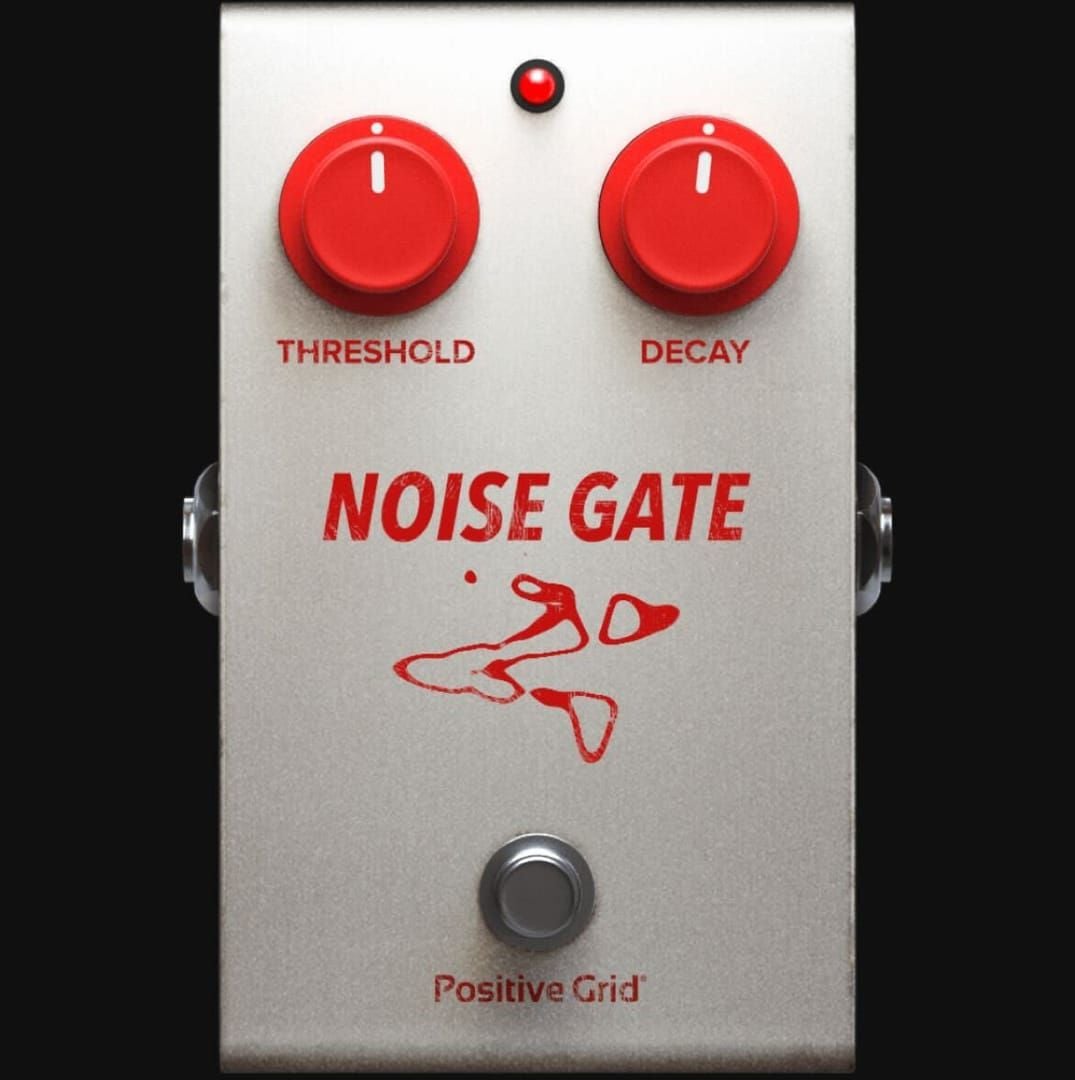
Set thresholds approximately 6-10 decibels above the loudest background noise in your streaming environment. This margin prevents false triggering from noise spikes while ensuring reliable gate opening for normal speech volumes. Monitor threshold effectiveness during different times when background noise levels may vary.
Attack settings control how quickly the gate opens when audio exceeds the threshold level. Optimal attack settings typically range from 0.1 to 1 millisecond for natural speech reproduction, preventing cutting off the beginning of words or sentences.
Calibrating Noise Gates for Different Noise Types
Steady background noise like air conditioning requires different gate settings than intermittent sounds like footsteps. Consistent noise allows for higher threshold settings and longer hold times, while variable noise requires more responsive settings that adapt quickly to changing conditions.
Low-frequency noise sources may require specialized filtering in addition to standard noise gate operation. Consider implementing multiple gate stages or dynamic processing that can handle extreme noise events without completely disrupting normal gate operation.
Avoiding the Robotic Voice Effect Common Mistakes
Over-aggressive noise gate settings create robotic or choppy voice effects from thresholds set too high or release times set too short. Hold time settings prevent rapid gate cycling during normal speech pauses and breathing. Appropriate hold times maintain open gates during brief quiet moments while still closing during longer pauses.
Release time calibration affects how gradually the gate closes after audio falls below threshold levels. Gradual release times create natural-sounding fade-outs while maintaining effective noise blocking during actual quiet periods.
Strategic Streaming Schedule Planning Around Noise Patterns
Here's something most streamers don't think about: apartment noise follows predictable daily patterns that smart streamers can leverage for optimal audio quality. Peak noise periods typically occur during morning and evening rush hours, meal preparation times, and weekend activity periods.
Building streaming schedules around optimal audio windows requires balancing noise considerations with audience availability and platform peak activity periods.
Identifying Your Apartment's Quietest Hours
Systematic noise level monitoring throughout different times and days reveals patterns that inform optimal streaming schedules. Document noise levels hourly for several weeks to identify consistent quiet periods. Weekday patterns often differ significantly from weekend noise profiles, with business hours providing quieter environments as neighbors commute to work.
Seasonal variations affect noise patterns as weather changes influence window usage, air conditioning operation, and outdoor activity levels. Plan for these variations by identifying backup time slots and developing seasonal scheduling strategies.
Communicating Schedule Adjustments to Your Audience
Transparent communication about schedule optimization builds audience understanding and support for timing changes that improve stream quality. Frame adjustments as improvements to viewer experience rather than limitations. Provide advance notice through platform announcements and social media updates.
Offer alternative interaction methods during non-optimal streaming times to maintain audience engagement. Consider recorded content, social media interaction, or special event scheduling that works around environmental limitations.
Maximizing Earnings During Optimal Audio Windows
Concentrate highest-value content and audience interaction during periods with best audio quality. Plan special events, collaborations, and premium content during identified quiet periods to maximize earning potential when audio quality is optimal.
Track earnings correlation with audio quality periods to validate scheduling decisions and identify opportunities for further optimization. Data-driven approaches ensure maximum return on time investment while maintaining professional streaming standards.
Emergency Solutions for Unexpected Noise During Live Streams
Unexpected noise events require quick thinking and professional responses that maintain audience engagement while addressing audio quality issues. Developing standard responses to common noise interruptions creates consistency and professionalism that audiences appreciate.
Emergency noise management techniques can transform potential disruptions into audience engagement opportunities when handled skillfully. Professional responses to unexpected challenges often increase viewer loyalty and demonstrate host adaptability.
Quick Mute and Recovery Techniques
Immediate muting capabilities provide essential tools for managing sudden noise events without completely disrupting stream flow. Practice quick access to mute functions and develop smooth transition phrases that maintain audience engagement during brief audio interruptions.
Strategic use of background music or pre-recorded content can bridge audio gaps during noise events while maintaining stream continuity. Recovery techniques focus on smoothly returning to normal audio after noise events pass.
Communicating Technical Difficulties Professionally
Professional communication during audio difficulties demonstrates competence and builds audience trust. Acknowledge issues briefly without over-explaining, then focus on solutions and content continuation. Use humor appropriately to defuse tension while maintaining professional standards.
Provide realistic timeframes for issue resolution when possible, allowing audiences to make informed decisions about continued viewing. Honest communication shows respect for viewer time while maintaining professional credibility.
Backup Streaming Location Strategies
Identify alternative streaming locations within your living space that offer different acoustic characteristics for emergency use. These backup positions should be pre-tested for audio quality and camera positioning to enable quick transitions during noise events.
Portable streaming setups enable rapid relocation when noise events persist beyond brief interruptions. Prepare lightweight equipment configurations that maintain quality while allowing quick movement to quieter areas when necessary.
Monitoring and Continuously Improving Your Poppo Live Audio Quality
Consistent audio quality monitoring ensures ongoing improvement and helps identify issues before they impact audience experience. Viewer feedback serves as valuable real-world assessment from the audience perspective. Recording and reviewing stream audio enables objective quality assessment and identification of improvement opportunities.
Regular assessment through multiple methods provides comprehensive feedback for optimization decisions that support data-driven improvement strategies.
Using Viewer Feedback to Identify Audio Issues
Implement systematic feedback collection methods that encourage honest audio quality assessment from regular viewers. Monitor chat comments and direct messages for audio-related feedback, paying particular attention to patterns that indicate consistent issues.
Develop relationships with trusted viewers who can provide detailed audio feedback and serve as quality monitors during streams. These partnerships create reliable assessment sources that help maintain consistent audio standards.
Recording and Reviewing Your Stream Audio
Regular stream recording enables objective audio quality assessment from the audience perspective. Review recordings using quality headphones in quiet environments to identify issues that may not be apparent during live streaming.
Analyze recordings for consistency across different time periods and environmental conditions. Compare audio quality across different equipment configurations and settings to validate improvement efforts through systematic analysis.
Setting Audio Quality Benchmarks and Goals
Establish specific, measurable audio quality standards that guide improvement efforts and provide clear success metrics. Track audio quality metrics over time to identify improvement trends and validate optimization efforts.
Set realistic improvement timelines that balance quality goals with budget and technical constraints. Gradual enhancement approaches often achieve better long-term results than attempting dramatic improvements that may exceed practical limitations.
Maximizing Your Poppo Live Earnings with Professional Audio Quality
Professional audio quality directly correlates with increased earning potential through improved viewer retention, enhanced gift-giving behavior, and stronger audience loyalty. Quality audio creates optimal conditions for audience engagement and interaction that drive gift-giving behavior.
Building loyal viewership through consistent audio quality creates sustainable earning growth that compounds over time. Professional sound quality signals competence and attention to detail that encourages long-term audience investment.
How Audio Quality Directly Impacts Gift Receiving
Clear audio enables natural conversation flow that creates comfortable environments for audience interaction and gift-giving. Professional audio quality signals competence that builds audience confidence in host professionalism, encouraging increased financial support through gifts.
Consistent audio quality across streams creates reliable viewer experiences that encourage return visits and sustained engagement. Regular audiences who can depend on quality audio are more likely to develop loyalty that translates into consistent gift-giving behavior.
Building Loyal Viewership Through Consistent Sound
Audio consistency creates reliable viewer experiences that encourage audience loyalty and long-term engagement. Professional audio quality enables effective communication that builds personal connections between hosts and viewers, forming the foundation for loyal communities.
Consistent quality demonstrates respect for audience time and attention, creating positive associations that encourage return visits. This reliability becomes a competitive advantage that differentiates streams in crowded platform environments.
Ready to invest in your Poppo Live success? Recharge Poppo coins instantly through BitTopup with secure payments, competitive rates, and 24/7 support. Top up now and focus on what matters—creating amazing content for your growing audience!
Frequently Asked Questions
How do Poppo Live hosts reduce background noise without expensive equipment?
External microphones with cardioid pickup patterns, combined with software noise suppression and strategic positioning, eliminate most background noise. Focus on microphone placement 6-12 inches from your mouth, enable built-in noise reduction features, and stream during naturally quieter hours.
What microphone type works best for noisy apartment streaming on Poppo Live?
Dynamic microphones with cardioid patterns excel in noisy environments due to their lower sensitivity and superior off-axis noise rejection. These microphones naturally filter distant background sounds while capturing clear vocals when positioned correctly.
Can software alone eliminate background noise on Poppo Live streams?
Software noise suppression can eliminate 70-80% of steady background noise like air conditioning or traffic. However, combining software solutions with proper microphone selection and positioning achieves optimal results.
How do professional Poppo Live hosts deal with neighbor noise?
Professional hosts use strategic scheduling during quieter hours, position cardioid microphones away from shared walls, and implement noise gates calibrated for their specific environment. They also create backup streaming locations and develop professional responses to unexpected noise events.
How to set up a noise gate for Poppo Live streaming?
Set the threshold 6-10 decibels above your background noise level, use fast attack times (0.1-1 millisecond), and adjust hold times to prevent cutting off natural speech patterns. Test extensively during practice sessions to avoid robotic voice effects.




























































































































