Tip: Coins for gifts and PK support cost less through BitTopup Poppo Live recharge than many in-app packs. You only paste your User ID.
Poppo Live beginner checklist (July 2026)
Updated on 2026-07-28: refreshed signup, Go Live gates, gift prices, and wallet layout.
Step | What you do | Watch-out |
|---|
1. Install | Search Poppo Live on Google Play or the App Store | Stick to official stores; skip random APKs |
2. Sign up | Agree to Terms, then log in with Google or Facebook | Tick the agreement circle before login buttons work |
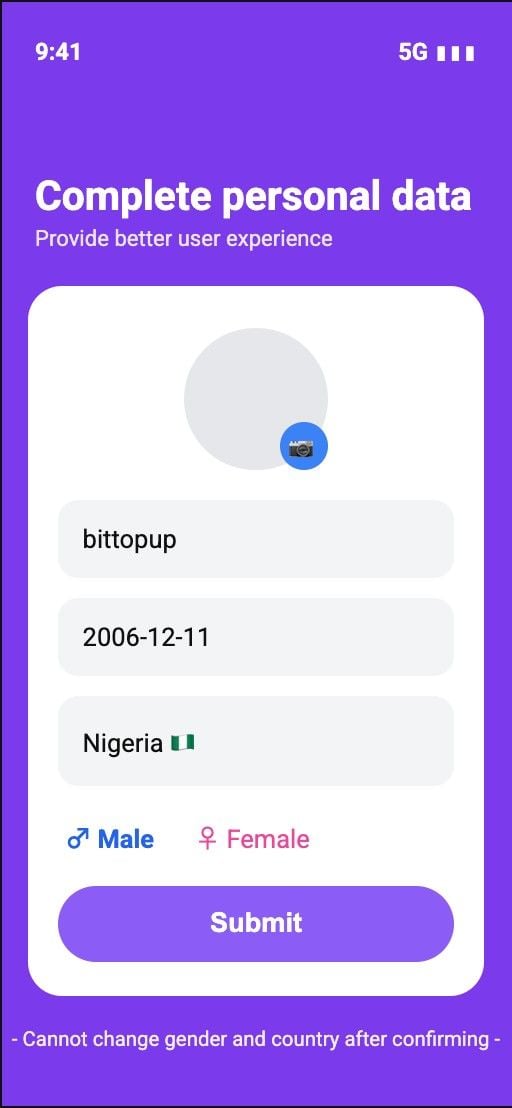
3. Personal data | Nickname, birthday, country, gender → Submit | Gender and country lock after confirm |
4. Profile | Cover, avatar, self-introduction on the Me page | Empty profiles look inactive in Explore |
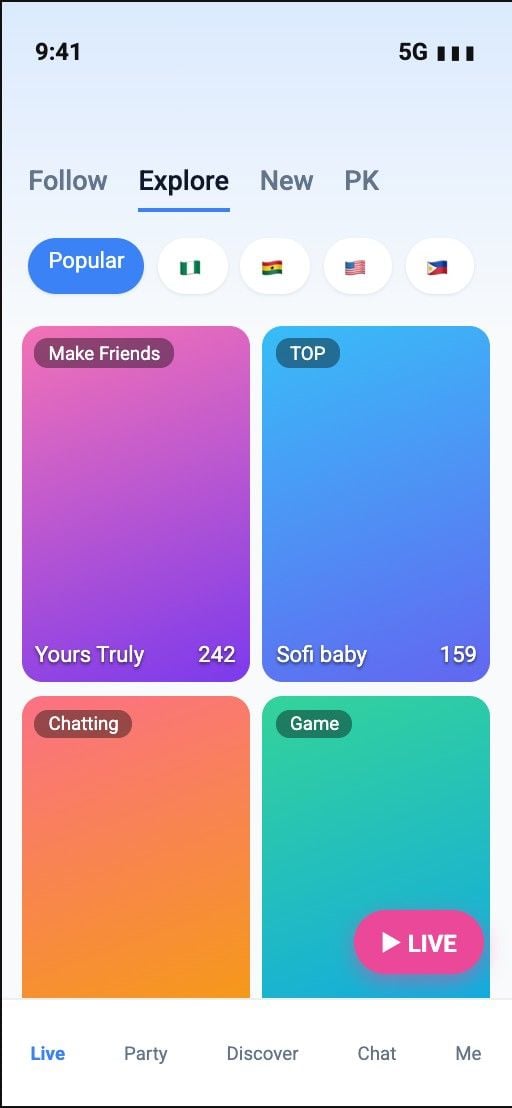
5. Watch | Open Live → Explore / New / PK / Nearby | Filter by Popular or country flags |
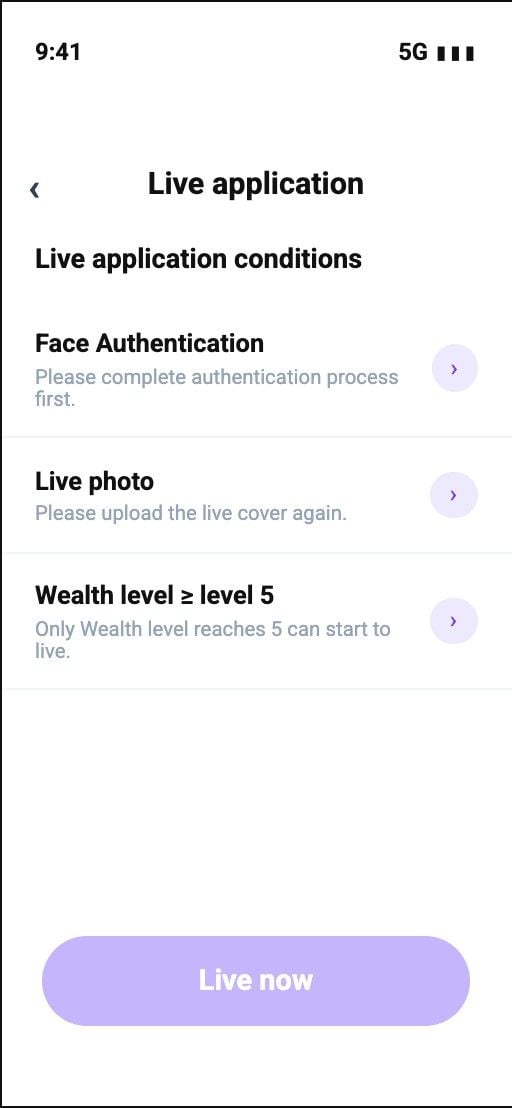
6. Go Live | Face auth + live cover + Wealth level ≥ 5 | Level 5 blocks Go Live until you hit it |
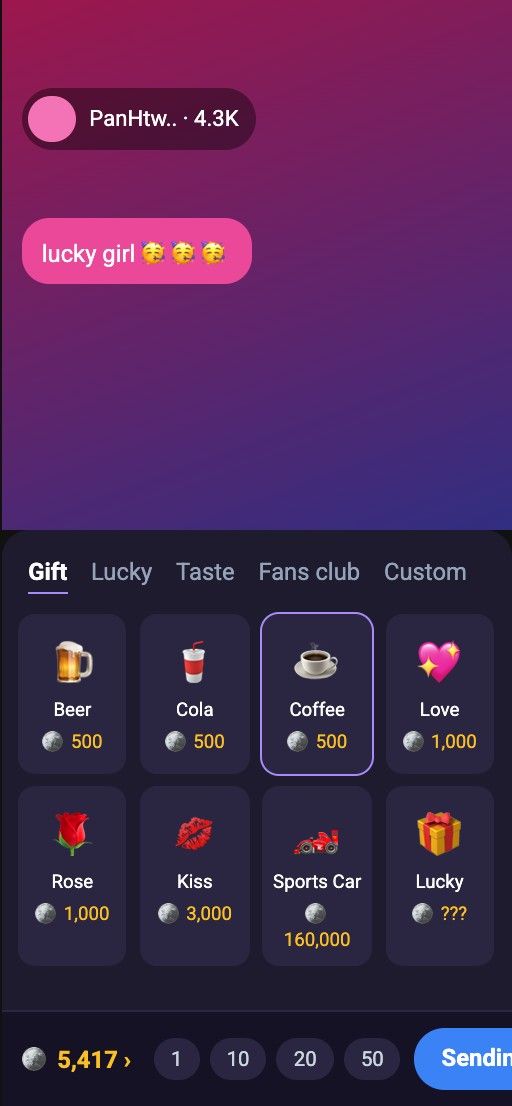
7. Gifts | Open gift panel, check coin cost, send | Balance sits bottom-left of the gift sheet |
8. Wallet | Me tab → Coins / Points | Copy numeric User ID before any external top-up |
How to sign up and set up Poppo Live
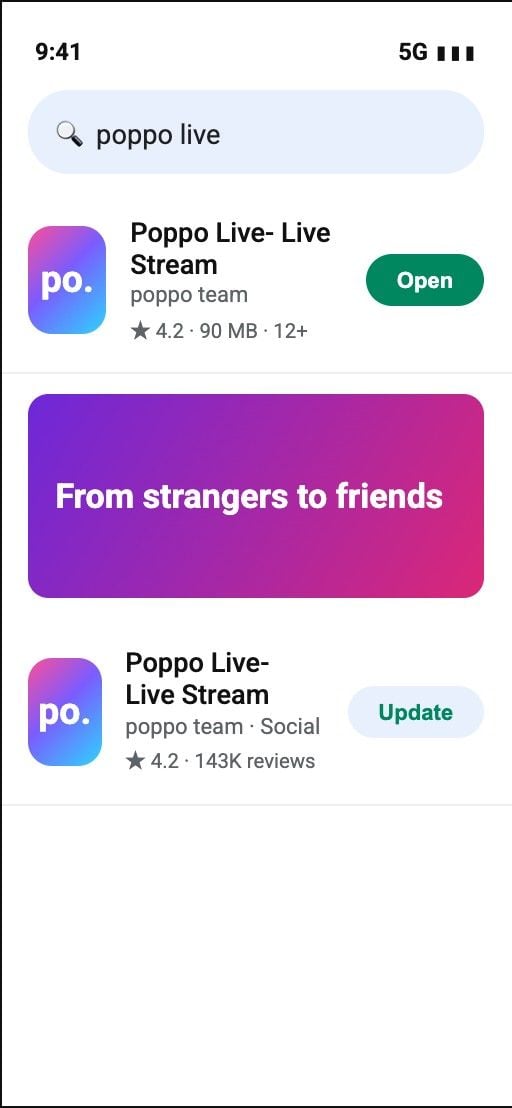
Step 1: Install. On Android open Google Play; on iPhone open the App Store. Searchpoppo live, open Poppo Live - Live Stream, install, then Open.
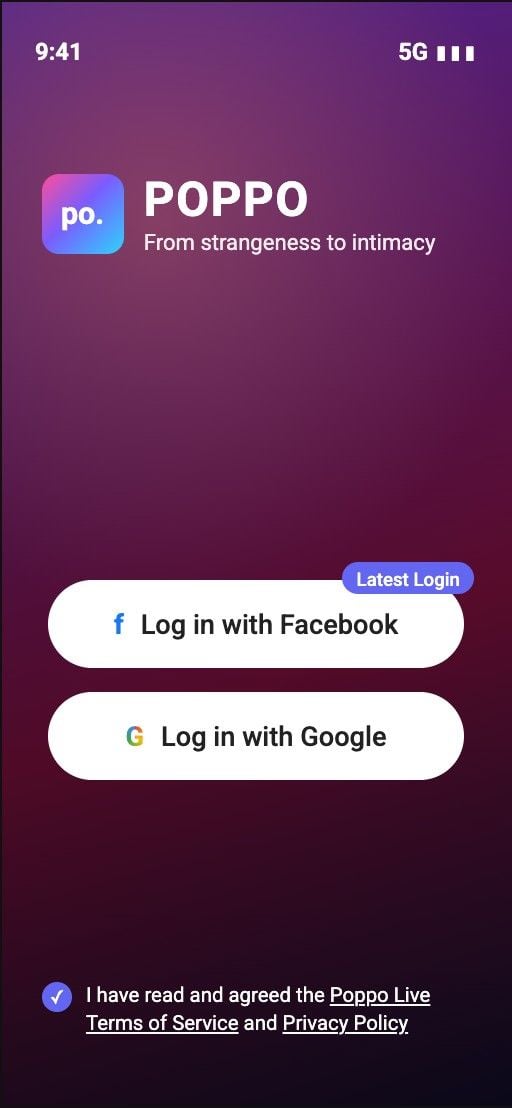
Step 2: Agree and log in. On first launch, tap the small circle above Terms of Service / Privacy Policy. Choose Log in with Google or Log in with Facebook.
Step 3: Complete personal data. Enter a nickname, pick birthday and country, select gender, then Submit. The form warns you cannot change gender or country later - double-check before you tap Submit.
Step 4: Polish the profile. Tap the person icon (bottom right) → your name → the pencil. Set cover and avatar from your album. Under Personal information / Self-introduction, write a short bio and Save.
How to explore live streams and navigate the app
Poppo Live is built around live rooms. Bottom bar order:
On Live, top tabs cover Follow, Explore, New, and PK. Explore shows Popular plus country filters (Nigeria, Ghana, USA, Philippines show up a lot). Tap any thumbnail to enter a room. The pink LIVE button starts your own broadcast once you clear the gates below.
How to go live on Poppo Live
Tap LIVE or the Live application entry. The app lists three conditions before Live now unlocks:
Face Authentication - finish the live face check.
Live photo - upload a clear stream cover.
Wealth level ≥ level 5 - only Wealth level 5 and above can start live.
After clearance, set a title, pick a category (chat, talent, games, and similar), then start. During stream you get chat, quick replies (Hi there / Plz Follow+ / LOL), mic controls, PK entry, mini-games, and the gift icon viewers use to tip you.
How to send gifts and recharge Poppo Live coins
In a room, open the gift icon. Tabs include Gift, Lucky, Taste, Fans club, and Custom. Each item shows a coin price. Casual gifts sit around 500-3,000 coins (Beer, Cola, Coffee, Rose, Kiss). Large effects such as Sports Car or Moonlight Tour jump into six or seven figures. Pick a gift, set quantity (1 / 10 / 20 / 50), then Sending or Combo.
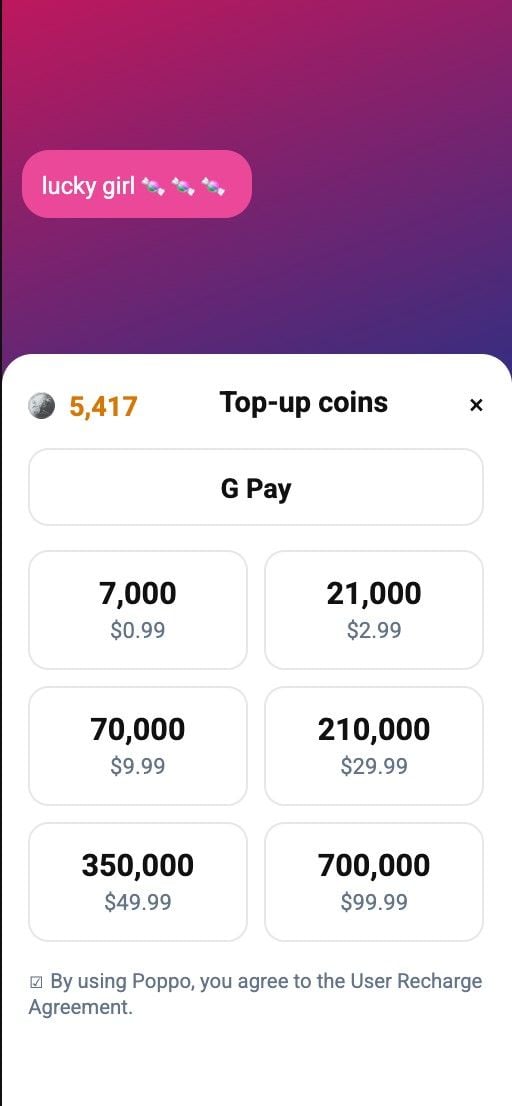
Your coin balance sits at the bottom of that sheet. Tap it to open Top-up coins. In-app packs look like:
Coins | Typical in-app price |
|---|
7,000 | $0.99 |
21,000 | $2.99 |
70,000 | $9.99 |
210,000 | $29.99 |
350,000 | $49.99 |
700,000 | $99.99 |
App-store checkout (Google Play / Apple) works, but markups run higher than web recharge. For the same coins at lower cost, use BitTopup Poppo Live Coins - paste User ID only, no password. Package picks and rate math are covered in the Poppo Live Coins Guide April 2026 and the 2026 top-up rate comparison.
Me page: wallet, VIP, agency, and settings
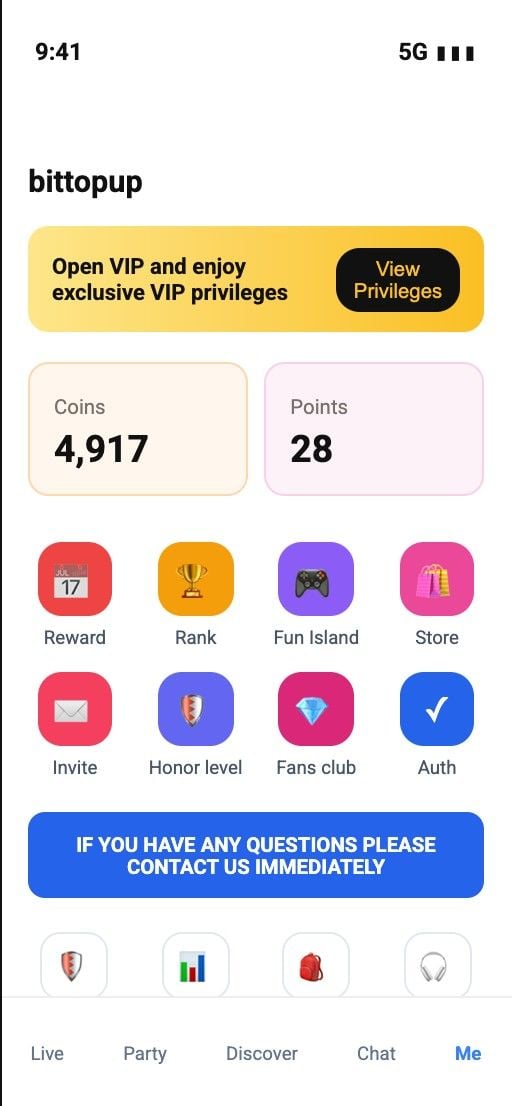
Open the Me tab to see Coins and Points side by side. Coins buy gifts; hosts convert received gifts into Points for withdrawal after verification. Shortcut tiles include Reward, Rank, Fun Island, Store, Invite, Honor level, Fans club, Auth, Help, My Agency, Level, and Settings.
In Settings you get Account and security, Security Password, Language, Blacklist, privilege and notification toggles, Privacy, cache clear, and Log Out. For support, use Help → My feedback → pick a topic (face authentication, top-up, and so on), attach detail, submit.
How to get more value from Poppo Live
Finish Auth early if you plan to host or withdraw.
Use Reward / daily tasks for small free coin or point drops.
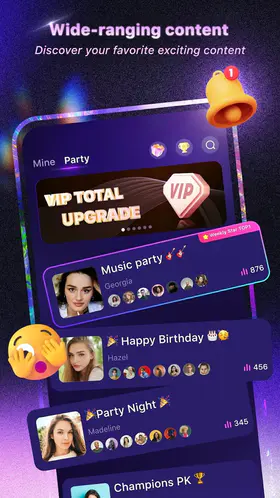
Join Party rooms before you host - easier warm-up than a cold solo room.
Load coins before PK peaks; see the first top-up guide if you are new to discounted packs.
Card declines or 3DS loops? Follow the payment failed fix before you retry.
Need coins for gifts tonight? Open Poppo recharge on BitTopup, paste your ID from the Me page, pay, then pull down the wallet to refresh.
FAQ
Is Poppo Live free to use?
Yes. Download, signup, watch, and chat cost nothing. You pay only when you buy Coins for gifts, VIP, or some event tools.
How do I find my Poppo Live User ID?
Open Me / Profile. The numeric ID sits near your avatar (often labeled ID). Long-press to copy. Recharges need that number alone - never share your password.
Why can’t I go live on Poppo Live?
Face auth, a live cover photo, and Wealth level 5 must all pass. If Live now stays grey, open Live application conditions and finish the unfinished row.
How do I send gifts on Poppo Live?
Enter a live room → gift icon → pick an item → check the coin cost → Sending. Top up from the balance line if the pack costs more than you hold.
Are third-party Poppo coin top-ups safe?
Use sites that ask for User ID only and ship through official channels. BitTopup fits that model. Skip any seller that wants your login, OTP, or SMS code.
Conclusion
You now have the full beginner loop for how to use Poppo Live app: install, lock in personal data, build a readable profile, browse Explore and PK, clear Go Live gates if you host, and manage Coins for gifts from the Me wallet. Save this guide - we update the checklist when UI or recharge options shift. When you need coins without app-store markup, recharge Poppo Live on BitTopup with your User ID and keep the stream moving.