

EA Sports FC 25 FC Points Top Up Guide for EA App
Building a championship-caliber squad in Football Ultimate Team requires planning, tactical acumen, and the right in-game assets. EA Sports FC 25 FC Points serve as the primary premium currency on PC through the EA App, allowing you to open player packs, enter Ultimate Draft competitions, customize your club, and unlock premium tiers in seasonal tracks.
BitTopup provides authentic digital codes for EA Sports FC 25 FC Points. Buying on BitTopup delivers instant redemption keys directly to your order page without requiring you to share sensitive EA account login credentials or passwords. Choose your desired denomination, complete your order, and redeem the code directly into the EA App desktop client on Windows.
EA Sports FC 25 FC Points Pricing and Denomination Options
FC Points for the EA App come in standard digital card increments. Live pricing, regional payment processing options, and local currency conversions are displayed directly on the BitTopup checkout screen.
| FC Points Pack | Target Usage | Platform |
|---|---|---|
| 500 FC Points | Single Ultimate Draft entry (300) + Gold Pack | EA App (PC) |
| 1,050 FC Points | Multiple Draft entries, early-season Evolution slot | EA App (PC) |
| 1,600 FC Points | Promo Gold Packs, Season Pass track unlocks | EA App (PC) |
| 2,800 FC Points | Mid-tier Promo Packs, paid Evolution upgrades | EA App (PC) |
| 5,900 FC Points | High-value Campaign Packs, multiple Evolutions | EA App (PC) |
| 12,000 FC Points | Major promo campaigns, team-building foundations | EA App (PC) |
How to Recharge EA Sports FC 25 FC Points for EA App
Ordering your FC Points on BitTopup is straightforward and does not require account handovers:
- Select the FC Points denomination you wish to purchase from the product menu above.
- Verify the product edition is EA Sports FC 25 FC Points (EA App) to ensure PC compatibility.
- Click Buy Now and select your preferred payment method on the secure checkout page.
- Complete the transaction.
- Copy your 16-character alphanumeric redemption key from your BitTopup order confirmation screen.
Step-by-Step EA App Key Activation and Code Redemption
Once you receive your digital code from BitTopup, follow these steps to add the points directly to your PC balance:
Method 1: Direct Redemption via the EA App Client (Windows)
- Launch the EA App on your PC and log into the EA Account associated with your game.
- Click on My Collection in the left-hand navigation sidebar.
- Click the Redeem Code button located near the top right of the application window.
- Enter the 16-character digital code provided by BitTopup into the input field.
- Click Next, review the product confirmation screen, and click Confirm.
- Launch EA Sports FC 25. Your updated FC Points balance will display in the top right corner of the Ultimate Team main menu.
Method 2: Web Browser Redemption
- Open your browser and navigate to
ea.com/redeem. - Log into the EA Account linked to your PC copy of FC 25.
- Paste your BitTopup redemption key into the text box.
- Click Redeem to bind the points to your profile balance.
How to Check Your EA Account and UID Details
Ensure that you activate your digital code on the exact EA Account linked to your active FC 25 club. If you run multiple profiles, verify your EA ID inside the game settings before redeeming.
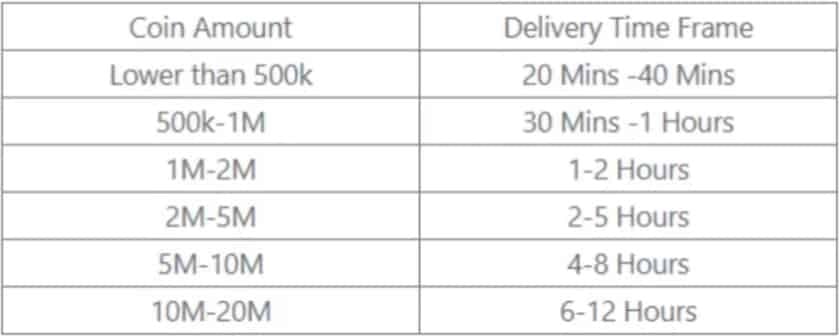
To view your account details:1. Open EA Sports FC 25 and enter the Customise menu from the main dashboard.2. Select Online Settings, then click EA Account.3. Your active EA ID, linked email address, and membership status will appear on screen.4. Ensure you log into this exact account in the EA App desktop client before entering your code.
What You Can Purchase with FC Points in Ultimate Team 2026
FC Points give you direct access to game modes, progression mechanics, and squad-building features across Ultimate Team:
- Packs in the FUT Store: Acquire standard Gold packs, Mega packs, and limited-time promotional packs featuring dynamic player items, Icons, and Heroes.
- Ultimate Draft Entries: Enter the single-player or online Draft competition for 300 FC Points. Winning four consecutive matches yields high-tier reward packs and coins.
- Paid Evolutions: Upgrade eligible player cards by paying FC Points to unlock specific Evolution tracks. Evolutions boost weak foot ratings, skill moves, PlayStyles, and core statistics.
- Season Pass Upgrades: Unlock premium progression tiers on the unified seasonal ladder to earn exclusive vanity items, loan stars, and high-rated tradeable player packs.
- Rush Mode Entry & Boosts: Access special events and earn bonus points within the 5v5 Rush format in Ultimate Team.
Platform Compatibility and Region Restrictions (Belgium Exclusions)
Review the following technical conditions before completing your purchase:
- Platform Specificity: Codes purchased on this page are strictly for the EA App on PC. They cannot be redeemed on PlayStation 4, PlayStation 5, Xbox One, Xbox Series X|S, Nintendo Switch, or FC Mobile. FC Points balances do not transfer across different platform ecosystems.
- Belgium Regional Restrictions: Due to local gaming regulations regarding paid randomized items, purchasing and redeeming FC Points is disabled on EA accounts set to the Belgium region. Accounts registered in Belgium cannot activate point codes.
- South Korea & Age Verification: Accounts registered in South Korea may require identity verification via national mobile authentication before codes can be applied.
Safe and Secure EA FC 25 Recharges on BitTopup
BitTopup safeguards your gaming profile through a code-based fulfillment system:
- Zero Password Sharing: BitTopup will never ask for your EA account password, security questions, or backup two-factor codes. You receive an official digital key that you redeem yourself.
- Account Safety: Because redemptions occur through official EA servers, your club remains fully compliant with EA Terms of Service. There is zero risk of transfer market bans or coin wipes.
- Transparent Checkout: All prices and processing options are displayed upfront before you pay.
- Dedicated Support: BitTopup customer support is available to assist with any code verification or order tracking inquiries.
Frequently Asked Questions
How can I buy FC Points in EA SPORTS FC 25 for EA App?
Select your desired pack size on BitTopup, proceed to checkout, and complete the payment. You will receive an activation key that you can input directly into the EA App under the Redeem Code section.
How much do 12,000 EA FC 25 points cost?
The live cost for the 12,000 FC Points pack is listed on the BitTopup product page above. Final prices depend on your selected payment method and local currency conversion.
Can I transfer EA FC 25 Points from PC to console versions?
No. FC Points balances are tied directly to the platform where they were redeemed. Points activated on the EA App (PC) cannot be transferred or shared with PlayStation, Xbox, or Nintendo Switch accounts.
Why are FC Points unavailable to purchase in Belgium?
Belgian gaming legislation classifies loot boxes containing randomized virtual items as gambling. Consequently, EA disabled the sale and redemption of FC Points for all accounts registered in Belgium.
What can FC Points be used for in EA FC 25 Ultimate Team?
FC Points can be used to open Store Packs, pay for paid Evolution paths, buy Ultimate Draft tokens (300 points each), unlock premium Season Pass rewards, and purchase Club cosmetics.
Do I need to provide my EA account password to recharge?
No. BitTopup uses a secure key delivery method. You never need to share your EA password, email access, or 2FA codes. You receive a digital code to redeem inside your own EA App client.