Standard Processing Timeframes by Payment Method
Diamond-to-GFT conversions: 3-7 days before blockchain transfer initiation
Bank transfers via Pay Portal:
- Uplive approval: 3-10 days (account status dependent)
- Banking system: 1-3 business days
- Weekend/holidays extend timeframes
Support response times:
- Standard inquiries: 24-48 hours
- Complex issues: 3-5 business days
- Escalated cases: 7-10 business days
Factors That Affect Withdrawal Speed
Peak hours (14:00-22:00 UTC): Higher volumes = extended approvals. Off-peak submissions (02:00-08:00 UTC) process faster.
Gas prices on BNB Chain: Normal range 10-50 gwei allows smooth processing. Above 100 gwei causes delays/failures. Off-peak hours offer 30-60% lower fees.
Verification status: Initial KYC takes 24-72 hours when documentation meets requirements. Re-submissions need 5-7 business days. Peak periods extend to 7-10 days.
First-Time vs Repeat Withdrawal Differences
New account restrictions: Mandatory 7-14 day withdrawal block from account creation, regardless of balance or verification.
Contact verification: Email and phone must stay verified for minimum 30 days before withdrawal eligibility.
Password security: 90-day update cycles required. Accounts exceeding this face withdrawal holds until password updates complete.
Uplive Withdrawal Thresholds and Minimum Requirements
Minimum thresholds vary by payout method:
- Broadcaster payouts: 5,000 coins minimum
- Diamond withdrawals: 10,000-50,000 diamonds (method dependent)
- Cryptocurrency (GFT): 50,000-diamond threshold
Platform recommends consolidating to 10,000-50,000+ diamonds before withdrawal to optimize efficiency and minimize complications.
Minimum Diamond Balance Required for Withdrawal
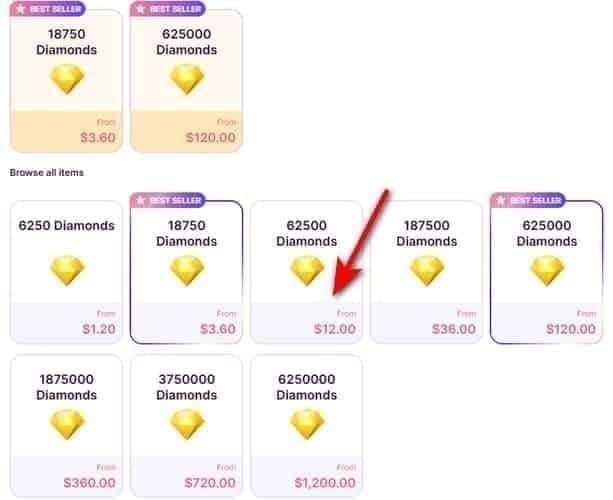
10,000 diamonds: Entry threshold for standard methods. Below this, withdrawal option is unavailable.
50,000 diamonds: Required for cryptocurrency/blockchain payouts due to processing complexity and network fees.
Pro tip: Accumulate 10,000-50,000+ diamonds before requesting. Reduces processing frequency, minimizes fees, decreases rejection likelihood.
Regional Threshold Variations and Currency Conversions
Diamond-to-coin conversion stays consistent, but final monetary value depends on exchange rates at processing time.
Banking infrastructure differences create practical threshold variations. Some countries impose minimum transfer amounts above Uplive's platform minimums.
Tax withholding in certain jurisdictions affects net payouts. Understand your region's tax treatment to set realistic accumulation targets.
How to Check Your Eligible Withdrawal Amount
Earnings dashboard: Real-time withdrawable balance visibility in payment center. Shows total diamonds plus any holds/restrictions.
Transaction history: Tracks previous withdrawals with processing status, completion dates, issues encountered.
Threshold indicators: Display progress toward next withdrawal tier, showing additional diamonds needed.
The Complete 2026 Uplive Withdrawal Checklist
Successful withdrawals require completing multiple verification layers before first payout request.
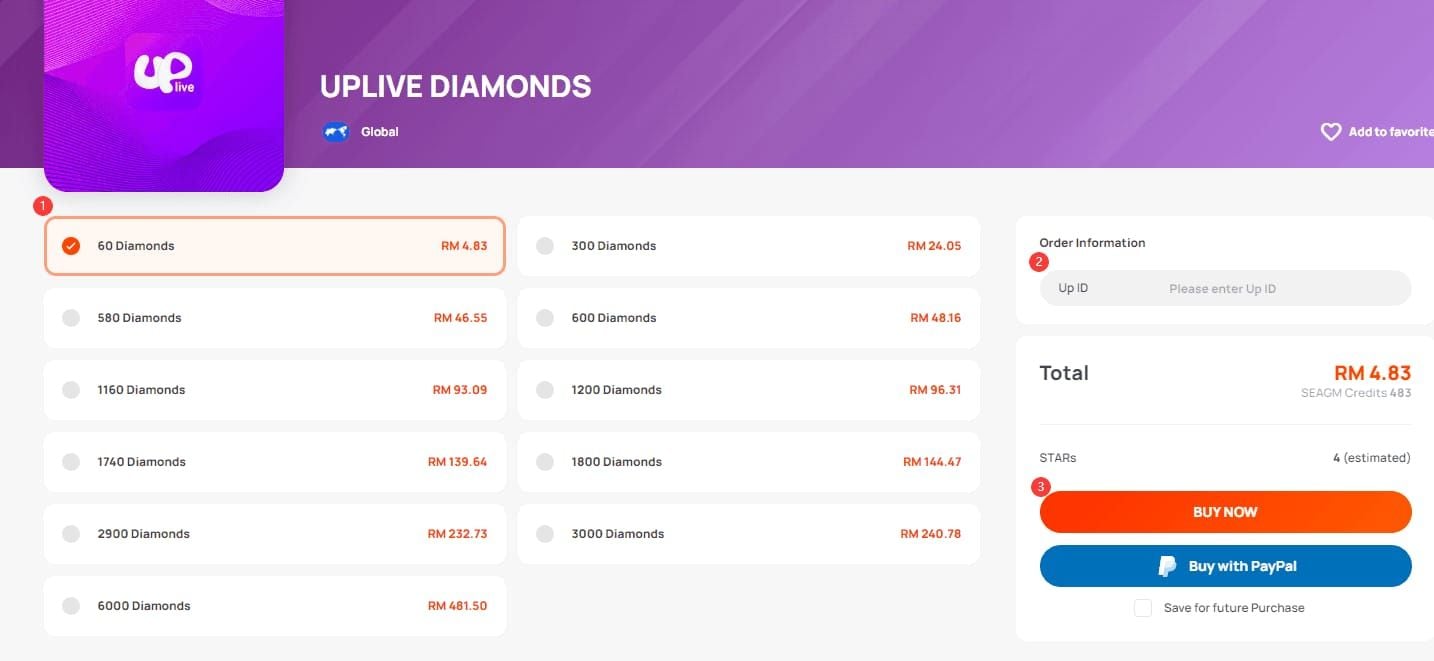
For consistent diamond balances, buy Uplive diamonds top up through BitTopup—reliable delivery, competitive pricing, secure transactions.
Pre-Withdrawal Account Verification Steps
Email and phone verification:
- Settings > Profile: Confirm phone shows verified status
- Settings > Preferences > Notifications: Ensure email shows confirmation
- Both must stay active for 30-day minimum before withdrawal eligibility
Password security:
- 6-15 characters required
- Can't reuse previous passwords
- Update if exceeding 90-day cycle
Account authentication:
- Enter Username and Password
- Select authentication method
- Enter generated code
- Enables Pay Portal access
Required Documentation for KYC Compliance
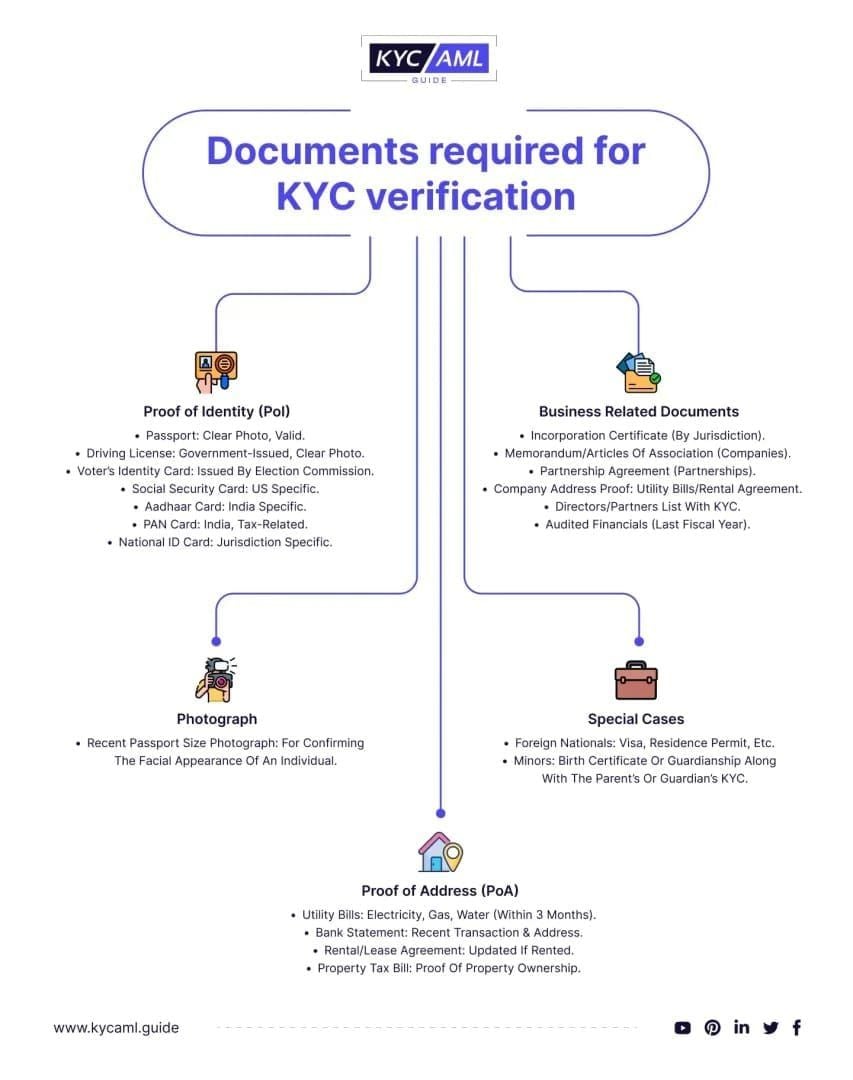
ID requirements:
- Government-issued ID matching registration exactly
- Name, DOB, address must align perfectly
- Discrepancies trigger automatic rejection (5-7 day delay)
Image quality:
- Minimum 1200x900 pixels
- All four corners visible
- No blur, cropping, or glare
- Well-lit environment, stable camera
Processing times:
- Normal periods: 24-72 hours
- Peak periods (month-end, post-promotions): 7-10 business days
Payment Method Setup and Confirmation
Bank account (Pay Portal):
- Transfer > Add New Transfer Method
- Enter routing number, account number, account type
- Double-check each digit before saving
Cryptocurrency (BNB Chain):
- Add BNB Chain network to wallet with correct RPC endpoints
- Must specify BNB Chain, not Ethereum mainnet
- Wallet address: exactly 42 characters (0x + 40 hexadecimal)
- Copy directly from wallet app, verify all characters
Final Submission Checklist Before Requesting Payout
✅ GFT contract address: Cross-reference against official Uplive documentation
✅ Gas price check: If above 100 gwei, wait 2-4 hours (saves 30-60% fees)
✅ Recovery phrase backup: Store 12-24 word phrase offline before first blockchain payout
Why Your Uplive Withdrawal Is Taking Too Long: 12 Common Causes
Incomplete Account Verification Issues
Partial KYC: Missing address proof or selfie verification creates invisible blocks
Expired documents: ID expiring during processing triggers manual review (3-5 day delay)
Mismatched info: Even minor spelling variations force profile updates and complete resubmission
Payment Method Mismatches and Errors
Incorrect wallet address: Single wrong character = permanent fund loss (irreversible)
Wrong network: Ethereum mainnet instead of BNB Chain sends tokens to inaccessible location
Bank errors: Transposed routing/account numbers cause 3-5 day rejection cycles
Insufficient Diamond Balance or Threshold Problems
Pending conversions: Don't count toward minimums until 3-7 day conversion completes
Locked bonuses: Promotional diamonds carry restrictions until conditions met
Threshold confusion: 5,000-coin minimum ≠ 10,000-50,000 diamond minimums
Regional Banking Delays and Holiday Schedules
Banking holidays: Pause transfer processing, adding 4+ days to timelines
Cross-border transfers: Additional verification layers for international payments
Currency conversion: Intermediary banks add 1-2 business days per institution
Account Flags and Community Guideline Violations
Active investigations: Automatic holds on all financial transactions until resolution
Copyright disputes: Freeze earnings until claim resolution (weeks possible)
Suspicious patterns: Unusual withdrawals, balance increases, login changes trigger 5-10 day manual review
How to Avoid Getting Your Uplive Withdrawal Stuck
Complete Verification Before Your First Withdrawal Attempt
Submit KYC at 50% of target threshold. Ensures 24-72 hour processing completes before withdrawal readiness.
Check verification dashboard weekly during first month. Address pending requirements before they become urgent.
Invest 10 minutes in proper document quality. Achieves 24-72 hour approval vs 5-7 day re-submission penalty.
Double-Check Payment Information Accuracy
Character-by-character verification: Copy wallet address, paste into form, visually compare all 42 characters in groups of 6
Test transactions: Process minimum-threshold withdrawal first to validate setup
Bank confirmation: Call bank to verify routing/account numbers before entering into Pay Portal
Choose Optimal Withdrawal Timing and Methods
Off-peak windows (02:00-08:00 UTC): 30-60% faster processing vs peak hours
Mid-week submissions (Tue-Thu): Avoid weekend gaps and Monday backlogs
Gas monitoring: Wait if gas exceeds 100 gwei; saves fees and improves speed
Maintain Compliance with Uplive Broadcasting Guidelines
Content consistency: Maintain same standards throughout career; sudden shifts trigger reviews
Streaming hours: 30-hour minimum over 15+ valid days, with 1+ session exceeding 1 hour
Organic engagement: Natural follower growth prevents fraud flags
Step-by-Step Guide to Troubleshoot Delayed Withdrawals
How to Check Your Current Withdrawal Status

Payment center: Shows Pending, Processing, Approved, or Rejected status
Transaction ID: Record for support inquiries—enables instant location
Pay Portal: Separate login shows bank transfer progress details
Interpreting Uplive Payment Center Messages
Pending (24-72 hours): Normal processing; no action needed unless persists beyond 72 hours (established) or 10 days (new)
Network busy: Blockchain congestion. Cancel if persists 30+ seconds, retry in 2-4 hours
Verification required: Incomplete KYC. Check email for documentation requests; expect 5-7 days after resubmission
When and How to Contact Uplive Support
72-hour rule: Contact if Pending exceeds 72 hours (established accounts) or 10 business days (new accounts)
Email: uplivecsteam@asiainnovations.com
Include:
- Uplive username (not email)
- Transaction ID
- Withdrawal request date
- Current status message
Response times:
- Standard: 24-48 hours
- Complex: 3-5 business days
- Escalated: 7-10 business days
Resubmitting Withdrawals After Rejection
Address exact rejection reason before resubmitting. Repeated submissions without fixes extend delays.
Wait for KYC resubmission processing (5-7 days) to complete before new withdrawal attempt.
Allow 24 hours after payment method updates before resubmitting withdrawal.
Payment Method Comparison: Which Processes Fastest?
Bank Transfer Processing Times and Requirements
Total timeline: 4-13 days
- Uplive approval: 3-5 days (established), 7-10 days (new)
- Banking transfer: 1-3 business days
Domestic vs international: Domestic transfers hit shorter end (1 day); international add intermediary processing (3 days)
Auto-transfer: Action > Create Auto Transfer. Set period, date, percentage, or threshold for automatic scheduling.
Digital Wallet Options and Speed Advantages
Cryptocurrency (BNB Chain):
- Diamond-to-GFT conversion: 3-7 days
- Blockchain confirmation: Hours (normal conditions)
Gas optimization: 10-50 gwei = fast confirmation. Off-peak (02:00-08:00 UTC) saves 30-60% fees.
Security trade-off: No institutional recovery for lost credentials. Store recovery phrase offline.
Regional Payment Method Availability in 2026
Advanced banking regions: Access both bank transfers and digital wallets
Developing infrastructure: Cryptocurrency often more accessible than international transfers
Regulatory environments: Some jurisdictions restrict crypto; others offer additional wallet choices
Pro Tips from Experienced Uplive Broadcasters
Best Days to Submit Withdrawal Requests
Tuesday-Thursday: Optimal staffing, avoids Monday backlogs and Friday delays
Month-beginning (weeks 1-2): Lighter queues vs end-of-month congestion
Post-promotion wait (3-5 days): Let surge clear for normal processing times
How to Organize Documentation for Faster Approval
Quality review: Verify 1200x900+ pixels, four corners visible, no glare (prevents 5-7 day penalty)
File naming:GovernmentID_Front_[YourName] vs default camera names
Batch submission: Upload all documents simultaneously for immediate queue entry
Building Withdrawal History for Smoother Future Payouts
First withdrawal perfection: Over-prepare initial transaction to establish credibility
Consistent patterns: Regular schedules (monthly, bi-weekly) at similar amounts reduce fraud flags
Payment method consistency: Same bank/wallet for all withdrawals minimizes re-verification
Avoiding Common Mistakes That Trigger Manual Reviews
Gradual accumulation: Steady growth avoids suspicious activity flags (5-10 day reviews)
Login consistency: Same location/devices prevent security holds
Proportional withdrawals: Amounts matching streaming hours/engagement appear legitimate
Frequently Asked Questions About Uplive Withdrawals
How long does Uplive withdrawal normally take in 2026?
3-5 days (established hosts), 7-10 days (new broadcasters). Bank transfers add 1-3 business days. Diamond-to-GFT conversions need 3-7 days before blockchain transfer. Total: 4-13 days depending on status, method, verification.
What is the minimum withdrawal amount on Uplive?
Host payouts: 5,000 coins. Diamond withdrawals: 10,000-50,000 diamonds (method dependent). Cryptocurrency typically requires higher thresholds. Recommended: consolidate to 10,000-50,000+ diamonds.
Why is my Uplive withdrawal stuck in pending status?
Beyond 72 hours (established) indicates incomplete KYC, payment errors, or account flags. New accounts: normal up to 10 business days. Check verification messages, confirm payment accuracy, ensure 30-day verified contact minimum and 7-14 day new account restriction met.
What documents are required for Uplive withdrawal verification?
Government ID matching registration exactly. Images: 1200x900+ pixels, all corners visible. May need address verification and selfie. Processing: 24-72 hours (normal), 5-7 days (re-submissions), 7-10 days (peak periods).
How do I check my Uplive withdrawal status?
Payment center shows status (Pending/Processing/Approved/Rejected) and transaction ID. Pay Portal (separate login) displays bank transfer details. Transaction history logs all previous withdrawals.
Can I cancel a pending Uplive withdrawal request?
Cryptocurrency: Cancel if network busy persists 30+ seconds, retry in 2-4 hours when gas drops below 100 gwei. Bank transfers: typically can't cancel once submitted. Contact uplivecsteam@asiainnovations.com with transaction ID for modification requests.
Speed up your Uplive journey with BitTopup—trusted partner for seamless diamond top-ups. Competitive pricing, fast delivery, secure transactions, excellent customer service. Get instant support and exclusive resources for Uplive creators today.